Performing Limits Transaction Inquiry
Navigation Path: Supply Chain Finance > Inquiry > Limits Txn Inquiry
Search

|
Field Name |
Description |
|
Borrower Id |
Click the Search icon to open the Customer Type pop-up window: 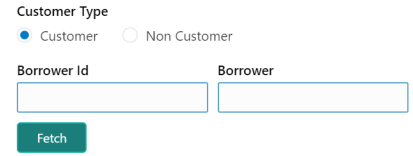
1. Select the customer type to search for. 2. In the Borrower Id or Borrower fields, enter the complete or partial value to search for. 3. Click Fetch to view matching parties. |
|
Line Id |
Click the Search icon to select the Line Id. |
|
Product |
Click the Search icon to select the Product for which the transaction limit is to be inquired. |
|
Program |
Click the Search icon to select the Program for which the transaction limit is to be inquired. |
|
Limit Expired |
Enable this toggle button to include the expired limits in the search. |
Click Search to view the Transaction Limits details of the select borrower.

In the Details column, click the Details link for a specific finance number.
