Managing Internal Account Mapping
Create an Internal Account Mapping
Navigation Path: Supply Chain Finance > Maintenance > Accounting > Internal Account Mapping > Create Internal Account Mapping
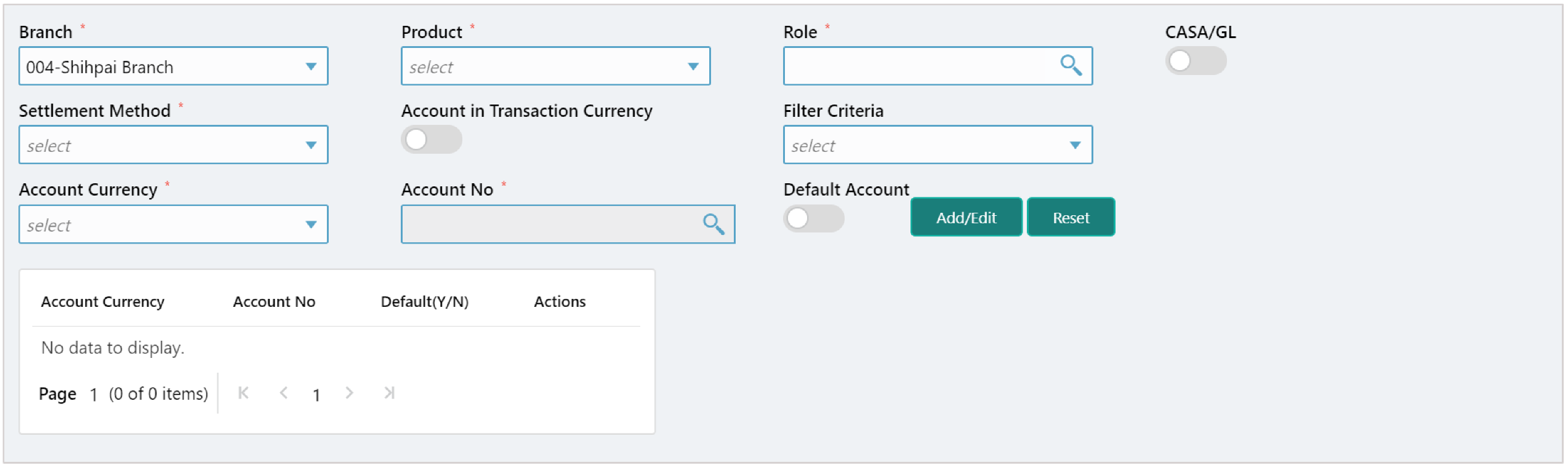
|
Field Name |
Description |
|
Branch |
Select the branch in which Account is maintained. |
|
Product |
Select the Product to be associated with the account. You can select ALL if the account is to be used for all the products. |
|
Role |
Click on the Search icon to select the role for whom account mapping needs to be done. |
|
CASA/GL |
Use this toggle button to specify whether CASA/GL ratio needs to be considered for this mapping or not. |
|
Settlement Method |
Select the mode of settlement. |
|
Account in Transaction Currency |
Use this toggle button to specify whether the accounting should be done in transaction currency or not. |
|
Filter Criteria |
Select any one of the following criteria: • Event, Program and Party Based • Program and Party Based • Party and Division Code Based • Event and Party Based • Program Based • Party Based |
|
Account Currency |
Select the currency for account. |
|
Account No. |
Enter the account number. |
|
Default Account |
Use this toggle button to specify if this account should be considered as default one. |
View or Edit an Internal Account Mapping
Navigation Path: Supply Chain Finance > Maintenance > Accounting > Internal Account Mapping > View Internal Account Mapping
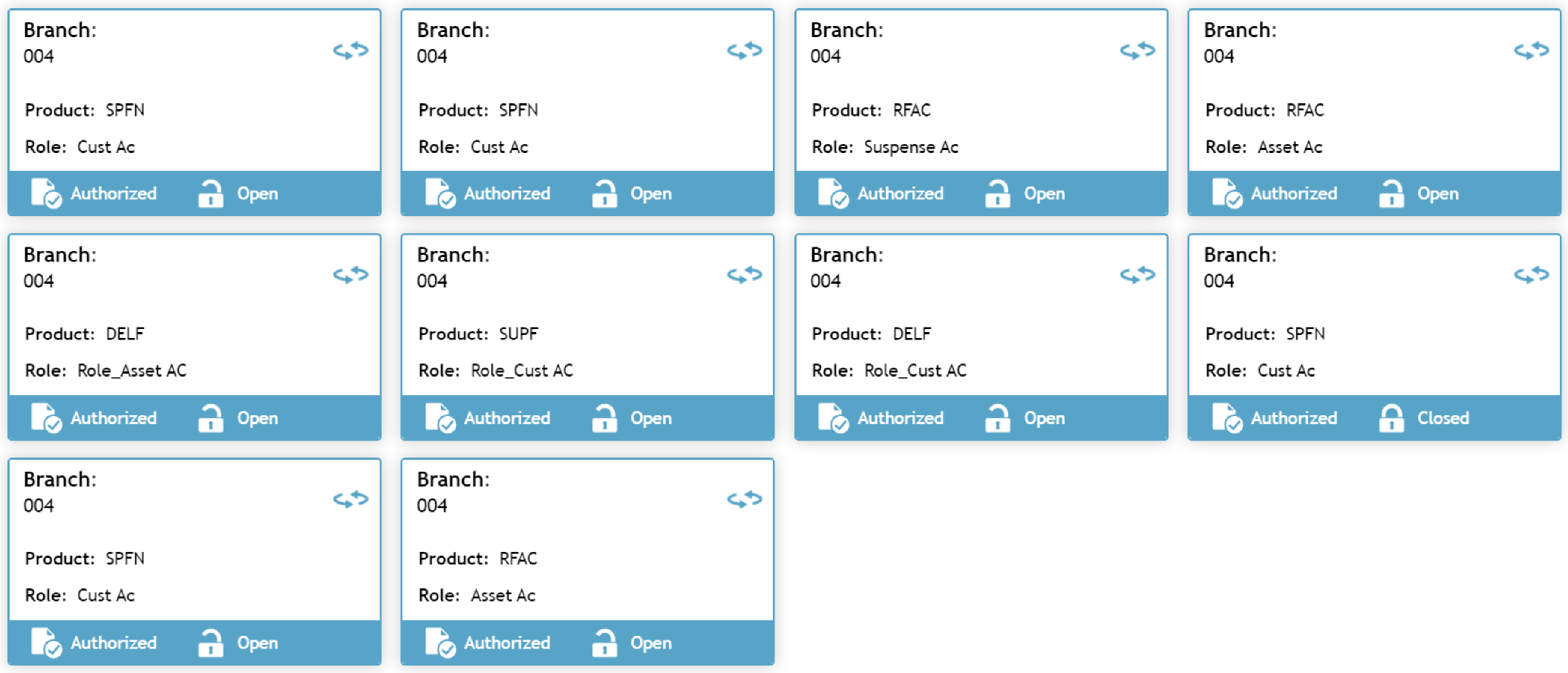
Click on the product for a Branch to view an internal account mapping for.
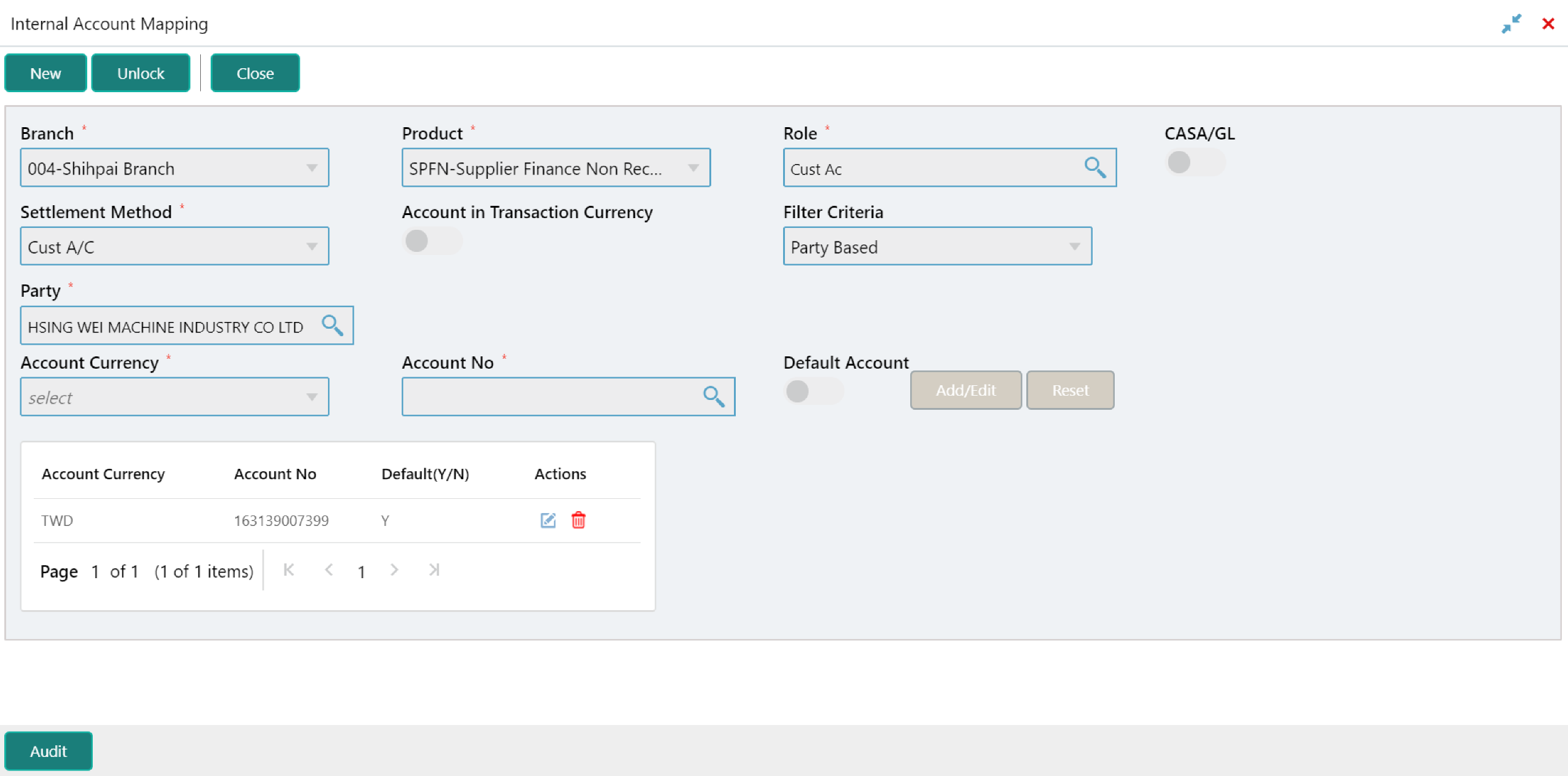
Click Unlock to enable the editing of details.