Configuring High Availability
See the following sections for configuring HA.
Configuring a Site for HA
HA is configured through the Oracle Configuration Editor tool. When a Site is added, an HA appliance can be configured for the Site:
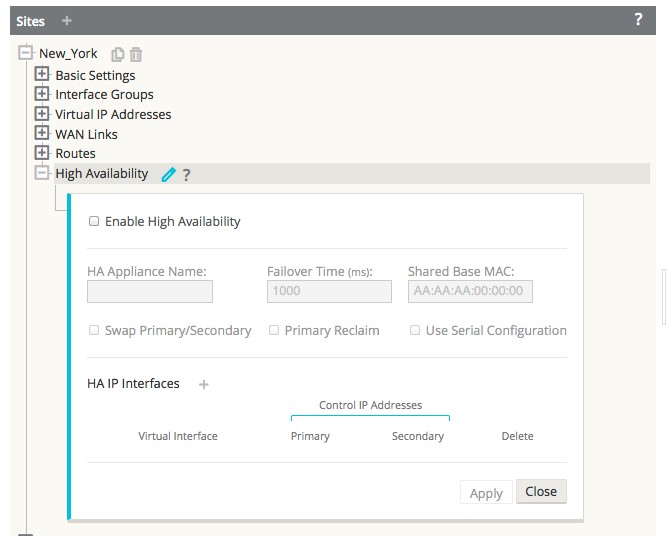
Configuring HA Properties
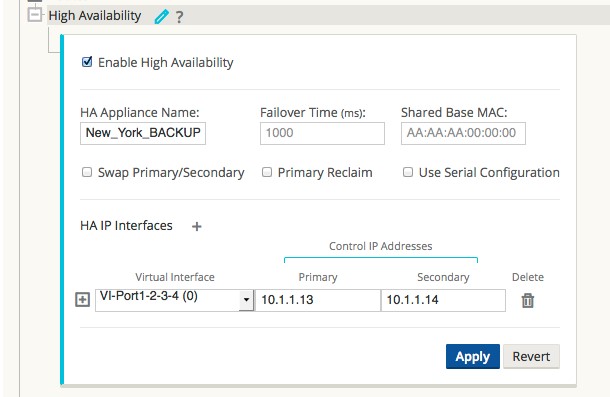
Once a Site has been configured with an HA appliance, the HA appliance and interface groups can be configured:
Primary Reclaim
In the event that the Ative appliance fails and then comes back, it can be configured to reclaim the Active status once it has rebooted. This feature is disabled by default To enable it, select the check box for “Primary Reclaim” in the High Availability section of the site configuration.
The Active/Standby states of an HA pair can be manually switched from the web console of either appliance during run-time operation.
Serial Inline HA
When Serial Inline HA mode is desired, select the check box for “Use Serial Configuration.”
Interface Groups
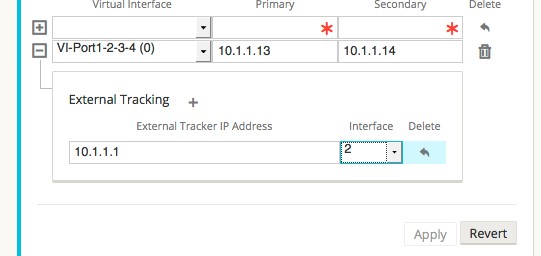
At least one HA interface group must be configured. This is the interface that the HA RACP protocol will be established across in order to monitor the Actrive appliance for reachability. For One Arm HA mode, only one interface group is required. For Inline HA mode, additional interface groups may be configured in order to use External Tracking to monitor reachability of the upstream or downstream network infrastructure (e.g. switch port failure) to detect if an HA state change is needed.