The ‘Instrument Inquiry’ screen helps you to inquire status of the instruments based on the various criteria such as ‘Deposit Slip No.’, ‘Bank Account Number’, ‘Instrument Amount range’, ‘Deposit Date range’, ‘Deposit Channel’, ‘Deposit/Clearing Location’ etc.
Navigation Path: Collections > Instrument Inquiry
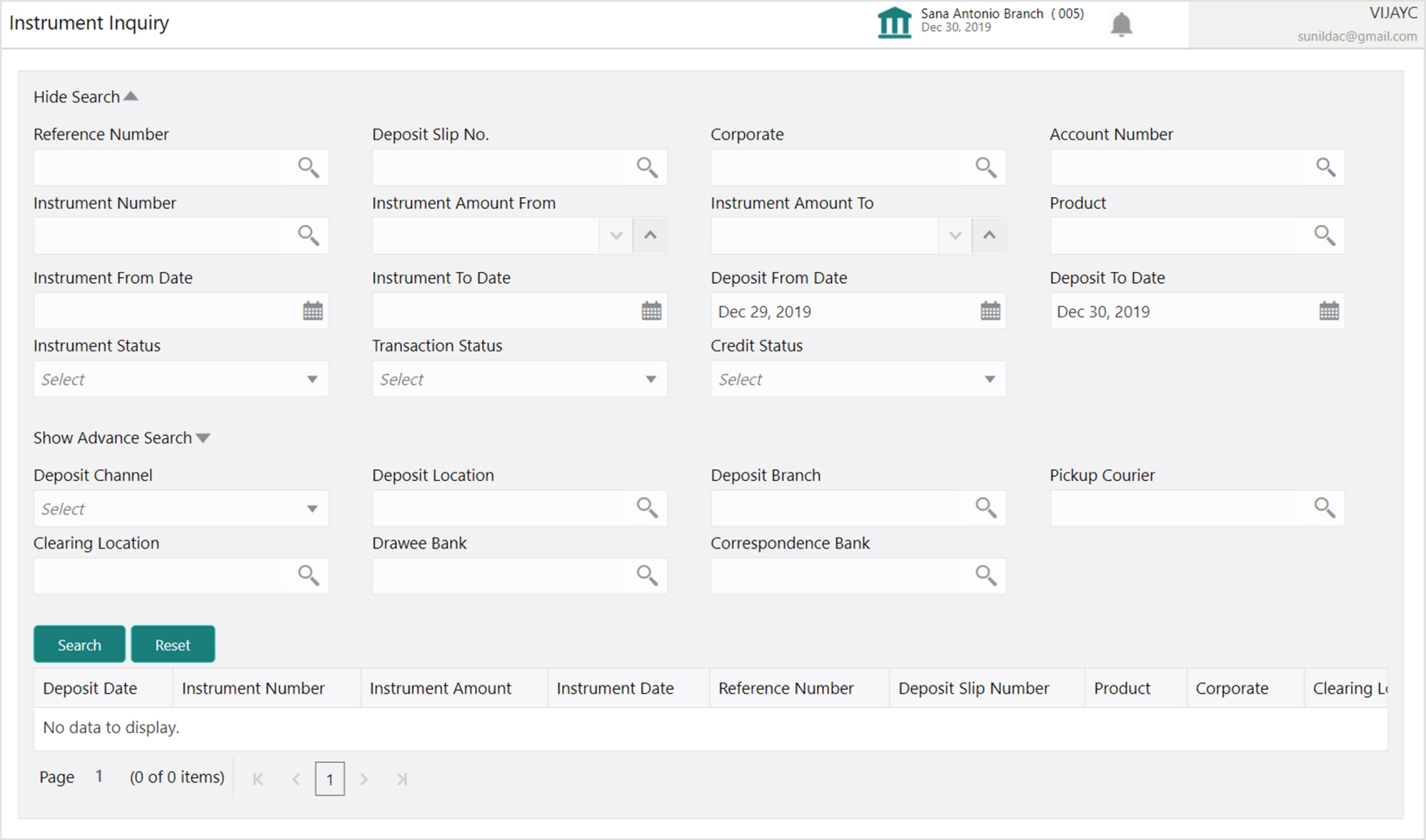
1. Refer to the following table for specifying details on the above screen:
|
Field Name |
Description |
|
Reference Number |
Click the Search icon and select the reference number of the instrument. |
|
Deposit Slip No. |
Click the Search icon and select the deposit slip number used to deposit instrument. |
|
Corporate |
Click the Search icon and select the corporate from whom the instrument is received. |
|
Account Number |
Click the Search icon and select the account number of the instrument. |
|
Instrument Number |
Click the Search icon and select the instrument number to search for. |
|
Instrument Amount From |
Enter the lowest instrument amount of the range. |
|
Instrument Amount To |
Enter the highest instrument amount of the range. |
|
Product |
Click the Search icon and select the product used for the instrument. |
|
Instrument From Date |
Click the Calendar icon and select start of the instrument date range. |
|
Instrument To Date |
Click the Calendar icon and select end of the instrument date range. |
|
Deposit From Date |
Click the Calendar icon and select the date after which the instrument was deposited. |
|
Deposit To Date |
Click the Calendar icon and select the date before which the instrument was deposited. |
|
Instrument Status |
Select the current status of the instrument. |
|
Transaction Status |
Select the current status of the transaction. |
|
Credit Status |
Select any one of the below credit status of the instrument: Credited Reversed Partially Reversed |
|
Advance Search |
|
|
Deposit Channel |
Select the channel through which the instrument was deposited. |
|
Deposit Location |
Click the Search icon and select the location from where the instrument was deposited. |
|
Deposit Branch |
Click the Search icon and select the bank branch from where the instrument was deposited. |
|
Pickup Courier |
Click the Search icon and select the courier company used for instrument. |
|
Clearing Location |
Click the Search icon and select the location where the instrument is cleared. |
|
Drawee Bank |
Click the Search icon and select the drawee bank of the instrument. |
|
Correspondence Bank |
Click the Search icon and select the correspondence bank of the instrument. |
2. Click Search to view the search result.

3. Optional: You can perform following actions on the search result:
- Click the instrument number to view more details on instrument and its enrichment details.
- Click the reference number to view more details about the same.
- Click the deposit slip number to view more details on deposit slip and its enrichment details.
- Click the instrument status to view more details on its processing status.