Right to be Forgotten is the task of removing Personally Identifiable Information (PII) of a Data Subject for the given Party. The financial institution can delete PII for those Data Subjects who have requested this Right to be Forgotten functionality.
The Data Subjects may have made significant financial transactions, and/or financial information may be required for regulatory or compliance reporting. Deleting the complete record that consists of PII may lead to issues in data reconciliation. In OFSAA, the PII data will be replaced with randomized values and therefore, the complete Data Subject record is retained. As a result, financial information is retained; however, the associated Party PII is removed permanently.
To configure Right to be Forgotten, follow these steps:
Ensure that you assign the role Data Controller to the HM user.
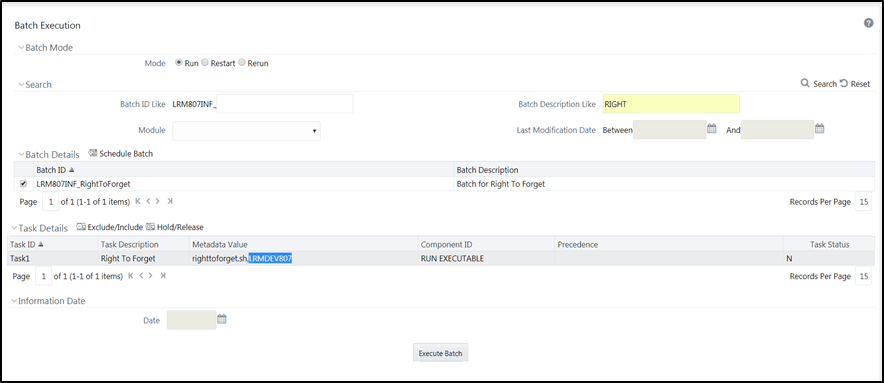
Edit the task of the batch <Infodom_name>_RightToForget. By default the parameter is SYSADMN. Modify the user ID in the Metadata Value field to the HM Data Controller user ID from Step 1.
Figure 25: Configure Right to be Forgotten for OFS HM
Add the party IDs entries for the Right to Forget in the FSI_PARTY_RIGHT_TO_FORGET table.
Execute the batch <Infodom_name>_RightToForget, for the specific FIC MIS date mentioned in the FSI_PARTY_RIGHT_TO_FORGET table.