Through the Insurance master module banks can maintain details of the insurance company from which it intends to purchase insurance policies for covering the default risk of the debtor/borrower corporate. Details of various insurance policies availed through that insurance agent can also be maintained. Individual policies can be linked to debtor/borrower party to track limit related exposure at policy level.
Create Insurance
Navigation Path: Supply Chain Finance > Maintenance > Insurance > Create Insurance
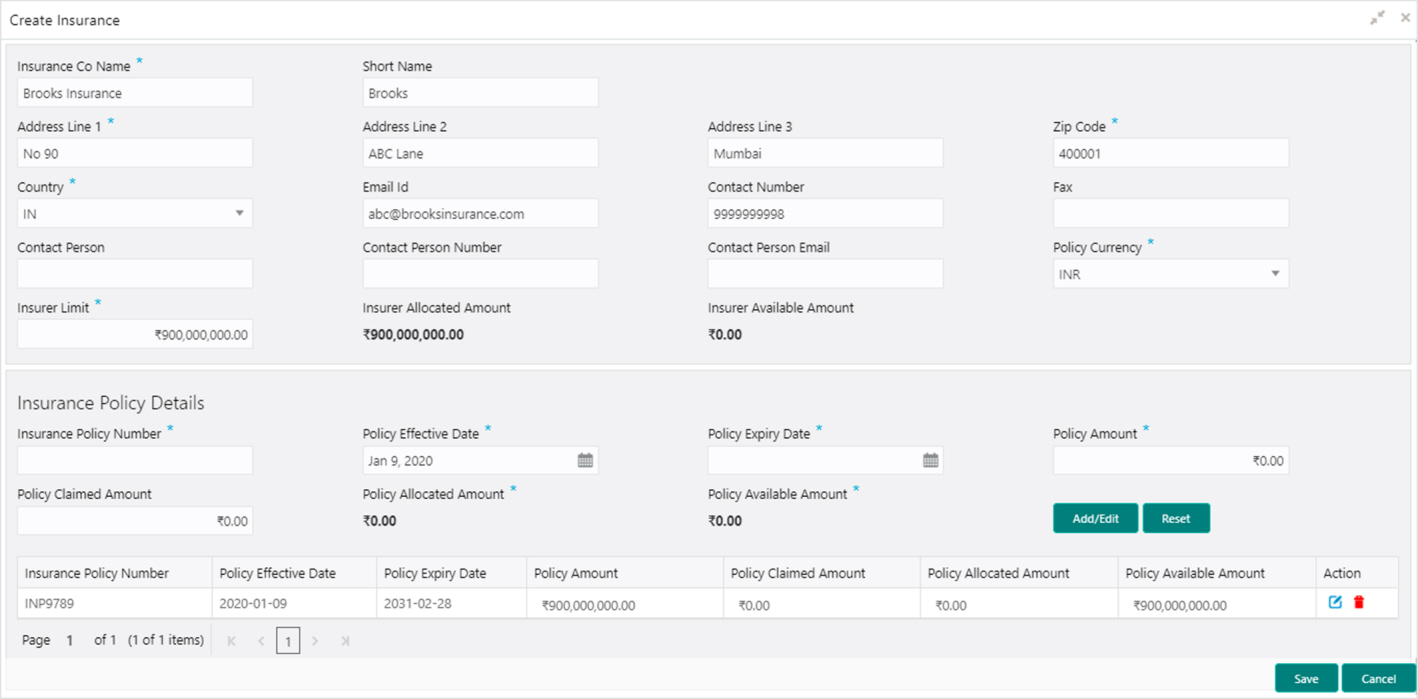
1. Refer to the following table for specifying details on the above screen:
Note: Fields marked with ‘*’ are mandatory.
|
Field Name |
Description |
|
Insurance Co Name * |
Enter name of the insurance company. |
|
Short Name |
Enter the short-name of the insurance company, if any. |
|
Address Line 1 * |
Enter the contact address of the insurance company. |
|
Address Line 2 |
Continue entering the contact address of the insurance company, if required. |
|
Address Line 3 |
Continue entering the contact address of the insurance company, if required. |
|
Zip Code * |
Enter the valid postal code belonging to the mentioned address. |
|
Country * |
Select the country of the mentioned address. |
|
Email Id |
Enter the communication e-mail address. |
|
Contact Number |
Enter the contact number of the insurance company. |
|
Fax |
Enter the fax number of the insurance company. |
|
Contact Person |
Enter the contact person’s name from the insurance company. |
|
Contact Person Phone Number |
Enter the phone number of the mentioned contact person. |
|
Contact Person Email |
Enter the e-mail address of the contact person. |
|
Policy Currency * |
Select the currency in which the insurance is subscribed. |
|
Insurer Limit * |
Enter the maximum limit to be given to the insurer. |
|
Insurer Allocated Amount |
Enter the amount already allocated to the insurer out of Insurer limit. |
|
Insurer Available Amount |
This field displays the available limit that can be claimed. |
|
Insurance Policy Details |
|
|
Insurance Policy Number * |
Enter the insurance policy number. |
|
Policy Effective Date * |
Enter the policy start date as mentioned on the policy certificate. |
|
Policy Expiry Date * |
Enter the policy end date as mentioned on the policy certificate. |
|
Policy Amount * |
Enter the total insured amount mentioned in the policy. |
|
Policy Claimed Amount |
Enter the amount already claimed from the total policy amount, if any. |
|
Policy Allocated Amount * |
Enter the amount allocated to the specific policy. |
|
Policy Available Amount * |
This field displays the available amount in the specific policy post claims made. |
2. Click Add/ Edit to add details in the grid or modify the selected records from the grid. If required, click Reset to clear the selected values.
3. Click Save to save the record and send for authorization (if applicable).
View Insurance
By using this screen, you can view, modify, delete, or authorize insurance details.
Navigation Path: Supply Chain Finance > Maintenance > Insurance > View Insurance
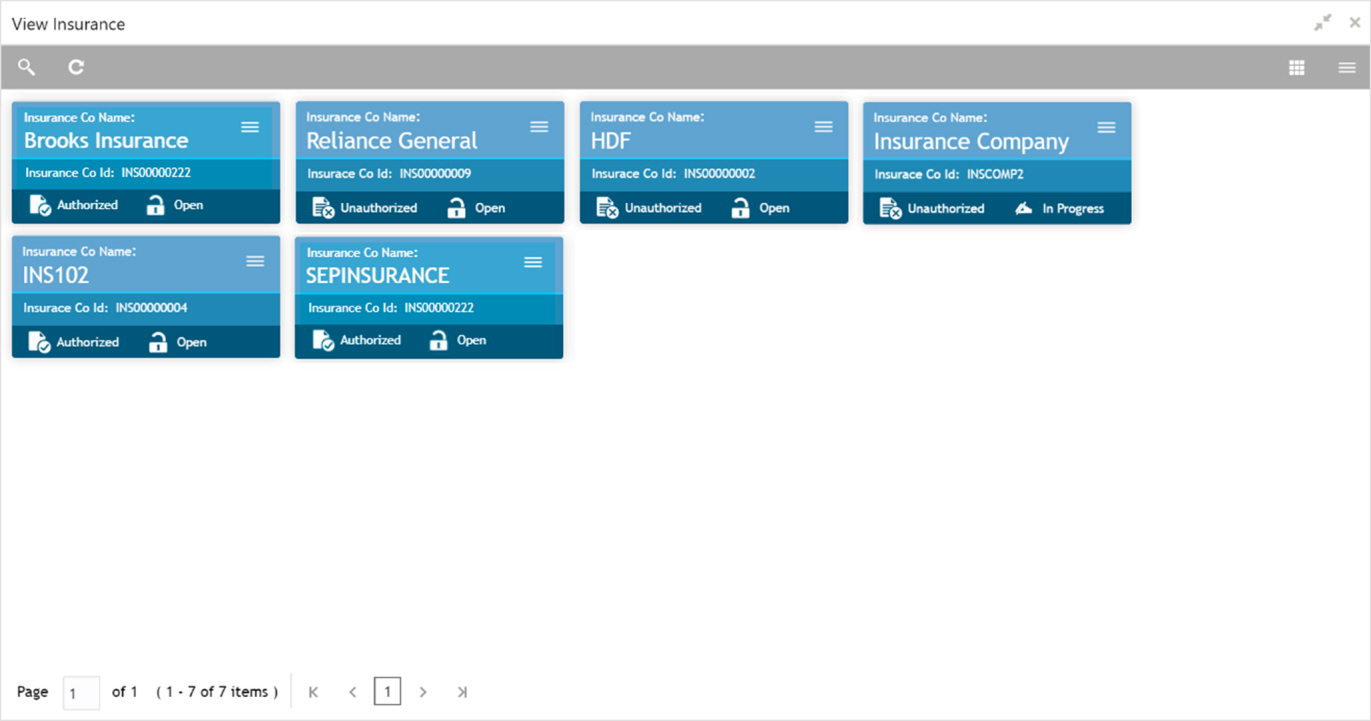
Perform the following steps to take actions on the insurance. Click the Options ( ) icon and then click any of the below option:
• Unlock – To modify the record details. Refer to the Create Insurance section for field level details.
• Authorize – To authorize the record. Authorizing requires necessary access rights.
a. Optional: Click View to view the record details.
b. Select the record to authorize and then click Confirm.
• Delete/Close – To remove the record.
a. Optional: On the confirmation pop-up window, click View to view the record details.
b. Click Proceed to delete the record.
• Copy – To copy the insurance details for creating a new record.
• View – To view the insurance details.