Viewing Position Summary Information as an Administrator Using Fluid
This topic lists the pages that administrators can access from a single location in the PeopleSoft Fluid User Interface to view position summary information.
For general information about fluid pages in PeopleSoft HCM, see Understanding PeopleSoft Fluid User Interface Home Pages.
|
Page Name |
Definition Name |
Usage |
|---|---|---|
|
HC_POSITION_SUMMARY (this is the cref for the tile) |
Access a nav collection of classic pages to view current and historical summary information.. |
|
|
POSITION_SUMMARY |
View general current and historical information about a position. |
|
|
POSITION_HISTORY |
View information on incumbents currently and previously assigned to a position. |
Use the Position Administration tile to access a nav collection of classic page to view current and historical summary information.
Navigation
Image: Position Administration Tile
This example illustrates the Position Administration tile.
Click the Position Administration tile to access the Position Administration navigation collection.
Navigation
Image: Position Administration Nav Collection
This example illustrates the Position Administration nav collection.
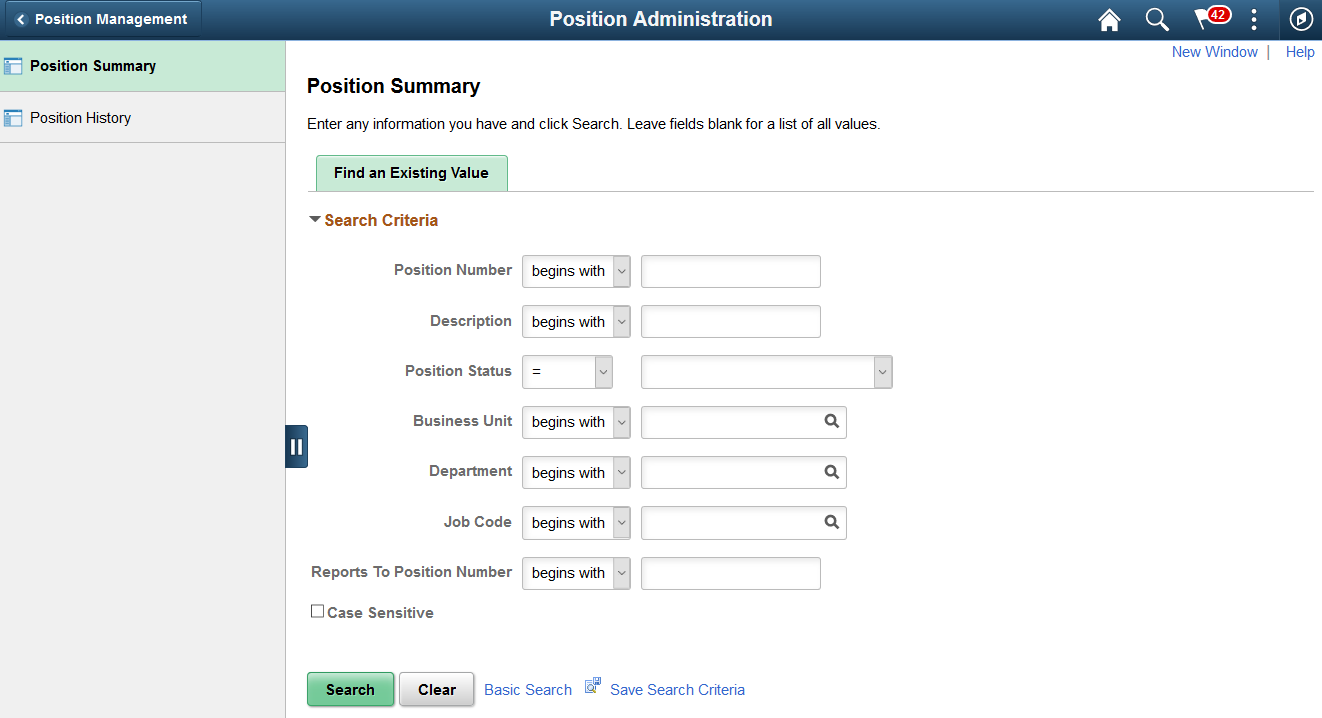
Use the Position Administration navigation collection pages to quickly access classic pages to view current and historical summary information, including incumbent history, from one fluid location. The left panel of this page lists the components. The right panel displays the component selected in the left panel.
You can access the following classic pages from this nav collection:
|
Page Name |
Usage |
|---|---|
|
View general current and historical information about a position. |
|
|
View information on incumbents currently and previously assigned to a position. |