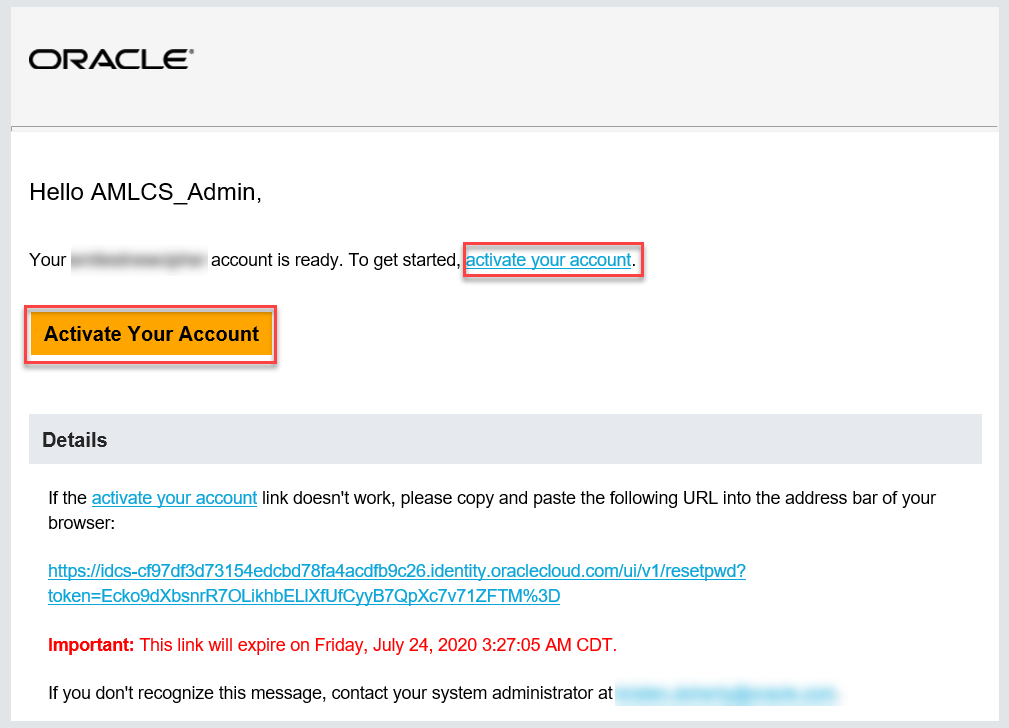
After the user provisioning by your Administrator, as Application Users, you’ll receive a welcome email to activate your account. Use the information in the email to sign in to your account and access your services.
To activate and use your account, perform the following steps:
1. Open the email you received from Oracle Cloud.
Figure: Email to Activate Your Account
2. Review the information about your service in the email.
3. Click Activate Your Account. You’ll be prompted to change your password on the initial login.
4. Specify your new credentials in the Reset Password Window to activate your account.
After the password is successfully reset, the Congratulations Window is displayed.
5. Access the Application URL that your Application Administrator shared with you.
6. Specify your credentials to sign in to your account. The Welcome Page is displayed.