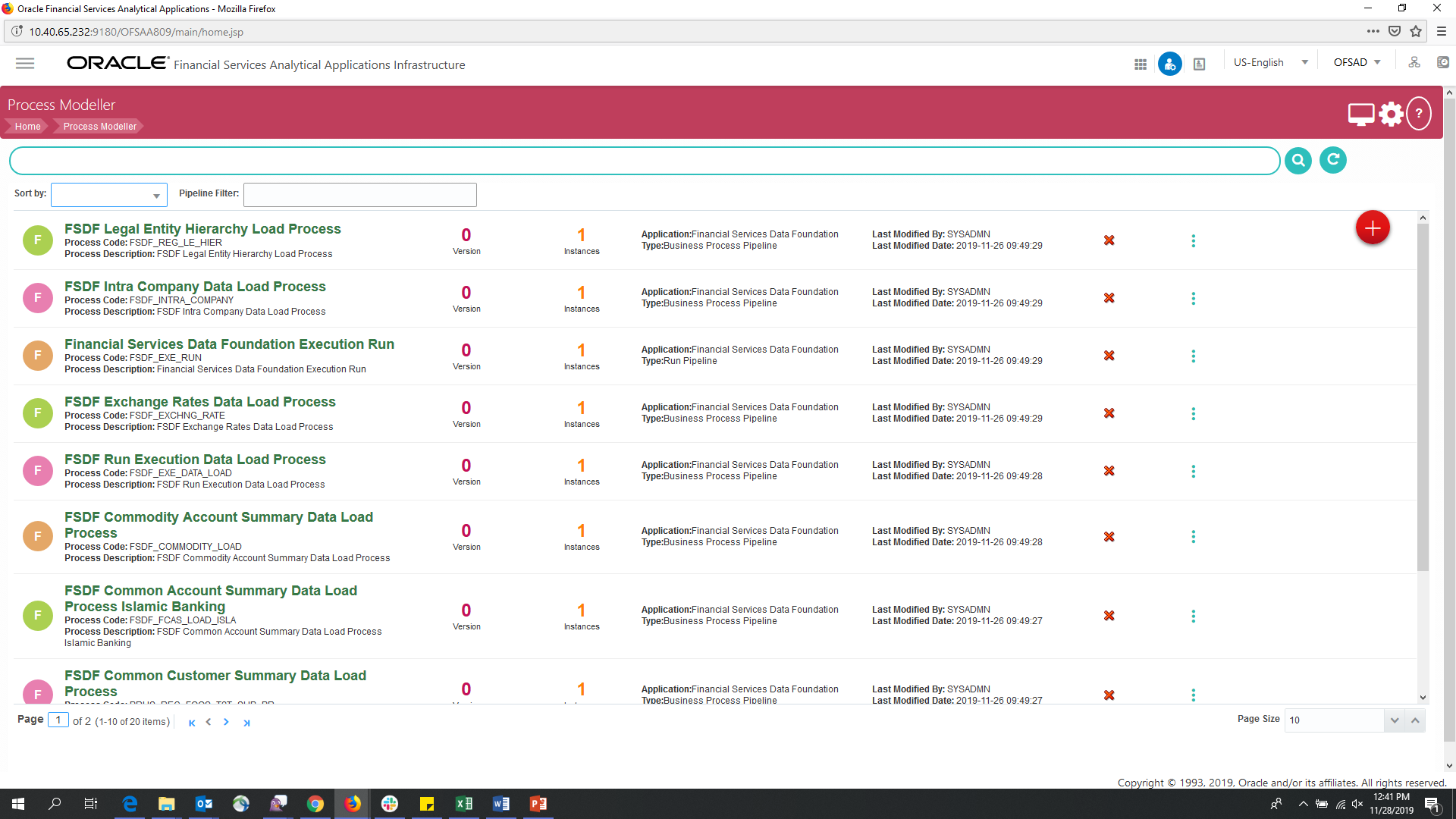
 corresponding
to the Run Pipeline that must be verified. Click Process
Flow Monitor.
corresponding
to the Run Pipeline that must be verified. Click Process
Flow Monitor.After selecting the Run Parameters and beginning the Run execution, verify the progress of the Run.
To verify the Run Execution Progress, follow this procedure:
1. In the Process Modeler Page, click More corresponding
to the Run Pipeline that must be verified. Click Process
Flow Monitor.
Figure 255: Process Modeler Run Execution Screen
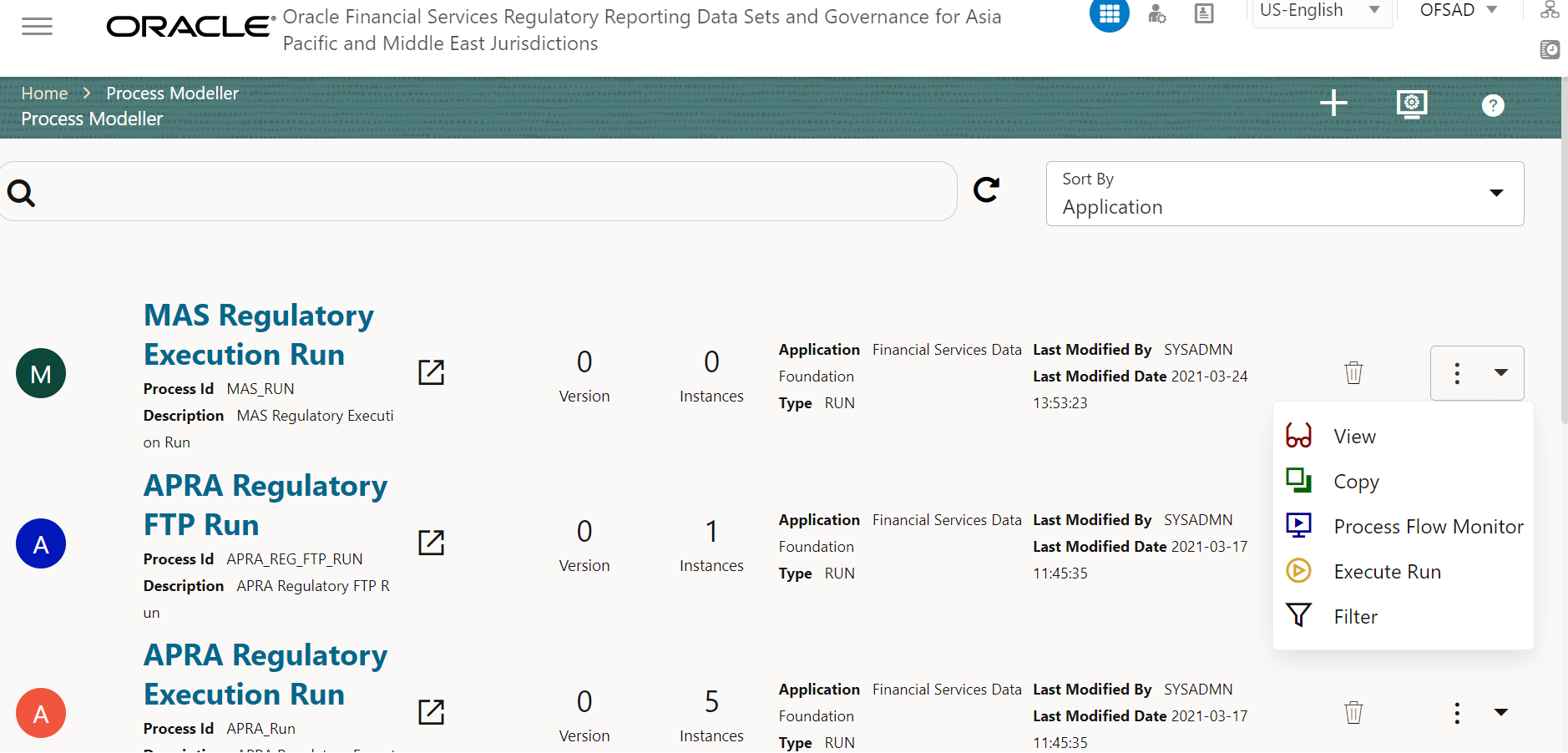
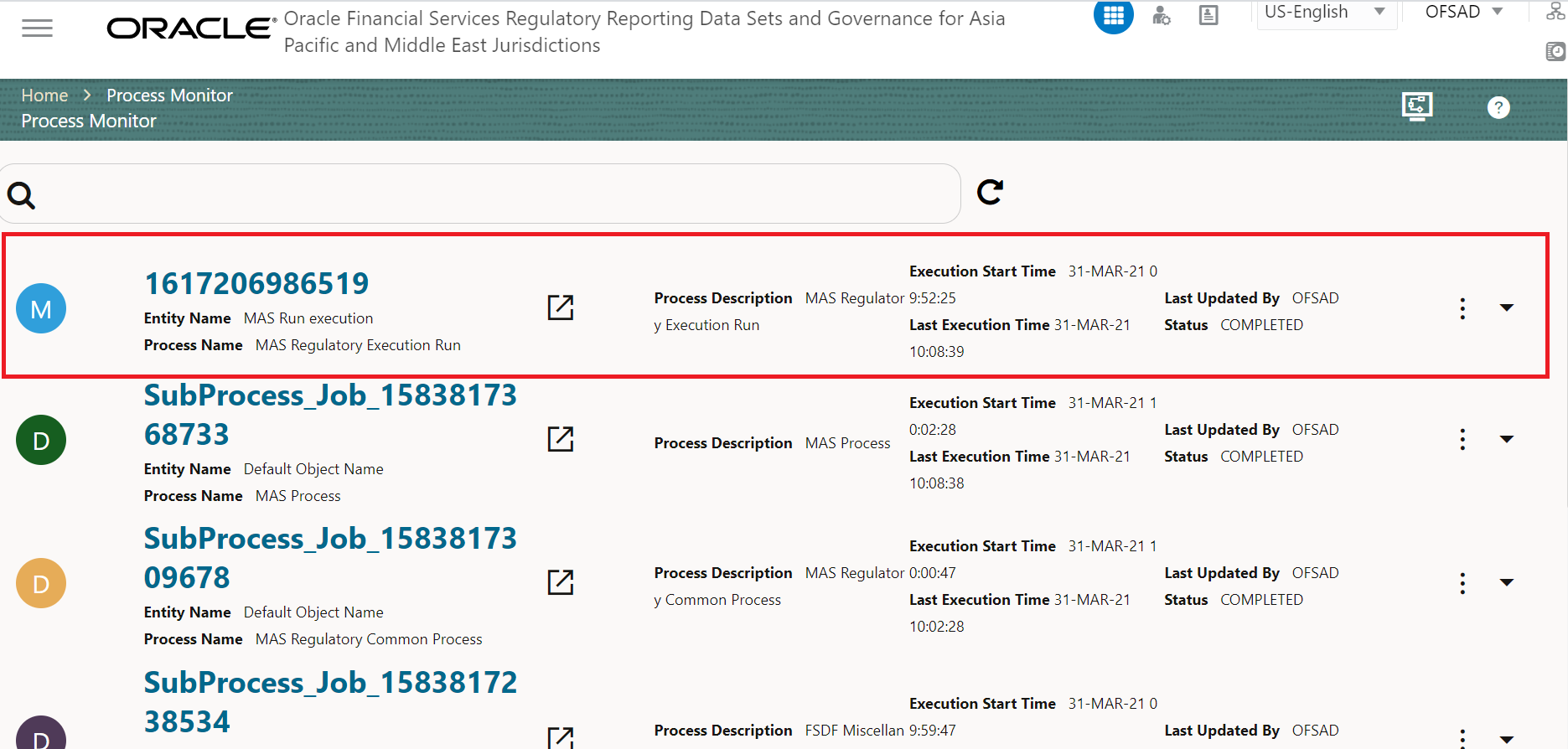
2. Select the Process Flow Monitor option from the drop-down list. The Process Monitor Window is displayed. You can see the generated process flow ID, the Run execution timestamp, and the status of the Run Execution. To verify the Run Execution Status at the Pipeline Level, click the corresponding Process Flow ID.
Figure 256: Process Monitor Screen
3. The Process
Flow Diagram Window is displayed. The  icon at each Sub Pipeline indicates
that the Run Execution is successful.
icon at each Sub Pipeline indicates
that the Run Execution is successful.
Figure 257: Run Pipeline Process Flow Diagram
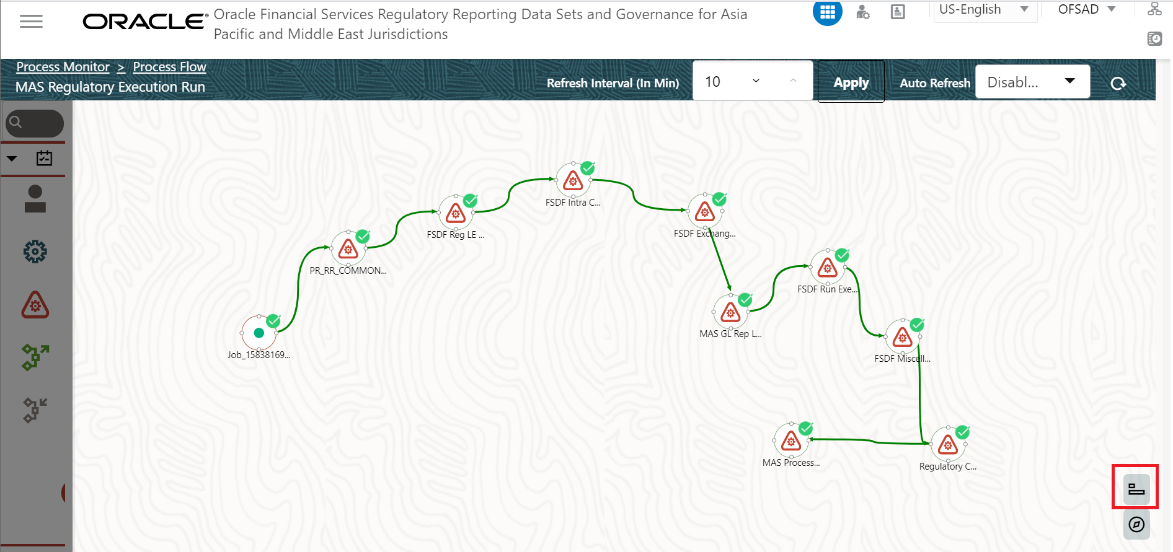
NOTE:
The  icon
shows the entire label of the nodes in the Process Flow Diagram and the
icon
shows the entire label of the nodes in the Process Flow Diagram and the
 icon shows the nodes
navigation in the diagram.
icon shows the nodes
navigation in the diagram.