5. Securities Financial Transaction Regulation
This topic contains the following subtopics:
3)Treasury Customer Additional Maintenance
4)Securities Instrument Definition
5)Securities Repo Contract Online
Due to a lack of data, regulators and supervisors had difficulty anticipating the risks in the securities financing transactions (SFT) during the financial crisis and thereafter.
In 2015, the European Union (EU) adopted the securities financing transactions regulation (SFTR) to increase the transparency of SFTs. SFTR covers three key requirements:
•Transaction reporting: Financial and non-financial counterparties must report their SFTs to central databases known as trade repositories.
•Disclosure obligation: Information on the use of SFTs is disclosed to investors in the regular reports and pre-investments documents issued by the funds.
•Collateral reuse obligation: Transparency on the reuse of collateral is required, such as disclosure of risks and the obligation to acquire prior consent.
Context:
This topic provides the instruction to maintain static types which are used to parameterize the SFTR reporting.
note: All fields marked with an asterisk (*) are mandatory.
1.On the Home page, enter CODTRTYP in the text field and then click the next arrow.
Step Result: Treasury Static Type Maintenance screen is displayed.
Figure 5.1: Treasury Static Type Maintenance
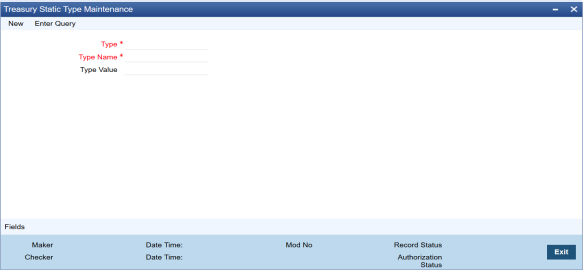
2.On the Treasury Static Type Maintenance screen, specify the details, and click Save to record the new maintenance.
Table 5.1: Static Maintenance Types describes the static maintenance types.
Table 5.1: Static Maintenance Types
|
Type |
Description |
|---|---|
|
SECTOR |
Sector of a counterparty |
|
ADD SECTOR |
Additional sector of counterparty |
|
TR VENUE |
Trading venue |
|
AG TYPE |
Master agreement type |
|
COLL METHOD |
Collateral transfer method |
|
COLL TYPE |
Collateral type |
For more information on the fields and combination of parameters to use in Treasury Static Type Maintenance screen, refer to Table 5.2: Field- Parameters Combination. We recommend you use the parameter combination as shown in the below table.
Table 5.2: Field- Parameters Combination
|
Type |
Type Name |
Type Value |
|---|---|---|
|
SECTOR |
REIN |
Reinsurance Undertaking |
|
|
CSDS |
Central Securities Depository |
|
|
UCIT |
UCITSS |
|
ADD SECTOR |
ETFT |
ETF |
|
|
MMFT |
MMF |
|
|
REIT |
REIT |
|
|
OTHER |
OTHERS |
|
TR VENUE |
XOFF |
MIC-Admitted |
|
|
XXXX |
MIC-Unadmitted |
|
AG TYPE |
GMRA |
GMRA |
|
|
CARA |
Investment Industry |
|
|
CNBR |
China Bond Repo |
|
|
OTHR |
Others |
|
COLL METHOD |
TTCA |
Title transfer |
|
|
SICA |
Securities financial collateral arrangement |
|
|
SIUR |
Securities financial collateral arrangement with right of use |
|
COLL TYPE |
GOVS |
Government Securities |
|
|
FIDE |
Debt Securities |
|
|
SEPR |
Securitized Products |
5.3 Treasury Customer Additional Maintenance
Context:
This topic provides the instruction to maintain ESMA Details and to capture the Legal Entity Identifier (LEI) code of the customer.
note: All fields marked with an asterisk (*) are mandatory.
1.On the Home page, enter STDTRCIF in the text field, and then click the next arrow.
Step Result: Treasury Customer Additional Maintenance screen is displayed.
Figure 5.2: Treasury Customer Additional Maintenance
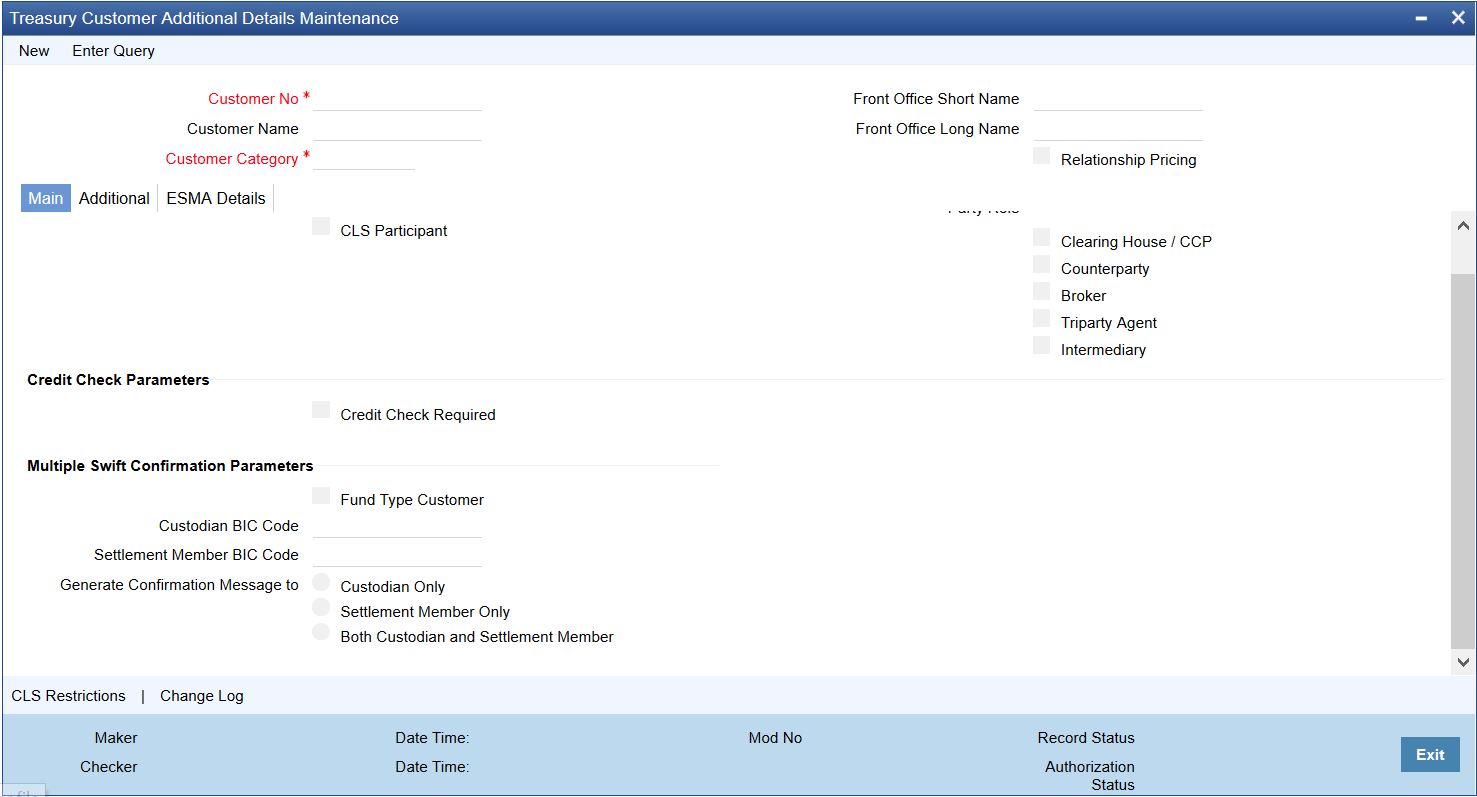
2.On the Treasury Customer Additional Details Maintenance screen, click the ESMA Details tab and specify the details.
Step Result: The ESMA Details page is displayed.
Figure 5.3: Treasury Customer Additional Details Maintenance - ESMA Details
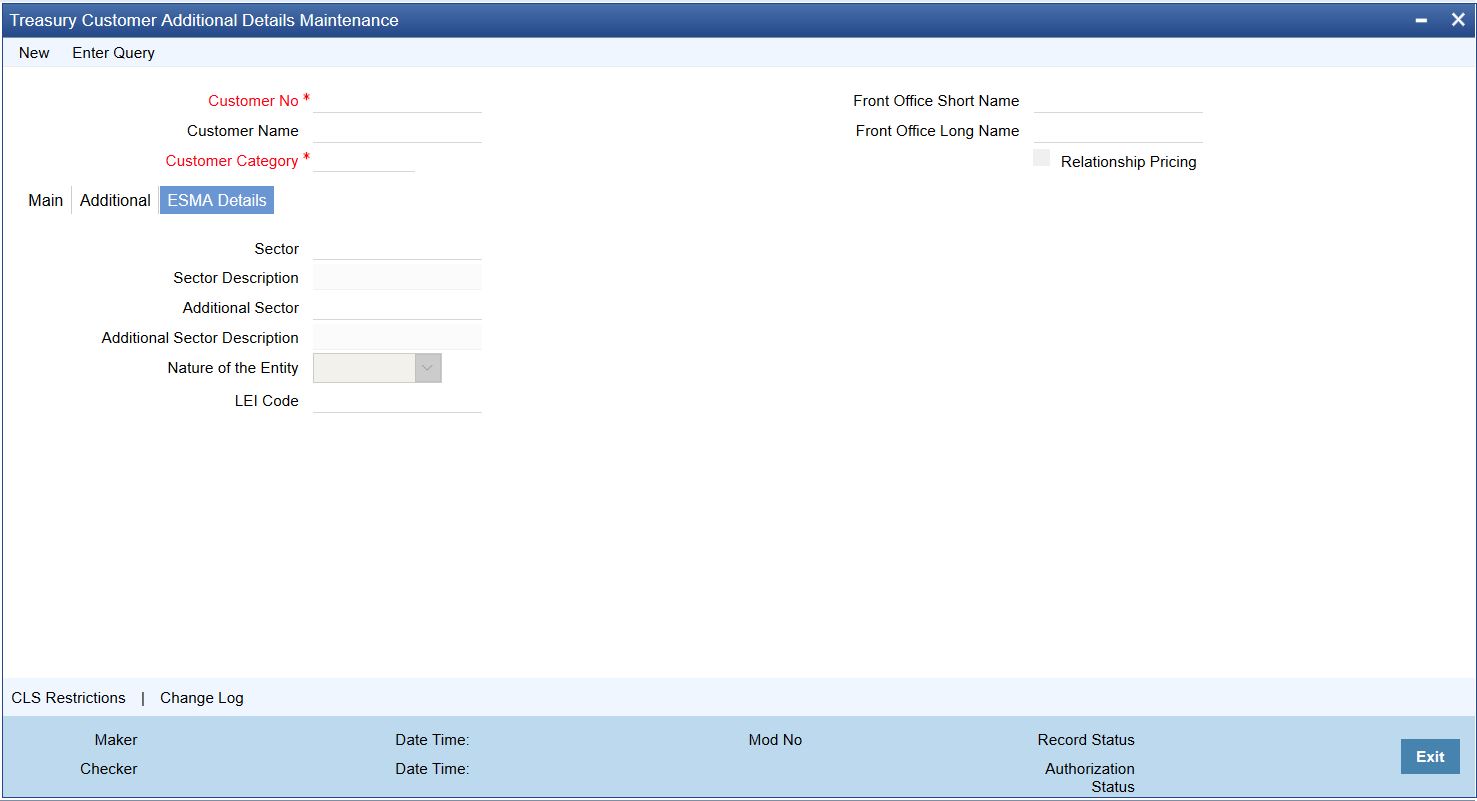
For more information on the field description, refer to Table 5.3: Treasury Customer Additional Details Maintenance - ESMA Details Tab - Field Description.
Table 5.3: Treasury Customer Additional Details Maintenance - ESMA Details Tab - Field Description
|
Type |
Description |
|---|---|
|
Sector |
Click the search icon and select the unique code of the sector from the displayed list for identifying a counterparty. |
|
Sector Description |
A brief description of the selected sector of the counterparty is displayed. |
|
Additional Sector |
Click the search icon and select the unique code of the additional sector from the displayed list for identifying a counterparty. Indicates whether the reporting counterparty is an Undertaking for Collective Investment in Transferable Securities (UCITS) or Alternative Investment Fund (AIF). |
|
Additional Sector Description |
A brief description of the selected additional sector of the counterparty is displayed. |
|
Nature of the Entity |
Select the counterparty’s Nature of the Entity from the drop-down list. The drop-down list shows the following options: •Financial •Non Financial |
|
LEI Code |
Specify the LEI code of the counterparty. |
5.4 Securities Instrument Definition
Context: This topic provides the instruction to maintain SFTR reporting details in the Securities Instrument Definition screen.
The Securities Instrument Definition call form is enhanced with Financial Instrument’s Classification field to maintain SFTR reporting details.
note: All fields marked with an asterisk (*) are mandatory.
1.On the Home page, enter SEDTRONL in the text field, and then click next arrow.
Step Result: Securities Instrument Definition screen is displayed.
Figure 5.4: Securities Instrument Definition
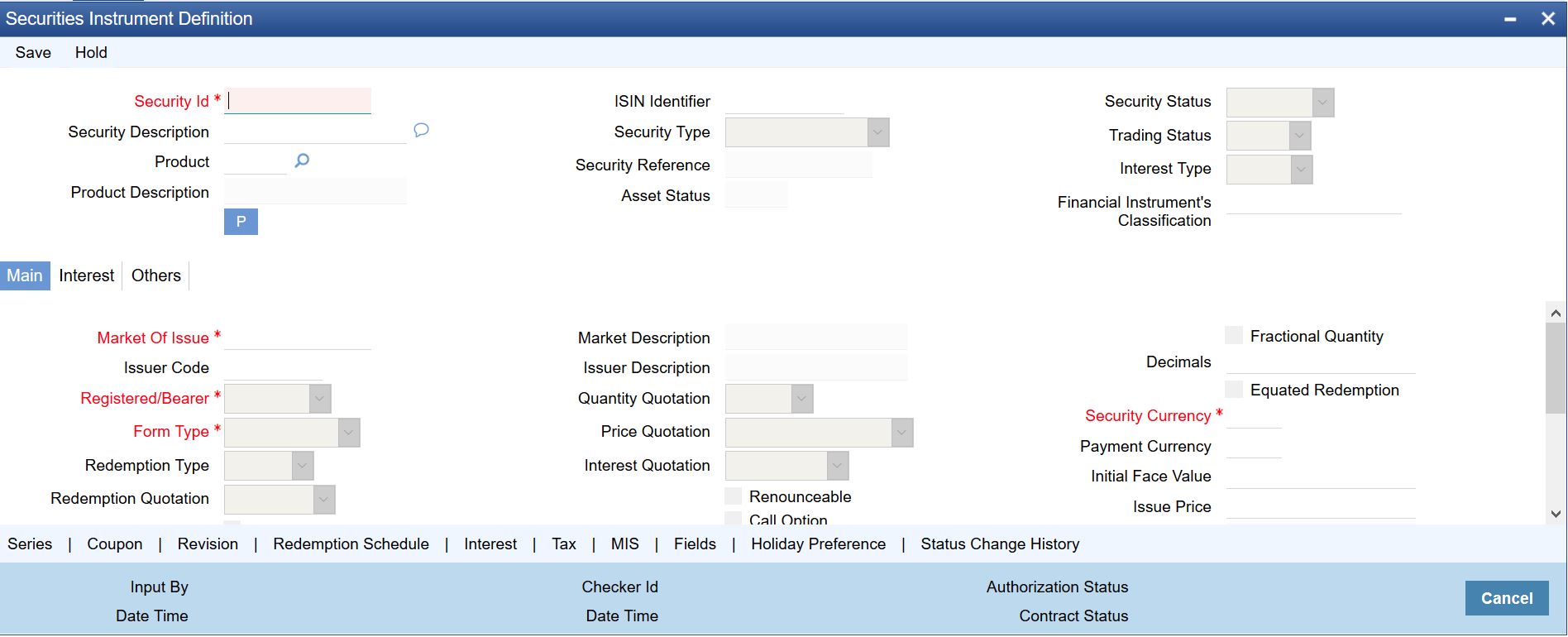
2.On the Securities Instrument Definition screen, specify the fields.
For more information on the field description, refer to “Process Security Deals Product Definition” in the Securities User Guide.
5.5 Securities Repo Contract Online
Context:
This topic provides the instruction to specify details for the Securities Repo Contract Online screen
note: All fields marked with an asterisk (*) are mandatory.
1.On the Home page, enter SRDTRONL in the text field, and then click the next arrow.
Step Result: Securities Repo Contract Online screen is displayed.
Figure 5.5: Securities Repo Contract Online
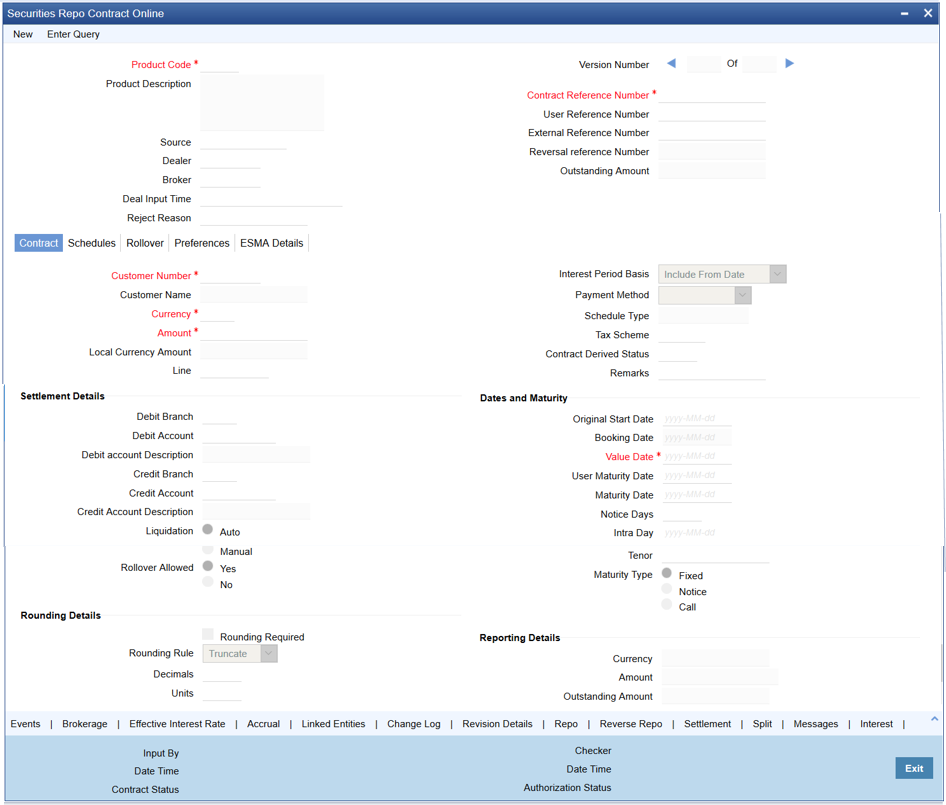
2.On the Securities Repo Contract Online screen, click the ESMA Details tab and specify the details.
Step Result: The ESMA Details page is displayed.
Figure 6:Securities Repo Contract Online - ESMA Details
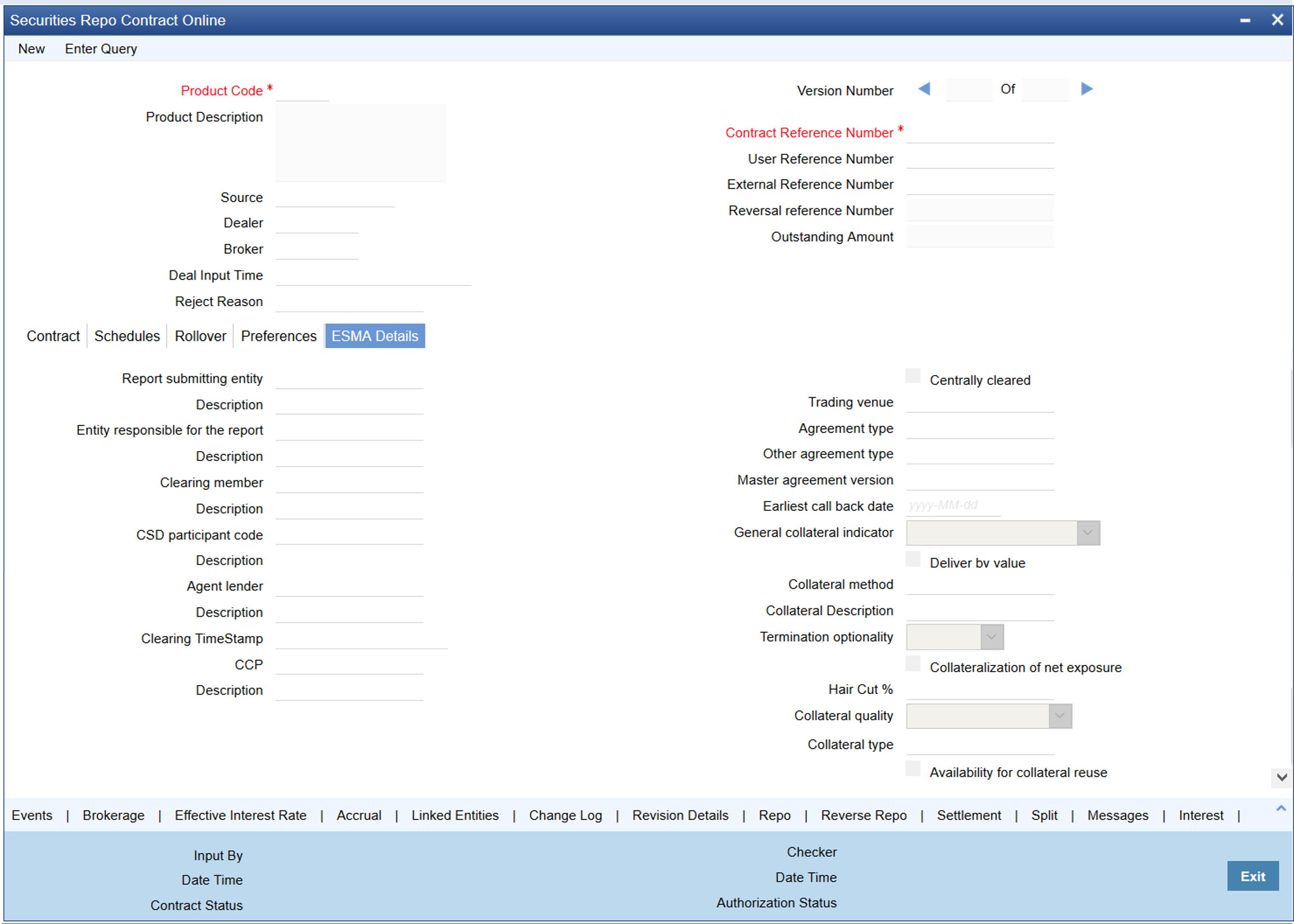
For more information on the field description, refer to Table 3.23: Securities Repo Contract Online - ESMA Details Tab - Field Description.
CODTRTYP
Static Type Maintenance - 5.2 Static Type Maintenance (p. 235).
Treasury Customer Additional Details Maintenance - 5.3 Treasury Customer Additional Maintenance (p. 237).
Security Instrument Definition - 5.4 Securities Instrument Definition (p. 239).
Securities Repo Contract Online - 5.5 Securities Repo Contract Online (p. 240).