Cash Flow
Release 23.10
Filter Curve Data on Additional CBS Attributes
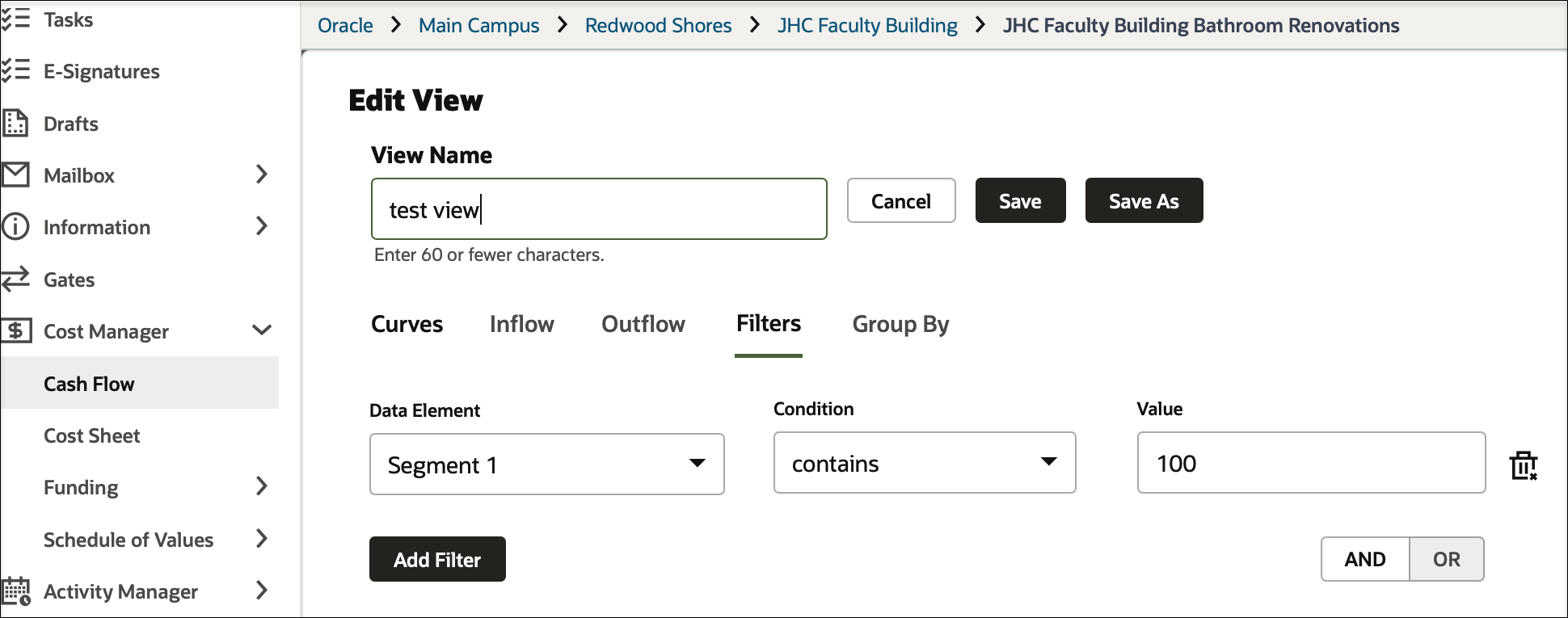
CBS or Summary CBS cashflow views are enhanced with a filters tab which allow users to filter rows based on CBS attributes.
For example, you might display cost codes in a worksheet where Cost Item Type equals either Hard Cost or Soft Cost.
Define Cut Off Spend Date in Cash Flow Templates
An administrator can now define the cutoff spend date in cash flow templates of financial periods. The system can validate these cutoff dates when creating or updating cash flow properties of financial period type in shell instances.
Earliest and Latest Dates in Summary Rows
View the "earliest from" and "latest to" dates in summary rows when grouped by CBS attributes in a cash flow worksheet.
Release 23.7
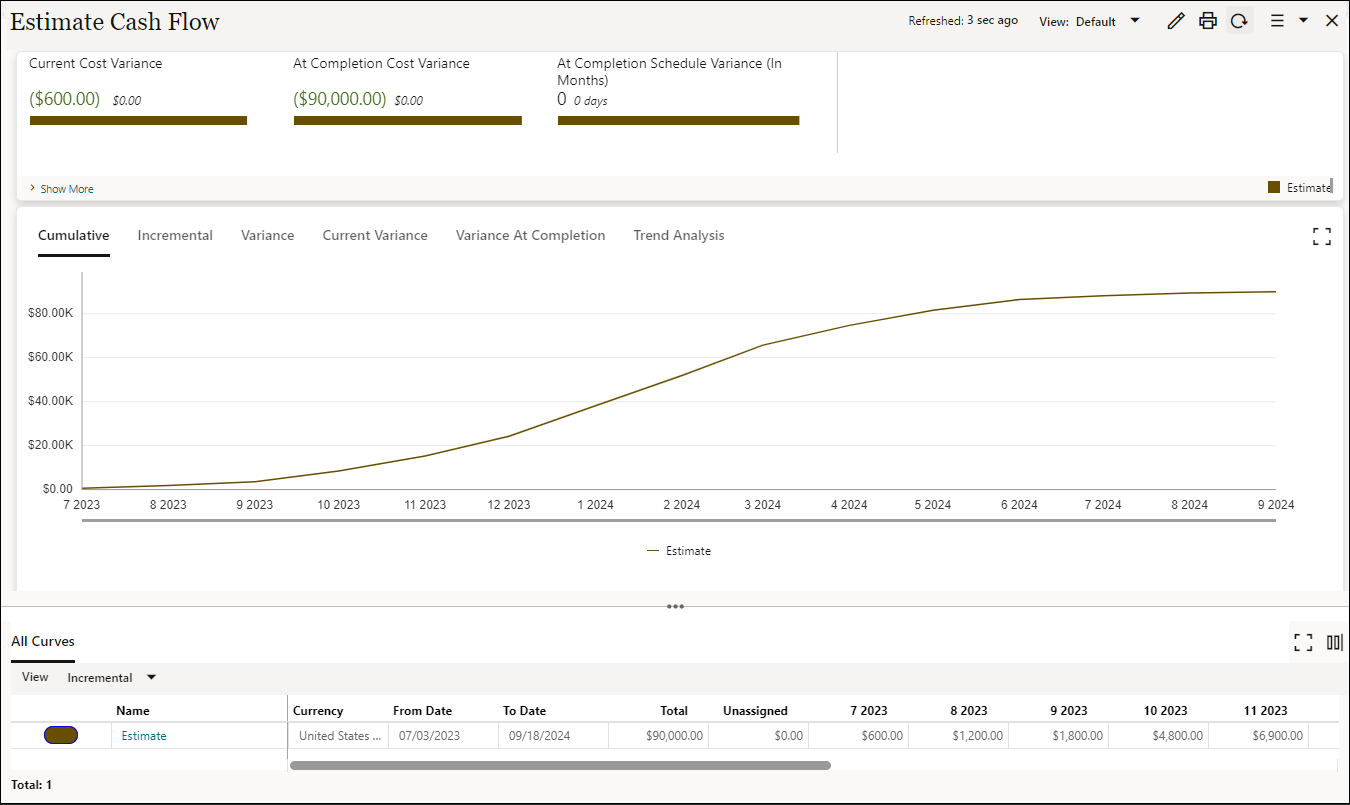
Estimate Cash Flow Curve Added to Template
An Estimate Cash Flow Curve is added to the Oracle Project Template, This allows you to create an estimated cash flow for a project before you create an Initial Budget.
Permissions are already granted to Project Manager, Project Administrators, and Project Coordinators. Cash flow dates are drawn from an updated Master Activity Sheet.
The summed Estimate amount is drawn from the Approved Estimates column of the Project Cost Sheet. Use either predefined distribution curves or create them manually.
See Implementing and Configuring Cash Flow Curves under Administration for instructions.
Release 23.4
Default Filter in Cash Flow
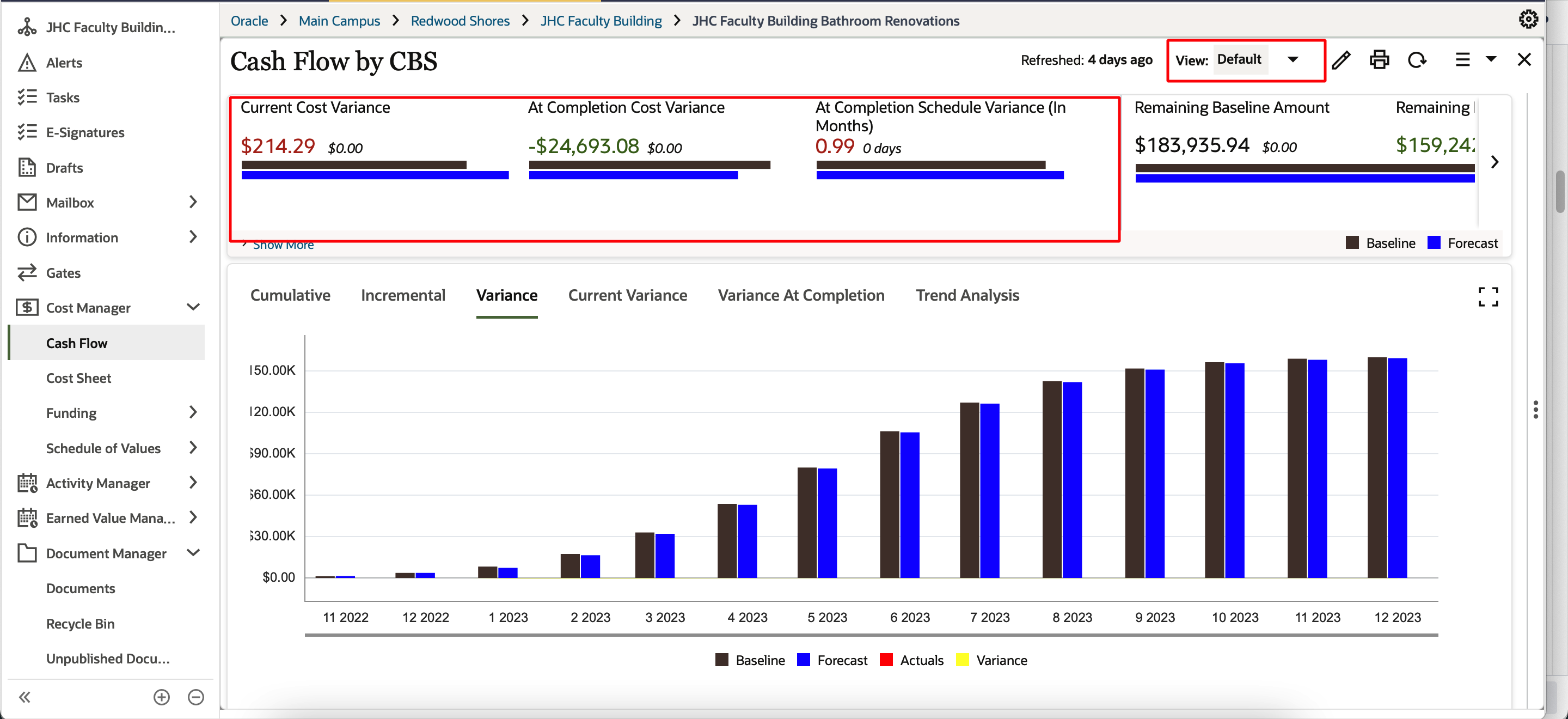
You can now view the following information in the default Cash Flow view:
- All inflow and outflow curves
- All variance data such as Cost Variance and Schedule Variance
- The variance data in the graph
Last Published Tuesday, November 21, 2023