Unifier Essentials 23.10
Cost Sheets
Cost Sheets Support Conditional Formatting
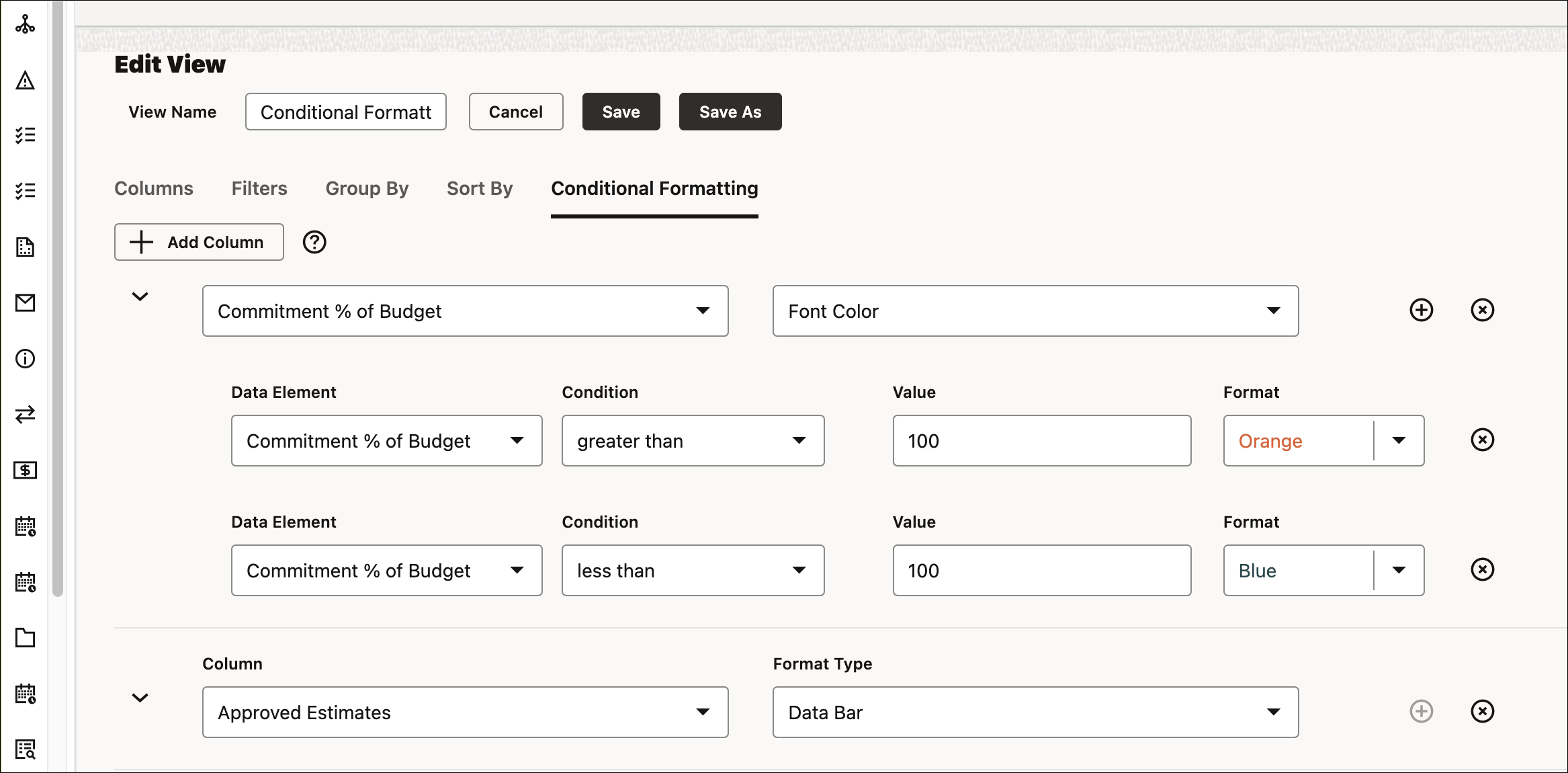
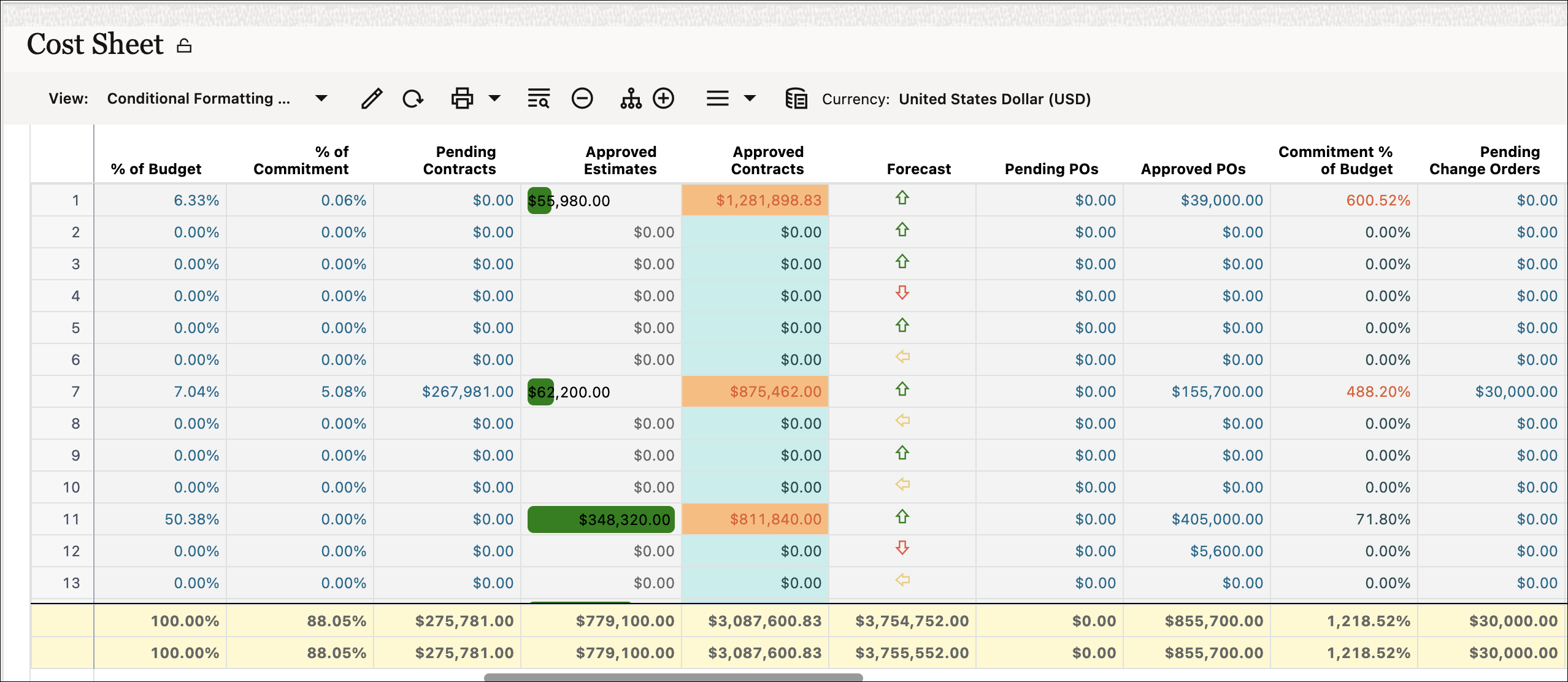
Conditional formatting of table data is now supported in cost sheets with features such as cell background and fill colors, font colors, data bars, and icons. Apply multiple conditional formats to a column so that different ranges can be marked with separate visual indicators.
Integration
Export, Update, and Import Records with Line Items
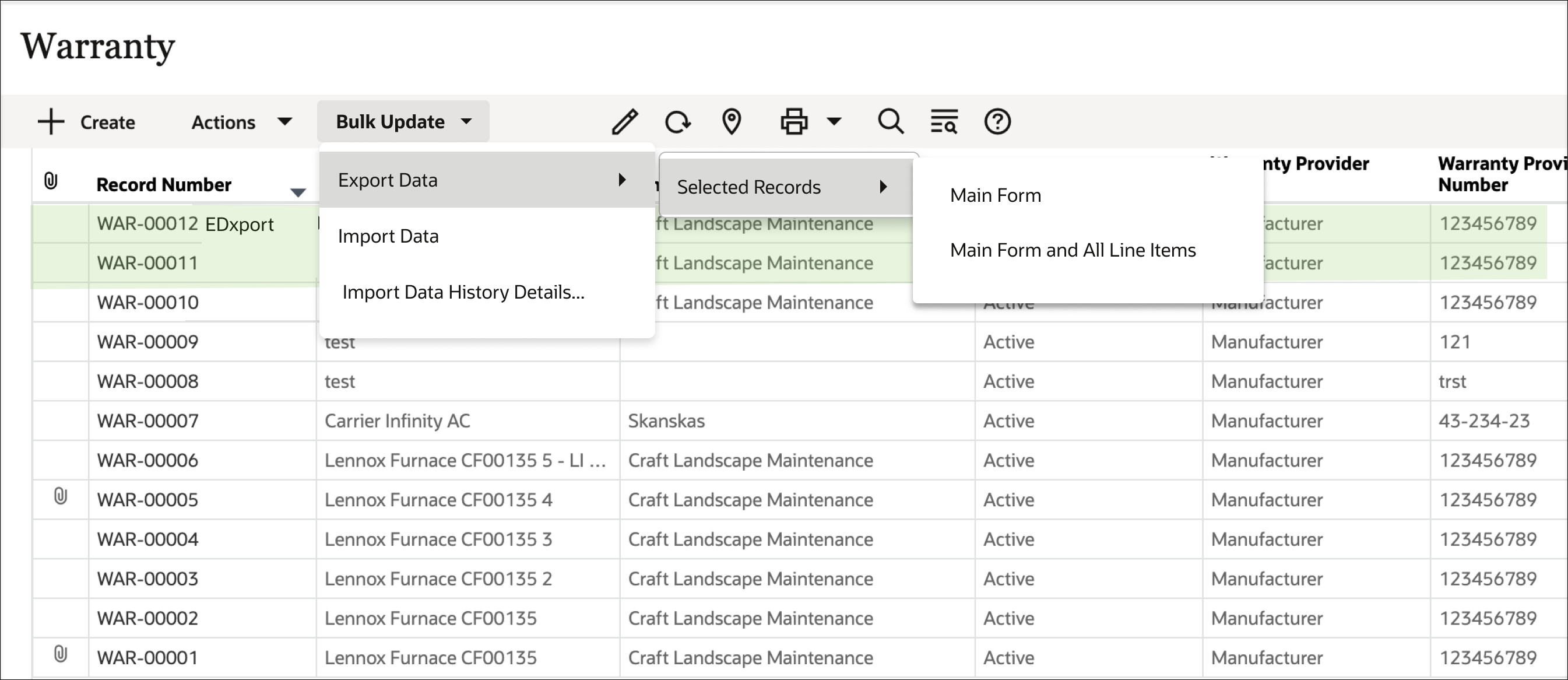
Export data from multiple records – including both main form and line item data – to a spreadsheet, make changes to the existing data, and import that back into Unifier to update those records and line items.
Exported files will contain three or more worksheets: Instructions, the Main Form, and a worksheet for each line item tab in the business process record.

Cash Flow
Filter Curve Data on Additional CBS Attributes
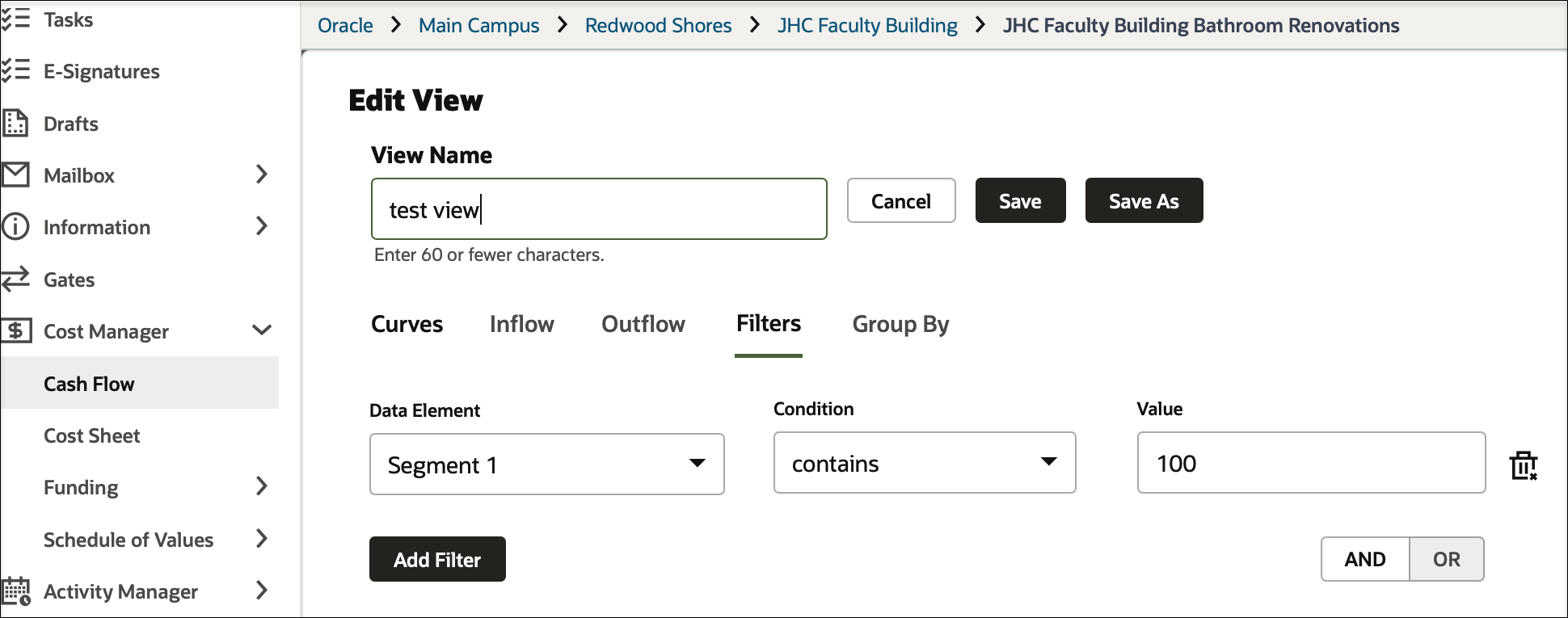
CBS or Summary CBS cashflow views are enhanced with a filters tab which allow users to filter rows based on CBS attributes.
For example, you might display cost codes in a worksheet where Cost Item Type equals either Hard Cost or Soft Cost.
Security
Password Change Terminates Active Sessions
When a user password is changed – whether by an administrator or a user – all that user's sessions will be terminated across all interfaces for configurations that are not using single sign on.
This termination of all sessions will also occur when an administrator forces a logout.
Cashflow
Define Cut Off Spend Date in Cash Flow Templates
An administrator can now define the cutoff spend date in cash flow templates of financial periods. The system can validate these cutoff dates when creating or updating cash flow properties of financial period type in shell instances.
Earliest and Latest Dates in Summary Rows
View the "earliest from" and "latest to" dates in summary rows when grouped by CBS attributes in a cash flow worksheet.
Comments
Permission to Delete General Comments
An administrator can now define permission for both workflow and non-workflow business processes, allowing a user or group the ability to delete comments on a business process record or to update the Hidden Comment checkbox.
This permits the removal of comments that were added in error or should not be visible to all users.
Administration - Shells
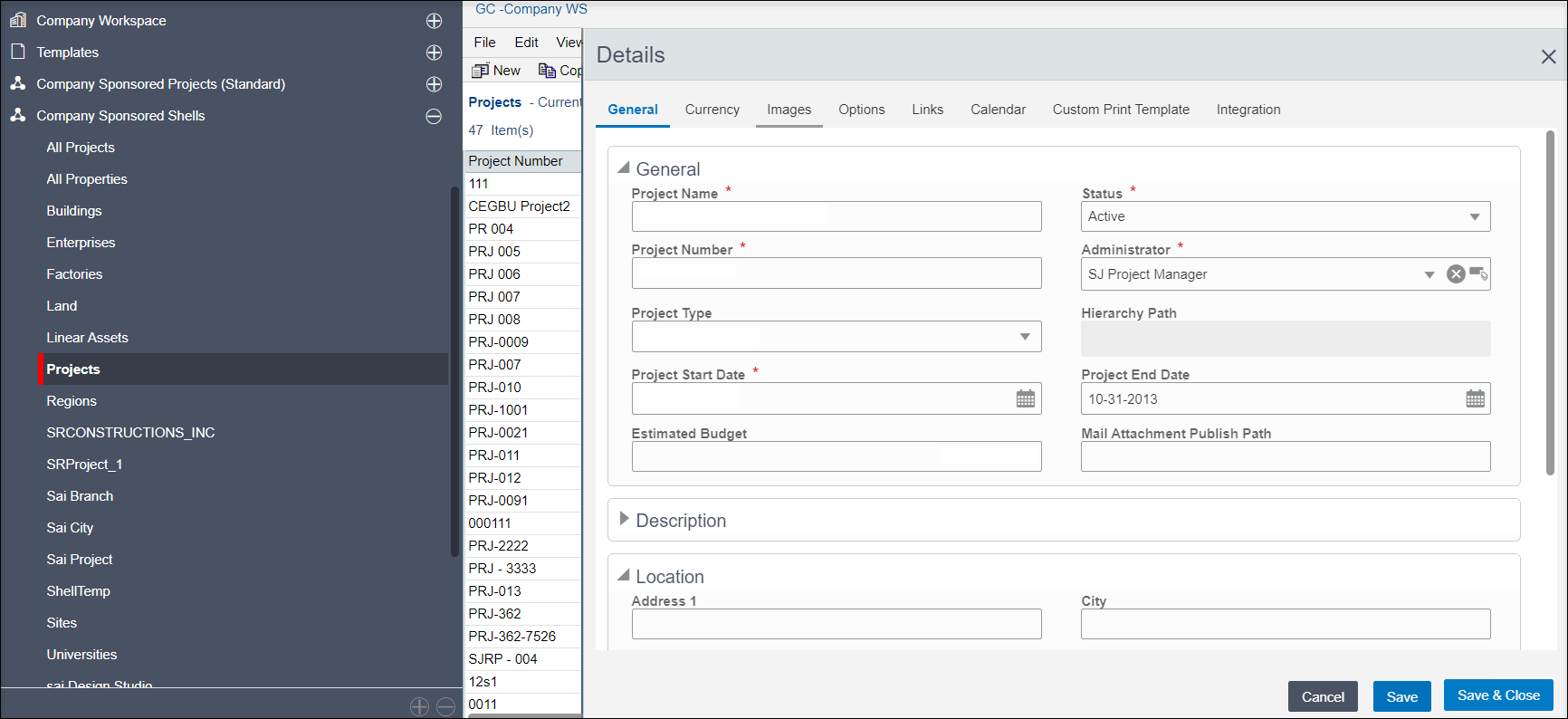
Standard UI Now Used for Shell Creation
Company and project administrators will now use the standard user interface when creating new shells and shell templates. When copying a shell template to create a new shell, the copy modules window is enhanced to allow selection of all modules using a single checkbox.
Toggle Between Manual and Auto-Numbering of Shells
An administrator can now toggle between automatic and manual numbering and numbering format within shell manager configuration. Subsequent records will be created using the chosen scheme.
An audit log is also added to track changes.
Administration - Document Manager
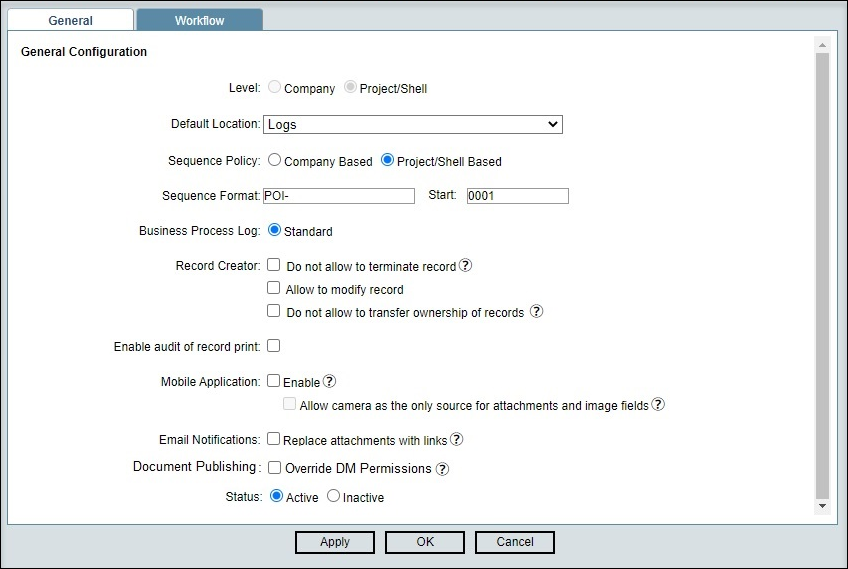
Set Auto-Publish from Business Processes to Override DM Permissions
In all business processes except text-type BPs, specify that records will be published to the document manager irrespective of whether a particular user has permission to access the destination folder.
Administration - Cash Flow Jobs
View and Manage Cash Flow Jobs
A Unifier administrator with appropriate permissions can now view all cash flow jobs across projects in a single log.
Cash flow jobs from inactive projects can now be disabled; cash flow jobs or auto snapshots from multiple projects can be managed with a single click.
Integration
Improved Error Messaging
More detailed and descriptive error messages are now provided when creating or updating records or line items through integration.
This includes situations where validation rules fail, when data element value errors occur, and when duplicate picker values are found.
RESTful Service for Workflow Business Processes
An administrator can now grant required access to Get and Update business process workflows for RESTful services.
Such services provide the list of users associated with a workflow business process record in a shell or company, including record owner, assignees, and those included in CC fields.
Users can also be added or removed through RESTful services.
Sort Cost Sheets via REST
Sort CBS Codes in a Project Cost Sheet using a REST call.
Update Shell Options via REST
Retrieve and update shell options via REST, including:
- Add / Update currency codes
- Add / Delete Links
- Add / Remove Custom Prints
- Add / Remove P6 and OPC Projects on the Integration tab
- All fields on the Options tab
Create Snapshots in Cash Flow Detail Curves
Use a RESTful service to create or delete a snapshot of a detailed cash flow curve.
Mobile
Delete Comments and Update the Hidden Comment Checkbox
Administrators can now grant designated users or groups the ability to remove or hide comments, on workflow and non-workflow business proceses.
Password Change Terminates Active Sessions
When a user password is changed – whether by an administrator or a user – all that user's sessions will be terminated across all interfaces for configurations that are not using single sign on.
This termination of all sessions will also occur when an administrator forces a logout
Permission to Delete General Comments
An administrator can now define permission for both workflow and non-workflow business processes, allowing a user or group the ability to delete comments on a business process record or to update the Hidden Comment checkbox.
This permits the removal of comments that were added in error or should not be visible to all users.
Download All Business Process Records
Download all the records of a given business process at once, providing offline access. On the business process picker will be able to access these records, and with only minimal data required for referencing.
Removals and Deprecations
The following features are removed:
- User License Governor
Last Published Tuesday, November 21, 2023