Unifier Essentials 23.11
Business Process
Notice to Proceed
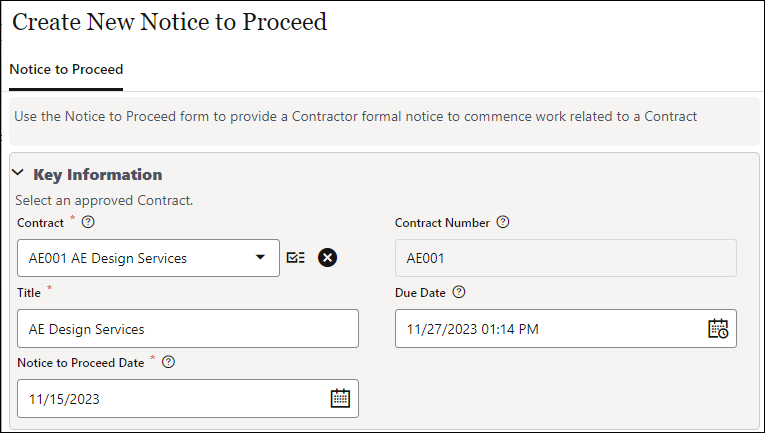
The new Notice to Proceed business process is in the Commitments node of the Oracle Project Shell template. It provides a contractor with formal notice to commence work related to a contract.
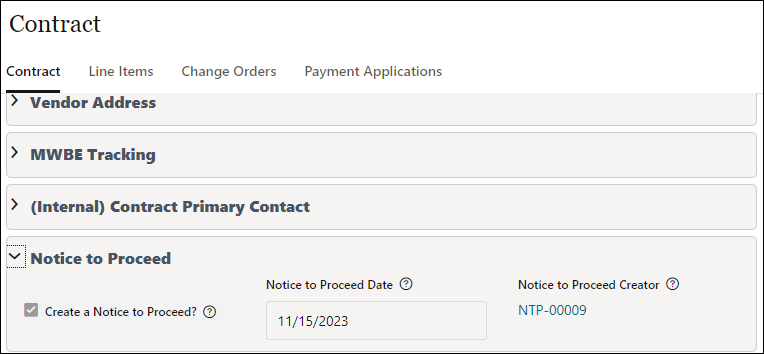
A Notice to Proceed record may be created manually or auto-created from an approved contract by checking the Create a Notice to Proceed checkbox on the Contract form. The date can be selected on the contract or edited on the Notice to Proceed. The date and record number will populate back to the Contract from the related Notice to Proceed.
The Create NTP checkbox may be defaulted to selected by checking the box in the Contract block of the Project Configuration BP.
Vendors can acknowledge receipt of the NTP record through the Unifier workflow, and a custom print is available to create a Notice to Proceed document.
Note: The Oracle Project shell template is updated by these changes; an administrator will need to update customer project templates with changes they choose to adopt.
User-Defined Reports
Two New User-Defined Reports
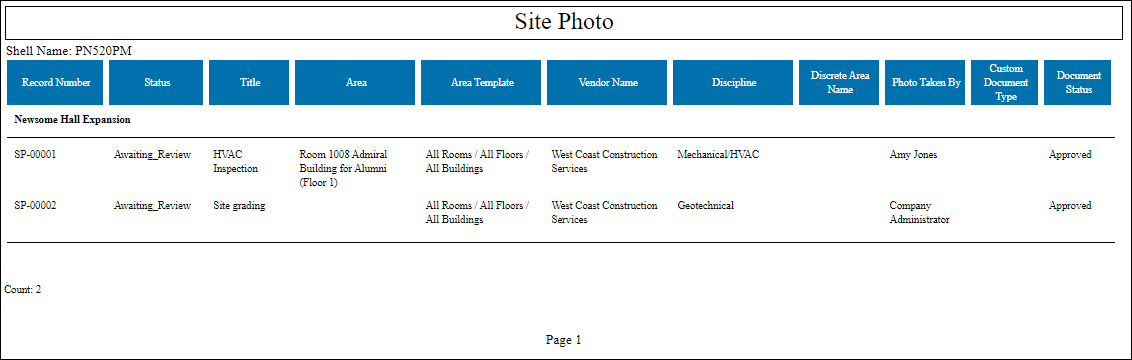
The Oracle Project shell template has a new user-defined reports that describes images in a project's Site Photo log. Note: The Oracle Project shell template is updated by these changes; an administrator will need to update customer project templates with changes they choose to adopt.
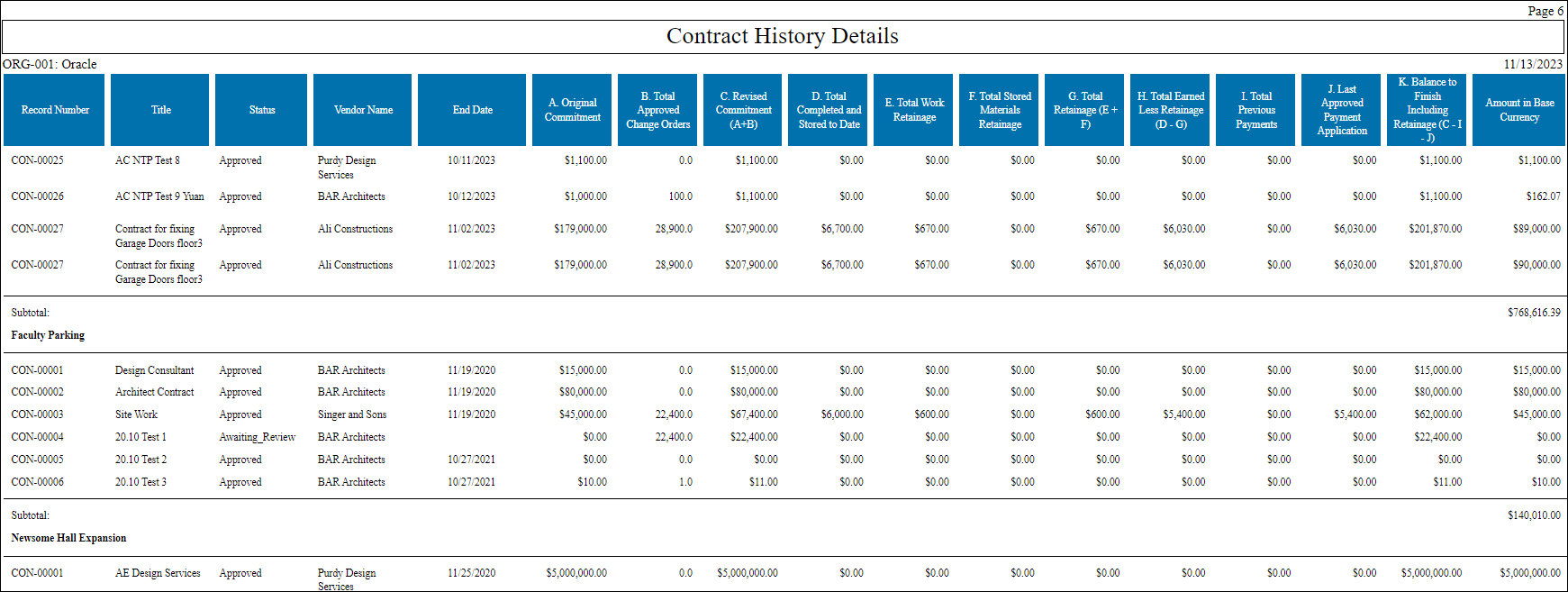
The Oracle shell includes a new user-defined report for Contract History Details. This is updated automatically with the configuration package.
Import
Improved Import Error Handling
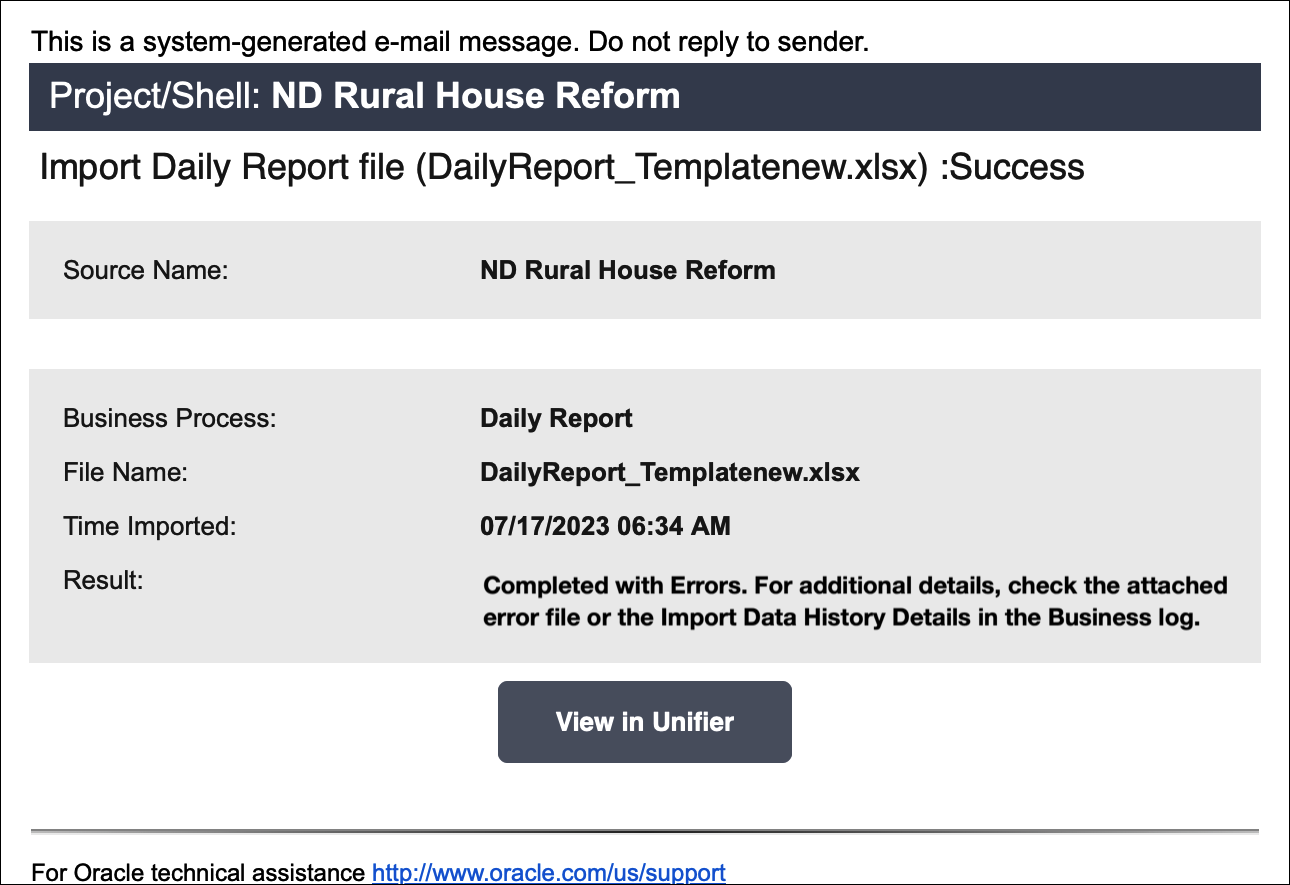
Error handling for importing files into a simple or line item business process is upgraded, now with three options:
- Error file is generated, displaying error records with messages in the View Import Error details window.
- Error file is sent to users who performed the import so they can make corrections and re-use the file for re-import.
- User can retrigger the import of the same file to continue the import process.

Mobile
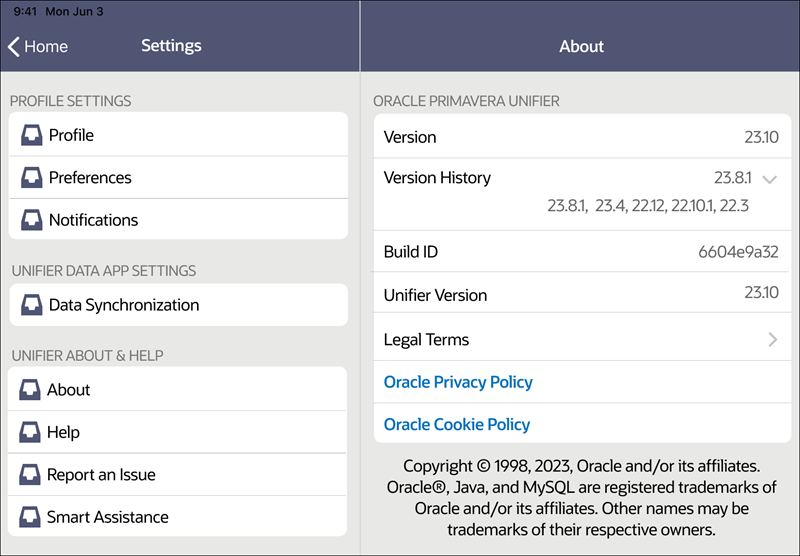
View App Version History
When the Unifier app is upgraded, a new field called Version History is displayed in Settings > About. It displays the previous version and, when expanded, earlier versions. This upgrade applies to iOS and Android apps.
Additional Enhancements - Manual
Vendor Name in Workflow End Steps:
In the following business processes, the workflow end steps use the Vendor Name instead of the Partner Company Short Name as an additional condition to filter cc recipients:
- Contract
- Change Order
- Payment Application
- Invoice
- PO Amendment
- Purchase Order
Permission to View Custom Reports:
Shell templates for Building, Region/District, and Site/Campus now have permissions for the Report Viewers group to view the following custom reports:
- Project Comparison
- Project Summary (Excel)
- RFI Log
- Text Search
Project Administrators Permissions for Custom Reports
The Project Administrators group no longer has permissions to see the following custom reports in the Program shell template:
- Cash Flow Report
- Commitment Summary
- Overdue Tasks
- Project Cost Report
- Project Details
- Project Summary
- Schedule Lookahead
Note: Customers may choose to to update their templates with updated BP setups, Access Control and update related shells.
Last Published Tuesday, November 21, 2023