
Troubleshooting Timeout Settings
Updating Timeout Settings
For long running batch processes in java, timeout settings should be updated to avoid timeout errors.
For example, if connection to the engine (call to EJB) from clients is idle for more than configured then it throws an Inactivity timeout: (SocketTimeoutException - Async time out) error.
EJB Transaction Timeout:
This time out issue occurs when an EJB transaction takes more than configured time.
This issue may be solved by the following setting on the admin console. Use for the port needed.
- Navigate to Application Server -> Server -> Ports -> WC_Defaulthost (this is for port 9080). Click View Associated Transports.
- Click WCInboundDefault.
- Click TCP inbound Channel (TCP 2)
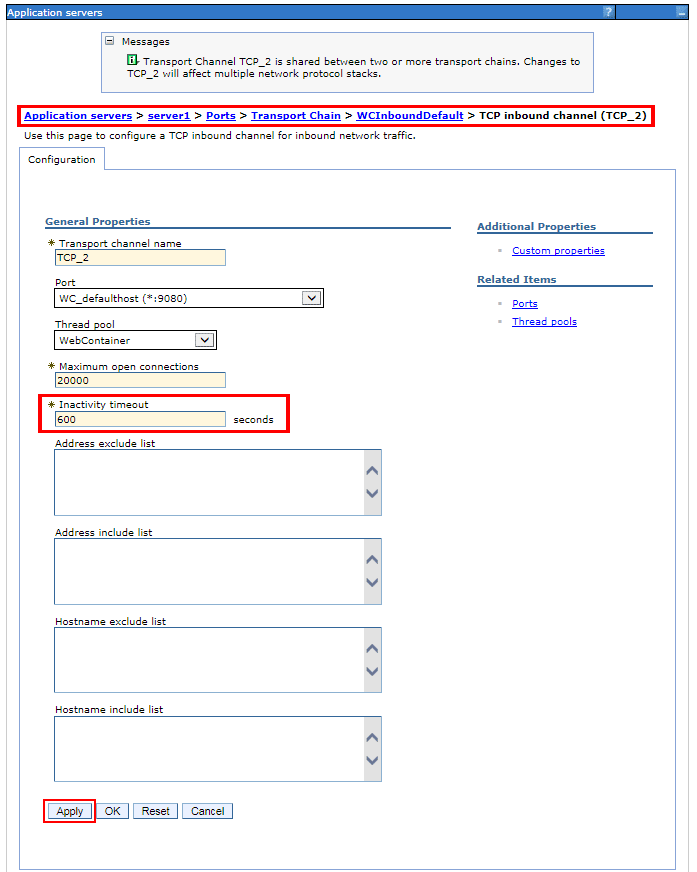
- Click Apply and save your entry.
Update Total Transaction Setting
- Navigate to Application Servers -> Server.
- Select Container Services from Container Settings.
- Select Transaction Service.
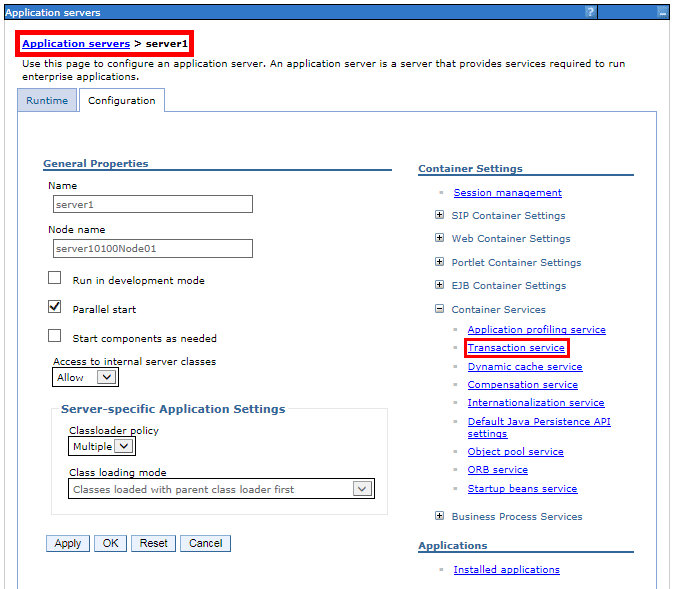
- Update the Total transaction lifetime timeout.
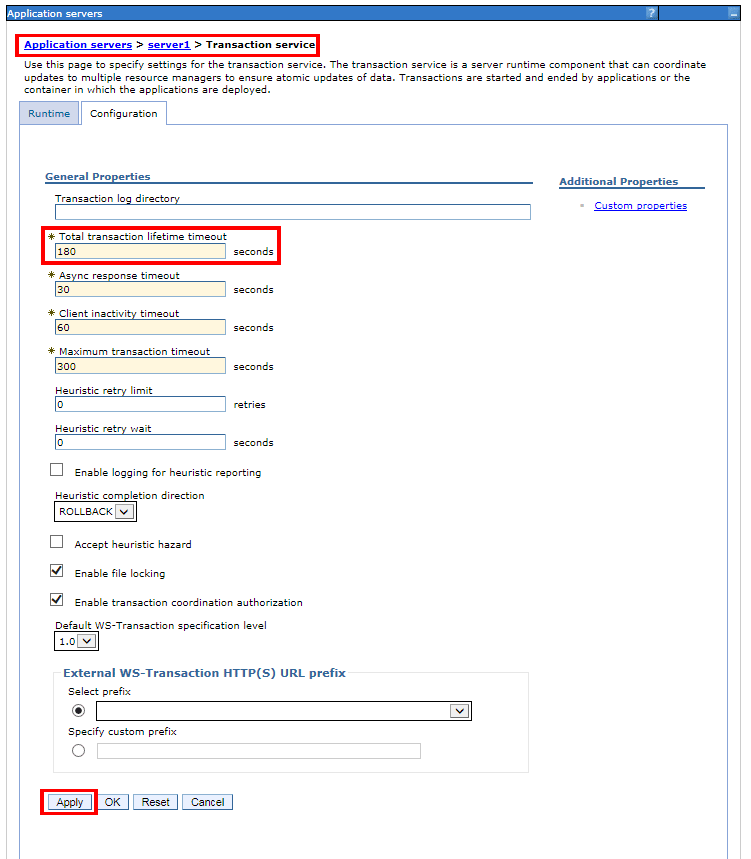
- Click Apply and save your entry.
Note: Depending on your setup, your console may differ and figures are for reference only.
