Database File Location
In the event that db_owner permissions are not possible, scripts will have to be run to create the necessary tables. Tables are required for each Project/Product. If the tables are not created, the packages cannot be loaded. DDL scripts can be found on the server where Insbridge was installed in the …//Oracle/Insbridge/SoftRater folder. For example: C:\ProgramFiles\Oracle\Insbridge\SoftRater\DDL
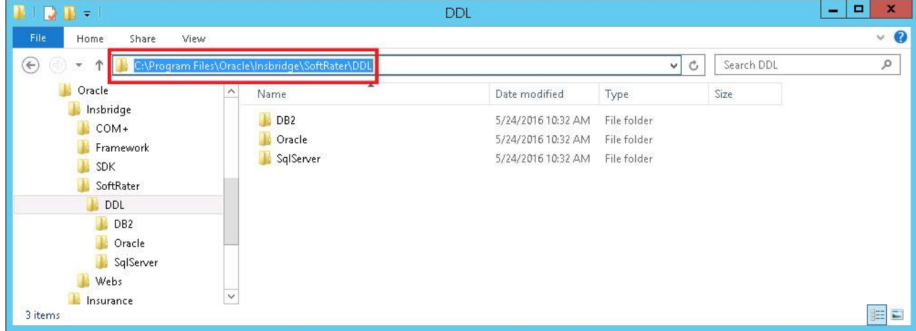
DDL Scripts for Oracle are located in the Insbridge-Windows folder under databases:
- Databases
- SoftRater: IBSR
- DDL
- Oracle
- SoftRater: IBSR
- DDL
- Batch
For SQL Server, backup files are included in the Insbridge-Windows folder under databases.
- Databases
- SQL Server
- 2012
-
- SoftRater: IBSR
- Latin1_General_BIN
- DATABASE_BACKUP_IBSR_TEMPLATE_CASE_SENSITIVE.bak
- SQL_Latin1_General_CP1_CI_AS
- DATABASE_BACKUP_IBSR_TEMPLATE.bak
- Latin1_General_BIN
- SoftRater: IBSR
-
- 2016, 2017, 2019
-
- SoftRater: IBSR
- Latin1_General_BIN
- DATABASE_BACKUP_IBSR_TEMPLATE_CASE_SENSITIVE.bak
- SQL_Latin1_General_CP1_CI_AS
- DATABASE_BACKUP_IBSR_TEMPLATE.bak
- Latin1_General_BIN
- SoftRater: IBSR
-
If backup files cannot be used and DDL scripts are needed, SQL Server DDL scripts can be found on the server where Insbridge was installed in the …//Oracle/Insbridge/SoftRater folder. For example: C:\Program Files\Oracle\Insbridge\SoftRater\DDL
SQL Server DDLs are not included in the Insbridge-Windows folder.