Export Data and Wildcards
When wildcard null values are part of the data set, no value is placed in the exported data field. This may present issues when editing or reviewing data. If you want an asterisk to be placed where a wildcard null value is located, then select the Include asterisk for Wildcard NULL value option.
Tab-Delimited Table Data
For a tab-delimited export, no Export Data File screen is presented. The download is automatically done. Only the browser option to Open, Save or Cancel is presented. The asterisk is included only if the Table Management Export Include Asterisk for Wildcard option is set to True in Preferences. Preference settings are available to administrators only.
If the Table Management Export Include Asterisk for Wildcard option is set to False in Preferences, no asterisks are added to the exported data. The null fields are blank.
Excel Table Data
For Excel table data exports, the asterisk is included if the “Include asterisk for Wildcard NULL values” is checked on the Export Data File screen. This option is automatically checked if the Table Management Export Include Asterisk for Wildcard option is set to True in Preferences. It can be unchecked if needed. If the option is set to false, then the box is not automatically checked but can be checked at the time of export. Preference settings are available to administrators only.
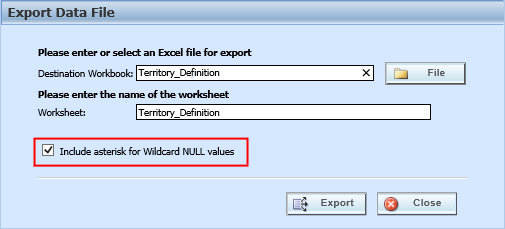
Export Data Including Wildcard Null Values
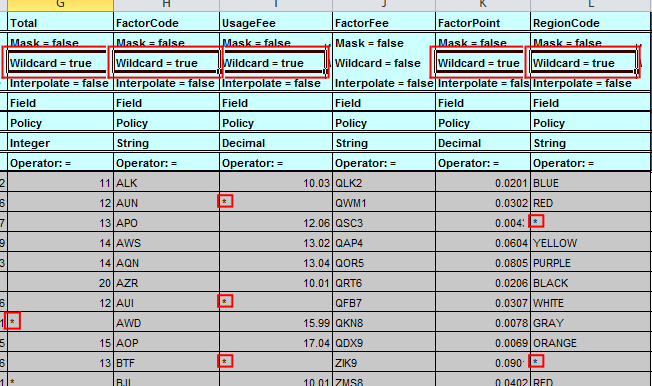
Include Asterisks for Wildcard Null Values