List of Values Tables
Prior to creating a list of values, a table must be created that contains the value and the label/description of the value.
List of values uses a two column table that contains a listing of values and labels. Values are the valid values and labels are the descriptions of the value. For example, if a ZIP code is submitted, you may not know what city that ZIP code represents. By adding a list of values to the field, you can toggle between views to see the value and the label.
The data type of the value must match the field variable where the list of values is to be assigned. The label can be any data type.
List of values can be imported in to the list of values in tab delimited or MS Excel format. List of values also can be created manually in RateManager.
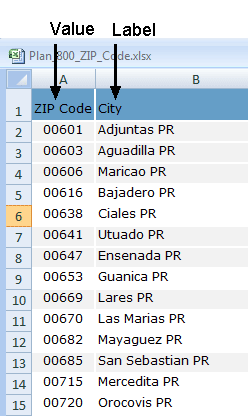
Tables used by the list of values function like a table variable or data source. Date can be imported or exported in tab delimited or MS Excel format. Wildcards, advanced options and interpolation can be added.