28. Multilevel Authorization of Contract
This chapter contains the following sections:
l Section 28.1, "Invoke Multilevel Authorization Detailed screen"
28.1 Invoke Multilevel Authorization Detailed screen
Some contracts may require multiple levels of authorization. The levels of authorizations are defined in the ‘Product Transaction Limits’ screen. You can use the ‘Multilevel Authorization Detailed’ screen for authoring a contract n-1 times. However, you can do final authorization only in the contract screen.
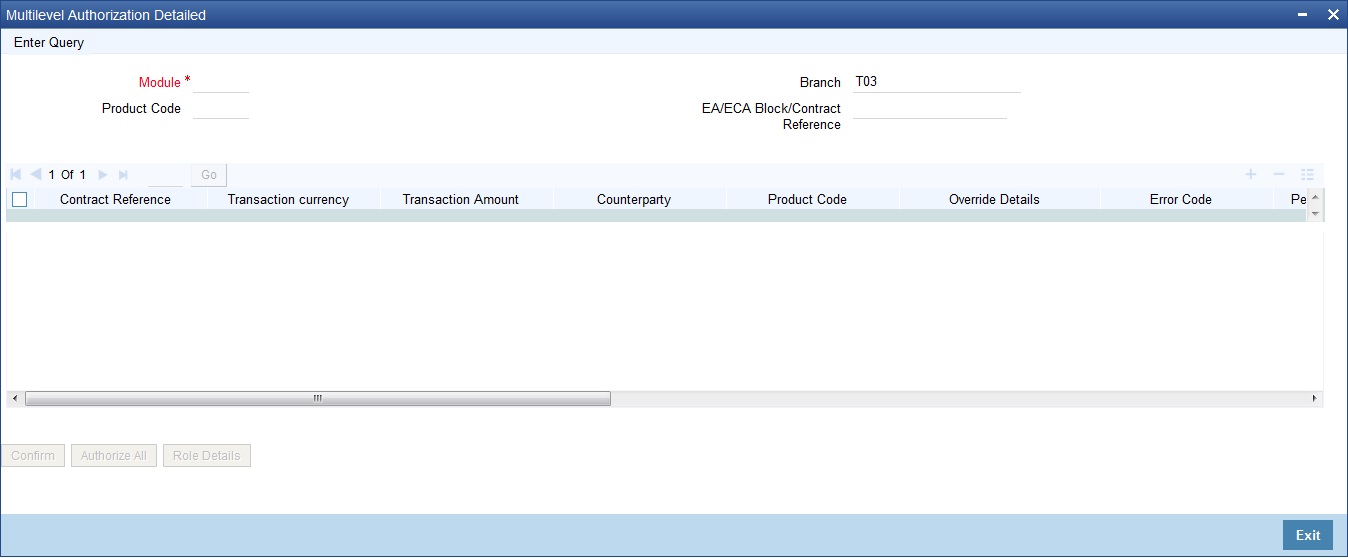
You can invoke the ‘Multilevel Authorization Detailed’ screen by typing ‘OVDAUDEF’ in the field at the top right corner of the Application tool bar and clicking on the adjoining arrow button. The screen is displayed below:
Specify the following:
Branch
Specify the initiating branch code to authorize the records initiated through this branch. Alternatively, you can select the branch code from the option list. The list displays all the branch code maintained in the system.
Product Code
Specify the product code to filter the records for authorization. Alternatively, you can select the product code from the option list. The list displays all the product code maintained in the system.
Module
Select a module from the adjoining option list. The list displays all the modules maintained in the system which require multilevel authorizations.
EA/ECA Block/Contract Reference
Specify the contract reference number requiring multiple authorizations. Alternatively, you can select the contract reference number from the option list. The list displays the following values with all the valid contracts of the selected module requiring multilevel authorizations: Branch – To query the record based on input branch
l Maker ID – To query the record based on Maker ID
l Product Code – To query the record based on product code used in the transaction record submitted. For example, CLDACCNT
With multi branch access, you can navigate to the respective transaction from the authorization queue by selecting a record and clicking 'View Contract Details’ button from the same branch you are logged in.
Note
You can view the records for authorization for a combination of ‘Branch and Module’ or ‘Branch, Module and Contract Reference’. To authorize a record, you should select the record and click the ‘Accept’ button.
Note
You can see the details of the contract only for internal transactions”, when the ‘Detail’ button is pressed.
Multilevel Authorization Detail
The following details of the selected contract are displayed:
l Contract reference number
l Error code
l Override details
l Override authorization status
l Completed Levels of Authorization
l Pending levels of authorization
l Remarks
l Counter Party
l Product Code
l Transaction amount
l Transaction currency
l Maker ID
l Status of the authorization. The system displays the error details in case of authorization failure.
If you have the authorization limit as that of the contract amount, then click ‘Authorize All’ button to authorize all the levels of a contract displayed in this screen. Click ‘Confirm’ button to authorize/reject the records available in the grid individually.
Click the ‘Authorizer All’ button to view the details of all the authorizers involved in authorizing a contract. The system displays the following screen:
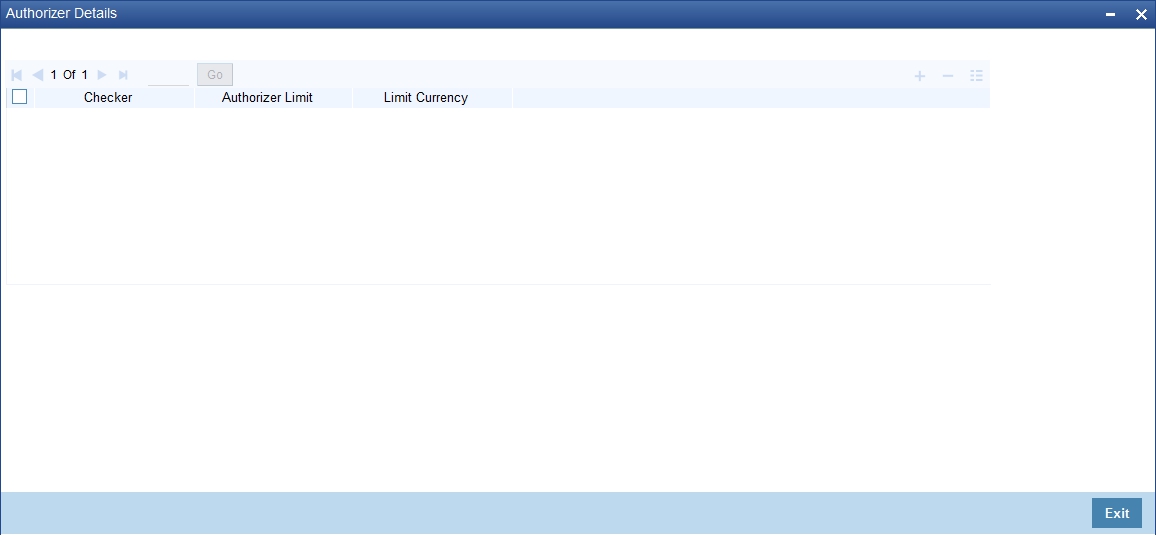
The system displays the following authorizer details:
l Authorizer ID
l Authorizer limit
l Contract Currency
Click the ‘Role Details’ button to view the ‘Multi Level Authorization Details’ screen. The system displays the transaction and authorization role details as maintained in the ‘Multi Authorization Role Details’ screen.
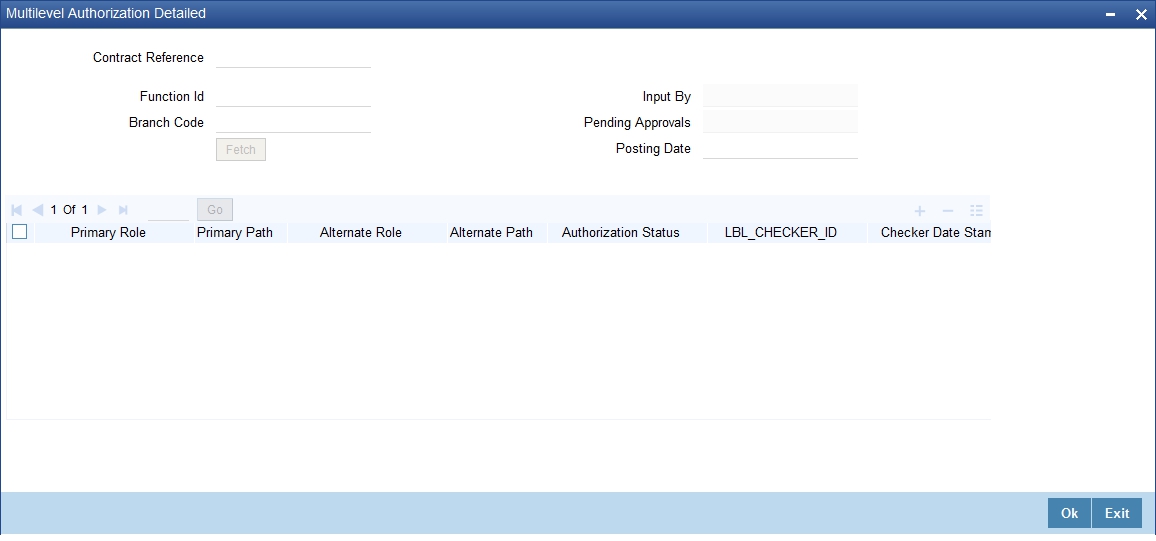
You can view the roles for each level as per primary and alternate rule in successive rows. By default, the system selects the role as per the lowest level in the primary rule. During authorization, you can edit the role by clicking the check box against respective role based on the roles mapped and authorize the transaction. You can also reject a transaction before authorization. To reject a transaction, select the transaction and click ‘Reject’ button.
To view the transaction details, click ‘View’ button. You can navigate to the respective transaction from the authorization queue by double-clicking on a record. This is applicable for authorizers with multi branch access to navigate from the same branch they are logged in.
Note
If you have Multi Branch Access, you can view and authorize pending records from other branch by querying on records of the respective branch. You can filter the records for authorization belonging to a specific branch and authorize the transaction
For more information on Mutli Level Authorization, refer to the section ‘Multi Authorization Role Details Button’ in the chapter ‘Transaction Work flow’ in Savings User Manual.
While Authorization of the Contract
l The level of authorization is decreased each time a contract is authorised successfully.
l On successful authorization, authorizer’s authorization limit accumulates
l The system restricts authorization when the last level of authorization is pending if:
– The authorization limit of the authorizer is less than the difference in contract value and the sum of authorization limit of the authorizers involved in the authorization process
– The authorization limit of the authorizer is less than the minimum authorization limit
After Authorization of the Contract
l Creator of a contract cannot authorise an override
l An authorizer can authorize a contract at the contract screen when there is no authorization limit for the transaction amount and where the authorizers limit is equal or greater than the contract amount.
l An appropriate error will be displayed if the authorizer tries to approve a contract whose authorization limit is less than the minimum authorization limit maintained in the ‘Product Transaction Limit Maintenance’ screen.
l The contract amount is considered as authorizer’s authorization limit during validation if:
– The authorizer with no limit maintenance is authorizing the contract.
– Contract will be listed even after the completion of n-1 level of authorization when the sum of authorization limit of the authorizer involved is less than the contract amount.
– The system restricts authorization and displays an appropriate error message if the level of authorization is equal to or greater than n-1 and if the authorisation limit of the user is greater than or equal to contract value minus sum of authorisation limit of users involved in authorization
Refer the ‘Maintaining Transaction Limits’ section in this User Manual for more details on transaction limit maintenance.