Create Exposed Computation
Once the ExposedComputation business rule is created, the next step is to create an exposed computation. The exposed computation will associate a ComputationID with the business rule that was created. The ComputationID is the value that the external application will send when requesting information from OIPA.
Steps to Create a New Exposed Computation
-
Select Admin Explorer.
-
Open the Administration folder.
-
Right-click on Exposed Computation and select New Exposed Computation.
-
Enter a Computation ID. It is a good practice to begin the Computation IDs with EXP- and the abbreviation of the activity it is associated with. For example, EXP-MOD is the Computation ID for the exposed computation that returns the Modal Premium Calculator.
-
Select the name of the new global business rule that was just created from the drop down box for RuleName.
-
Select Finish.
-
Check-in the new exposed computation.
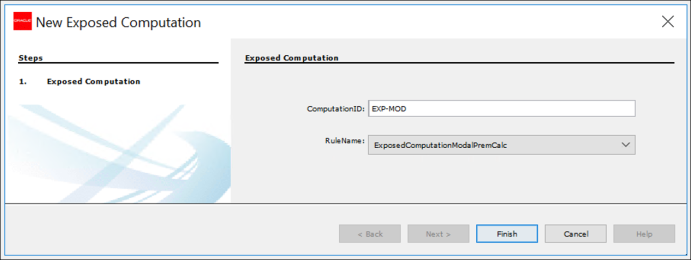
Exposed Computation Wizard
