Algorithm Tab Algorithm Details
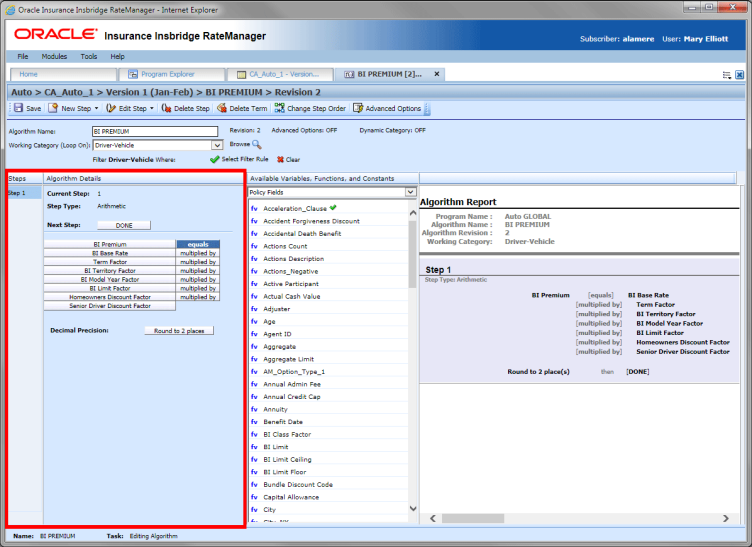
This area contains the steps that the algorithm will perform.
A new algorithm always begins with an arithmetic step as Step 1. If you do not want an arithmetic step as your first step, add the desired step and then delete the arithmetic step. To do so, highlight Step 1 and click Delete Step in the menu bar at the top of the tab.
Algorithm Selection Criteria Field
Screen Details
Steps - Sequential order of steps created with drag-and-drop capabilities for moving a selected step up or down in the sequence.
Algorithm Details - Shows the selected step number, step type selected, next step to follow and fields/variables used for calculation. Rounding is set by clicking on the text box next to Decimal Precision. You can select a rounding precision from 0 to 9 digits.
Fields and variables have a right click menu available; View Report, View Where Used and Custom Value.
