Maintaining Name and Sign-In Information
This topic discusses how to maintain name and sign-in information.
|
Page Name |
Definition Name |
Usage |
|---|---|---|
|
RX_NAME_SIGNIN |
Review and edit name, password information, and privacy preferences. |
|
|
Manage Profile - Change Name Page |
RX_NAME_CHNG |
Update name information. |
|
Manage Profile - Change Password Page |
RX_PSWD_CHNG |
Enter passwords. |
|
Profile - Change Password Hint Page |
RX_HINT_CHNG |
Enter password hints. |
|
Manage Profile - Change Privacy Preference Page |
RX_PREF_CHNG |
Select privacy options for screening communications. |
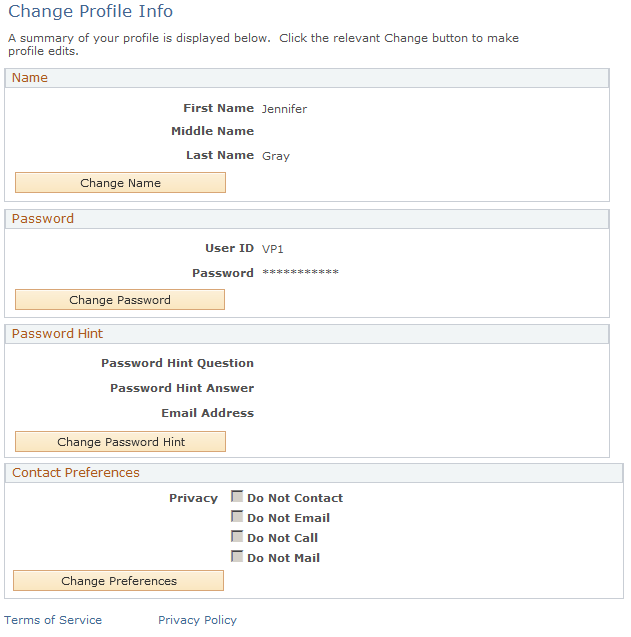
Use the Manage Profile - Change Profile Info page (RX_NAME_SIGNIN) to review and edit name, password information, and privacy preferences.
Navigation:
This example illustrates the fields and controls on the Manage Profile - Change Profile Info page.
Note: In addition to the self-service application, this page is also available in the employee portal to Higher Education users who are associated with the right role and permission list to access the page.