9. Cross Border Reversal
9.1 Cross Border Reversal Transaction
You can reverse the fully processed transaction. i.e. Payment messages are sent out and acknowledged, then the Reverse Transaction processing is done based the 'Reverse' action taken on the Outbound Cross Border Payments View Summary (PXSOVIEW) screen and Inbound Cross Border Payments View Summary (PXSIVIEW) screen
After clicking 'Reverse' action button, Cross Border Transaction Reversal Request screen gets launched. On Cross Border Transaction Reversal Request (PXDTRNRV) screen, you can specify the Reject Code and Remarks for the transaction. On authorization of 'Reversal Transaction', the Transaction Status is marked as Reversed.
In addition to manual reversal, you can also use Transaction Reversal SOAP/REST Services.
9.1.1 Cross Border Transaction Reversal Input
You can capture the Reversal Code and Reversal Remarks, using this screen.
You can invoke the ‘Cross Border Transaction Reversal’ screen by clicking the Reverse button from Cross Border Payments View Summary screen.
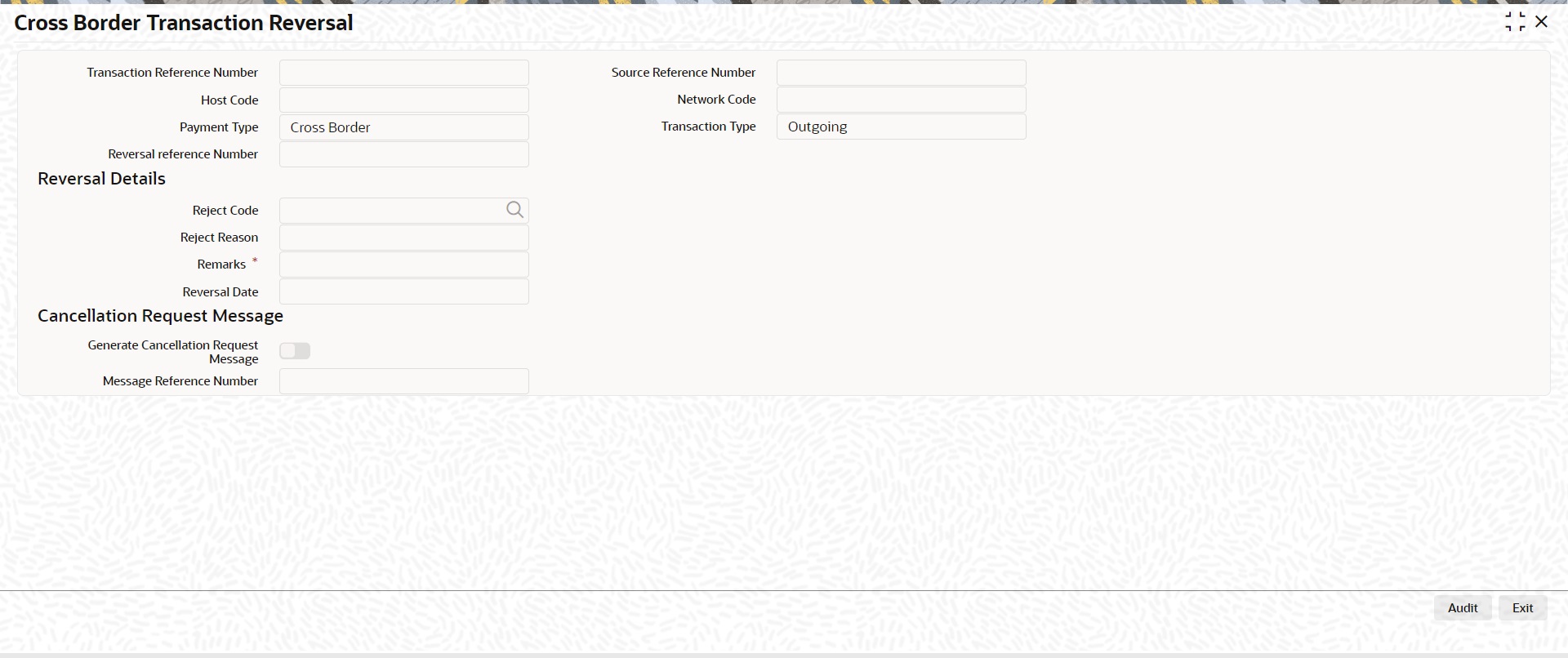
Specify the following fields:
Transaction Reference Number
Specify the Transaction Reference of original Transaction.
Source Reference Number
This field displays the source reference number of the transaction.
Host Code
System defaults the host code of transaction branch on clicking ‘New’.
Network Code
Specify the Network Code.
Payment Type
Select the Payment Type.
Transaction Type
Select the Transaction Type from either Incoming or Outgoing values.
Reversal reference Number
This field displays the Reversal references number from service.
Reversal Details
Reject Code
Specify the Reject Code
Reject Reason
This field displays the Reversal Reason of the Reject Code selected.
Remarks
You can add Reversal Remarks in this field.
Reversal Date
This field gets defaulted to the date of reversal.
Cancellation Request Message
Generate Cancellation Request Message
This field is unchecked, by-default. You can check this box, if you want to capture the Cancellation Message generation preference.
Message Reference Number
This field displays Message Reference Number.
9.1.1.1 Cross Border Transaction Reversal Summary
You can invoke “Cross Border Transaction Reversal Summary” screen by typing ‘PXSTRNRV’ in the field at the top right corner of the Application tool bar and clicking on the adjoining arrow button.
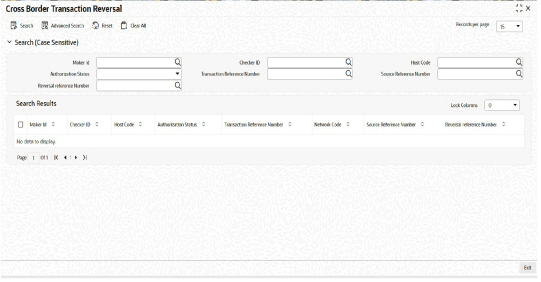
You can search using one or more of the following parameters.
l Maker Id
l Checker ID
l Host Code
l Authorization Status
l Transaction Reference Number
Once you have specified the search parameters. Click ‘Search’ button. The system displays the records that match the search criteria.
9.2 Cross Border Reversal Processing
This processing is done for the Incoming and Outgoing/Pass-through Cross Border/RTGS transactions.
Reversal accounting entries with event code as REVR and Transaction amount with negative sign gets passed in the application.
l Transaction Date is the Date on which the reversal is done.
l Event code is 'REVR'.
l Value date is original value date.
Transaction Status on is marked as 'Reversed'.
If FX Reference Number is available in the transaction, then record for the transaction is logged in FX Unwind Queue (PQSFXCAN).
In the transaction reversal processing of Outbound Cross-border/RTGS transactions, the original message fields (Block 4) are added, if the transaction is a Non-gpi transaction and if the transfer type is Customer Transfer or Bank transfer and when the 'Generate Cancellation Request Message' is checked during reversal request.
Deferred Charge Liquidation Impact:
In case if Deferred pricing is set and transaction is already liquidated then on Reversing the transaction reversal entries are posted for the Charge Amount on the date of Reversal.
In case if Deferred pricing is set and the transaction is not yet liquidated then on Reversing the transaction the transaction status marked as 'Reversed' on Inbound Cross Border Payment View (PXDIVIEW) screen and Outbound Cross Border Payments View (PXDOVIEW) screen are excluded during liquidation.
Notification Changes:
Notification event "PAYMENT_REVERSAL" is available in the application.
After transaction reversal, notification gets generated in the application.
Listed below are the tag values which are sent in the Payment Reversal notification. Apart from below mentioned tag values all the other tag values in the Payment Reversal notification are similar to Payment Cancel notification.
|
Notification Tag |
Value |
|---|---|
|
<NotificationEvent> |
PAYMENT_REVERSAL |
|
<UserId> |
This tag displays the maker id of user who initiated the Reversal |
|
<AuthId> |
This tag displays the checker id of user who authorized the Reversal |