Table Job Management
Table Job Management allows users to import table data from a Microsoft Excel workbook and export table variable data in to a Microsoft Excel workbook. With this feature, users create jobs, select one or more table variables, and then submit the job for processing where the variables are exported in to an Excel workbook.
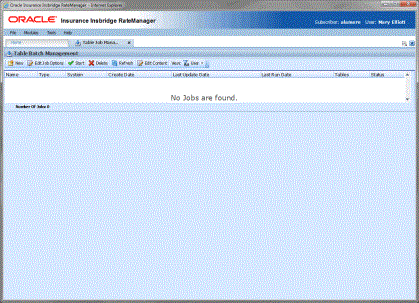
Any user can select to run a single table variable export or add to an existing table variable export job. Users with permissions can manage jobs on the Table job Management tab. Jobs can be edited to include or exclude selected tables, add notes, or change the email notification. Jobs can be submitted for processing at any time.
When finished, an email is sent to the designated contact and the job status is updated. Excel files are listed on the Library tab. Files on the Library tab can then be downloaded to the users network or local hard drive. If multiple table variables are in the job, one workbook is returned for each table. Each table is presented on a separate worksheet.
Table jobs allow you to select one or more table variables and create a job that imports or exports.
Requirements
Table export functionality requires that additional Insbridge features be in place. Table exports will fail if a shared workfile location and other set up requirements are not done.
- Shared Workfiles Location
- A JMS Queue setup on the application server where IBSS resides
- An IBSS Instance with:
- Same subscriber as RateManager
- At least one node
- The same RM environment as RateManager
- A controller environment
- Connector Properties, JMS Queue Setup and email notification
- Connector Properties must be started
- Group rights must be granted in RateManager and the Shared Workfiles location and IBSS location must be entered in Preferences in RateManager.
