Edit Data
Table data can be edited directly in the table. Data within an individual cell can be added, deleted or updated. Single or multiple rows can be added or deleted or exported. Data can be sorted and filtered.
If a lot of changes are needed on a table, you may want to export the table, edit it, and then re-import the table. If you are using the table in a SoftData call, be aware that database row numbers may be updated.
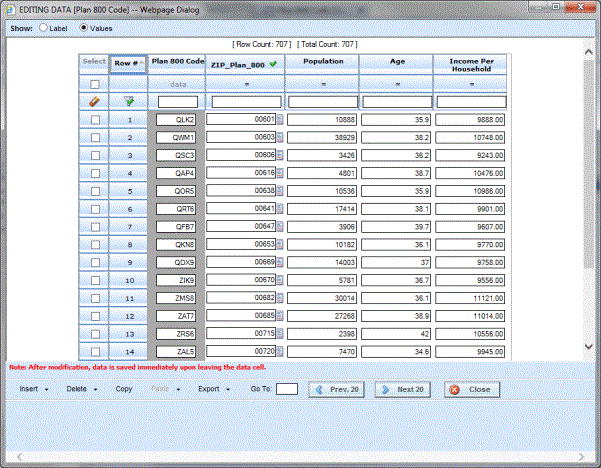
Navigating Edit Data Screen
The Edit Table Data screen displays the current table data. Editing and navigation options are at the top and bottom of the screen. If a list of values has been applied, the options to change the view are at the top of the screen. This screen must be closed before viewing or working on any other tab in RateManager.
