14. Generic Wires ISO Debit/Credit Confirmation
14.1 Debit/Credit Confirmation
This feature supports SWIFT ISO CBPRPlus Debit/Credit confirmation message generation (camt.054) processing for Inbound and Outbound transactions.
This section contains the following sub-sections:
l Section 14.1.2, "Outbound Debit/Credit Confirmation Processing"
l Section 14.1.3, "Inbound Debit/Credit Confirmation Processing"
l Section 14.1.3, "Inbound Debit/Credit Confirmation Processing"
14.1.1 Cross Border Inbound Bank to Customer Debit Credit Notification View
This screen displays the incoming Debit Credit Notification (camt.054) message.
You can invoke “Cross Border Inbound Bank to Customer Debit Credit Notification View” screen by typing the function ID ‘PSDIDCNV’ in the field at the top right corner of the Application tool bar and clicking on the adjoining arrow button.
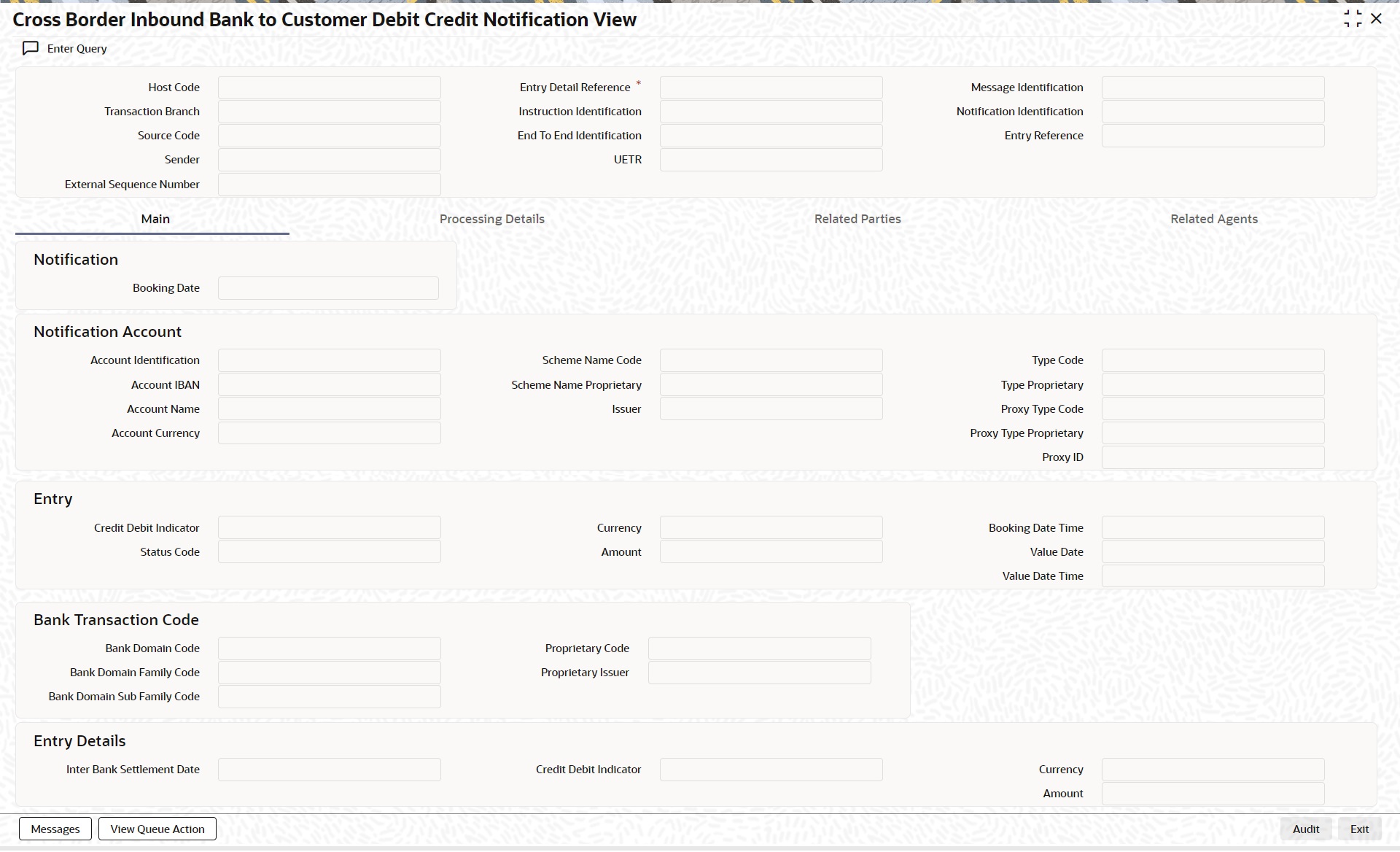
Specify the following fields:
Host Code
This field displays the Host Code of the user’s logged in branch.
Transaction Branch
This field displays the Transaction Branch of the user’s logged in branch.
Source Code
This field displays Source Code as received in the incoming payment
Sender
This field displays Sender as received in incoming payment.
Entry Detail Reference
This field displays Unique Reference Number generated by System.
Instruction Identification
This field displays Instruction Identification as received in incoming payment.
End To End Identification
This field displays End To End Identification.
UETR
This field displays UETR.
Message Identification
This field displays Message Identification.
Notification Identification
This field displays Notification Identification.
Entry Reference
This field displays Entry Reference.
14.1.1.1 Main Tab
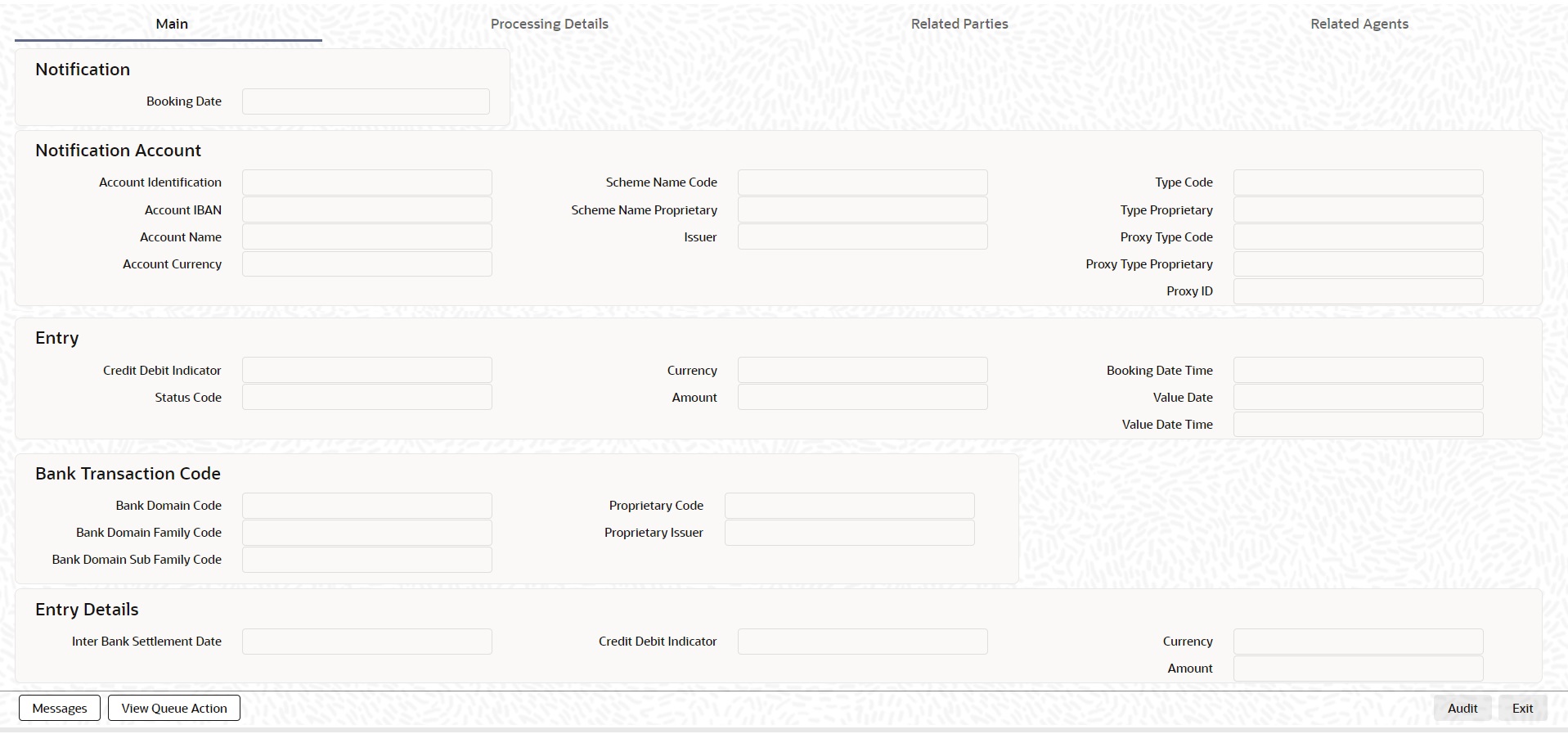
Notification Block
Booking Date
This field is defaulted with current Branch Date and Time.
Notification Account
Account Identification
This field displays Source Code as received in the incoming payment.
IBAN
This field displays the value received in the IBAN.
Account Name
This field displays Account Name received in payment.
Account Currency
This field displays Account Currency received in payment.
Scheme Name Code
This field displays Scheme Name Code received in payment.
Scheme Name Proprietary
This field displays Scheme Name Proprietary received in payment.
Issuer
This field displays Issuer received in payment.
Type Code
This field displays Type Code received in payment.
Type Proprietary
This field displays Type Proprietary received in payment.
Proxy Type Code
This field displays Proxy Type Code received in payment.
Proxy Type Proprietary
This field displays Proxy Type Proprietary received in payment.
Proxy ID
This field displays Proxy ID received in payment.
Entry Block
Credit Debit Indicator
This field displays Credit Debit Indicator as received in the incoming payment.
Status Code
This field displays Status Code as received in the incoming payment.
Amount
This field displays Display Amount as received in incoming payment.
Currency
This field displays Currency received in payment.
Booking Date
This field displays Booking Date received in payment.
Value Date
This field displays Value Date received in payment.
Value Date Time
This field displays Value Date received in payment.
Bank Transaction Code
Domain Code
This field displays Domain Code received in payment.
Domain Family Code
This field displays Domain Family Code received in payment.
Domain Sub Family Code
This field displays Domain Sub Family Code received in payment.
Proprietary Code
This field displays Proprietary Code received in payment.
Proprietary Issuer
This field displays Proprietary Issuer received in payment.
Entry Details
Interbank Settlement Date
This field displays Interbank Settlement Date as received in the incoming payment.
Credit Debit Indicator
This field displays Credit Debit Indicator as received in the incoming payment.
Amount
This field displays Display Amount as received in incoming payment.
Currency
This field displays Currency received in payment.
14.1.1.2 Processing Details Tab
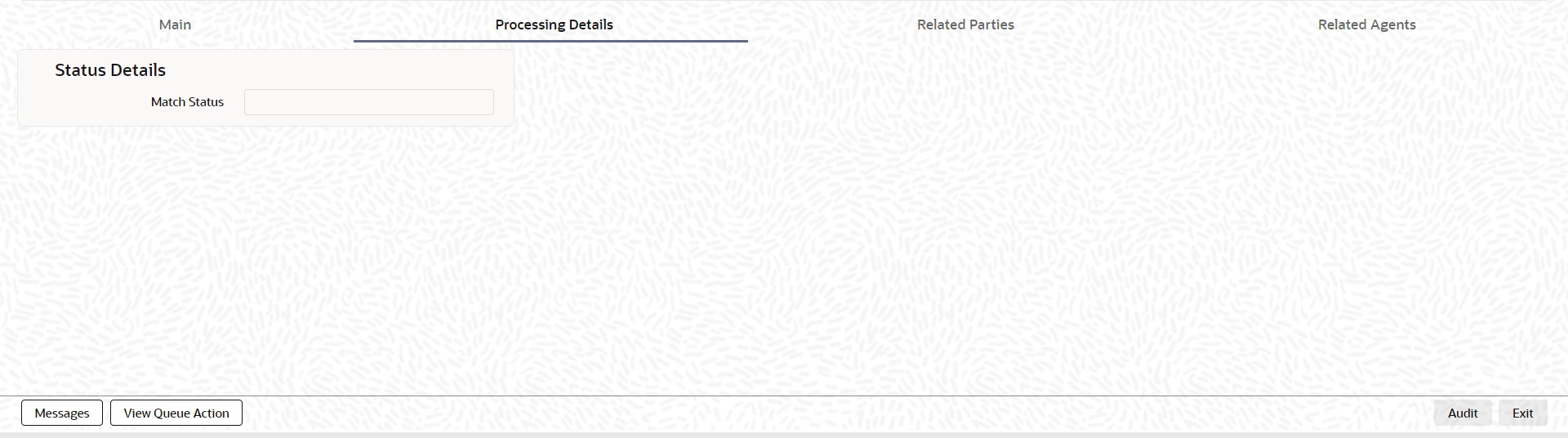
Status Details
Match Status
Select the Match Status from the following values:
l Matched
l Unmatched
14.1.1.3 Related Parties Tab
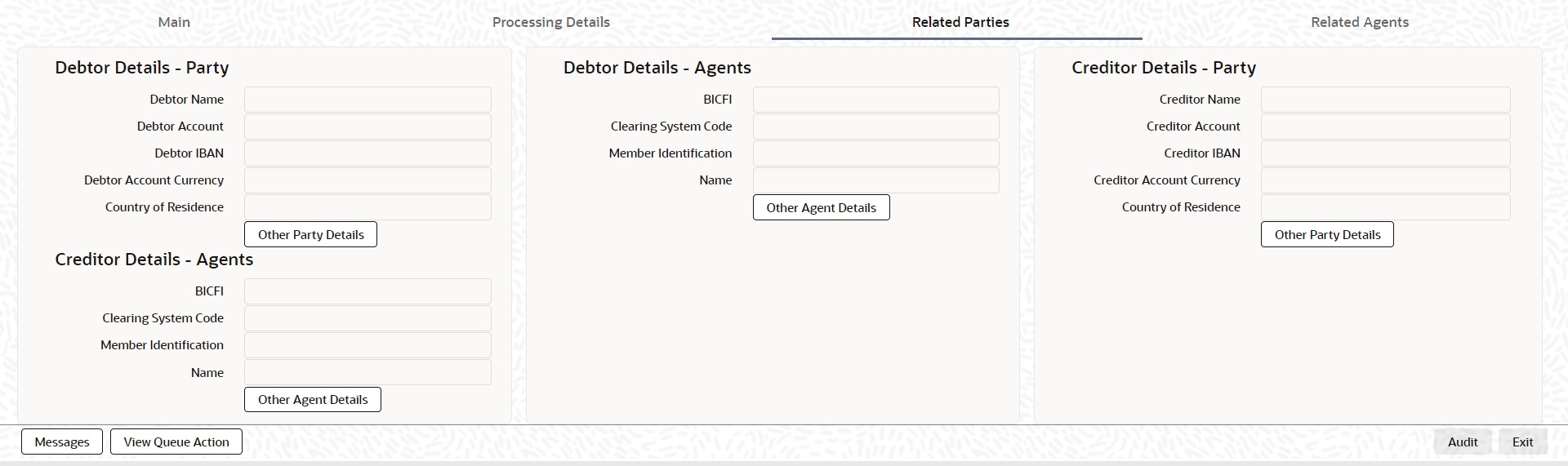
Fields values are populated and displayed from the data received in Transaction Details:
Debtor Details - Party
l Debtor Name
l Debtor Account
l Debtor IBAN
l Debtor Account Currency
l Country of Residence
l Other Party Details - Debtor Details sub screen is launched
Debtor Details - Agents
l BICFI
l Clearing System Code
l Member Identification
l Name
l Other Party Details - Debtor Agent Details sub screen is launched
Creditor Details - Party
l Creditor Name
l Creditor Account
l Creditor IBAN
l Creditor Account Currency
l Country of Residence
l Other Party Details - Creditor Details sub screen is launched
Creditor Details - Agents
l BICFI
l Clearing System Code
l Member Identification
l Name
l Other Party Details - Creditor Agent Details sub screen is launched
14.1.1.4 Related Agents Tab
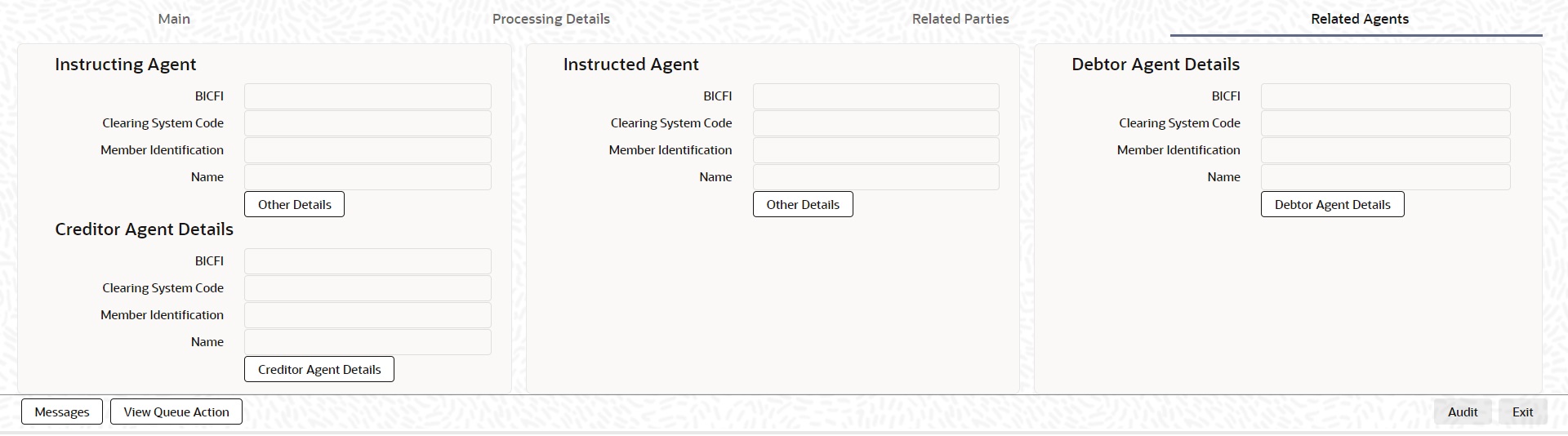
Fields values are populated from the data received in Transaction Details
Instructing Agent
l BICFI
l Clearing System Code
l Member Identification
l Name
l Other Details - Instructing Agent Details sub screen is launched
Instructed Agent
l BICFI
l Clearing System Code
l Member Identification
l Name
l Other Details - Instructed Agent Details sub screen is launched
Debtor Agent
l BICFI
l Clearing System Code
l Member Identification
l Name
l Debtor Agent Details - Debtor Agent Details sub screen is launched
Creditor Agent
l BICFI
l Clearing System Code
l Member Identification
l Name
l Creditor Agent Details - Creditor Agent Details sub screen is launched
14.1.1.5 Cross Border Inbound Bank to Customer Debit Credit Notification View Summary
You can invoke “Cross Border Inbound Bank to Customer Debit Credit Notification View Summary” screen by typing ‘PSSIDCNV’ in the field at the top right corner of the Application tool bar and clicking on the adjoining arrow button.
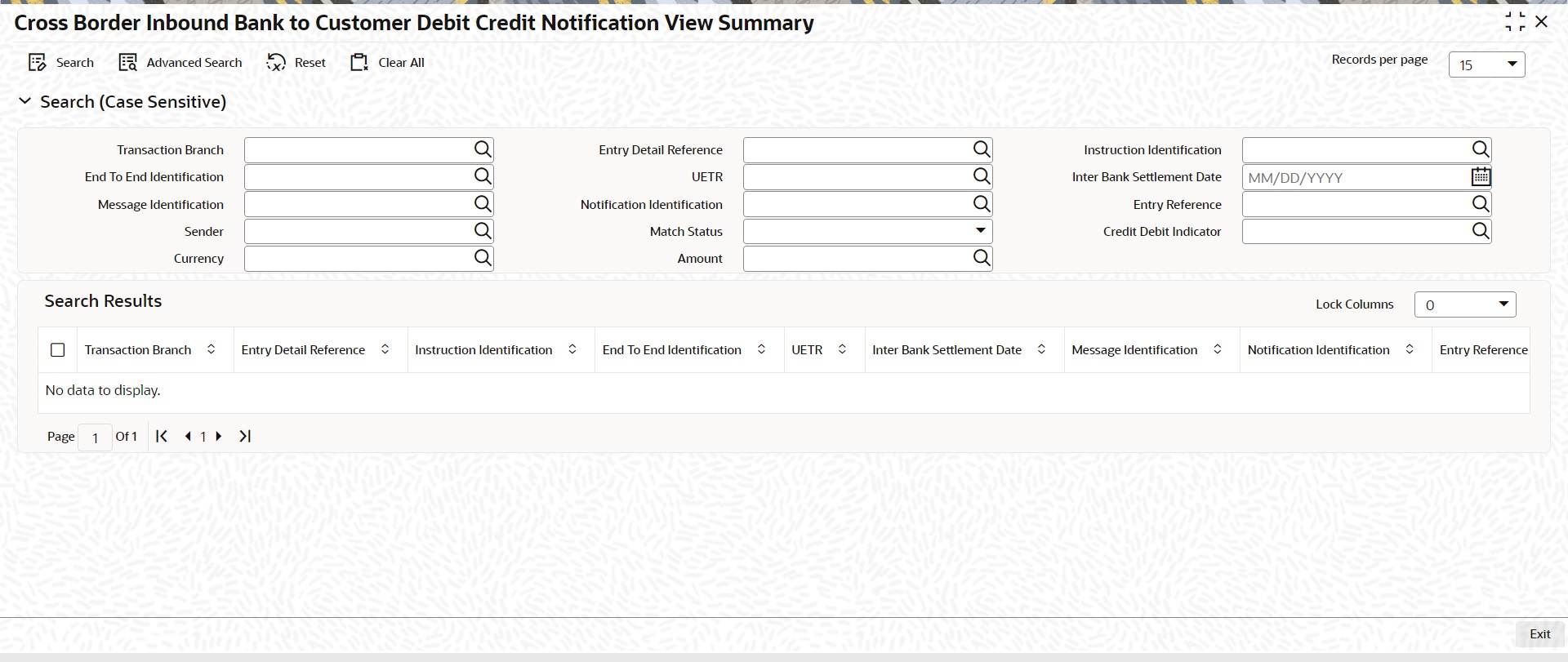
You can search using one or more of the following parameters:
l Transaction Branch
l End To End Identification
l Message Identification
l Sender
l Currency
l Entry Detail Reference
l UETR
l Notification Identification
l Match Status
l Amount
l Instruction Identification
l Inter Bank Settlement Date
l Entry Reference
l Credit Debit Indicator
Once you have specified the search parameters, click ‘Search’ button. The system displays the records that match the search criteria.
Double click a record or click the ‘Details’ button after selecting a record to view the detailed screen.
14.1.2 Outbound Debit/Credit Confirmation Processing
Debit Confirmations
l Debit confirmation message generates for the Outbound/Pass-through FI to FI Customer Credit transfer (pacs.008) and FI to FI Credit transfer (pacs.009) transactions.
l The debit confirmation is generated in SWIFT CBPRPlus format (camt.054) when the ‘Format Preference’ value is ‘SWIFT CBPRPlus’ in the Bilateral Agreement for Cash Messages” PMDCMAGT screen.
Credit Confirmations
l Credit confirmation message generates for the Inbound FI to FI Customer Credit transfer (pacs.008) and FI to FI Credit transfer (pacs.009) transactions.
l The credit confirmation is generated in SWIFT CBPRPlus format (camt.054) when the ‘Format Preference’ value is ‘SWIFT CBPRPlus’ in the Bilateral Agreement for Cash Messages” PMDCMAGT screen.
The generated debit/credit confirmations are shown in the ‘Messages’ sub-screen of the pacs.008/pacs.009 transaction view screens.
Note
l If the ‘Credit Confirmation’ flag under ‘Message Suppression Preference’ is checked in the Inbound Transaction input screen, then the Credit Confirmation message is not generated for Inbound transactions.
l If the ‘Debit Confirmation’ flag under ‘Message Suppression Preference’ is checked in the Outbound Transaction input screen, then the Debit Confirmation message is not generated for outbound transactions.
14.1.3 Inbound Debit/Credit Confirmation Processing
l Incoming Debit/Credit Confirmation message (i.e. camt.054) is received with TARGET2 business header.
l After receiving the Debit/Credit Confirmation message (i.e. camt.054) the message is created and logged in the incoming message tables.
l The system does format validations for the camt.054 message received based on the schema details maintained for the message in File Parameter Detailed (PMDFLPRM) maintenance if any of the format validations fail, error details are recorded.
l On completing the format validations, the message is parsed and uploaded. You can view the message status from the Inbound Browser Summary (PMSINBRW) screen.
l After parsing the camt.054 message is matched with the original incoming/outgoing pacs.008/pacs.009 messages using the following matching criteria:
– If Instruction Identification (<TxDtls> <Refs> <InstrId>) received in the incoming message is matched with Instruction Identification of outgoing/incoming pacs.008/pacs.009 message.
– If End To End Identification (<TxDtls> <Refs> <EndToEndId>) received in the incoming message is matched with End To End Identification of outgoing/incoming pacs.008/pacs.009 message
– If UETR (<TxDtls> <Refs> <UETR>) received in the incoming message is matched with UETR of outgoing/incoming pacs.008/pacs.009 message.
l After parsing the camt.054 message is matched with the original outgoing camt.050 message using following matching criteria:
– If Instruction Identification (<TxDtls> <Refs> <InstrId>) received in the incoming message is matched with Instruction Identification of outgoing camt.050 message.
– If End To End Identification (<TxDtls> <Refs> <EndToEndId>) received in the incoming message is matched with End To End Identification of outgoing camt.050 message.
l If the incoming camt.054 message matching fails, then camt.054 record status is marked as ‘Exception’. The system error code and error details are logged.
l If the camt.054 message matches with outgoing/incoming pacs.008/pacs.009 and outgoing camt.050 message then:
– The status of the uploaded camt.054 is ‘Matched’ in the incoming browser.
– Process Status of the uploaded camt.054 is ‘Processed’ in the incoming browser.
– The inbound camt.054 message get linked with outgoing/incoming pacs.008/pacs.009 and outgoing camt.050 message and displayed it in the All Message (PSDOCMSG) sub screen of pacs.008/pacs.009/camt.050 messages.
This section contains the following sub-sections:
l Section 14.2.1, "camt.054 Message Processing"
l Section 14.2.2, "Inbound Messages STP Queue (PQSSTPQU) Processing"
l Section 14.2.3, "Inbound pacs.008 Transaction changes Processing"
14.2.1 camt.054 Message Processing
After receiving the Debit/Credit notification message (i.e., camt.054), Incoming camt.054 Message is logged in the existing incoming message browser as per existing functionality.& parsed and logged in the Cross Border Inbound Bank to Customer Debit Credit Notification View (PSDIDCNV) screen.
Credit Debit Indicator field value identifies if the incoming camt.054 message is Debit advice or a Credit advice.
l For Debit Advice, the message remains in Cross Border Inbound Bank To Customer Debit Credit Notification View Summary (PSSIDCNV) screen with Credit Debit Indicator as Debit. Match status is updated as “Not Applicable”.
l For Credit Advice, system identifies as a Cover message for an inward FI to FI Customer Credit Transfer (pacs.008) and attempt Cover Matching.
camt.054 message is matched with the Underlying original incoming pacs.008 message.
l If the Cover matching is successful, then Match Status is updated as “Matched” in the Cross Border Inbound Bank To Customer Debit Credit Notification View Summary (PSSIDCNV) screen.
l If the Cover matching is not successful, then Match Status is updated as “Unmatched” in the Cross Border Inbound Bank To Customer Debit Credit Notification View Summary (PSSIDCNV) screen.
14.2.2 Inbound Messages STP Queue (PQSSTPQU) Processing
Status Code field value of the incoming camt.054 message is “BOOK” and Credit Debit Indicator field value is “CREDIT”, then you can do manual matching for incoming camt.054.
You can match pacs.008 message with incoming camt.054 message using Manual Match user action.
14.2.3 Inbound pacs.008 Transaction changes Processing
Value Date
Value date of the matched pacs.008 transaction is updated with the value date of the camt.054 transaction entry if the pacs.008 Value Date is different from the Value Date of the credit transaction entry.
Settlement Account (or) Debit Account
The debit account (or) settlement account of the matched pacs.008 is updated with the account of the camt.054 credit transaction entry if settlement account of pacs.008 is different from camt.054.