6. Generic Wires ISO STP Layer
This feature supports the Incoming SWIFT CBPRPlus/TARGET2 ISO message processing.
This sections contains the following sub-sections:
l Section 6.1.1, "Incoming Message Upload"
l Section 6.1.2, "Incoming Browser Changes"
Incoming ISO messages with Business Application Header (BAH) are received via Electronic Messaging Service (EMS).
After receiving the Incoming message, the message is logged in the incoming message tables.
6.1.1.1 XML Schema Validation
From the Incoming message the header and payload is extracted and based on the message version received in the message header, system does format validations for the message based on the schema details maintained for the message in File Parameter Detailed (PMDFLPRM) maintenance.
6.1.1.2 Branch/Host Derivation
l Value received in <AppHdr> <To> <BICFI> field of TARGET2 business header is extracted.
l Based on the BICFI the branch code is derived. Host Code is derived as the Host Code associated with the Branch Code.
The transaction booking branch in Generic Wires ISO Inbound Booking Branch Derivation Detailed (PSDIBRDV) is resolved first based on the To BIC value received in the BAH of the Incoming SWIFT CBPRPlus / TARGET2 ISO messages.
l To BIC is checked against the branch level SWIFT Address maintenance. The matched Branch code is considered as transaction booking branch.
l If there are multiple branches having the same BIC, then the 1st matched branch is considered.
The host code of the booking branch is picked up from the branch derived.
Media is resolved after this step.
l The Business Service <BizSvc> value of the Business Application Header (BAH) is checked.
l If this tag is present and if the value contains 'cbprplus', then the media is considered as 'FINPLUS'. Otherwise, the media is considered as 'RTGSMX'
If multiple RTGS ISO Networks are maintained then, Network is resolved based on MCS, Host Code, Network service ID & currency. When inbound RTGS ISO messages are received, system derives the Network based on the below logic:
MCS is derived based Queue/Folder in which message is received. Network is derived based on new maintenance Network Media Control System maintenance (Function ID: PMDNWMCS) available. If multiple Networks are derived, then Network Service ID and currency received in the message are used to derive the Network. If Network could not be derived, then transaction is moved to Repair queue XSDs for each message type against the Media Control System can be maintained in Generic RTGS XML Schema Preference screen (Function ID: PSDGRXSP). XSD is picked up from this maintenance to validate against the XSD for the incoming RTGS ISO messages.
Note
It is assumed that xsd for a message type received in a particular queue or folder linked to a Media Control system is same irrespective of the Network. If xsd is not same, messages are to be received in a separate queue or folder.
In the newly introduced Generic Wires ISO Incoming Message Branch Derivation maintenance is referred for the media and host code.
To BIC value of the BAH is checked against the new Generic Wires ISO Incoming Messages Branch Derivation for the Host code / Media / BIC combination.
l If a record is found, then the Branch code maintained against that BIC is considered as transaction booking branch.
l If there is no record found, then the default branch code is considered as booking branch.
If there no maintenance done in the Generic Wires ISO Incoming Message Branch Derivation maintenance for the media and host code combination, then the branch derived in the initial step is retained as booking branch.
In case of incoming payments results in a pass-through message then, Under Pass through Payment Information tab, Pass through Payment field is updated as Yes, Field Clearing System Reference displays the Clearing System Reference as received in incoming message on the below outgoing pacs.008/pacs.009 CBPRPlus/TARGET2 view screens.
|
Sr No |
Payment Type |
Network |
Screen Name |
|---|---|---|---|
|
1 |
Pacs.008 |
CBPRPlus |
PSDOCBVW |
|
2 |
Pacs.009 |
CBPRPlus |
PSDOCNVW |
|
3 |
Pacs.008 |
TARGET2 |
PSDOT2CV |
|
4 |
Pacs.009 |
TARGET2 |
PSDORBTV |
6.1.1.3 Messaging after accounting - CBPR+ / RTGS MX
You can do messaging of CBPR+ / RTGS MX transactions only on successful completion of accounting and then network cutoff.
If accounting is pending in accounting queue, transaction status will be Exception. Network cutoff check is done after accounting.
Transaction status is updated as 'Processed' only on accounting & Network cutoff check completion.
6.1.1.4 Uploads - SPS Additional changes
Mapping the data received in existing Regulatory Reporting, Sender's charges / Receiver's charges field of Single Payout Service to Outbound SWIFT CBPRPlus / TARGET2 ISO transactions.
6.1.2 Incoming Browser Changes
l On completing the format validations, the message is parsed and uploaded to the Inbound Browser Summary (PMSINBRW) screen. You can view the message status from the Inbound Browser Summary (PMSINBRW) screen.
l After uploading the message in Inbound Browser Summary (PMSINBRW) screen respective Inbound processors are called to further process the message based on the message type.
l Status and Process Status columns are updated for the message based on the further processing of the message.
6.2 STP Layer - pacs.008 Processing
After receiving an incoming FI to FI Customer Credit Transfer (pacs.008) message, the message is parsed and uploaded in Inbound Browser Summary (PMSINBRW) screen. You can view the message status from Inbound Browser Summary (PMSINBRW) screen.
After uploading the message in Inbound Browser Summary (PMSINBRW) screen respective Inbound processors are called to further process the message based on the message type.
Listed below are the STP layer processing steps applied on the message:
l Section 6.2.1, "Reverse Message Evaluation - SWIFT CBPRPlus"
l Section 6.2.2, "Bank Redirection"
l Section 6.2.3, "Account Redirection"
l Section 6.2.4, "D to A Conversion"
l Section 6.2.5, "Debit Account Resolution"
l Section 6.2.6, "BIC derivation from Clearing Code"
l Section 6.2.7, "Mandatory Field Validation"
l Section 6.2.8, "Duplicate Check Validation"
l Section 6.2.9, "STP Queue Processing"
l Section 6.2.10, "Advisory Message External Validation"
l Section 6.2.11, "Transaction Type Resolution"
l Section 6.2.12, "Branch Resolution"
l Section 6.2.13, "Network Rule Evaluation for pass-through transactions"
l Section 6.2.14, "Cross Network support for pass-through message"
6.2.1 Reverse Message Evaluation - SWIFT CBPRPlus
Reverse Message evaluation is done only for SWIFT CBPRPlus messages.
Reverse Message evaluation logic is applied based on value received in below fields:
l Group Header/Settlement Information/Settlement Account/Identification/IBAN (i.e. GrpHdr/SttlmInf/SttlmAcct/Id/IBAN)
l Group Header/Settlement Information/Settlement Account/Identification/Other/Identification (i.e. GrpHdr/SttlmInf/SttlmAcct/Id/Othr/Id)
If Settlement Account (i.e. GrpHdr/SttlmInf/SttlmAcct/Id/Othr/Id) is received in the incoming message then
l System checks the Reverse Message Agreement is maintained for the Settlement Account in the Reverse Message Agreement Maintenance (PMDREVAG) screen
l Reverse Message evaluation is done based on the Settlement Account.
If Settlement Account ' IBAN (i.e. GrpHdr/SttlmInf/SttlmAcct/Id/IBAN) is received in the incoming message then
l Customer Account is derived from IBAN using External Customer Account Input (STDCRACC) maintenance
l System checks if Reverse Message Agreement is maintained for the Derived Account in the Reverse Message Agreement Maintenance (PMDREVAG) screen
l Reverse Message evaluation is done based on the derived Customer Account.
For Incoming Reverse Message, the Reverse Message agreement validation is done on Booking Date and on Value Date in case if Value Date is a future date.
Transaction moves to Business Override Queue in case of Reverse Message agreement validation failure.
System checks the Bank Redirection maintenance (PMDBKRED) for any Redirections maintained against the Bank Codes mentioned in the transaction. If there are any redirections maintained, the Original Bank Code in the transaction is replaced with the Redirected Bank Code.
Bank Redirection maintenance allows for specifying the Redirected Bank Code for an existing Bank Code.
The redirected bank code is applicable for the following fields:
l Debtor Agent BICFI
l Instructing Reimbursement Agent BICFI
l Instructed Reimbursement Agent BICFI
l Third Reimbursement Agent BICFI
l Intermediary Agent 1 BICFI
l Creditor Agent BICFI
l Creditor BICFI in case of pacs.009
l Creditor/Identification/Organisation Identification/Any BIC
l Previous Instructing Agent 1 BICFI
l Debtor BICFI in case of pacs.009
System checks the Account Redirection maintenance (PMDACRED) for any redirections maintained against the accounts mentioned in the transaction. If there are redirections maintained, the original account in the transaction is replaced with the redirected account.
The account redirection is applicable for below fields
l Credit Transfer Transaction Information/Debtor Agent Account
l Group Header/Settlement Information/Instructing Reimbursement Agent Account
l Group Header/Settlement Information/Instructed Reimbursement Agent Account
l Group Header/Settlement Information/Third Reimbursement Agent Account
l Credit Transfer Transaction Information/Intermediary Agent1 Account
l Credit Transfer Transaction Information/Creditor Agent Account
l Credit Transfer Transaction Information/Creditor Account
System converts party details (Name and Address) to BICFI based on the D to A Converter maintenance (PMDDAMNT)
If the parties / agents in the transaction are detailed using name and address, then system checks if there is a match for the name and address provided in the transaction with the data maintained in the D to A Converter Maintenance, If a match is found then the system resolves the appropriate BIC code and replaces the name and address in the message with the BIC Code.
D to A conversion is applied on the following fields:
l Instructing Reimbursement Agent
l Instructed Reimbursement Agent
l Third Reimbursement Agent
l Intermediary Agent 1
l Creditor Agent
Address Line 1, Address Line 2 and Address Line 3 is checked against the data maintained in the D to A Converter Maintenance, if a match is found then the system resolves the appropriate BIC code and replaces the name and address in the message with the BIC Code.
6.2.5 Debit Account Resolution
Debit Account is resolved in Currency Correspondent Detailed (PMDCYCOR) using existing logic:
The Debit Account Resolution is applicable for below fields
l Group Header/Settlement Information/Instructing Reimbursement Agent Account
l Group Header/Settlement Information/Instructed Reimbursement Agent Account
l Group Header/Settlement Information/Third Reimbursement Agent Account
6.2.6 BIC derivation from Clearing Code
Clearing Code Maintenance (ISDCTMEX) is used for deriving BIC from the clearing code received in the incoming message.
The BIC Derivation is applicable for below fields:
l Credit Transfer Transaction Information/Debtor Agent/Clearing System Code
l Credit Transfer Transaction Information/Intermediary Agent1/Clearing System Code
l Credit Transfer Transaction Information/Creditor Agent/Clearing System Code
6.2.7 Mandatory Field Validation
Interbank Bank Settlement Amount Currency is validated to check if it is a valid currency.
Source code derived for the message is validated.
Interbank Bank Settlement Date (FIToFICstmrCdtTrf ' CdtTrfTxInf ' IntrBkSttlmDt) is validated to check if it does not fall on holiday.
If above validation fails, then the transaction is moved to Process Exception Queue (PQSPRQUE).
6.2.8 Duplicate Check Validation
The system validates fields that are listed below to check if another transaction with the same details is already present in the application:
l Instructing Agent
l Instruction Identification
l UETR
l MX Message Type
If another transaction with the same details exists in the application, this transaction is considered a duplicate and is moved to the Business Override Queue (PQSOVRQU).
On upload of an incoming pacs.008 messages, the following processing is done:
l Rule created in the Message Queue Derivation Rule (PMDQURLE) is applied.
l Derive the message queue as STP/Non-STP/Cover based on STP rules maintained in PMDQURLE.
l Release the STP messages & cover matched messages to payment processor
Auto Cover Match Processing
Auto matching considers the following fields value matching between the original payment message & cover message:
l Instruction Identification of pacs.008 message with End to End Identification of cover message
l UETR of pacs.008 message with UETR of cover message
If the auto cover match is successful both payment message and cover message is marked as 'Matched' and payment message is released from STP queue for further processing.
The payment is sent for Network resolution and forwarded to the resultant payment processor.
The credit value date derivation for the payment is based on the credit value basis maintained for the Host in the new preference maintenance PMDCMPRF.
Incoming SWIFT CBPRPlus messages Cover Matching Processing
l For pacs.008, below listed fields are compared against pacs.009 COVER message fields for cover matching:
|
pacs.008 |
pacs.009 COV |
|---|---|
|
UETR |
UETR |
|
Instruction Identification |
End to End Identification |
|
Interbank Settlement Amount |
Interbank Settlement Amount |
|
Interbank Settlement Currency |
Interbank Settlement Currency |
l For pacs.008, below listed fields will be compared against camt.054 credit entry fields for cover matching:
|
pacs.008 |
camt.054 |
Remarks |
|---|---|---|
|
UETR |
UETR |
Under Entry Details -> Transaction Details -> References Consider only Credit entry details |
|
Instruction Identification |
Instruction Identification
|
Under Entry Details -> Transaction Details -> References Consider only Credit entry details |
|
Interbank Settlement Amount |
Amount
|
Under Entry Details -> Transaction Details -> Amount Consider only Credit entry details |
|
Interbank Settlement Currency |
Currency |
Under Entry Details -> Transaction Details -> Amount Consider only Credit entry details |
l For pacs.008, below listed fields are compared against MT202COV/205COV message fields for cover matching.:
|
pacs.008 |
camt.054 |
Remarks |
|---|---|---|
|
UETR |
UETR |
|
|
Instruction Identification |
Field 21
|
Related Reference |
|
Interbank Settlement Amount |
Field 32A
|
Amount |
|
Interbank Settlement Currency |
Field 32A |
Currency |
l For pacs.008, below listed fields are compared against 910 message fields for cover matching:
|
pacs.008 |
MT910 |
Remarks |
|---|---|---|
|
UETR |
UETR |
If present in MT910, consider |
|
Instruction Identification |
Field 21
|
Related Reference |
|
Interbank Settlement Amount |
Field 32A
|
Amount |
|
Interbank Settlement Currency |
Field 32A |
Currency |
l For pacs.008, below listed fields are compared against statement browser entry fields for cover matching:
|
pacs.008 |
Statement Entry (MT or MX) |
Remarks |
|---|---|---|
|
Instruction Identification |
Related Reference |
Reference for the Account Owner |
|
Interbank Settlement Amount |
Amount
|
Amount in Statement Browser |
|
Interbank Settlement Currency |
Currency
|
Currency in Statement Browsert |
|
Interbank Settlement Date |
Value Date |
Value Date in Statement Browser |
6.2.10 Advisory Message External Validation
Incoming Message Upload
l An external validation call through a hook request before deriving payment transaction type.
l An external validation should return the execution result as success or failure.
l If Execution Result is a failure the system logs the incoming message into Business Override Queue.
l If Execution Result is a success, the system checks the validation result value as follows:
– A-Approved: The Incoming message upload processing gets proceeds further.
– R-Rejected: The Incoming message Auto cancellation gets triggered.
– O-Override Queue: The Incoming message moves to Business Override.
l In the external validation hook request, all the incoming message fields are sent.
l The following fields are expected as response:
– Execution Result
– Validation Result
– Error Code
– Error Description
Note
All the parameters sent in the Request are part of the Response too.
Business Override Queue Changes (PQSOVRQU)
l When the Incoming message is moved to the BO queue:
– Network Type code is set as Network Type Code of CBPRPlus or TARGET2 ISO payment.
– Transaction Type set as Incoming.
– Source Code set as Source Code for Incoming message by referring the source maintenance (PMDSORCE).
– Network code set as CBPRPlus or TARGET2 ISO payment type.
– Source Reference Number is populated with value received in Instruction Identification tag.
l When the Incoming SWIFT message is moved to BO queue:
|
User Action |
Processing Changes/ Validations |
|---|---|
|
Carry Forward |
User action is not allowed. |
|
Approve |
•The Incoming message upload processing proceeds further. |
|
Cancel |
•Cancellation Processing get triggered. |
Cancellation Processing
l Key processing steps for the auto cancellation of Advisory messages external validation:
– The system sends Incoming messages for Sanctions Screening.
– If the Sanction screening result is not Seized, the system updates the transaction status as ‘Cancelled’ in the Incoming payment view screen.
– If the Sanction screening result is Seized, the system updates the transaction status as Seizure in the Incoming payment view screen.
6.2.11 Transaction Type Resolution
Based on the value received in the Creditor Agent (CdtrAgt ' FinInstnId ' BICFI) field. If Creditor Agent received is bank branch BIC, then Transaction Type for the messages gets derived as “Incoming”.
If Creditor Agent (CdtrAgt ' FinInstnId ' BICFI) received is not a bank branch BIC, then transaction type for the message is derived after applying Transaction Type Rule (PMDTYPRL) if defined in the application.
Rule elements for channel type 'SWIFT MX' are used for deriving the transaction type.
If Transaction Type is not resolved for the message, then message is moved to Network Resolution Queue (PQSNWRQU).
In case if payment is identified as of incoming payments terminating with the bank, the Generic Wires ISO Inbound Branch Preference Detailed (PSDGBPRF) is checked to derive the branch preference.
If Branch Preference is Booking Branch then, Booking Branch derived using PSDIBRDVMSDQMAP maintenance remains as the incoming message branch.
If Branch Preference is Account Branch then,
l For incoming pacs.008 message, Branch code derived using PSDIBRDVMSDQMAP gets overridden with the Branch Code of the Creditor Account (CdtTrfTxInf/CdtrAcct/Id/Othr/Id).
l For incoming pacs.009, pacs.009COV message, Branch code derived using PSDIBRDVMSDQMAP gets overridden with the Branch Code of the Creditor Account (CdtTrfTxInf/CdtrAcct/Id/Othr/Id).
6.2.13 Network Rule Evaluation for pass-through transactions
Incoming pacs.008 messages which resulted in the pass-through message is routed through Network resolution (PQSNWRQU).
Network rules (PMDNWRLE) maintained for channel type 'SWIFT MX' is applied. The segregation of Networks to CBPR and TARGET2 is done at this level.
Inbound CBPRPlus message if resulted in pass-through is routed to CBPRPlus or TARGET2 network.
Inbound TARGET2 message if resulted in pass-through is routed to CBPRPlus network.
Rule elements for channel type 'SWIFT MX' are used when incoming pacs.008 message is received.
The system evaluates the network resolution rule for the transaction type Outbound pass-through for Incoming SWIFT CBPRPlus/TARGET2 messages. If the resultant network code is of type SWIFT MT or RTGS MT, then the system converts the incoming SWIFT CBPRPlus/TARGET2 message details to SWIFT / RTGS MT transaction data.
The system evaluates the network resolution rule for the transaction type Outbound pass-through for Incoming MT messages. If the resultant network code is of type SWIFT CBPRPlus or TARGET2 ISO, then the system converts the incoming MT message details to SWIFT CBPRPlus / TARGET ISO transaction data.
6.2.14 Cross Network support for pass-through message
Field Transaction Identification is not allowed in TARGET2 pacs.008 message, but the field is added on the TARGET2 FI to FI Customer Credit Transfer View (PSDIRTCV) screen for displaying Transaction Identification received in CBPRPlus pacs.008 when incoming CBPRPlus pacs.008 message results in a pass-through and needs to be routed via TARGET2 network.
Transaction Identification is display field and is not populated in the outgoing TARGET2 pacs.008 message.
Apart from fields mentioned above other fields which are applicable for a particular network is mapped as received from one network to another network.
MIS & UDFs are defaulted based on the MIS Group / UDF Group defined in the Source Network Code maintenance (PMDSORNW). If MIS Group/UDF Group values are not maintained, then the MIS Group/UDF Group values maintained at Source Code maintenance (PMDSORCE) are referred.
6.3 STP Layer - pacs.009 Processing
After receiving an incoming Financial Institution Credit Transfer (pacs.009) message the message is parsed and uploaded in Inbound Browser Summary (PMSINBRW) screen. You can view the message status from Inbound Browser Summary (PMSINBRW) screen.
After uploading the message in Inbound Browser Summary (PMSINBRW) screen respective Inbound processors are called to further process the message based on the message type.
Listed below are the STP layer processing steps applied on the message:
l Section 6.3.1, "Pacs.009COV check"
l Section 6.3.2, "Pacs.009Core for Pacs.009ADV"
l Section 6.3.3, "Reverse Message Evaluation - SWIFT CBPRPlus"
l Section 6.3.4, "Bank Redirection"
l Section 6.3.5, "Account Redirection"
l Section 6.3.6, "D to A Conversion"
l Section 6.3.7, "BIC derivation from Clearing Code"
l Section 6.3.8, "Matching with camt.057"
l Section 6.3.9, "Mandatory Field Validation"
l Section 6.3.10, "Duplicate Check Validation"
l Section 6.3.11, "Advisory Message External Validation"
l Section 6.3.12, "Transaction Type Resolution"
l Section 6.3.13, "Branch Resolution"
l Section 6.3.14, "Network Rule Evaluation for pass-through transactions"
l Section 6.3.15, "Cross Network support for pass-through message"
Incoming message is validated to check if the received message is pacs.009CORE or pacs.009COV message
Field Message Definition Identifier (AppHdr ' MsgDefIdr) is used to identify if the message is pacs.009CORE or pacs.009COV message.
Incoming pacs.009 Cover message is further checked to identify if the pacs.009 Cover message is received for matching or pacs.009 Cover message is terminating with bank or it results in pass-through message based on below conditions:
Received for Matching
If Creditor BIC (i.e., CdtTrfTxInf/Cdtr/FinInstnId/BICFI) received in Incoming pacs.009 Cover message is a Branch BIC
Field Message Definition Identifier (AppHdr ' MsgDefIdr) received in the Incoming pacs.009 Cover message is “pacs.009.001.08COV”
Instruction Identification of pacs.008 message matches with End to End Identification received in Incoming pacs.009 cover message
In this case the Incoming pacs.009 Cover message remains in the Incoming Message Browser after matching with pacs.008 message and Incoming pacs.009 Cover message is not processed further.
Termination with Bank
If Creditor BIC (i.e., CdtTrfTxInf/Cdtr/FinInstnId/BICFI) received in Incoming pacs.009 Cover message is a Branch BIC
Field Message Definition Identifier (AppHdr ' MsgDefIdr) received in the Incoming pacs.009 Cover message is “pacs.009.001.08COV”
Instruction Identification of pacs.008 message matches with End to End Identification received in Incoming pacs.009 cover message.
Creditor Account (CdtTrfTxInf/CdtrAcct/Id/Othr/Id) resolution is successful.
In case if Customer Advice preference is set then camt.054 is generated based on preference.
Pass-through
If Creditor Agent BIC (i.e., CdtTrfTxInf/CdtrAgt/FinInstnId/BICFI) received in Incoming pacs.009 Cover message is not a Branch BIC
If Creditor BIC (i.e., CdtTrfTxInf/Cdtr/FinInstnId/BICFI) received in Incoming pacs.009 Cover message is not a Branch BIC
Field Message Definition Identifier (AppHdr ' MsgDefIdr) received in the Incoming pacs.009 Cover message is “pacs.009.001.08COV”
Instruction Identification of pacs.008 message does not match with End to End Identification received in Incoming pacs.009 cover message
6.3.2 Pacs.009Core for Pacs.009ADV
l The system further processes the incoming pacs.009CORE message to identify whether the pacs.009CORE message is a cover for pacs.009ADVICE message or not.
l If Creditor BIC (i.e., Cdtr/FinInstnId/BICFI) received in Incoming pacs.009CORE message is a Branch BIC, Instruction Identification of pacs.009CORE message matches with End-to-End Identification received in Incoming pacs.009ADVICE message and the Instruction for Creditor Agent Information tag is having the value ‘/UDLC/’ followed by a BIC, then the incoming pacs.009CORE is considered as cover message for pacs.009ADVICE. In this case the Incoming pacs.009CORE message remains in the Incoming Message Browser after matching with pacs.009ADVICE message, and this message is not processed further.
6.3.3 Reverse Message Evaluation - SWIFT CBPRPlus
Reverse Message evaluation is done only for SWIFT CBPRPlus messages.
Reverse Message evaluation logic is applied based on value received in below fields:
l Group Header/Settlement Information/Settlement Account/Identification/IBAN (i.e. GrpHdr/SttlmInf/SttlmAcct/Id/IBAN)
l Group Header/Settlement Information/Settlement Account/Identification/Other/Identification (i.e. GrpHdr/SttlmInf/SttlmAcct/Id/Othr/Id)
If Settlement Account (i.e. GrpHdr/SttlmInf/SttlmAcct/Id/Othr/Id) is received in the incoming message then
l System checks Reverse Message Agreement is maintained for the Settlement Account in the Reverse Message Agreement Maintenance (PMDREVAG) screen
l Reverse Message evaluation is done based on the Settlement Account.
If Settlement Account ' IBAN (i.e. GrpHdr/SttlmInf/SttlmAcct/Id/IBAN) is received in the incoming message then
l Customer Account is derived from IBAN using External Customer Account Input (STDCRACC) maintenance
l System checks if Reverse Message Agreement is maintained for the Derived Account in the Reverse Message Agreement Maintenance (PMDREVAG) screen
l Reverse Message evaluation is done based on the derived Customer Account.
For Outbound-passthrough Reverse Message, the Reverse Message agreement validation is done on Booking Date and on Value Date in case if Value Date is a future date.
Transaction moves to Business Override Queue in case of Reverse Message agreement validation failure.
System checks the Bank Redirection maintenance (PMDBKRED) for any Redirections maintained against the Bank Codes mentioned in the transaction. If there are any redirections maintained, the Original Bank Code in the transaction is replaced with the Redirected Bank Code.
Bank Redirection maintenance allows for specifying the Redirected Bank Code for an existing Bank Code.
The redirected bank code is applicable for the following fields.
l Debtor Agent BICFI
l Intermediary Agent 1 BICFI
l Creditor Agent BICFI
l Creditor BICFI in case of pacs.009
l Previous Instructing Agent 1 BICFI
l Debtor BICFI in case of pacs.009
System checks the Account Redirection maintenance (PMDACRED) for any redirections maintained against the accounts mentioned in the transaction. If there are redirections maintained, the original account in the transaction is replaced with the redirected account.
The account redirection is applicable for below fields:
l Credit Transfer Transaction Information/Debtor Agent Account
l Credit Transfer Transaction Information/Intermediary Agent1 Account
l Credit Transfer Transaction Information/Creditor Agent Account
l Credit Transfer Transaction Information/Creditor Account
System converts party details (Name and Address) to BICFI based on the D to A Converter maintenance
If the parties / agents in the transaction are detailed using name and address, then system checks if there is a match for the name and address provided in the transaction with the data maintained in the D to A Converter maintenance (PMDDAMNT), If a match is found then the system resolves the appropriate BIC code and replaces the name and address in the message with the BIC Code.
D to A conversion is applied on the following fields:
l Intermediary Agent 1
l Creditor Agent
Address Line 1, Address Line 2 and Address Line 3 is checked against the data maintained in the D to A Converter Maintenance, if a match is found then the system resolves the appropriate BIC code and replaces the name and address in the message with the BIC Code
6.3.7 BIC derivation from Clearing Code
Clearing Code Maintenance (ISDCTMEX) is used for deriving BIC from the clearing code received in the incoming message.
The BIC Derivation is applicable for below fields:
l Credit Transfer Transaction Information/Debtor Agent/Clearing System Code
l Credit Transfer Transaction Information/Intermediary Agent1/Clearing System Code
l Credit Transfer Transaction Information/Creditor Agent/Clearing System Code
Incoming pacs.009 message is matched with incoming camt.057 message.
If pacs.009 matches with camt.057 the transaction status gets updated and camt.057 message gets linked with pacs.009 message.
If matching fails, the camt.057 remains in incoming browser.
6.3.9 Mandatory Field Validation
Interbank Bank Settlement Amount Currency (FIToFICstmrCdtTrf ' CdtTrfTxInf ' IntrBkSttlmAmt ' @Ccy) is validated to check if it is a valid currency.
Source code derived for the message is validated.
Interbank Bank Settlement Date (FIToFICstmrCdtTrf ' CdtTrfTxInf ' IntrBkSttlmDt) is validated to check if it does not fall on holiday.
If above validation fails, then the transaction is moved to Process Exception Queue (PQSPRQUE).
6.3.10 Duplicate Check Validation
Instruction Identification (CdtTrfTxInf/PmtId/InstrId) is validated to check if another transaction with same Instruction Identification is already present in the application.
In case if another transaction with same Instruction Identification is already present in the application then transaction is treated as duplicate transaction and moved to Business Override Queue (PQSOVRQU).
6.3.11 Advisory Message External Validation
Incoming SWIFT message Upload changes
l An external validation call through a hook request before deriving payment transaction type.
l An external validation should return the execution result as success or failure.
l If Execution Result is a failure the system logs the incoming message into Business Override Queue.
l If Execution Result is a success, the system checks the validation result value as follows:
– A-Approved: The Incoming message upload processing gets proceeds further.
– R-Rejected: The Incoming message Auto cancellation gets triggered.
– O-Override Queue: The Incoming message moves to Business Override.
l In the external validation hook request, all the incoming message fields are sent.
l The following fields are expected as response:
– Execution Result
– Validation Result
– Error Code
– Error Description
Note
All the parameters sent in the Request are part of the Response too.
Business Override Queue Changes (PQSOVRQU)
l When the Incoming message is moved to the BO queue:
– Network Type code is set as Network Type Code of CBPRPlus or TARGET2 ISO payment.
– Transaction Type set as Incoming.
– Source Code set as Source code for Incoming message by referring the source maintenance (PMDSORCE).
– Network code set as CBPRPlus or TARGET2 ISO payment type.
– Source Reference Number is populated with value received in Instruction Identification tag.
l When the Incoming SWIFT message is moved to BO queue:
|
User Action |
Processing Changes/ Validations |
|---|---|
|
Carry Forward |
User action is not allowed. |
|
Approve |
•The Incoming message upload processing proceeds further. |
|
Cancel |
•Cancellation Processing get triggered |
Cancellation Processing
l Key processing steps for the auto cancellation of Advisory messages external validation:
– The system sends Incoming messages for Sanctions Screening.
– If the Sanction screening result is not Seized, the system updates the transaction status as ‘Cancelled’ in the Incoming payment view screen.
If the Sanction screening result is Seized, the system updates the transaction status as Seizure in the Incoming payment view screen.
6.3.12 Transaction Type Resolution
Based on the value received in the Creditor Agent (CdtrAgt ' FinInstnId ' BICFI) field. If Creditor Agent received is bank branch BIC, then Transaction Type for the messages gets derived as “Incoming”.
If Creditor Agent (CdtrAgt ' FinInstnId ' BICFI) received is not a bank branch BIC, then transaction type for the message is derived after applying Transaction Type Rule (PMDTYPRL) if defined in the application.
Rule elements for channel type 'SWIFT MX' is used for deriving the transaction type.
If Transaction Type is not resolved for the message, then message is moved to Network Resolution Queue (PQSNWRQU).
Note
If Creditor agent is not present in the incoming message, the transaction type is derived based on Creditor BIC using Currency Correspondent Relationship.
l If there is a Currency Correspondent (PMDCYCOR) maintenance for the Creditor BIC is found, then the Account Type value is checked.
– If the relationship type is 'Their', then the transaction type is considered as 'Inbound'. The Correspondent account is considered as the Credit Account of the Inbound transaction.
– If the relationship type is 'Our', then the transaction is considered as 'Outbound Pass-through'.
l If there is no Currency Correspondent (PMDCYCOR) maintenance for the Creditor BIC is found, then the transaction type is derived based on the system parameter 'MT202_TXN_TYPE_PREF'
– If the value of this system parameter is 'O', then the transaction type is resolved as 'Outbound Pass-through'.
– If the value is not found or any other value is maintained, then the transaction type is not resolved and the incoming pacs.009 message is logged in to Network Resolution (NR) queue.
In case if payment is identified as incoming payments terminating with the bank, the Generic Wires ISO Inbound Branch Preference Detailed (PSDGBPRF) is checked to derive the branch preference.
l If Branch Preference is Booking Branch then, Booking Branch derived using PSDIBRDV maintenance remains as the incoming message branch.
l If Branch Preference is Account Branch then,
– For incoming pacs.008 message, Branch code derived using PSDIBRDV gets overridden with the Branch Code of the Creditor Account (CdtTrfTxInf/CdtrAcct/Id/Othr/Id).
– For incoming pacs.009, pacs.009COV message, Branch code derived using PSDIBRDV gets overridden with the Branch Code of the Creditor Account (CdtTrfTxInf/CdtrAcct/Id/Othr/Id).
6.3.14 Network Rule Evaluation for pass-through transactions
Incoming pacs.009 messages resulted in the pass-through message are routed through Network resolution (PQSNWRQU).
Network rules (PMDNWRLE) maintained for channel type 'SWIFT MX' is applied. The segregation of Networks to CBPR and TARGET2 is done at this level.
Inbound CBPRPlus message if resulted in pass-through is routed to CBPRPlus or TARGET2 network.
Inbound TARGET2 message if resulted in pass-through is routed to CBPRPlus network.
Rule elements for channel type 'SWIFT MX' are used when incoming pacs.008 message is received.
The system evaluates the network resolution rule for the transaction type Outbound pass-through for Incoming SWIFT CBPRPlus/TARGET2 messages. If the resultant network code is of type SWIFT MT or RTGS MT, then the system converts the incoming SWIFT CBPRPlus/TARGET2 message details to SWIFT / RTGS MT transaction data.
The system evaluates the network resolution rule for the transaction type Outbound pass-through for Incoming MT messages. If the resultant network code is of type SWIFT CBPRPlus or TARGET2 ISO, then the system converts the incoming MT message details to SWIFT CBPRPlus / TARGET ISO transaction data.
6.3.15 Cross Network support for pass-through message
Field Transaction Identification is not allowed in TARGET2 pacs.009 message, but the field is available on the TARGET2 FI Credit Transfer View (PSDIRTBV) screens for displaying Transaction Identification received in CBPRPlus pacs.009 when incoming CBPRPlus pacs.009 message results in a pass-through and needs to be routed via TARGET2 network.
Transaction Identification is display field and is not populated in the outgoing TARGET2 pacs.009 message.
Apart from fields mentioned above other fields which are applicable for a particular network are mapped as received from one network to another network.
MIS & UDFs are defaulted based on the MIS Group / UDF Group defined in the Source Network Code maintenance (PMDSORNW). If MIS Group/UDF Group values are not maintained, then the MIS Group/UDF Group values maintained at Source Code maintenance (PMDSORCE) are referred.
6.4 STP Layer - pacs.009ADV Processing
The system further process the incoming pacs.009 ADVICE message after populating the Inbound Message Browser (PMSINBRW) and after resolving Branch / Host code resolution.
Listed below are the STP layer processing steps applied on the message:
l Section 6.4.1, "STP Layer Transaction View Screen Population"
l Section 6.4.2, "Bank Redirection"
l Section 6.4.3, "Account Redirection"
l Section 6.4.4, "D to A Conversion"
l Section 6.4.5, "Debit Account Resolution"
l Section 6.4.6, "BIC derivation from Clearing Code"
l Section 6.4.7, "Mandatory Field Validation"
l Section 6.4.8, "Duplicate Check Validation"
l Section 6.4.9, "Debit Authority Check"
l Section 6.4.10, "Cover Matching"
6.4.1 STP Layer Transaction View Screen Population
After receiving an incoming Financial Institution Credit Transfer (pacs.009) message the message is parsed and uploaded in Inbound Browser Summary (PMSINBRW) screen. You can view the message status from Inbound Browser Summary (PMSINBRW) screen.
System checks the Bank Redirection maintenance (PMDBKRED) for any Redirections maintained against the Bank Codes mentioned in the transaction. If there are any redirections maintained, the Original Bank Code in the transaction is replaced with the Redirected Bank Code.
The redirected bank code is applicable for the following fields:
l Instructing Reimbursement Agent BICFI
l Instructed Reimbursement Agent BICFI
l Intermediary Agent 1 BICFI
l Debtor BICFI
l Debtor Agent BICFI
l Creditor Agent BICFI
l Creditor BICFI
System checks the Account Redirection maintenance (PMDACRED) for any redirections maintained against the accounts mentioned in the transaction. If there are redirections maintained, the original account in the transaction is replaced with the redirected account.
The account redirection is applicable for below fields:
l Group Header/Settlement Information/Instructing Reimbursement Agent Account
l Group Header/Settlement Information/Instructed Reimbursement Agent Account
l Credit Transfer Transaction Information/Intermediary Agent1 Account
l Credit Transfer Transaction Information/Debtor Account
l Credit Transfer Transaction Information/Debtor Agent Account
l Credit Transfer Transaction Information/Creditor Agent Account
l Credit Transfer Transaction Information/Creditor Account
l The system converts agent details (Name and Address) to BICFI based on the D to A Converter maintenance. If the agents in the transaction are detailed using name and address, then system checks if there is a match for the name and address provided in the transaction with the data maintained in the D to A Converter Maintenance. If a match is found, then the system resolves the appropriate BIC code and replaces the name and address in the message with the BIC Code.
l D to A conversion will be applied on the following fields.
– Instructing Reimbursement Agent
– Instructed Reimbursement Agent
– Intermediary Agent 1
– Debtor Agent
– Creditor Agent
– Creditor
6.4.5 Debit Account Resolution
l Debit Account is resolved using the Reimbursement fields.
l The Debit Account Resolution is applicable for below fields:
– Group Header/Settlement Information/Instructing Reimbursement Agent Account
– Group Header/Settlement Information/Instructed Reimbursement Agent Account
6.4.6 BIC derivation from Clearing Code
l Clearing Code Maintenance (ISDCTMEX) is used for deriving BIC from the clearing code received in the incoming message.
l The BIC Derivation is applicable for below fields:
– Credit Transfer Transaction Information/Debtor Agent/Clearing System Code
– Credit Transfer Transaction Information/Intermediary Agent1/Clearing System Code
– Credit Transfer Transaction Information/Creditor Agent/Clearing System Code
– Credit Transfer Transaction Information/Creditor/Clearing System Code
6.4.7 Mandatory Field Validation
l Interbank Bank Settlement Amount Currency is validated to check if it is a valid currency.
l Source code derived for the message is validated.
If above validation fails, then the transaction moves to Process Exception Queue.
6.4.8 Duplicate Check Validation
l Instruction Identification is validated to check if another transaction with same Instruction Identification is already present in the application for the same sender and message type combination.
l In case if another transaction with same Instruction Identification is already present in the application, then transaction is treated as duplicate transaction and moved to Business Override Queue.
l Debit Authority Check is done for the Instructing Agent and Currency Correspondent derived.
On upload of an incoming pacs.009ADV messages, the following processing are done:
l Rule created in the Message Queue Derivation Rule (PMDQURLE) is applied.
l Derive the message queue as STP/Non-STP/Cover based on STP rules maintained in PMDQURLE.
l Release the STP messages & cover matched messages to payment processor.
Auto Cover Match Processing
The incoming pacs.009ADV message is auto cover matched against one of the below listed message types:
l Pacs.009 CORE
l Camt.054 Credit Entry
l MT202 / MT205
l MT910
l Statement Entry
Below listed fields of pacs.009 CORE is compared for cover matching:
|
pacs.009ADV |
pacs.009CORE |
Remarks |
|
UETR |
UETR |
|
|
Instruction Identification |
End to End Identification |
|
|
Interbank Settlement Amount |
Interbank Settlement Amount |
|
|
Interbank Settlement Currency |
Interbank Settlement Currency |
|
Below listed fields of camt.054 is compared for cover matching:
|
pacs.009ADV |
camt.054 |
Remarks |
|
UETR |
UETR |
|
|
Instruction Identification |
Instruction Identification |
|
|
Interbank Settlement Amount |
Amount |
|
|
Interbank Settlement Currency |
Currency |
|
Below listed fields of MT202 or MT205 is compared for cover matching:
|
pacs.009ADV |
MT202/205 |
Remarks |
|
UETR |
UETR |
|
|
Instruction Identification |
Field 21 |
Related Reference |
|
Interbank Settlement Amount |
Field 32A |
Amount |
|
Interbank Settlement Currency |
Field 32A |
Currency |
Below listed fields of MT910 is compared for cover matching:
|
pacs.009ADV |
MT910 |
Remarks |
|
UETR |
UETR |
If present in MT910, consider |
|
Instruction Identification |
Field 21 |
Related Reference |
|
Interbank Settlement Amount |
Field 32A |
Amount |
|
Interbank Settlement Currency |
Field 32A |
Currency |
Below listed fields of statement entries is compared for cover matching:
|
pacs.009ADV |
Statement Entry (MT or MX |
Remarks |
|
Instruction Identification |
Related Reference |
Reference for the Account Owner |
|
Interbank Settlement Amount |
Amount |
Amount in Statement Browser |
|
Interbank Settlement Currency |
Currency
|
Currency in Statement Browser |
|
Interbank Settlement Date |
Value Date
|
Value Date in Statement Browser |
l If the auto cover match is successful both payment message and cover message is marked as 'Matched' and payment message is released from STP queue for further processing.
MIS & UDFs are defaulted based on the MIS Group / UDF Group defined in the Source Network Code maintenance (PMDSORNW). If MIS Group/UDF Group values are not maintained, then the MIS Group/UDF Group values maintained at Source Code maintenance (PMDSORCE) are referred.
This section details the Generic Wires ISO SWIFT CBPRPlus/TARGET2 transaction screens.
This section contains the following sub-sections:
l Section 6.5.1, "Cross Border FI to FI Customer Credit Transfer View"
l Section 6.5.2, "Cross Border FI Credit Transfer View"
l Section 6.5.3, "TARGET2 FI to FI Customer Credit Transfer View"
l Section 6.5.4, "TARGET2 FI Credit Transfer View"
6.5.1 Cross Border FI to FI Customer Credit Transfer View
You can view Cross Border FI to FI Customer Credit Transfer transactions through this screen.
You can invoke “Cross Border Inbound FI to FI Customer Credit Transfer View” screen by typing the function ID PSDICTVW’ in the field at the top right corner of the Application tool bar and clicking on the adjoining arrow button.
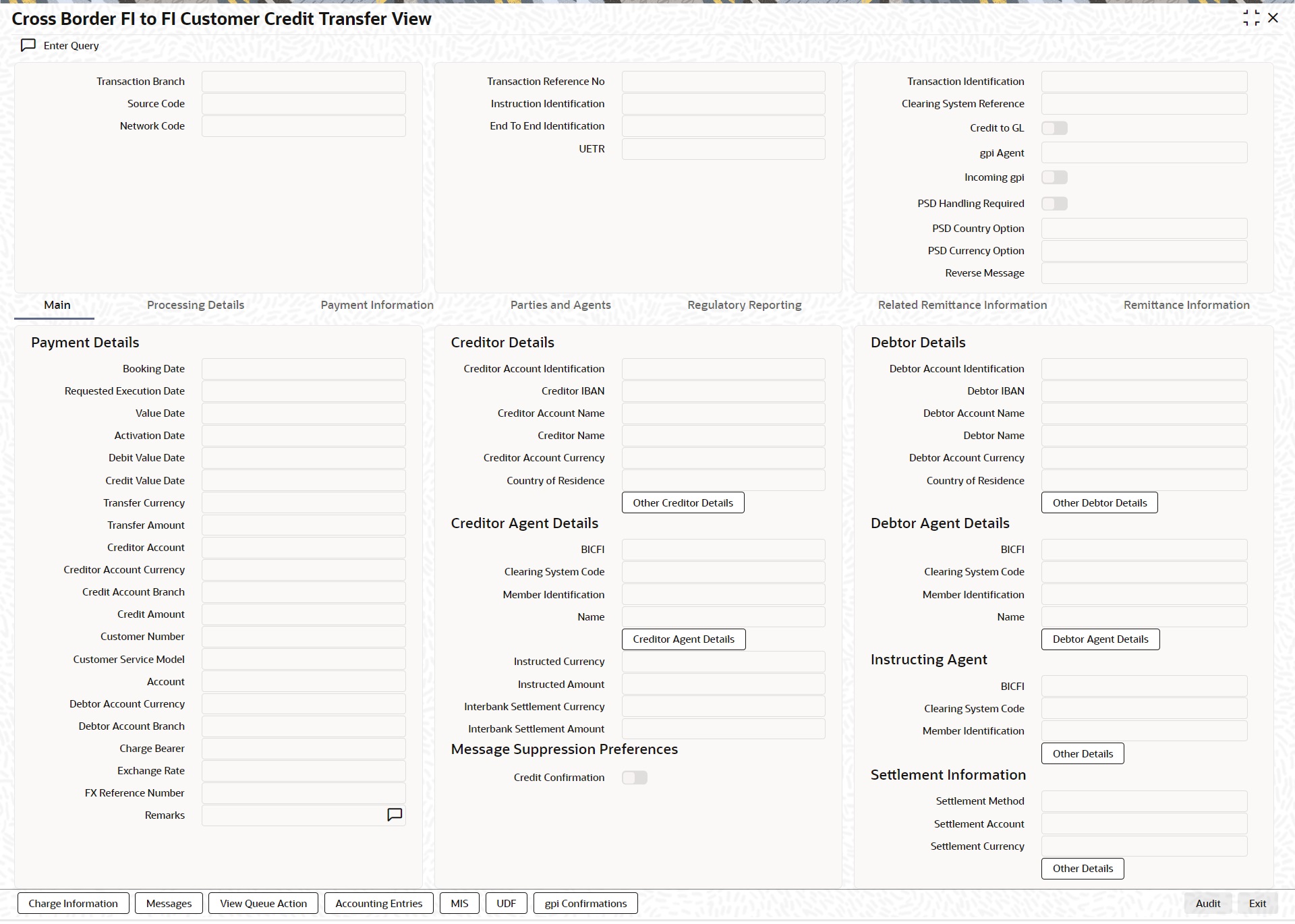
l From this screen, click ‘Enter Query’ button. The Transaction Reference Number field gets enabled, for the user to specify the Reference Number.
l Click ‘Execute Query’ button to populate the details of the transaction in the Cross Border FI to FI Customer Credit Transfer View screen. The system displays all the fields in the below mentioned tabs based on the transaction reference number selected:
– Main
– Processing Details
– Payment Information
– Parties and Agents
– Regulatory Reporting
– Related Remittance Information
– Remittance Information
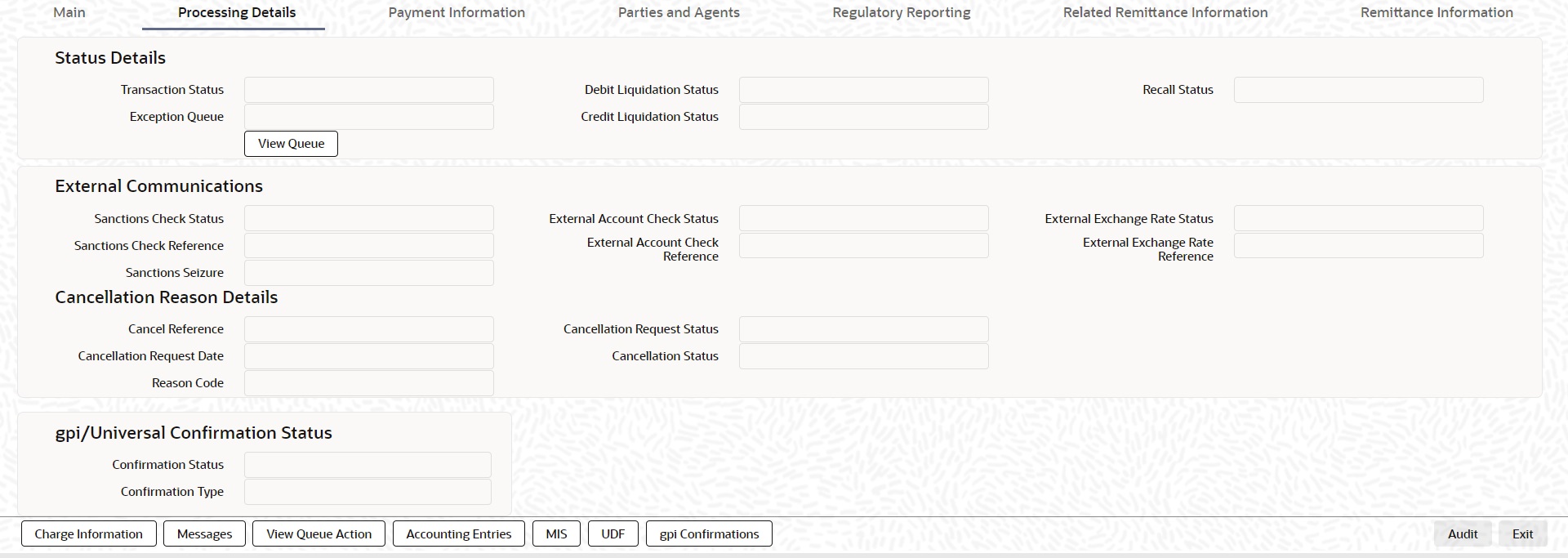
6.5.1.1 Processing Details
You can invoke this screen by clicking ‘Processing Details’ tab at the bottom of Cross Border FI to FI Customer Credit Transfer View screen.
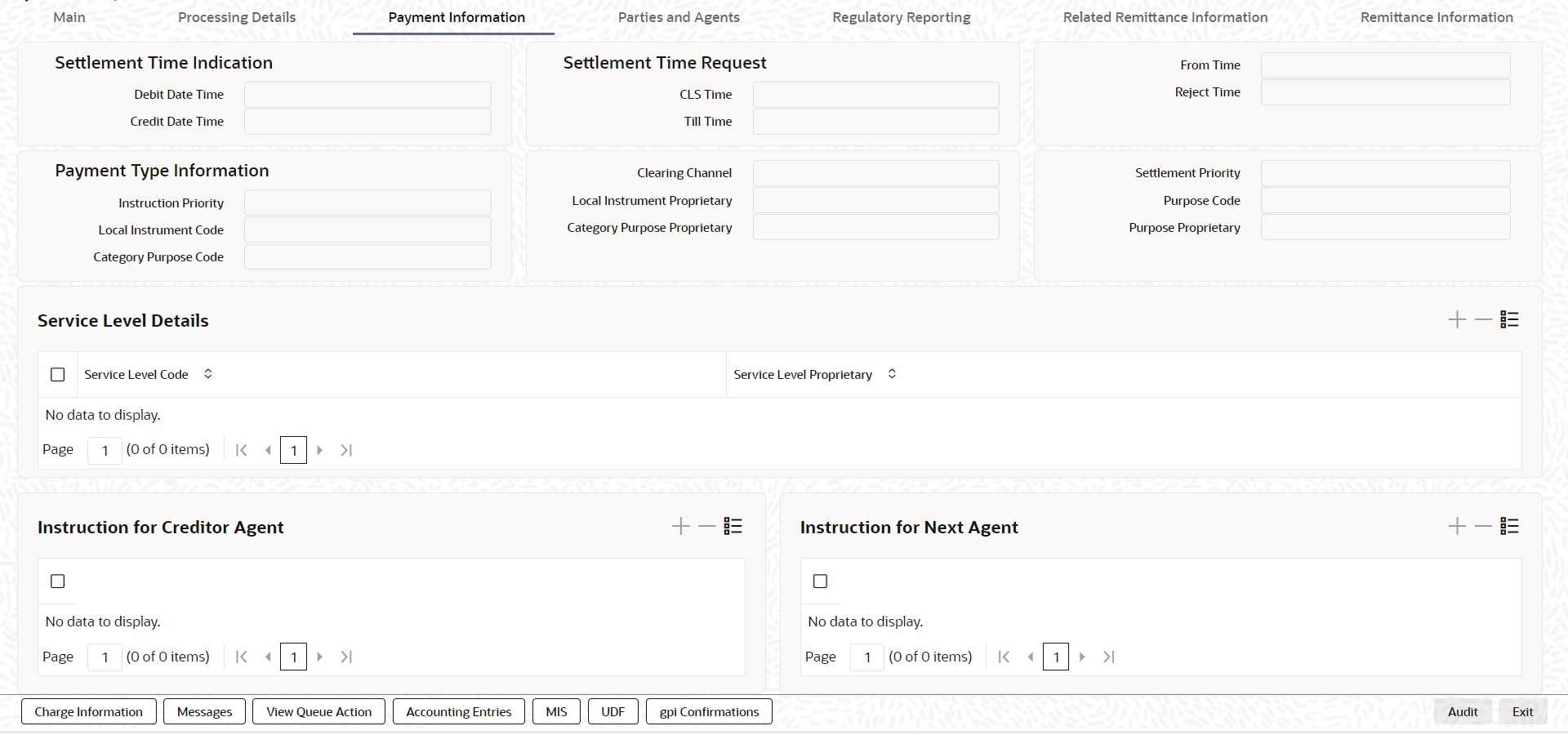
6.5.1.2 Payment Information
You can invoke this screen by clicking ‘Payment Information’ tab at the bottom of Cross Border FI to FI Customer Credit Transfer View screen.
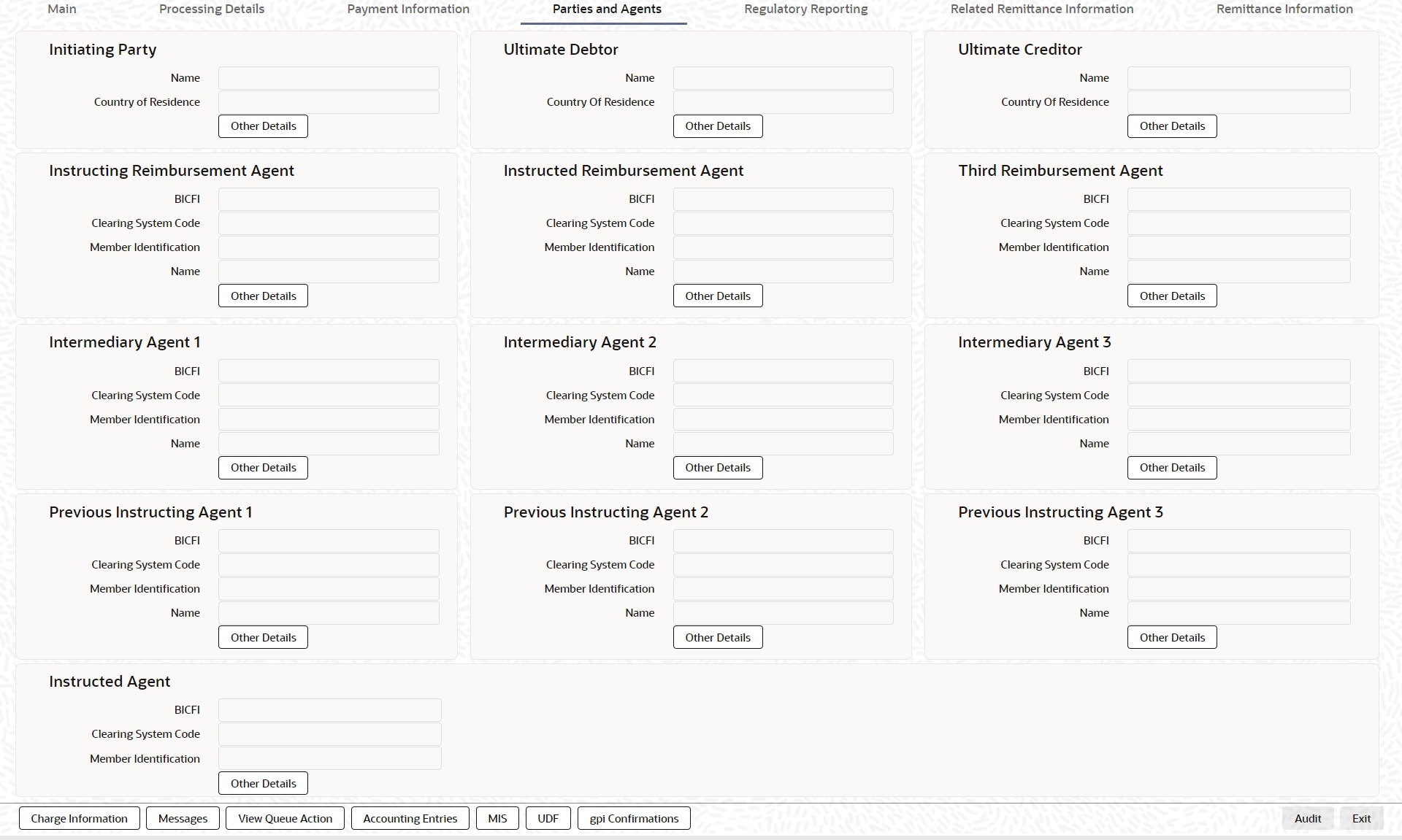
6.5.1.3 Parties & Agents
You can invoke this screen by clicking ‘Parties & Agents’ tab at the bottom of Cross Border FI to FI Customer Credit Transfer View screen.
6.5.1.4 Remittance Information
You can invoke this screen by clicking ‘Remittance Information’ tab at the bottom of Cross Border FI to FI Customer Credit Transfer View screen.

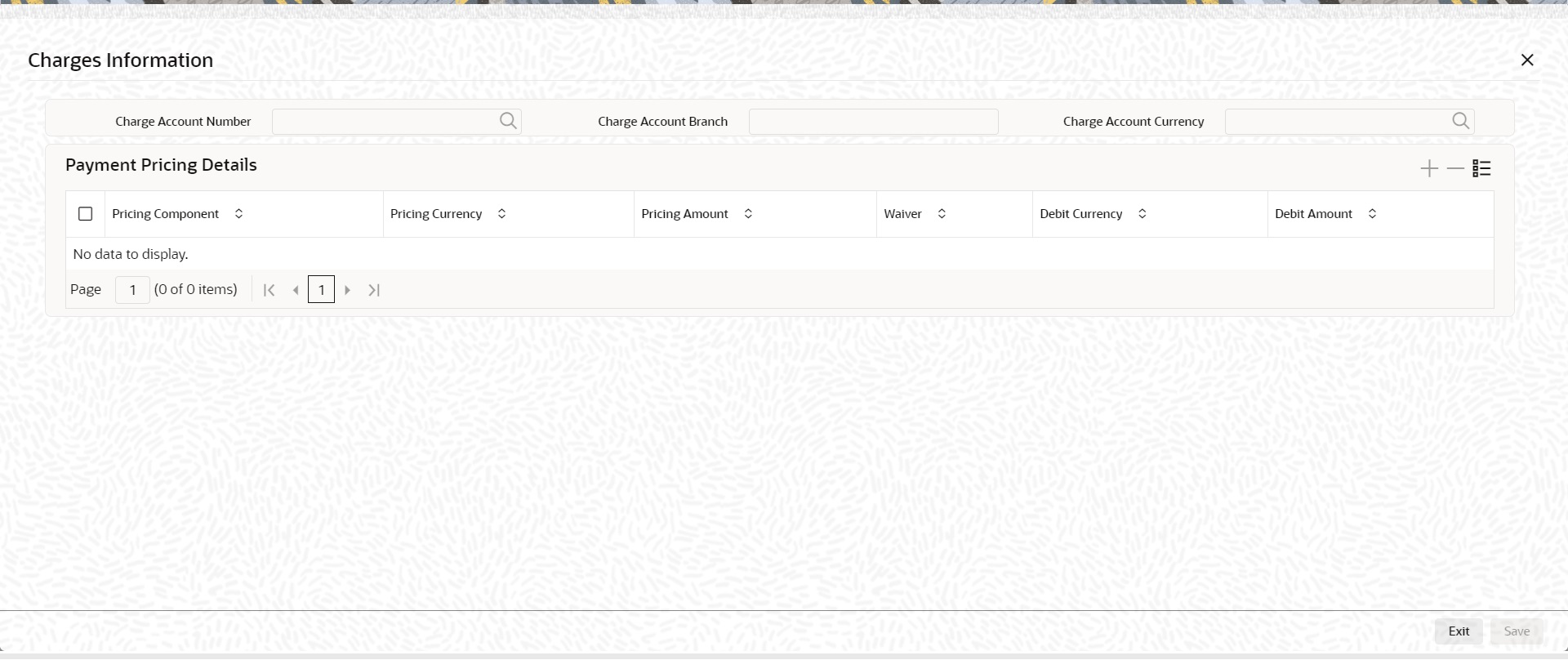
6.5.1.5 Charge Information
You can invoke this screen by clicking ‘Charge Information’ tab at the bottom of Cross Border FI to FI Customer Credit Transfer View screen.
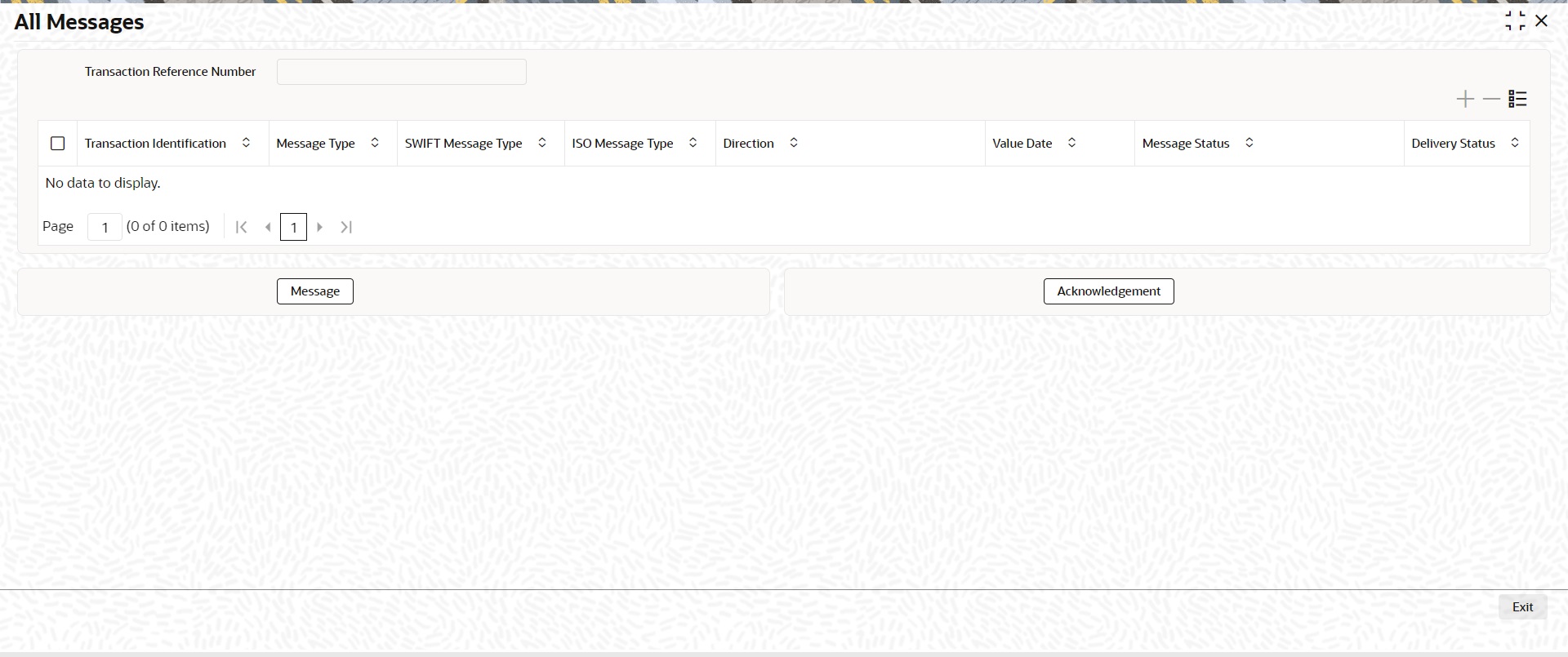
6.5.1.6 Messages
You can invoke this screen by clicking ‘Messages’ tab at the bottom of Cross Border FI to FI Customer Credit Transfer View screen.
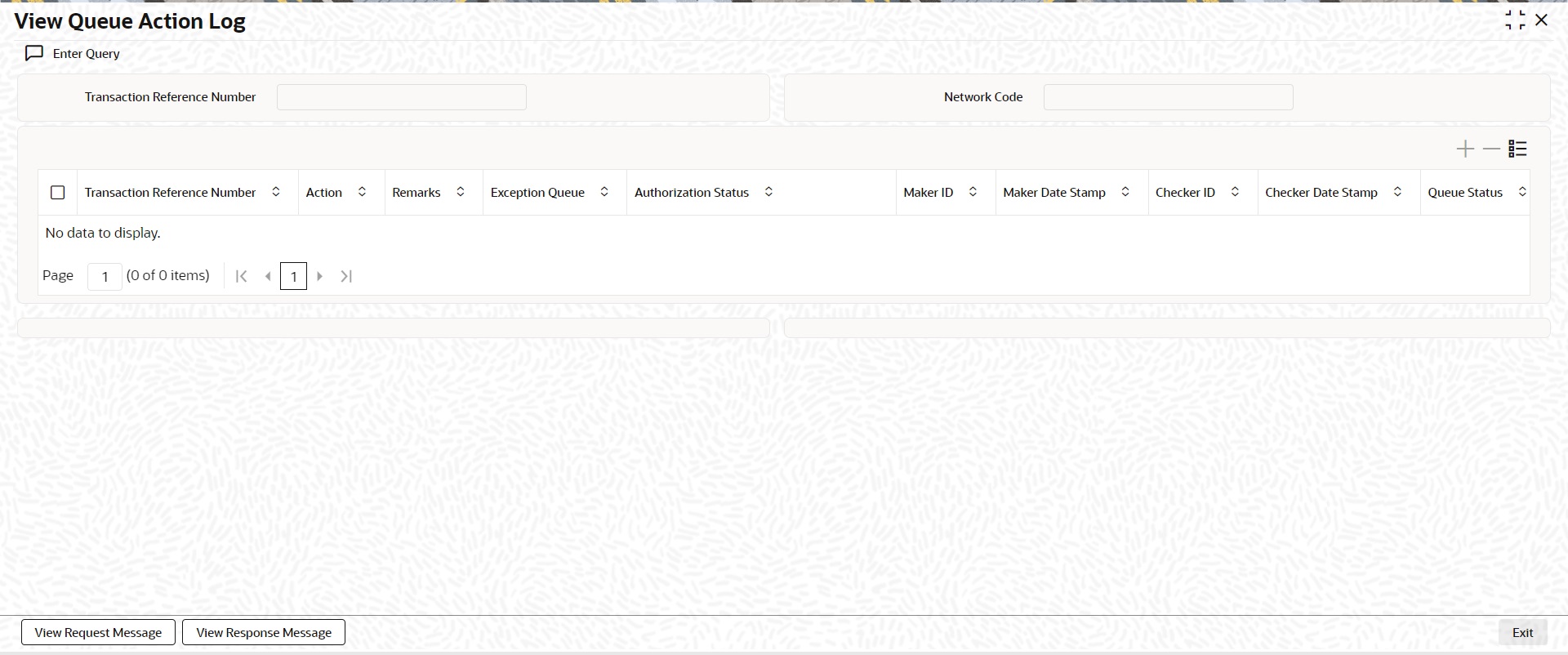
6.5.1.7 View Queue Action Log
You can invoke this screen by clicking ‘View Queue Action’ tab at the bottom of Cross Border FI to FI Customer Credit Transfer View screen.
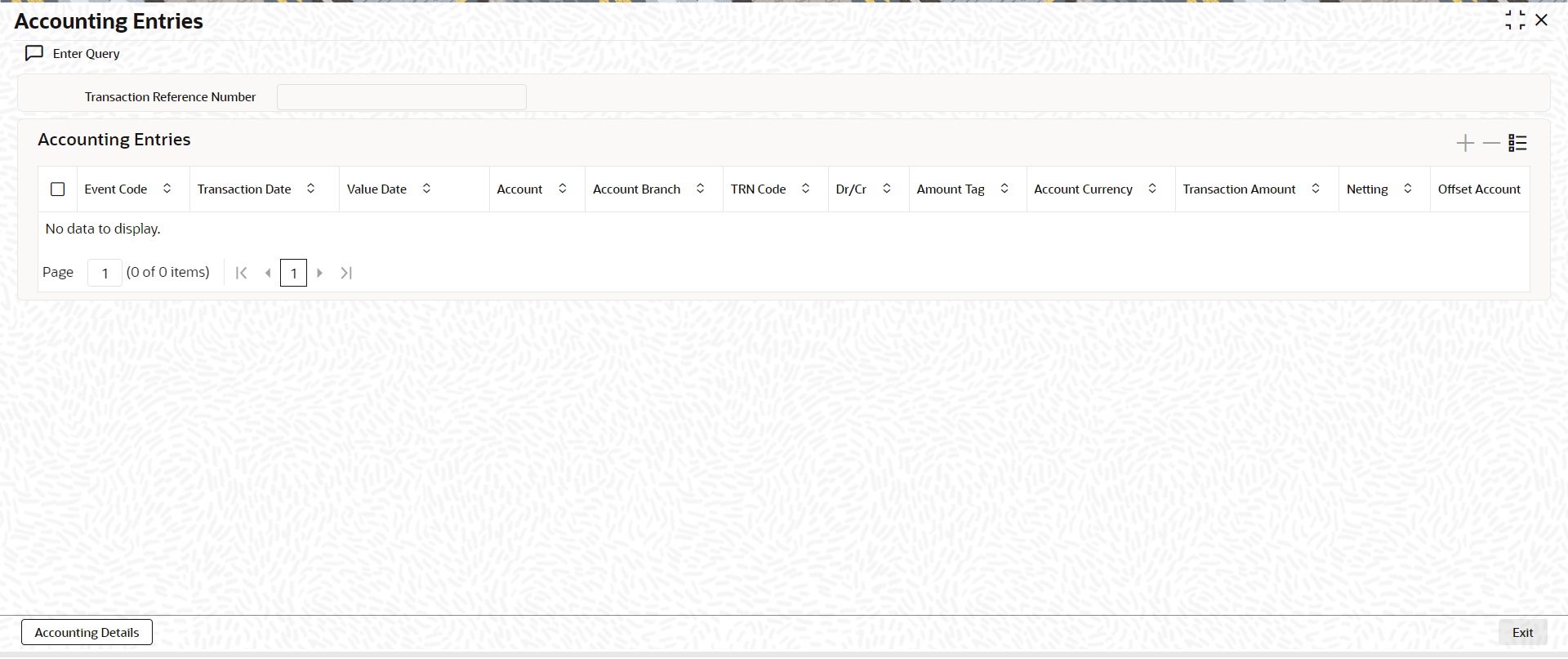
6.5.1.8 Accounting Entries
You can invoke this screen by clicking ‘Accounting Entries’ tab at the bottom of Cross Border FI to FI Customer Credit Transfer View screen.
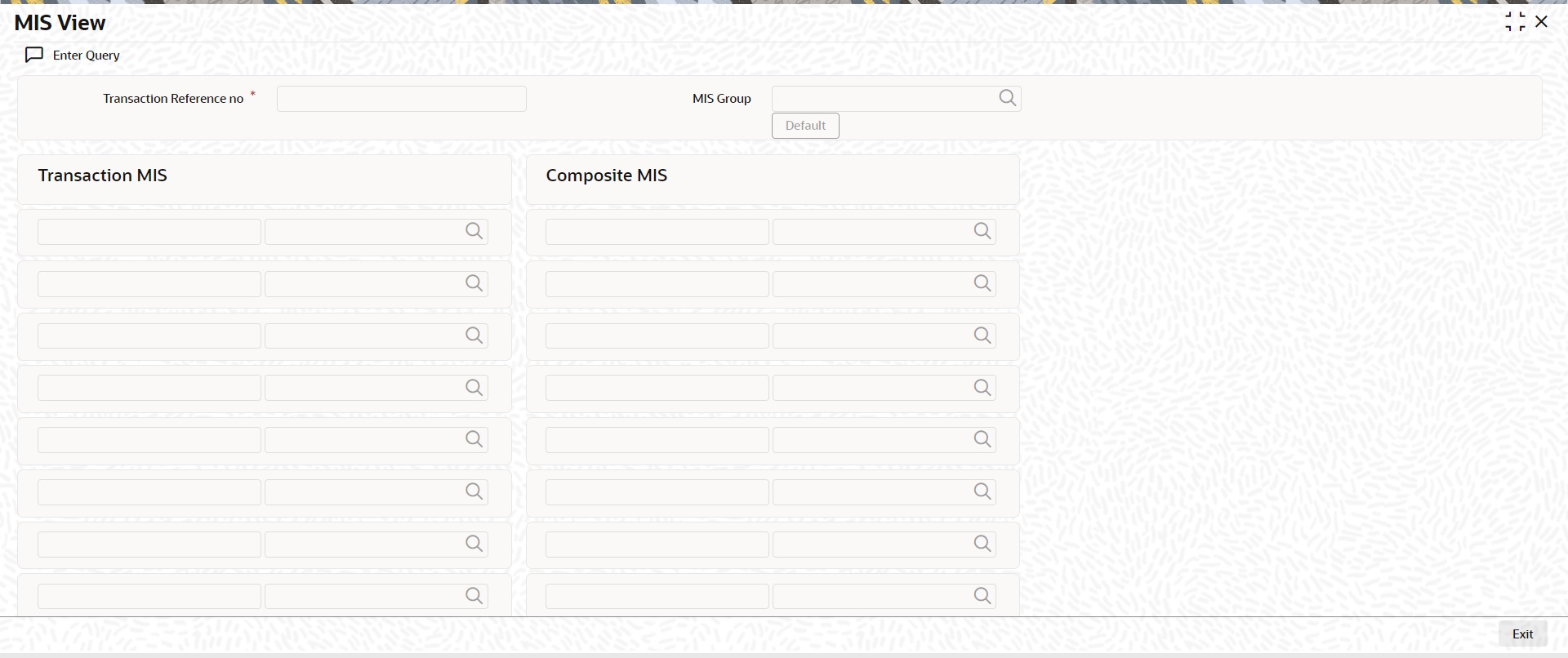
6.5.1.9 MIS View
You can invoke this screen by clicking ‘MIS’ tab at the bottom of Cross Border FI to FI Customer Credit Transfer View screen.
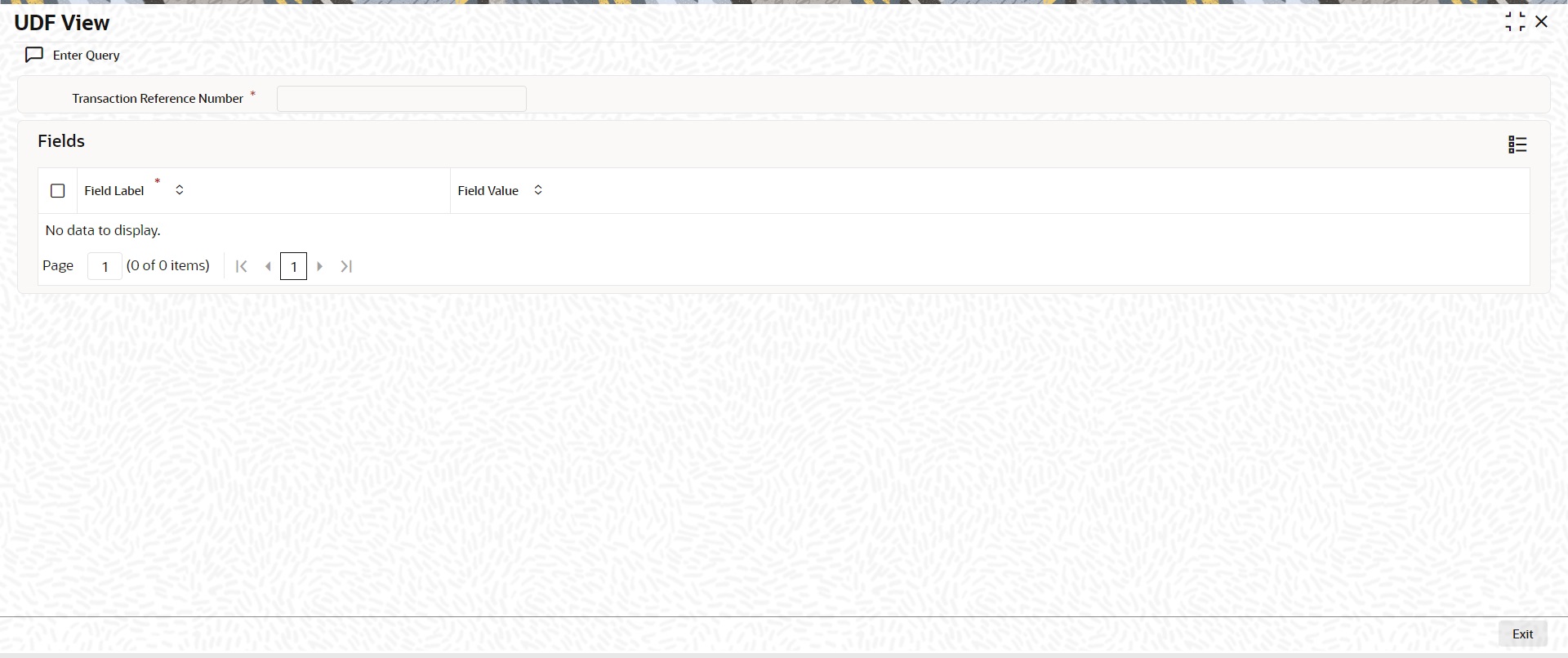
6.5.1.10 UDF View
You can invoke this screen by clicking ‘UDF’ tab at the bottom of Cross Border FI to FI Customer Credit Transfer View screen.
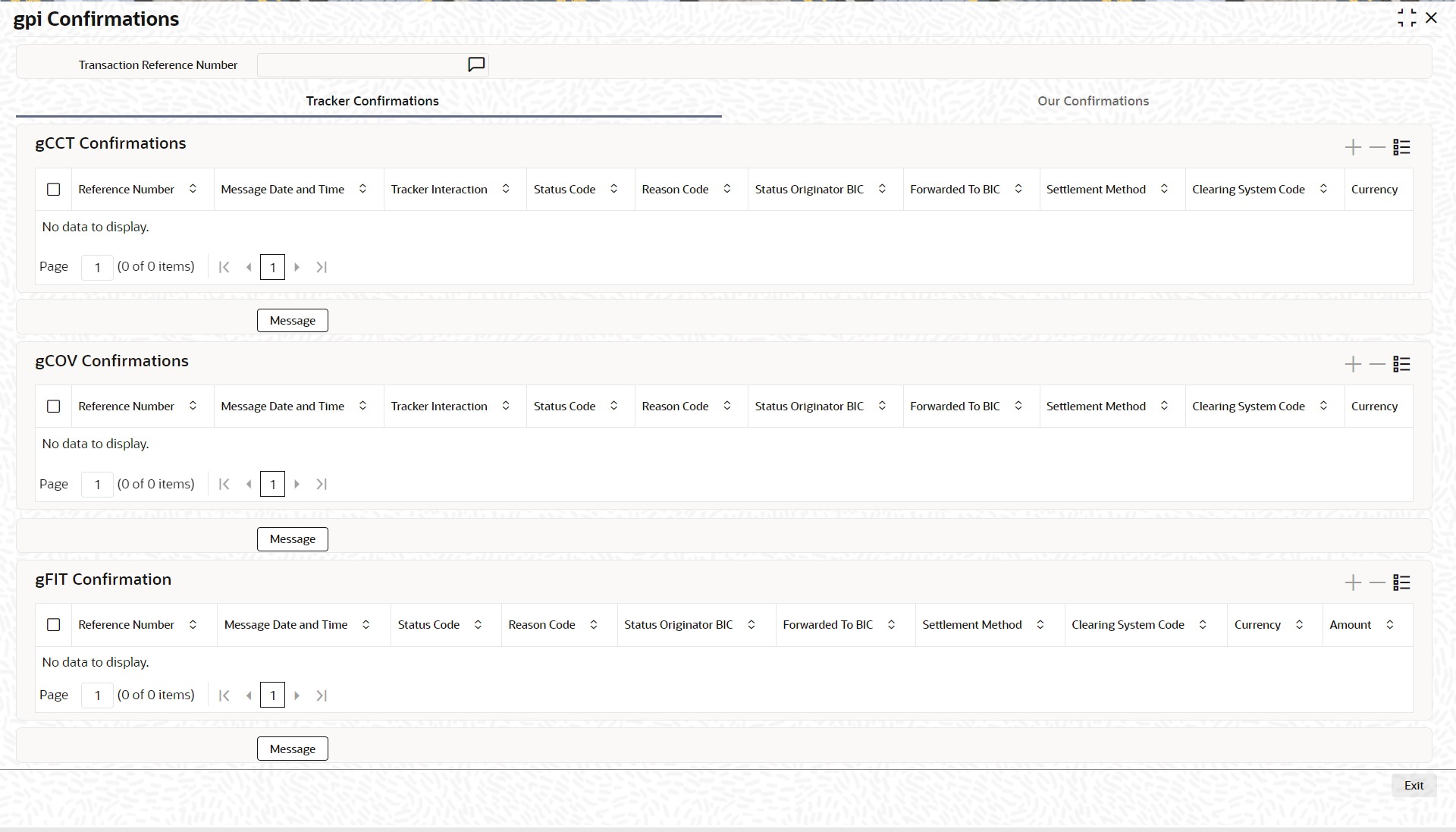
6.5.1.11 gpi Confirmations
You can invoke this screen by clicking ‘gpi Confirmation’ tab at the bottom of Cross Border FI to FI Customer Credit Transfer View screen.
6.5.1.12 Cross Border FI to FI Customer Credit Transfer View Summary
You can invoke “Cross Border FI to FI Customer Credit Transfer View Summary” screen by typing ‘PSSICTVW’ in the field at the top right corner of the Application tool bar and clicking on the adjoining arrow button.
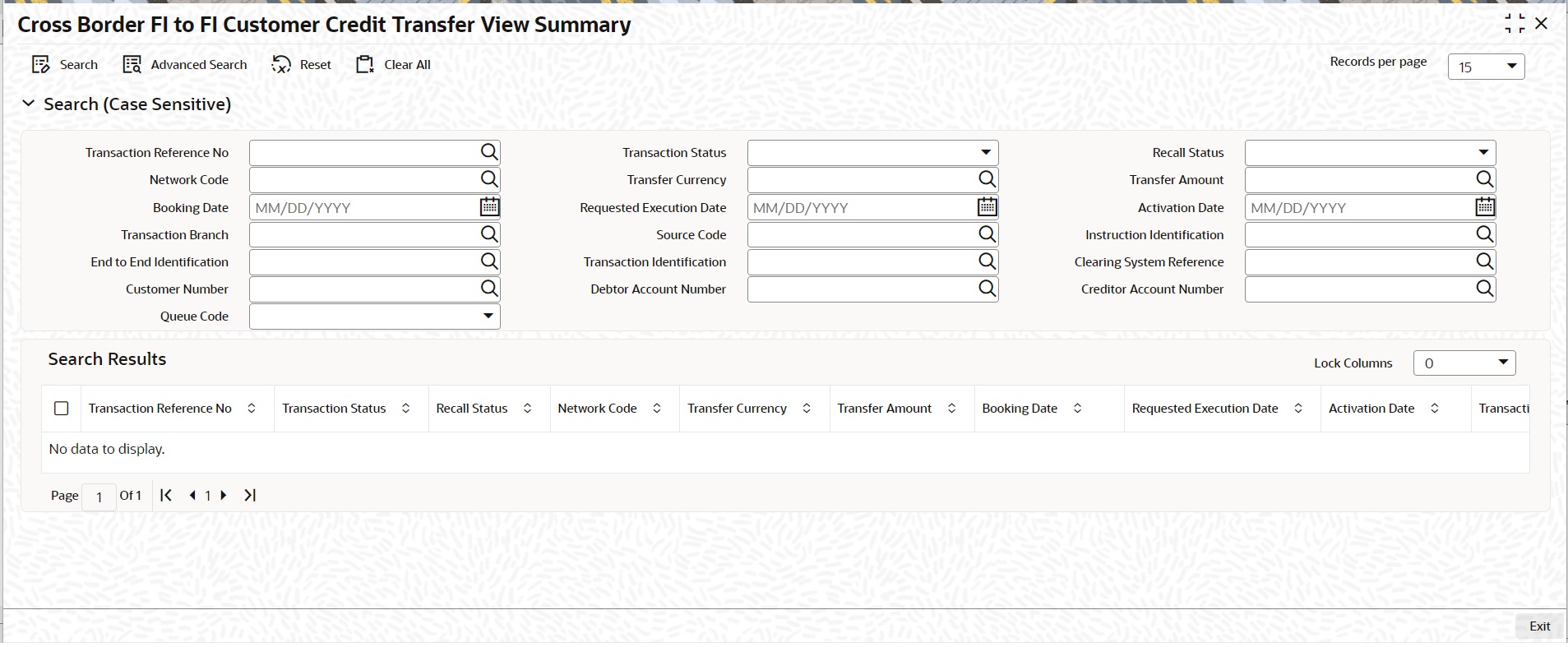
You can search using one or more of the following parameters:
l Transaction Reference Number
l Network Code
l Booking Date
l Transaction Branch
l End to End Identification
l Customer Number
l Queue Code
l Transaction Status
l Transfer Currency
l Requested Execution Date
l Source Code
l Transaction Identification
l Debtor Account Number
l Recall Status
l Transfer Amount
l Activation Date
l Instruction Identification
l Clearing System Reference
l Creditor Account Number
Once you have specified the search parameters, click ‘Search’ button. The system displays the records that match the search criteria.
Double click a record or click the ‘Details’ button after selecting a record to view the detailed screen.
6.5.2 Cross Border FI Credit Transfer View
You can view Cross Border FI Credit Transfer transactions through this screen.
You can invoke “Cross Border FI Credit Transfer View” screen by typing the function ID ‘PSDIBTVW’ in the field at the top right corner of the Application tool bar and clicking on the adjoining arrow button.
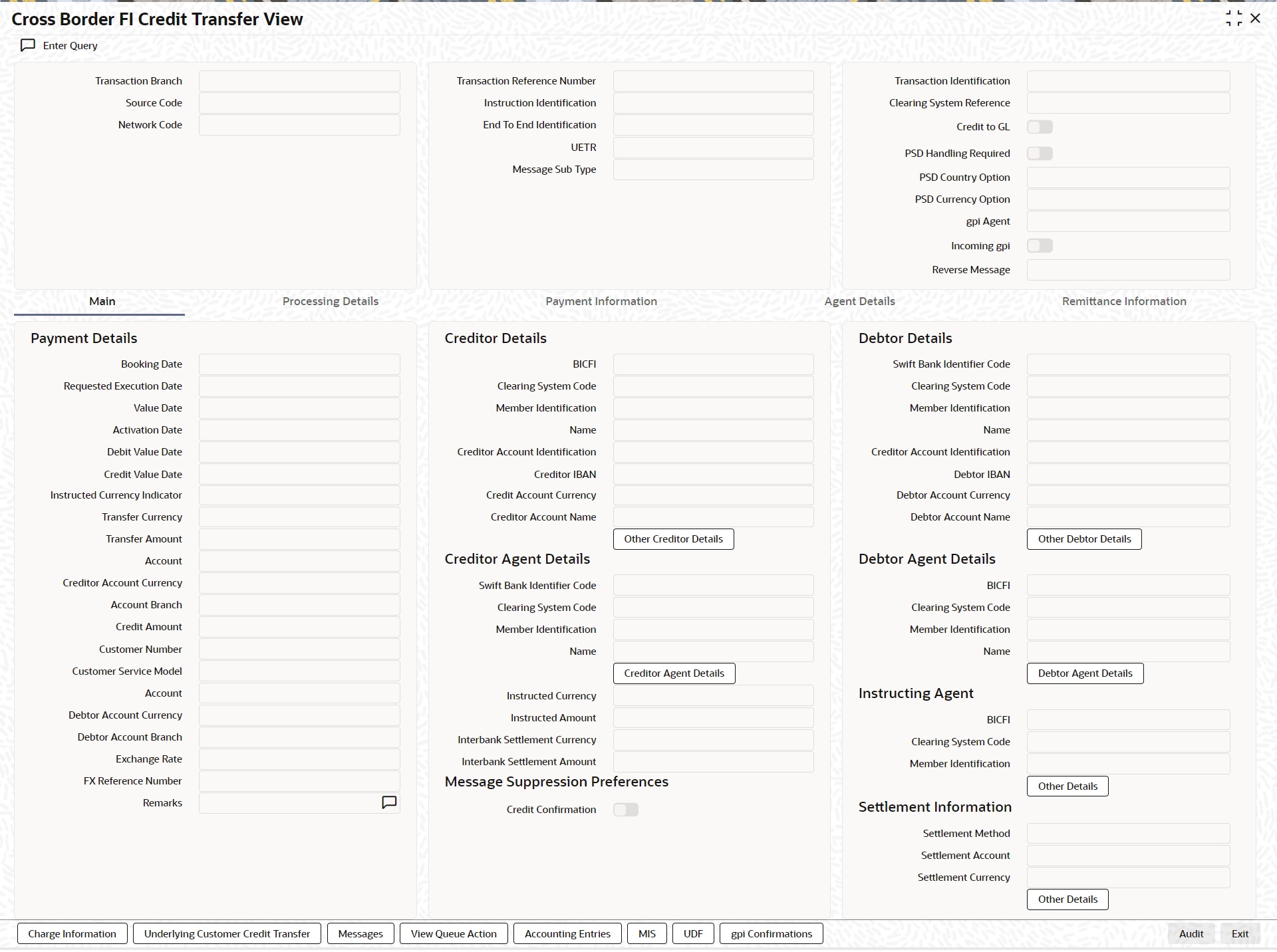
l From this screen, click ‘Enter Query’ button. The Transaction Reference Number field gets enabled, for the user to specify the Reference Number.
l Click ‘Execute Query’ button to populate the details of the transaction in the Cross Border Inbound FI Credit Transfer View screen. The system displays all the fields in the below mentioned tabs based on the transaction reference number selected:
– Main
– Processing Details
– Payment Information
– Agent Details
– Remittance Information
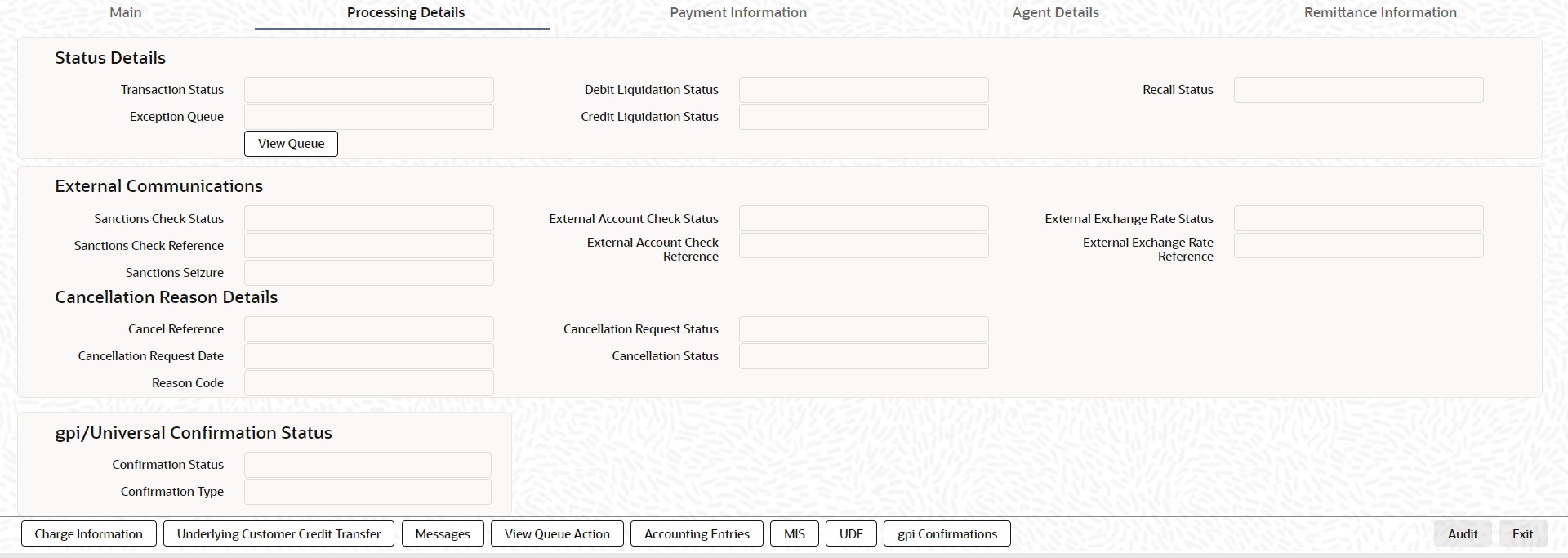
6.5.2.1 Processing Details
You can invoke this screen by clicking ‘Processing Details’ tab at the bottom of Cross Border FI Credit Transfer View screen.
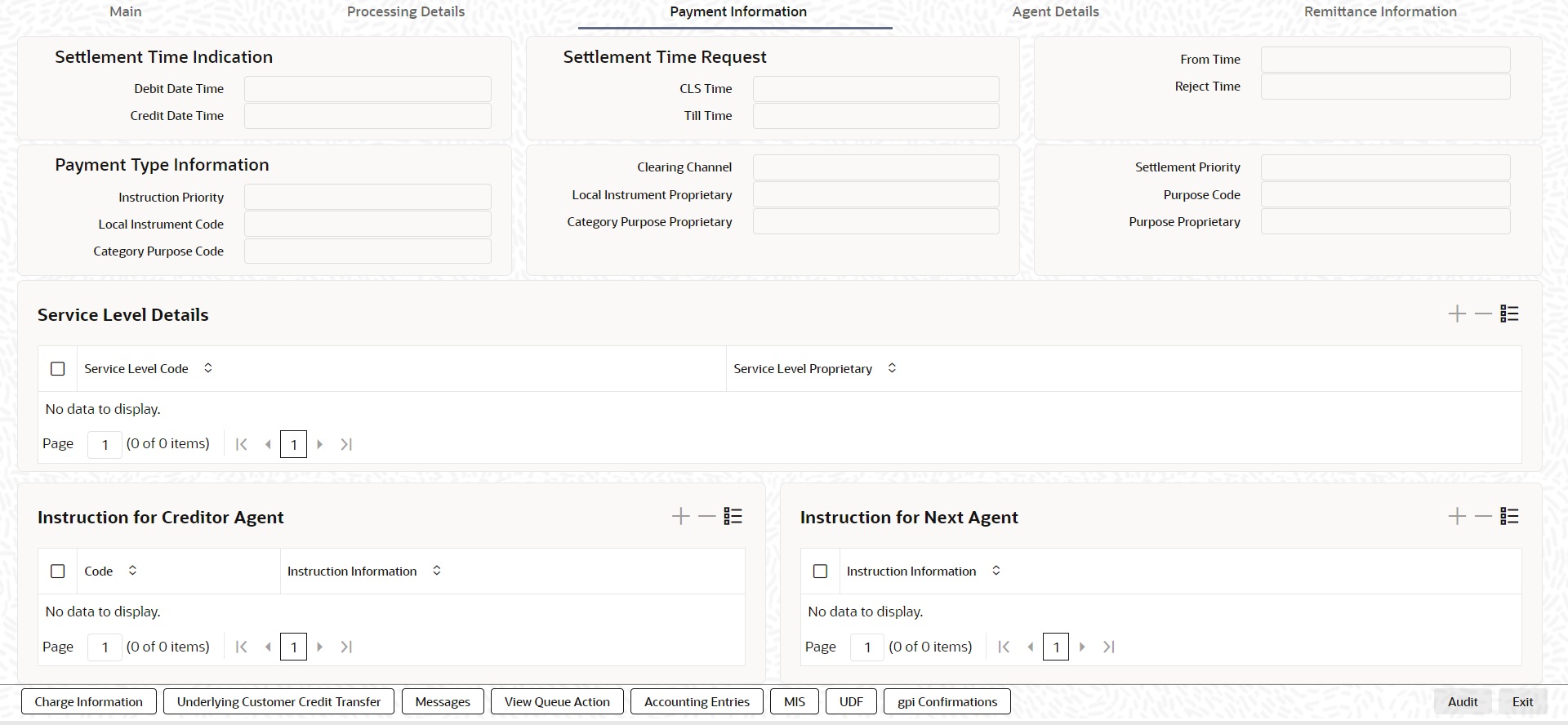
6.5.2.2 Payment Information
You can invoke this screen by clicking ‘Payment Information’ tab at the bottom of Cross Border FI Credit Transfer View screen.
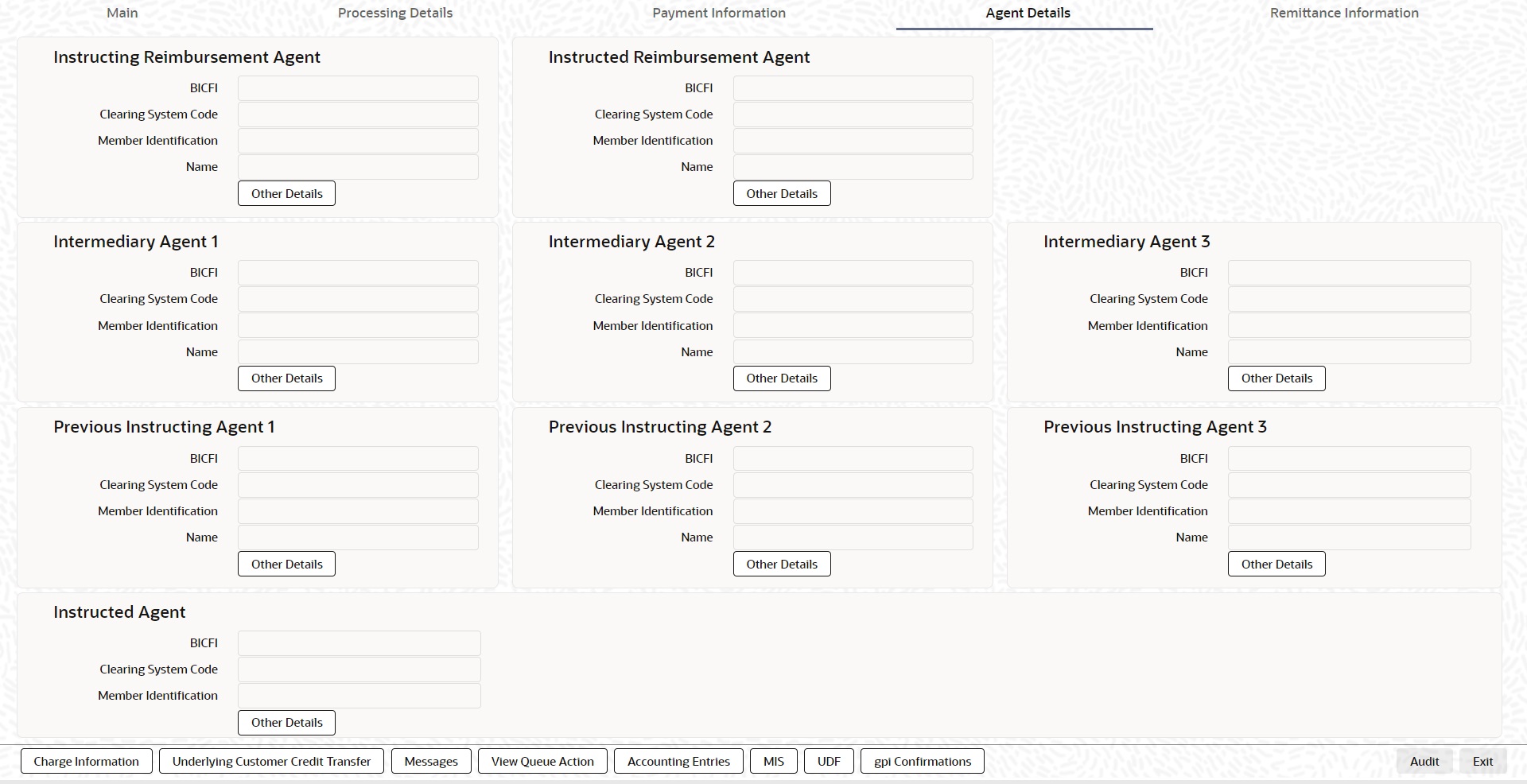
6.5.2.3 Agent Details
You can invoke this screen by clicking ‘Agent Details’ tab at the bottom of Cross Border FI Credit Transfer View screen.
6.5.2.4 Remittance Information
You can invoke this screen by clicking ‘Remittance Information’ tab at the bottom of Cross Border FI Credit Transfer View screen.
6.5.2.5 Charge Information
You can invoke this screen by clicking ‘Charge Information’ tab at the bottom of Cross Border FI Credit Transfer View screen.
6.5.2.6 Underlying Customer Credit Transfer
You can invoke this screen by clicking ‘Underlying Customer Credit Transfer’ tab at the bottom of Cross Border FI Credit Transfer View screen.
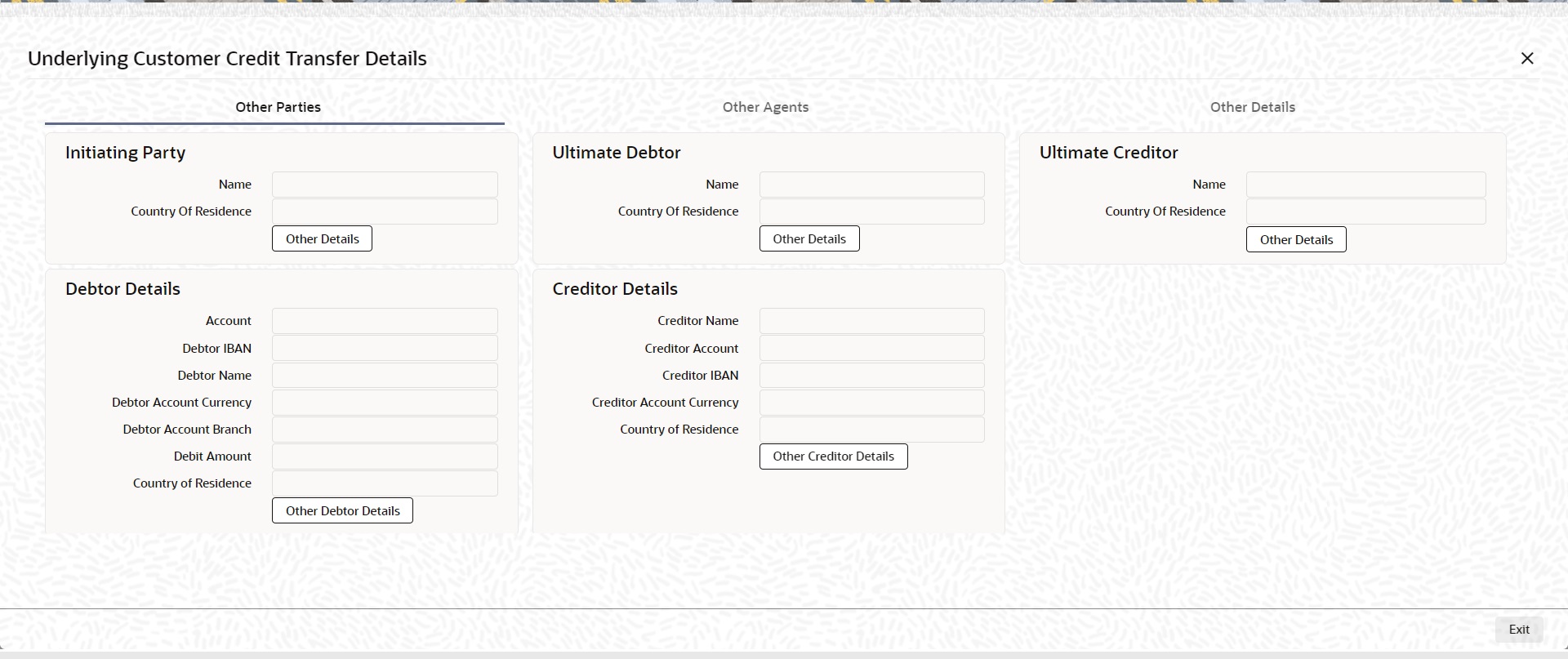
Other Agents
Click ‘Other Agents’ tab to invoke this screen.

Other Details
Click ‘Other Details’ tab to invoke this screen.

6.5.2.7 Messages
You can invoke this screen by clicking ‘Messages’ tab at the bottom of Cross Border FI Credit Transfer View screen.
6.5.2.8 View Queue Action Log
You can invoke this screen by clicking ‘View Queue Action’ tab at the bottom of Cross Border FI Credit Transfer View screen.
6.5.2.9 Accounting Entries
You can invoke this screen by clicking ‘Accounting Entries’ tab at the bottom of Cross Border FI Credit Transfer View screen.
6.5.2.10 MIS Tab
You can invoke this screen by clicking ‘MIS’ tab at the bottom of Cross Border FI Credit Transfer View screen.
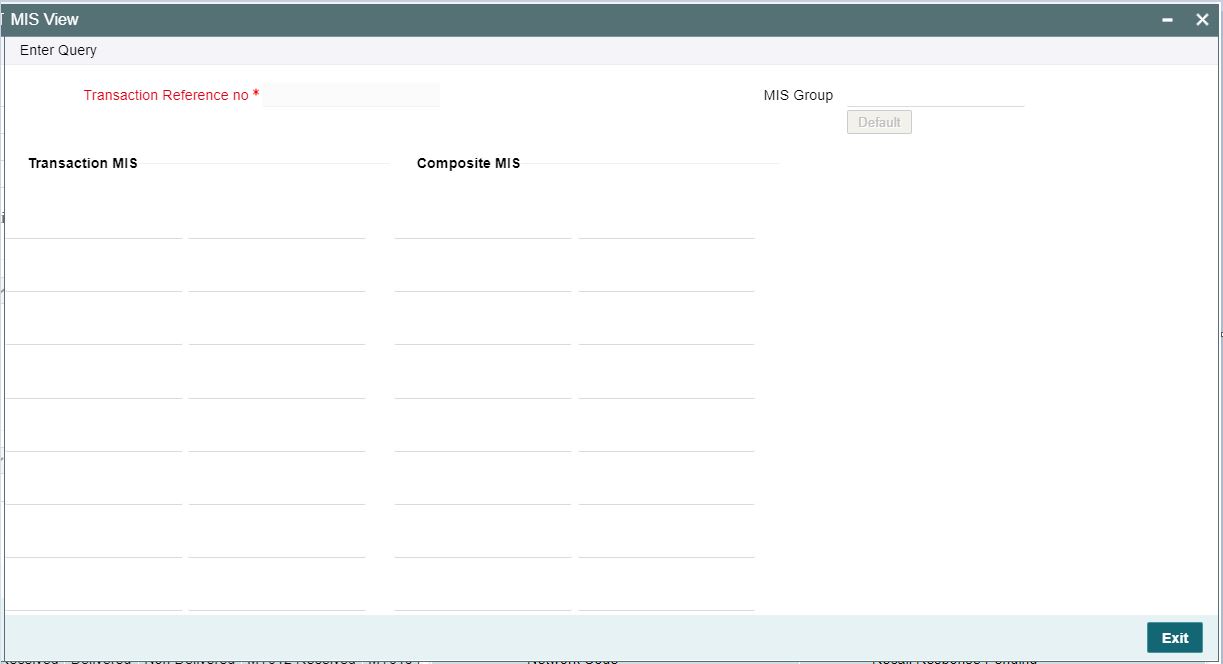
6.5.2.11 UDF Tab
You can invoke this screen by clicking ‘UDF’ tab at the bottom of Cross Border FI Credit Transfer View screen.
6.5.2.12 gpi Confirmations
You can invoke this screen by clicking ‘gpi Confirmations’ tab at the bottom of Cross Border FI Credit Transfer View screen.
6.5.2.13 Cross Border FI Credit Transfer View Summary
You can invoke “Cross Border FI Credit Transfer View Summary” screen by typing ‘PSSIBTVW’ in the field at the top right corner of the Application tool bar and clicking on the adjoining arrow button.
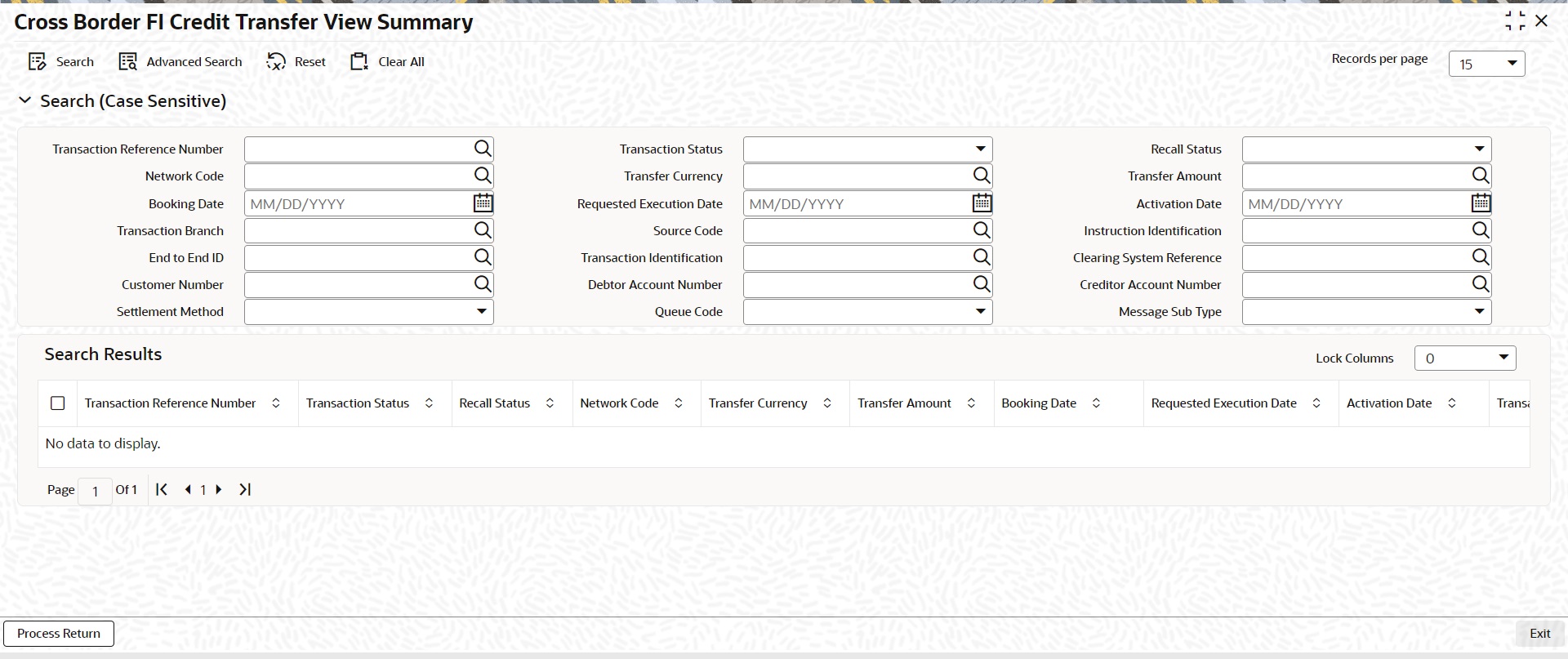
You can search using one or more of the following parameters:
l Transaction Reference Number
l Network Code
l Booking Date
l Transaction Branch
l End to End Identification
l Customer Number
l Settlement Method
l Queue Code
l Transaction Status
l Transfer Currency
l Requested Execution Date
l Source Code
l Transaction Identification
l Debtor Account Number
l Recall Status
l Transfer Amount
l Activation Date
l Instruction Identification
l Clearing System Reference
l Creditor Account Number
l Message Sub Type
Once you have specified the search parameters, click ‘Search’ button. The system displays the records that match the search criteria.
Double click a record or click the ‘Details’ button after selecting a record to view the detailed screen.
Process Return Button
Click the 'Process Return’ button at the bottom of the screen to invoke the Generic Wires ISO Outbound Payment Return Input Detailed ‘PSDOCBRT’ screen, when the below conditions are satisfied:
l You have required access rights on this user action (Either Role level or User Level).
l Transaction status is ‘Processed’.
6.5.3 TARGET2 FI to FI Customer Credit Transfer View
You can view TARGET2 Inbound FI to FI Customer Credit Transfer transactions through this screen.
You can invoke “TARGET2 Inbound FI to FI Customer Credit Transfer View” screen by typing the function ID ‘PSDIRTCV’ in the field at the top right corner of the Application tool bar and clicking on the adjoining arrow button.
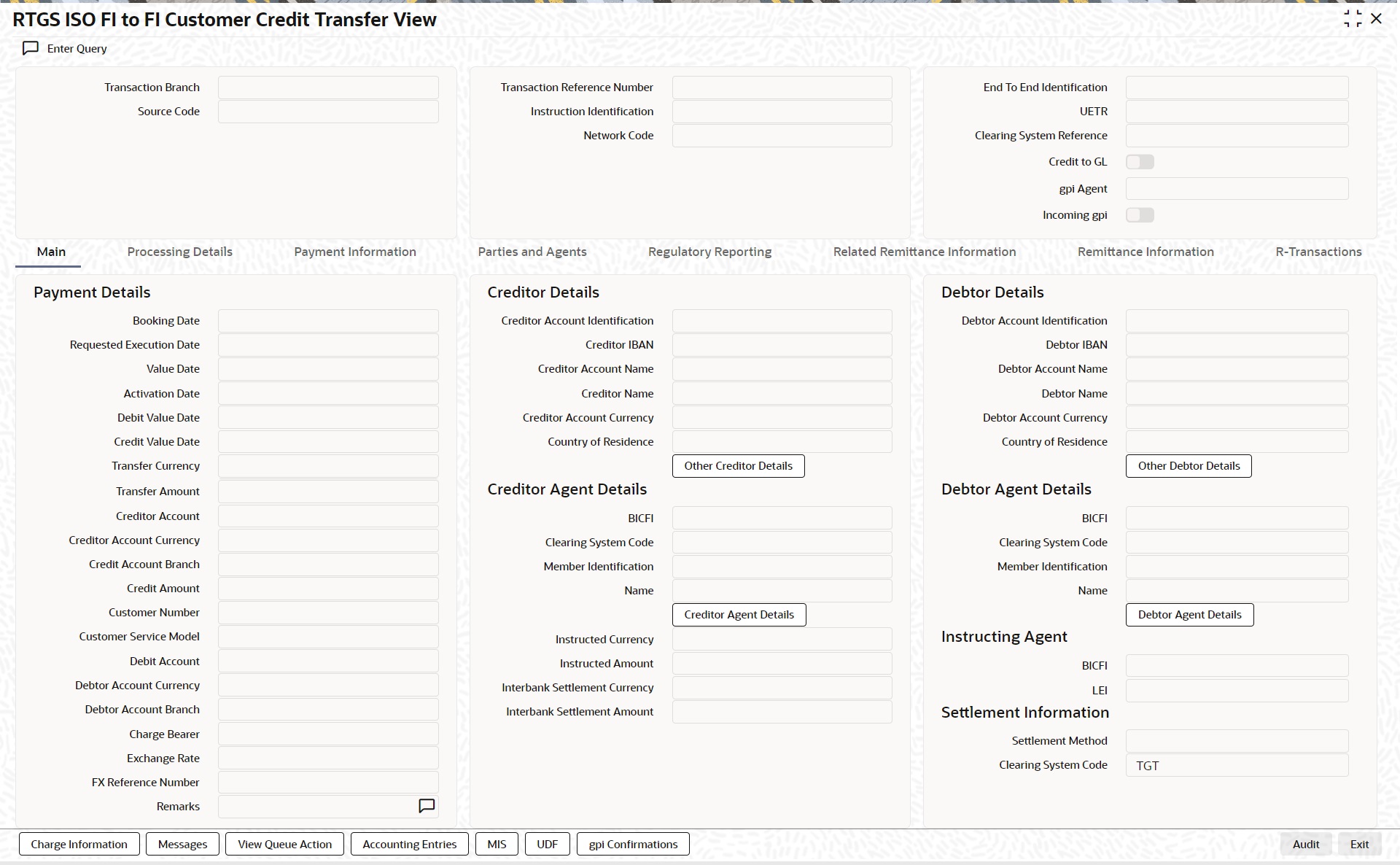
l From this screen, click ‘Enter Query’ button. The Transaction Reference Number field gets enabled, for the user to specify the Reference Number.
l Click ‘Execute Query’ button to populate the details of the transaction in the TARGET2 Inbound FI to FI Customer Credit Transfer View screen. The system displays all the fields in the below mentioned tabs based on the transaction reference number selected:
– Main
– Processing Details
– Payment Information
– Parties and Agents
– Regulatory Reporting
– Related Remittance Information
– Remittance Information
– R-Transactions
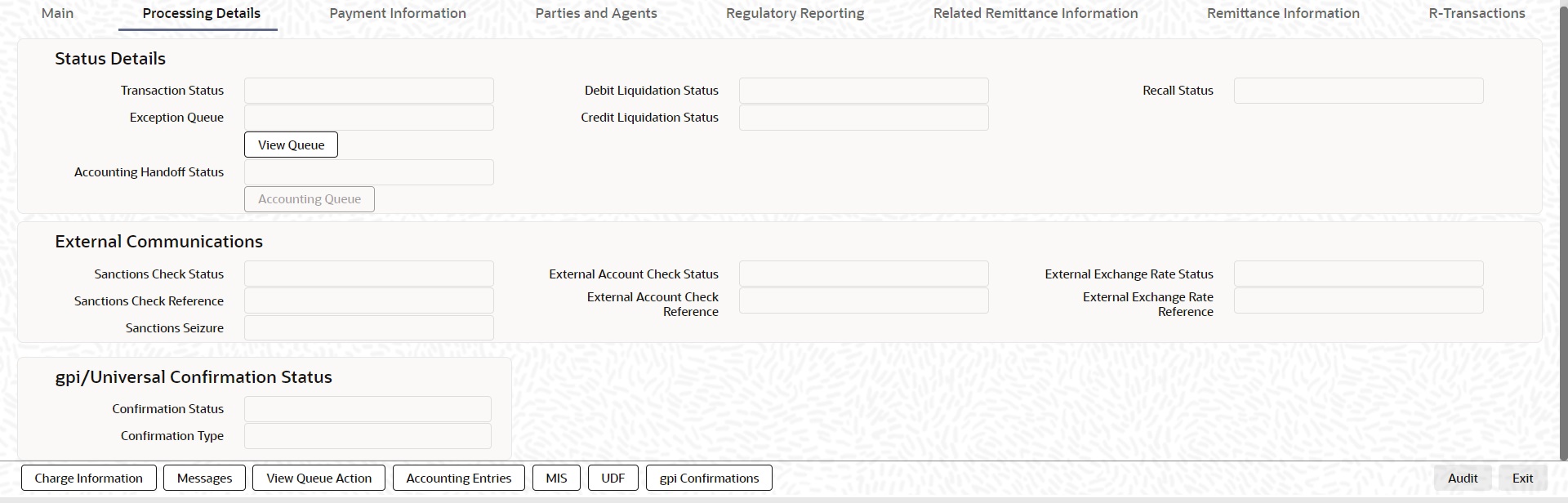
6.5.3.1 Processing Details
You can invoke this screen by clicking ‘Processing Details’ tab at the bottom of TARGET2 FI to FI Customer Credit Transfer View screen.
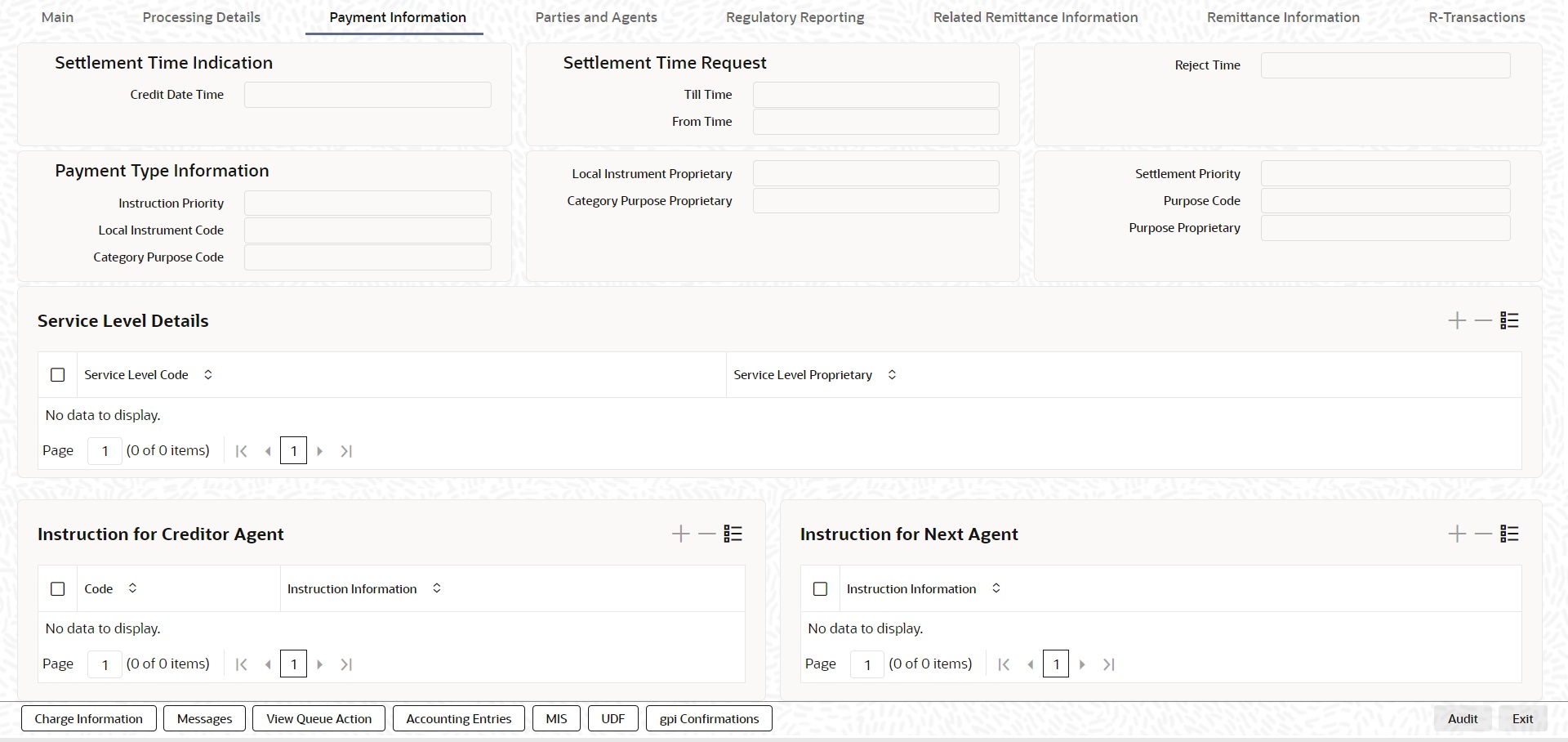
6.5.3.2 Payment Information
You can invoke this screen by clicking ‘Payment Information’ tab at the bottom of TARGET2 FI to FI Customer Credit Transfer View screen.
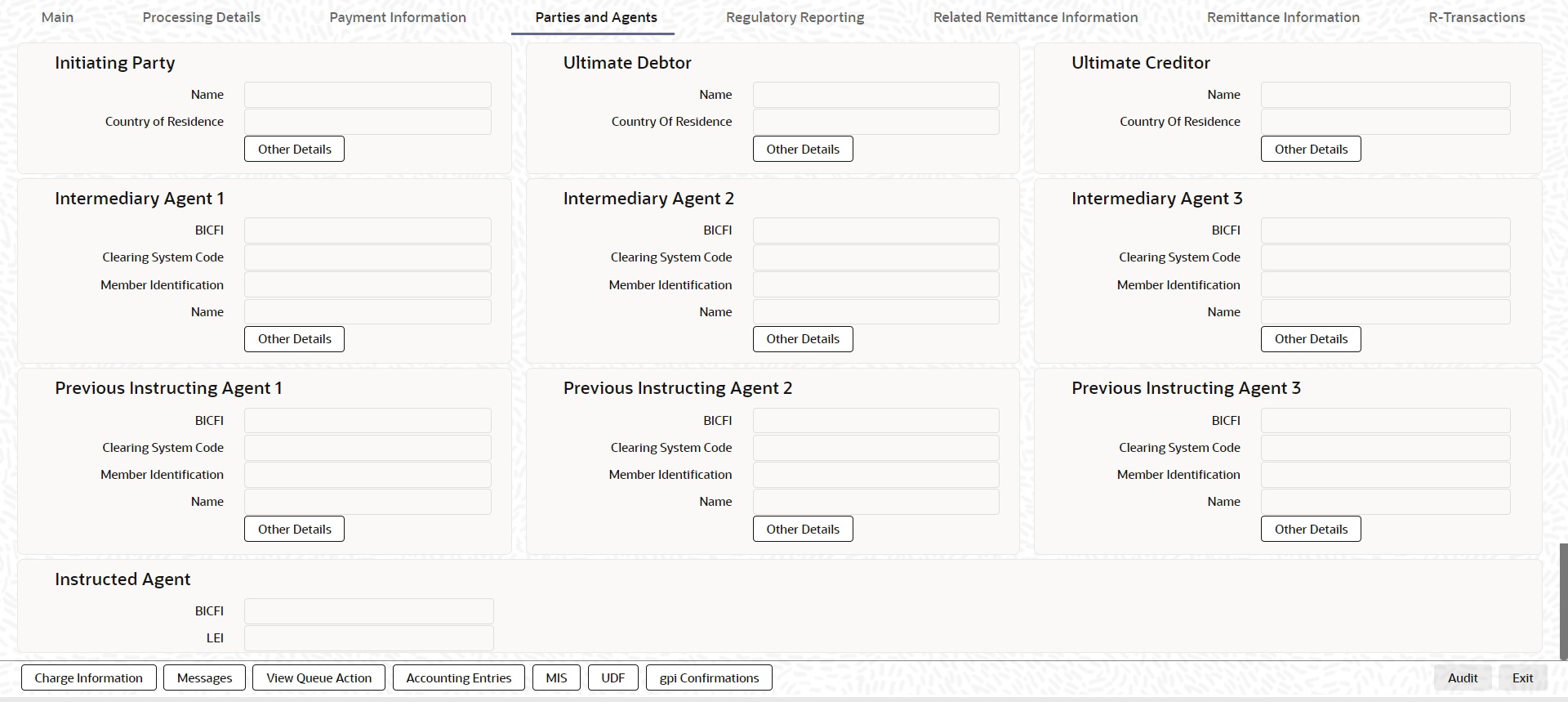
6.5.3.3 Parties and Agents
You can invoke this screen by clicking ‘Parties and Agents’ tab at the bottom of TARGET2 FI to FI Customer Credit Transfer View screen.
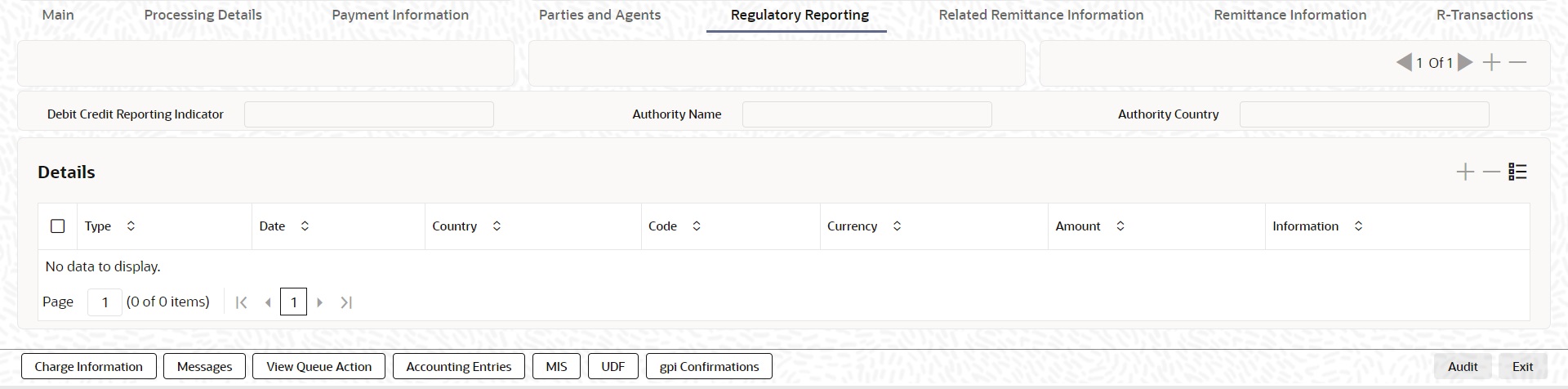
6.5.3.4 Regulatory Reporting
You can invoke this screen by clicking ‘Regulatory Reporting’ tab at the bottom of TARGET2 FI to FI Customer Credit Transfer View screen.
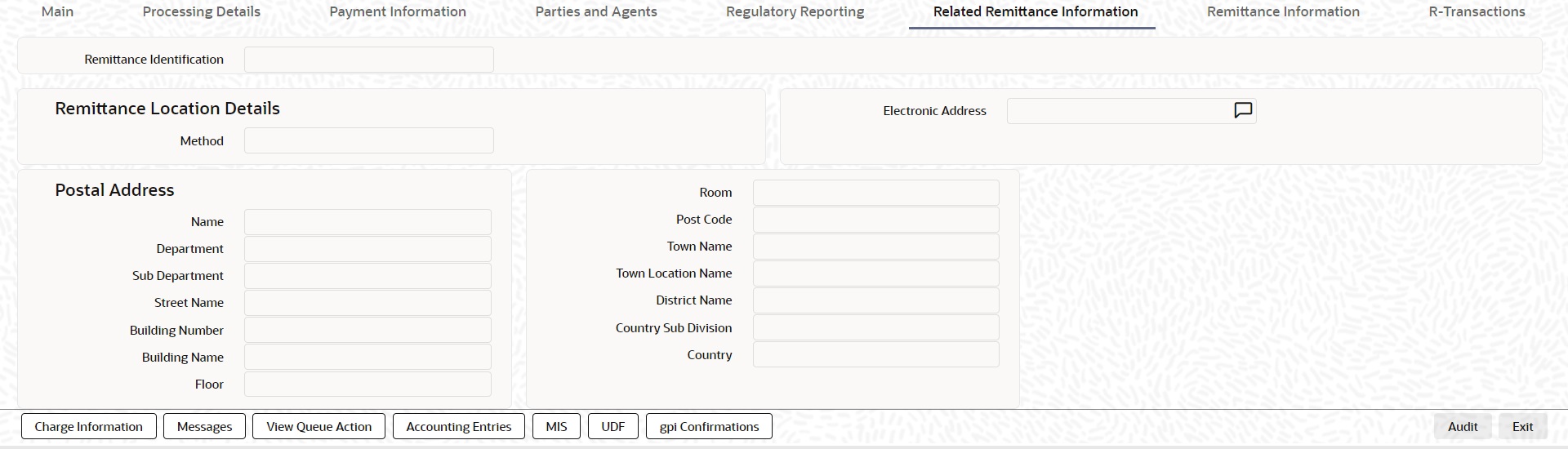
6.5.3.5 Related Remittance Information
You can invoke this screen by clicking ‘Related Remittance nformation’ tab at the bottom of TARGET2 FI to FI Customer Credit Transfer View screen.
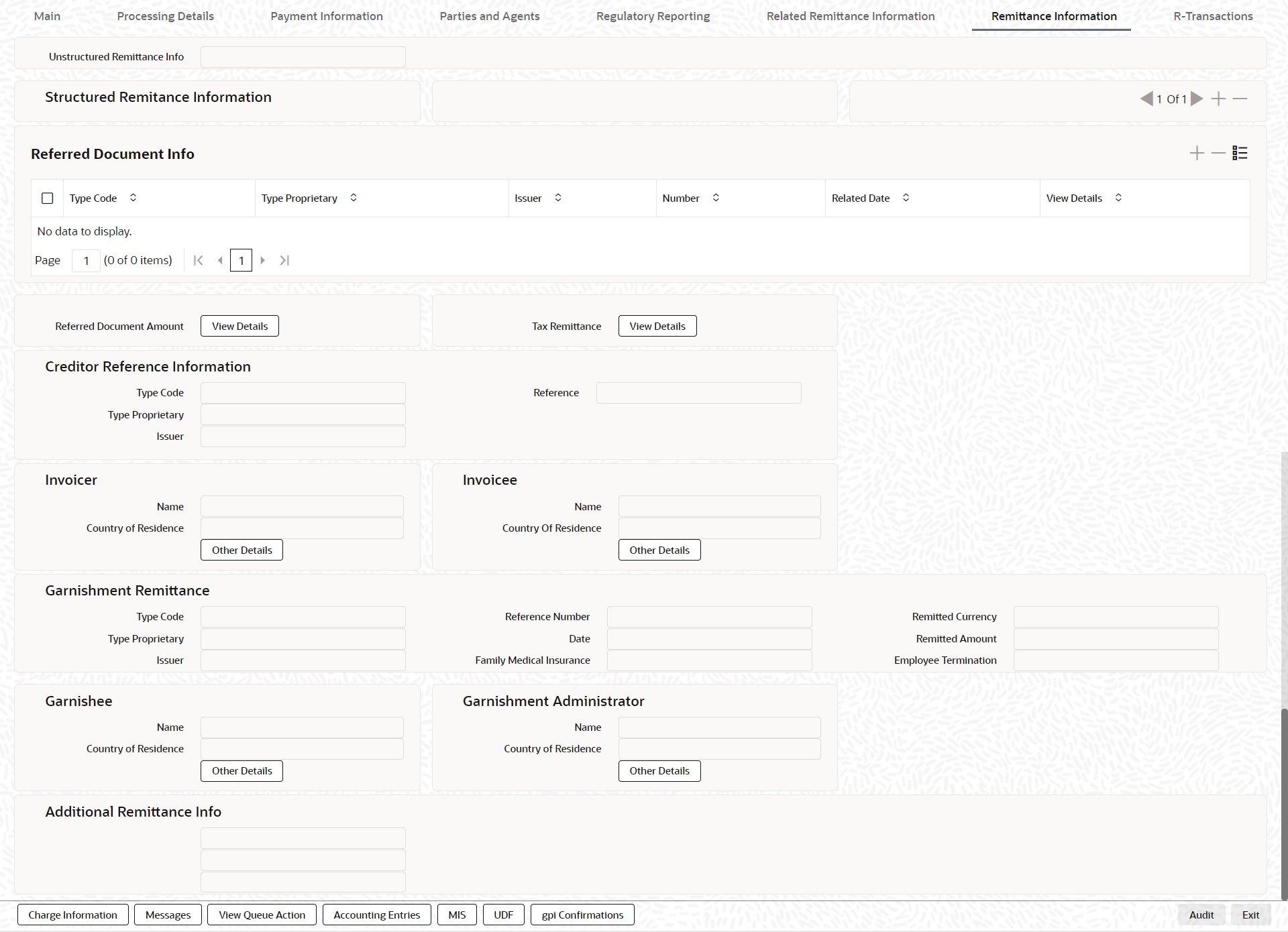
6.5.3.6 Remittance Information
You can invoke this screen by clicking ‘Remittance Information’ tab at the bottom of TARGET2 FI to FI Customer Credit Transfer View screen.
6.5.3.7 R-Transactions
You can invoke this screen by clicking ‘R-Transactions’ tab at the bottom of TARGET2 FI to FI Customer Credit Transfer View screen.
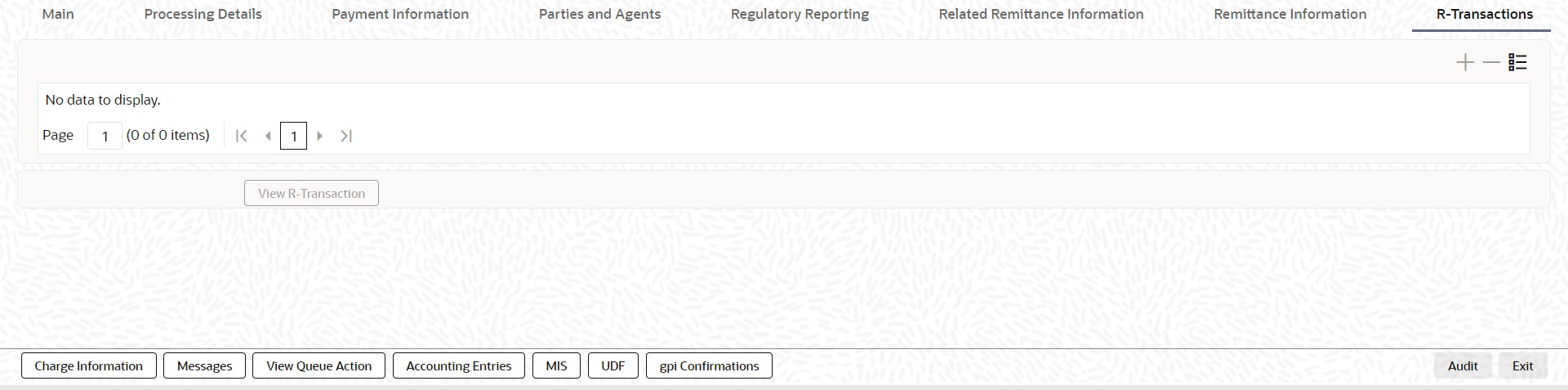
l R-Transactions tab displays the Inbound / Outbound R Messages like Cancellation Request (camt.056) / Cancellation Response (camt.029).
l You select the R-Transaction and click on the 'View Transaction' button to view the selected R-Transaction details.
6.5.3.8 Charge Information
You can invoke this screen by clicking ‘Charge Information’ tab at the bottom of TARGET2 FI to FI Customer Credit Transfer View screen.
6.5.3.9 Messages
You can invoke this screen by clicking ‘Messages’ tab at the bottom of TARGET2 FI to FI Customer Credit Transfer View screen.
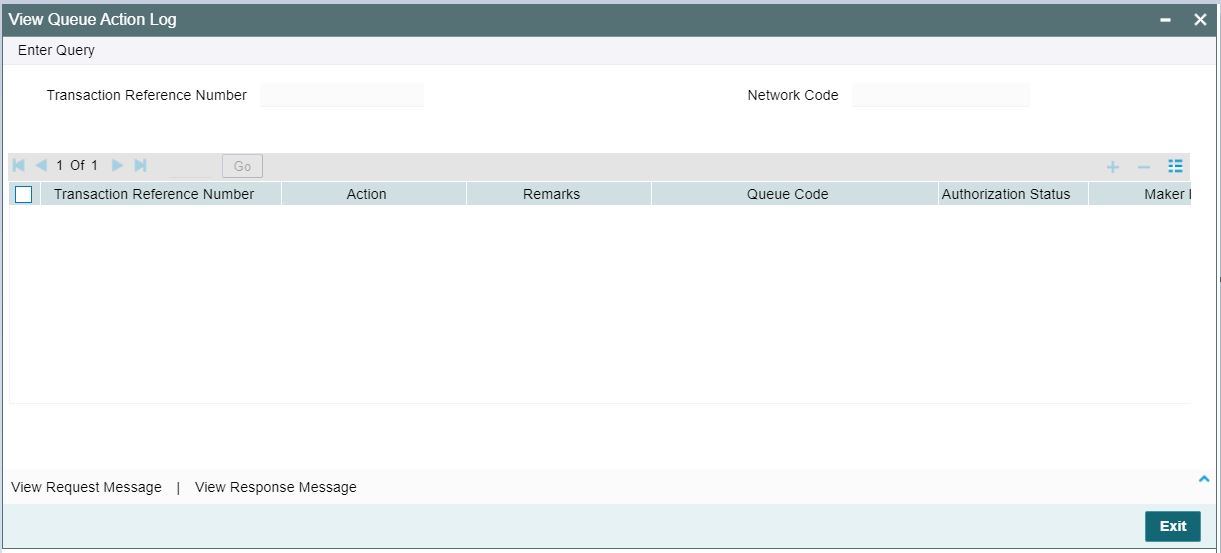
6.5.3.10 View Queue Action Log
You can invoke this screen by clicking ‘View Queue Action’ tab at the bottom of TARGET2 FI to FI Customer Credit Transfer View screen.
6.5.3.11 Accounting Entries
You can invoke this screen by clicking ‘Accounting Entries’ tab at the bottom of TARGET2 FI to FI Customer Credit Transfer View screen.
6.5.3.12 MIS Tab
You can invoke this screen by clicking ‘MIS’ tab at the bottom of TARGET2 FI to FI Customer Credit Transfer View screen.
6.5.3.13 UDF Tab
You can invoke this screen by clicking ‘UDF’ tab at the bottom of TARGET2 FI to FI Customer Credit Transfer View screen.
6.5.3.14 gpi Confirmations
You can invoke this screen by clicking ‘gpi Confirmations’ tab at the bottom of TARGET2 FI to FI Customer Credit Transfer View screen.
6.5.3.15 TARGET2 FI to FI Customer Credit Transfer View Summary
You can invoke “TARGET2 FI to FI Customer Credit Transfer View Summary” screen by typing ‘PSSIRTCV’ in the field at the top right corner of the Application tool bar and clicking on the adjoining arrow button.
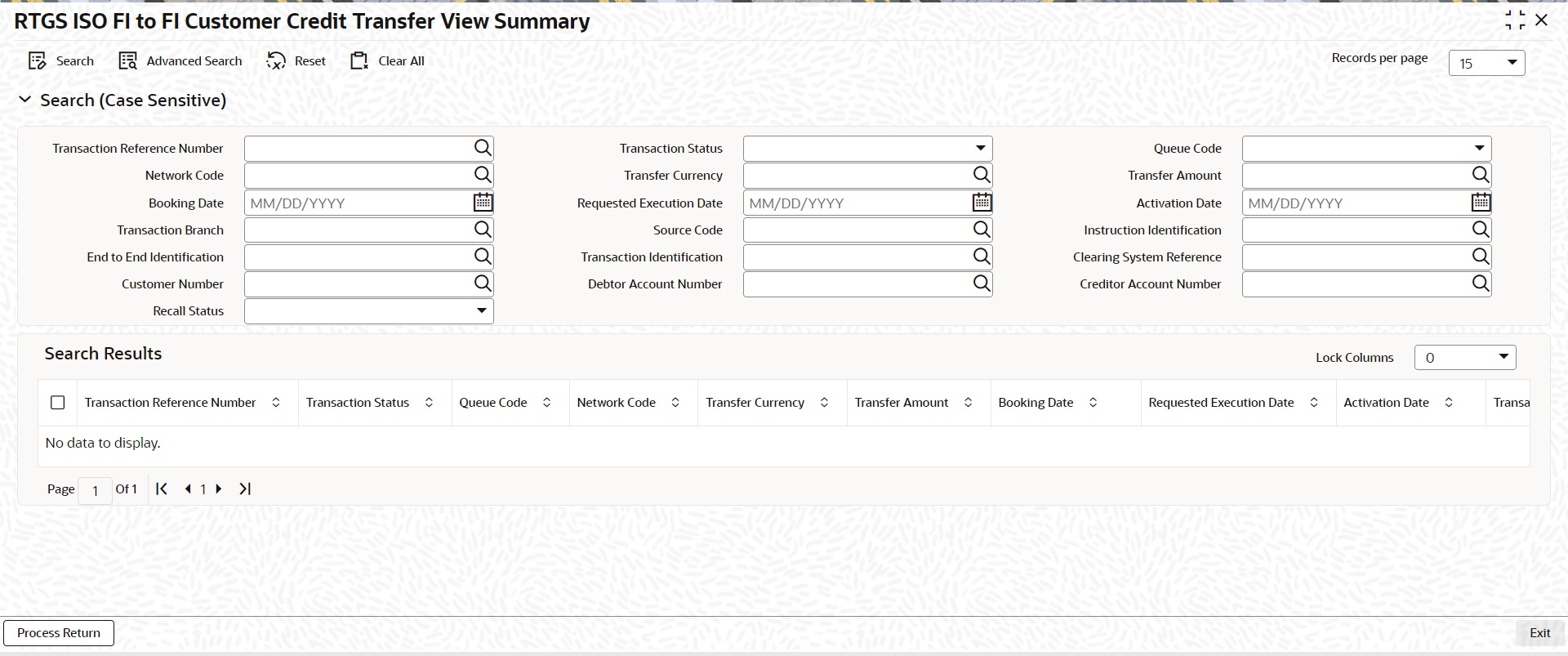
You can search using one or more of the following parameters:
l Transaction Reference Number
l Network Code
l Booking Date
l Transaction Branch
l End to End Identification
l Customer Number
l Recall Status
l Transaction Status
l Transfer Currency
l Requested Execution Date
l Source Code
l Transaction Identification
l Debtor Account Number
l Queue Code
l Transfer Amount
l Activation Date
l Instruction Identification
l Clearing System Reference
l Creditor Account Number
Once you have specified the search parameters, click ‘Search’ button. The system displays the records that match the search criteria.
Double click a record or click the ‘Details’ button after selecting a record to view the detailed screen.
Process Return Button
Click the 'Process Return’ button at the bottom of the screen to invoke the Generic Wires ISO Outbound Payment Return Input Detailed ‘PSDOCBRT’ screen, when the below conditions are satisfied:
l You have required access rights on this user action (Either Role level or User Level).
l Transaction status is ‘Processed’.
6.5.4 TARGET2 FI Credit Transfer View
You can view TARGET2 FI Credit Transfer transactions through this screen.
You can invoke “TARGET2 FI Credit Transfer View” screen by typing the function ID ‘PSDIRTBV’ in the field at the top right corner of the Application tool bar and clicking on the adjoining arrow button.
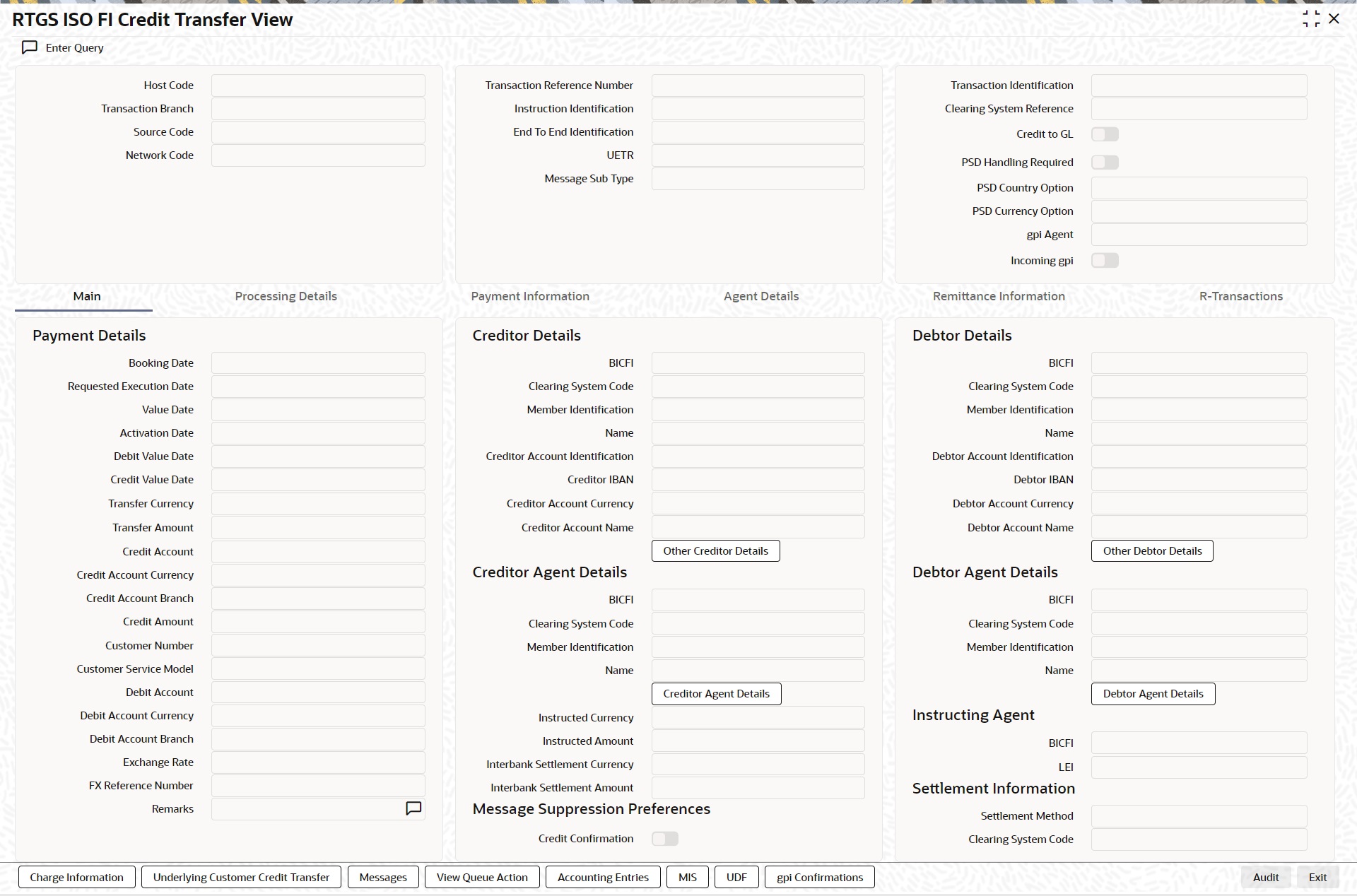
l From this screen, click ‘Enter Query’ button. The Transaction Reference Number field gets enabled, for the user to specify the Reference Number.
l Click ‘Execute Query’ button to populate the details of the transaction in the TARGET2 Inbound FI Credit Transfer View screen. The system displays all the fields in the below mentioned tabs based on the transaction reference number selected:
– Main
– Processing Details
– Payment Information
– Agent Details
– Remittance Information
– R-Transactions
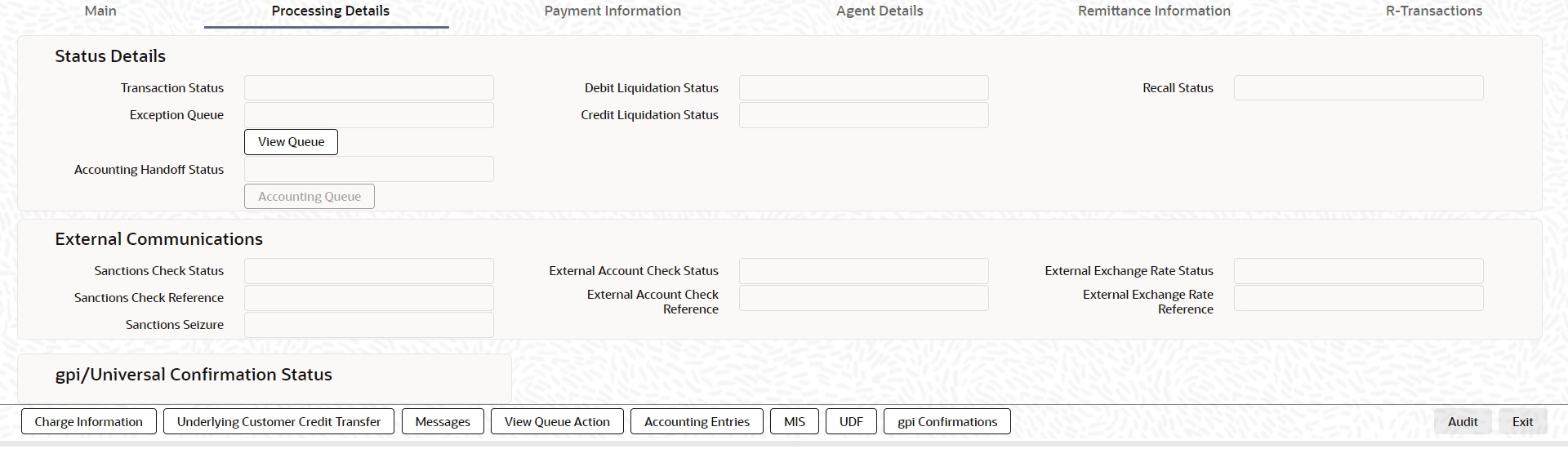
6.5.4.1 Processing Details
You can invoke this screen by clicking ‘Processing Details’ tab at the bottom of TARGET2 FI Credit Transfer View screen.
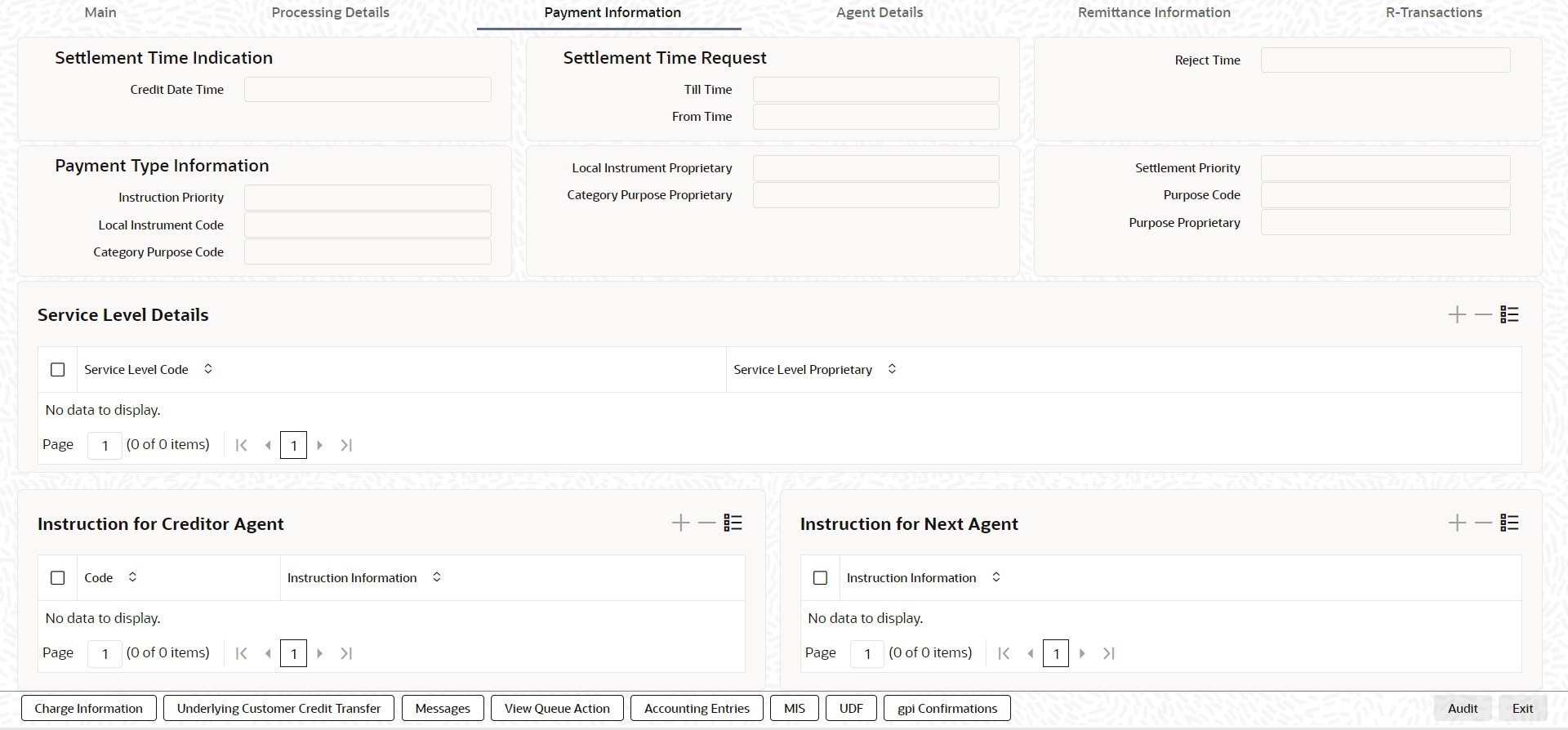
6.5.4.2 Payment Information
You can invoke this screen by clicking ‘Payment Infromation’ tab at the bottom of TARGET2 Inbound FI Credit Transfer View screen.
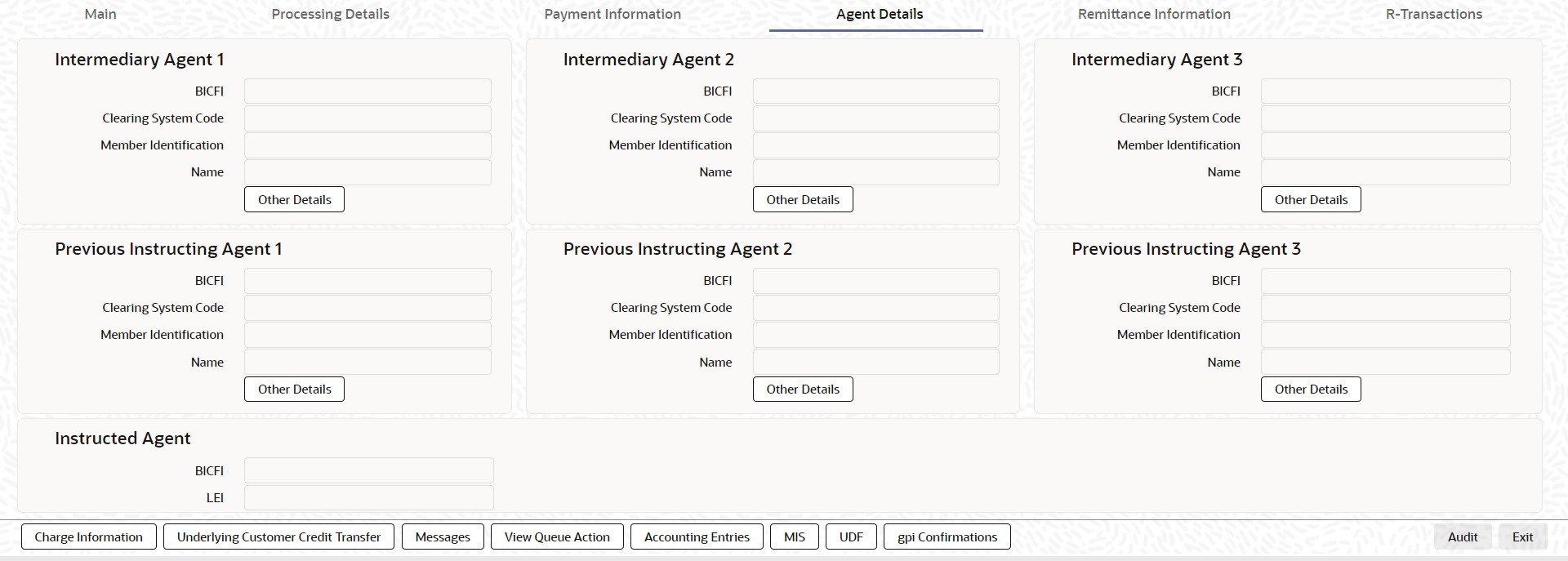
6.5.4.3 Agent Details
You can invoke this screen by clicking ‘Agent Details’ tab at the bottom of TARGET2 FI Credit Transfer View screen.
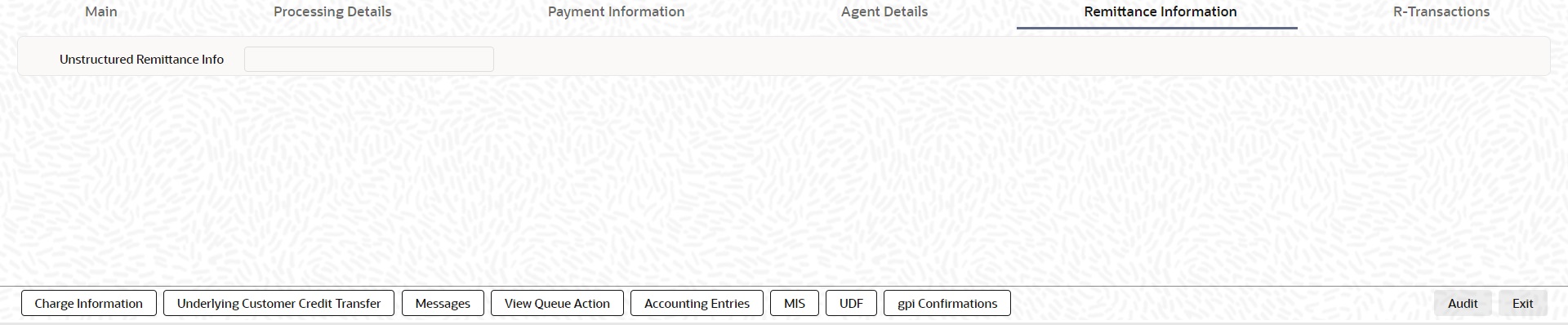
6.5.4.4 Remittance Information
You can invoke this screen by clicking ‘Remittance Information’ tab at the bottom of TARGET2 FI Credit Transfer View screen.
6.5.4.5 R-Transactions
You can invoke this screen by clicking ‘R-Transactions’ tab at the bottom of TARGET2 FI Credit Transfer View screen.
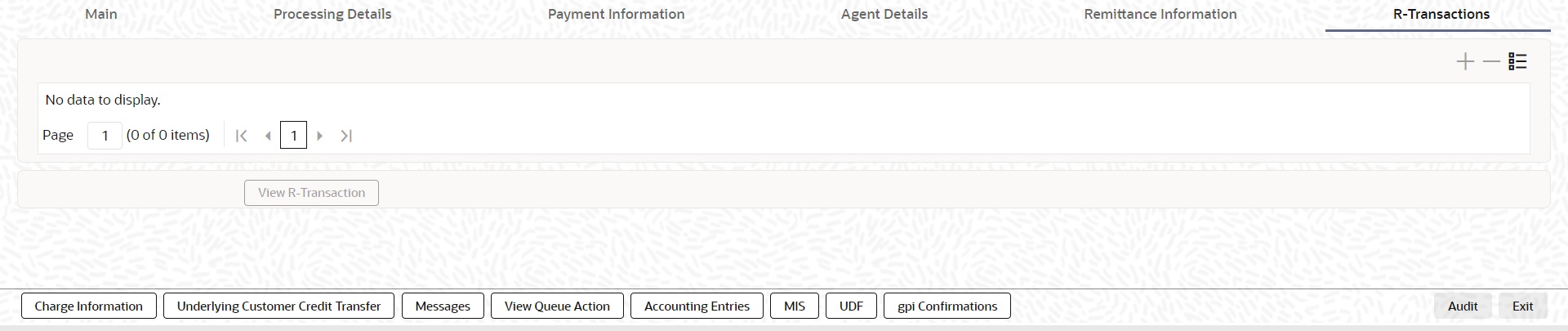
l R-Transactions tab displays the Cancellation Request (camt.056) transaction received for the incoming pacs.009 transaction.
l You select the Cancellation Request (camt.056) transaction and click on View R-Transaction button to open Generic Wires ISO Inbound FI to FI Payment Cancellation Request View (PSDICNCV) screen with selected transaction details.
6.5.4.6 Charge Information
You can invoke this screen by clicking ‘Charge Information’ tab at the bottom of TARGET2 FI Credit Transfer View screen.
6.5.4.7 Underlying Customer Credit Transfer
You can invoke this screen by clicking ‘Underlying Customer Credit Transfer’ tab at the bottom of TARGET2 FI Credit Transfer View screen.
Other Agents
Click ‘Other Agents’ tab to invoke this screen.
Other Details
Click ‘Other Details’ tab to invoke this screen.
6.5.4.8 Messages
You can invoke this screen by clicking ‘Messages’ tab at the bottom of TARGET2 FI Credit Transfer View screen.
6.5.4.9 View Queue Action Log
You can invoke this screen by clicking ‘View Queue Action’ tab at the bottom of TARGET2 FI Credit Transfer View screen.
6.5.4.10 Accounting Entries
You can invoke this screen by clicking ‘Accounting Entries’ tab at the bottom of TARGET2 FI Credit Transfer View screen.
6.5.4.11 MIS Tab
You can invoke this screen by clicking ‘MIS’ tab at the bottom of TARGET2 FI Credit Transfer View screen.
6.5.4.12 UDF Tab
You can invoke this screen by clicking ‘UDF’ tab at the bottom of TARGET2 FI Credit Transfer View screen.
6.5.4.13 gpi Confirmations
You can invoke this screen by clicking ‘gpi Confirmations’ tab at the bottom of TARGET2 FI Credit Transfer View screen.
6.5.4.14 TARGET2 FI Credit Transfer View Summary
You can invoke “TARGET2 FI Credit Transfer View Summary” screen by typing ‘PSSIRTBV’ in the field at the top right corner of the Application tool bar and clicking on the adjoining arrow button.
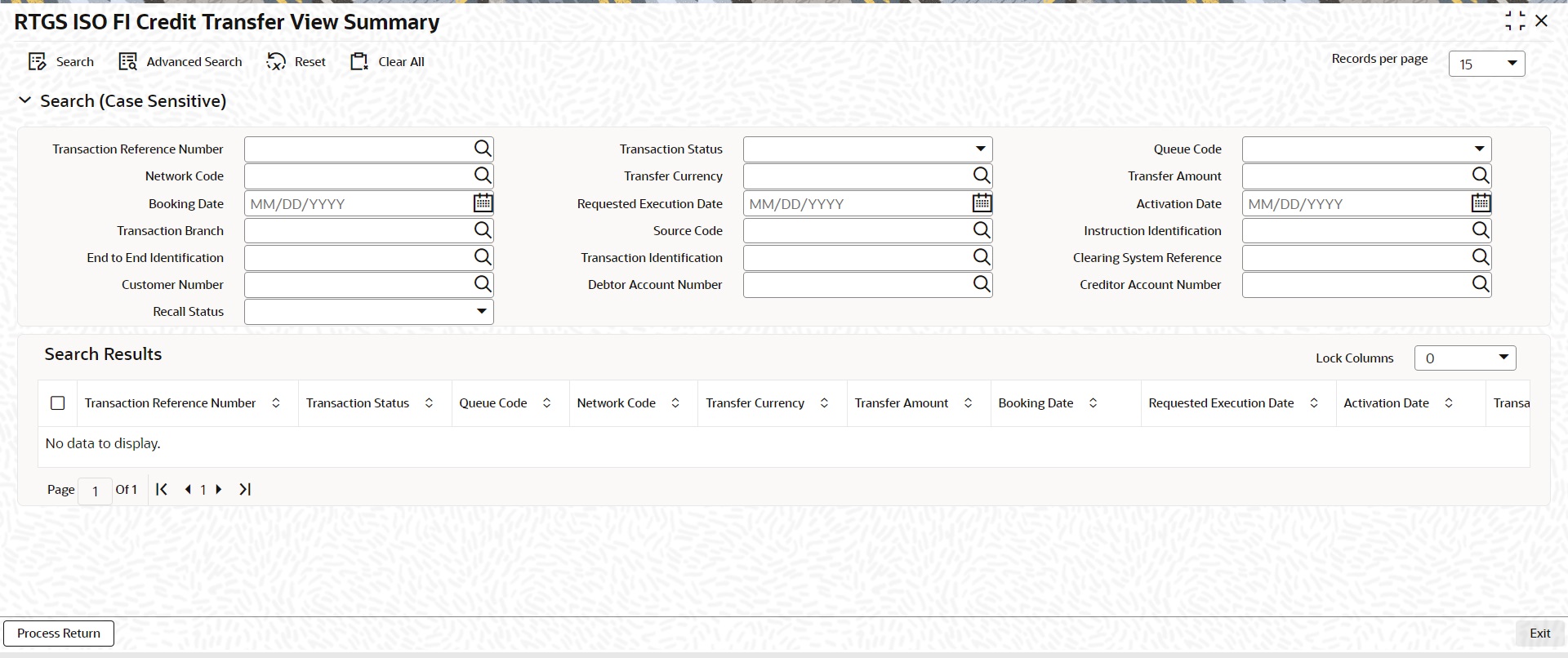
You can search using one or more of the following parameters:
l Transaction Reference Number
l Network Code
l Booking Date
l Transaction Branch
l End to End Identification
l Customer Number
l Recall Status
l Transaction Status
l Transfer Currency
l Requested Execution Date
l Source Code
l Transaction Identification
l Debtor Account Number
l Queue Code
l Transfer Amount
l Activation Date
l Instruction Identification
l Clearing System Reference
l Creditor Account Number
Once you have specified the search parameters, click ‘Search’ button. The system displays the records that match the search criteria.
Double click a record or click the ‘Details’ button after selecting a record to view the detailed screen.
Process Return Button
Click the 'Process Return’ button at the bottom of the screen to invoke the Generic Wires ISO Outbound Payment Return Input Detailed ‘PSDOCBRT’ screen, when the below conditions are satisfied:
l You have required access rights on this user action (Either Role level or User Level).
l Transaction status is ‘Processed’.