Loading Outside Application Data
Before calculating an estimated Student Aid Index (SAI) that updates the INST_CONTROL record, ensure all necessary data is properly loaded.
This section discusses:
Loading externally sourced Outside Application (OA) data into the staging table.
Moving Outside Application data from the staging table one student record at a time.
Moving Outside Application data from the staging table in batches (multiple records at a time).
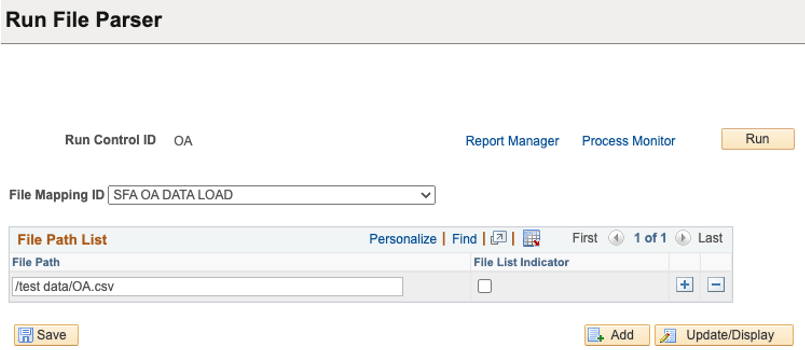
To load externally sourced data into the SFA_OA_DATA_STG table, you run the File Parser process.
Use the file mapping definition SFA OA DATA LOAD to map the fields in the external file to the fields in the destination record. This ensures the external file is formatted correctly so that you can load the OA data into the staging table.
For more information about this process, see Running the File Parser Process.
This example illustrates the fields and controls on the Run File Parser page.
Access the Summary Information page ().
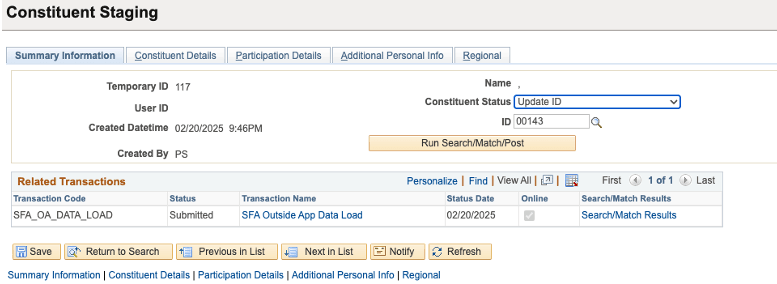
A transaction-specific staging record is delivered to support moving OA data one record at a time from the staging table SFA_OA_DATA_STG to the production table OA_DATAPIA. For this process, we're leveraging the CTM Framework. For more information about this framework, see Understanding CTM.
This example illustrates the fields and controls on the Summary Information page.
From this page, you can:
Review the constituent status for a specific Temporary ID, the constituent error messages, and the transactions performed for or by the user.
Run the search/match/post process or post the transaction data.
Manually trigger Search/Match to review the list of potentially matching candidates.
For more information, see Reviewing Constituent Information.
Access the Selection Parameters page ().
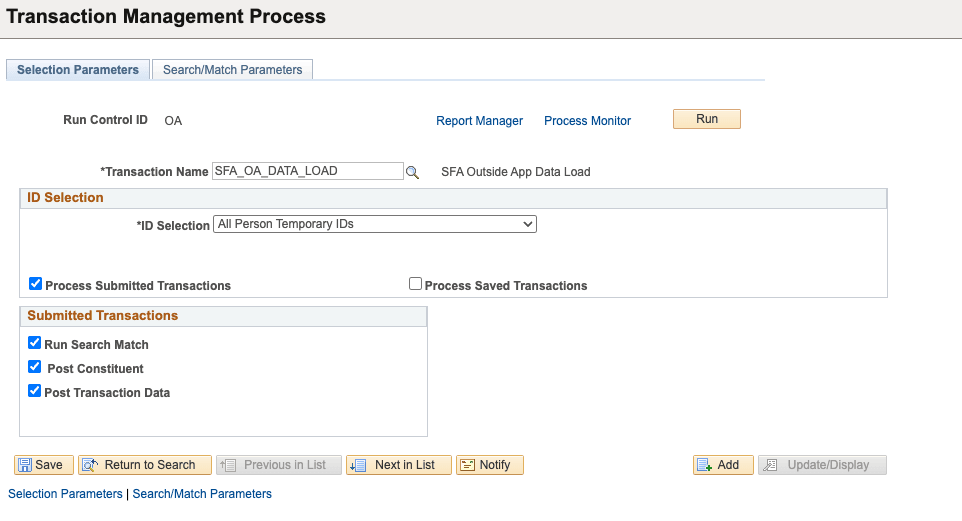
This example illustrates the fields and controls on the Selection Parameters page.
|
Field or Control |
Description |
|---|---|
|
Transaction Name |
Select SFA_OA_DATA_LOAD. |
This example illustrates the fields and controls on the Search/Match Parameters page.
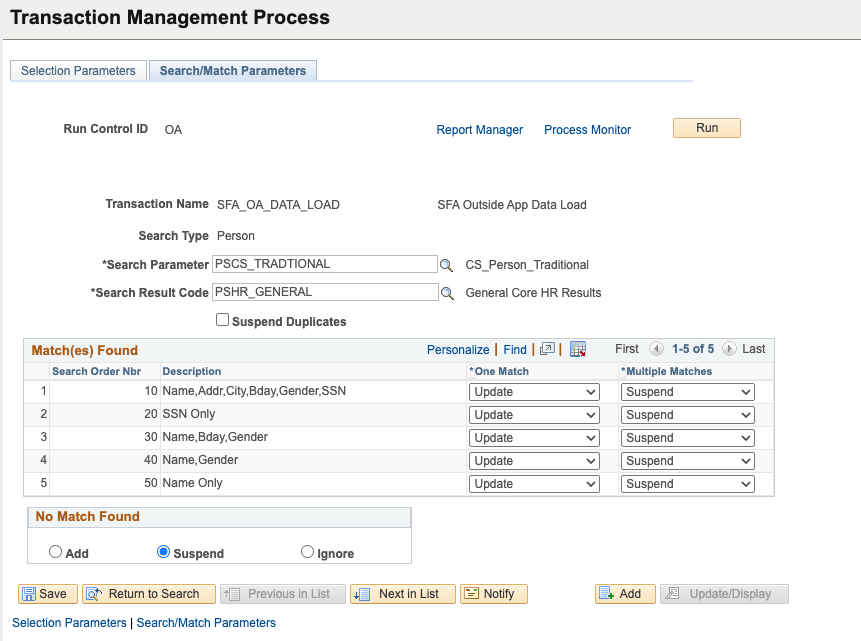
Run the Transaction Management process to load temporary constituent IDs stored inside the constituent and the transaction staging tables. You can process all IDs, just one at a time, or use Population Selection to select staged IDs meeting custom criteria. You can decide to only process the submitted transactions, the saved transactions, or a combination of both. The process enables you to change the transaction status from Saved to Submitted, run Search/Match and once an EMPLID is identified, post the constituent and transaction data to production tables. The Transaction Management process doesn't process IDs with a Constituent Status set to Canceled or for which their transaction is already Posted. It also doesn't run the Search/Match process when an EMPLID is already identified or the Constituent Status is set to Ignored, Suspended, or Error.