User Login Report - Active Users Only
Description
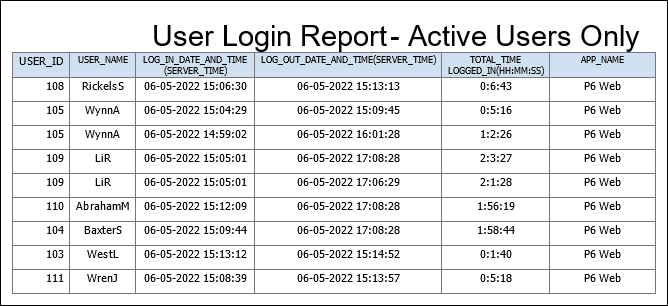
Provides a list of active users logged into P6 EPPM within the period specified in the Time interval to store user login information setting in Application Settings. Shows the user ID, user name, login date and time, logout date and time, the total time the user was logged in, and the application the user logged into.
Location
- On the
 Navigation Menu, select
  Reports.
 - Expand the P6Reports folder.
- Expand the Administrative folder.
- Click User Login Report - Active Users Only.
Last Published Tuesday, March 31, 2026