Never Logged Users
Description
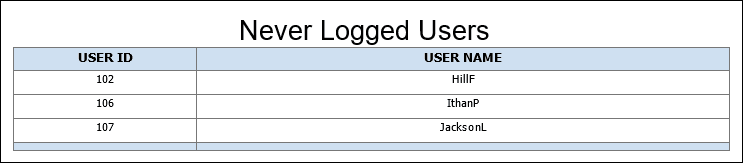
Lists users who have never logged into P6. Shows the user ID (the object ID in the database), user name (the login name), and lists all the modules available and whether each is assigned to each user account.
Location
- On the
 Navigation Menu, select
  Reports.
 - Expand the P6Reports folder.
- Expand the Administrative folder.
- Click Never Logged Users.
Last Published Tuesday, March 31, 2026