Schedule Report with Notebooks
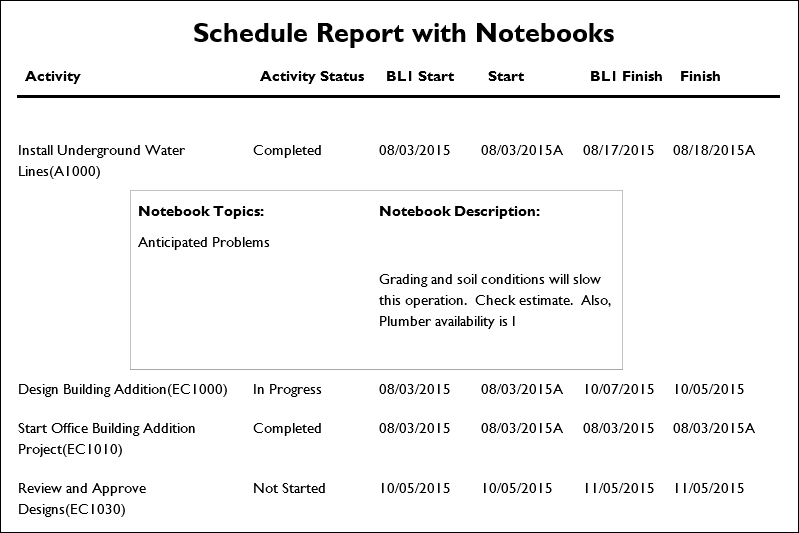
Description
Provides a list of activities for the selected projects along with all associated notebook topics.
Location
- On the
 Navigation Menu, select
  Reports.
 - Expand the P6Reports folder.
- Expand the Activity folder.
- Click Schedule Report With Notebooks.
Last Published Tuesday, March 31, 2026