Project Plan Hierarchy
Description
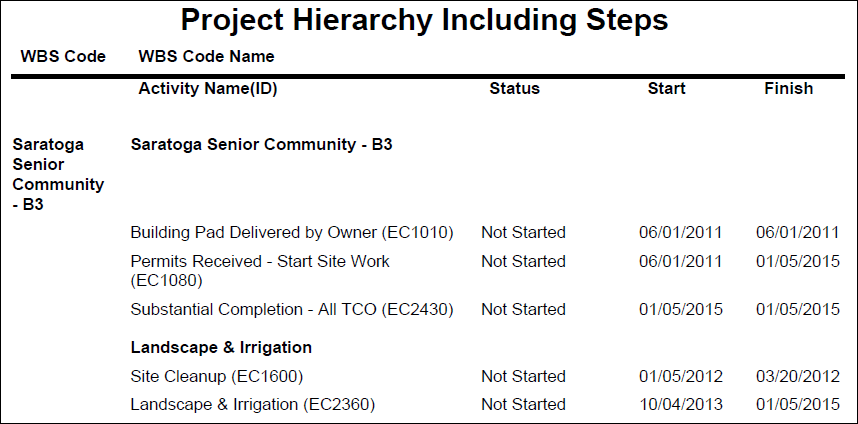
Displays the project plan which lists all WBSs and activities for the selected project. The activity details include the Status, Start and Finish dates, and the associated activity Steps.
Location
- On the
 Navigation Menu, select
  Reports.
 - Expand the P6Reports folder.
- Expand the Project folder.
- Click Project Plan Hierarchy.
Last Published Tuesday, March 31, 2026