Project Governance Non-Compliance Report
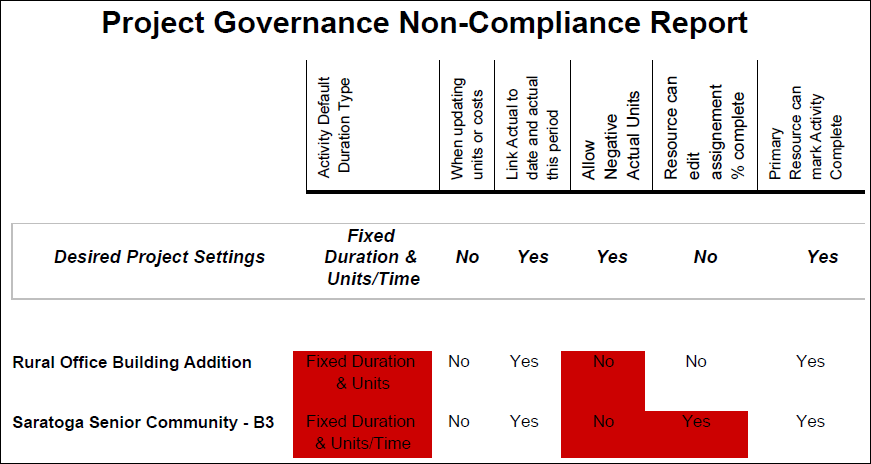
Description
Lists core project-level settings for each project, highlighting setting values that are not compliant.
Location
- On the
 Navigation Menu, select
  Reports.
 - Expand the P6Reports folder.
- Expand the Administrative folder.
- Click Project Governance Non-Compliance Report.
Last Published Tuesday, March 31, 2026