Users
Description
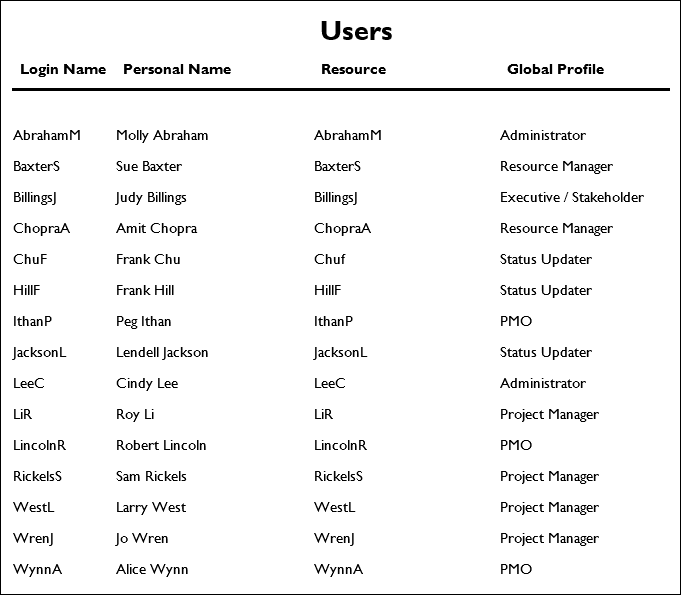
Provides a list of user accounts that exist in the database, including inactive users. Shows the login name, personal name, their associated resource, global security profile, and the modules assigned to the account. Inactive users are those with no modules assigned.
Location
- On the
 Navigation Menu, select
  Reports.
 - Expand the P6Reports folder.
- Expand the Administrative folder.
- Click Users.
Last Published Tuesday, March 31, 2026