Discrepancy Report
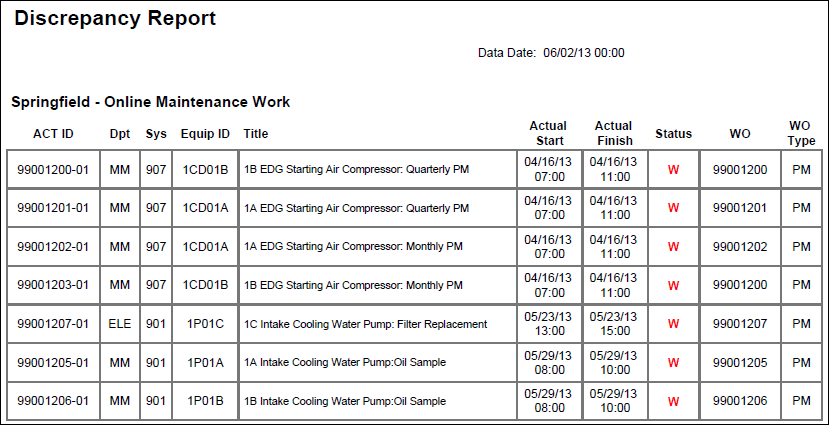
Description
Provides a list of activities which are completed according to the schedule, but where the Work Order is not complete. For each activity, the report lists the ID and Name (as Title), Actual Start, Actual Finish, and the following User Defined Fields: Dpt, Sys, Status, WO, and WO Type.
Location
- On the
 Navigation Menu, select
  Reports.
 - Expand the P6Reports folder.
- Expand the Industry Samples folder.
- Expand the Utilities folder.
- Expand the Online folder.
- Click Discrepancy Report.
Last Published Tuesday, March 31, 2026