T-Week Hit List
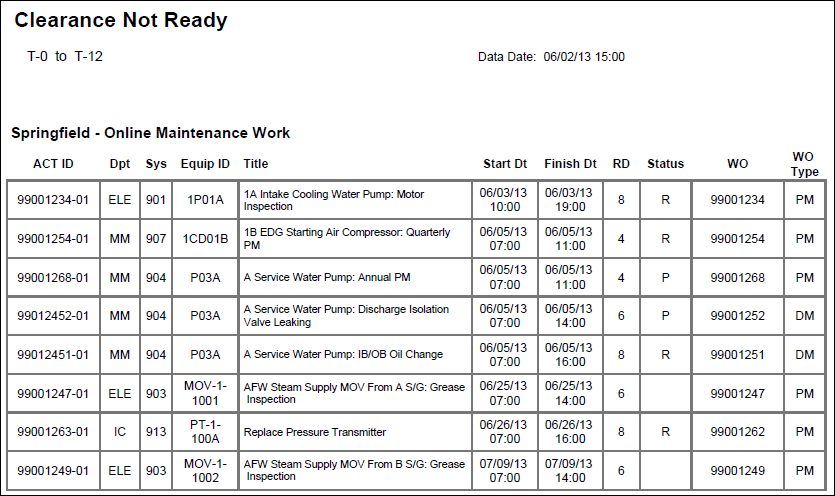
Description
Provides a list of activities that are on hold, listing the Activity ID, Activity Name (as Title), Start, Finish, Remaining Duration, and the following User Defined Fields: Dpt, Sys, Equip ID, Status, WO, and WO Type.
Location
- On the
 Navigation Menu, select
  Reports.
 - Expand the P6Reports folder.
- Expand the Industry Samples folder.
- Expand the Utilities folder.
- Expand the Online folder.
- Click T-Week Hit List.
Last Published Tuesday, March 31, 2026