Weekly Resource Loading
Description
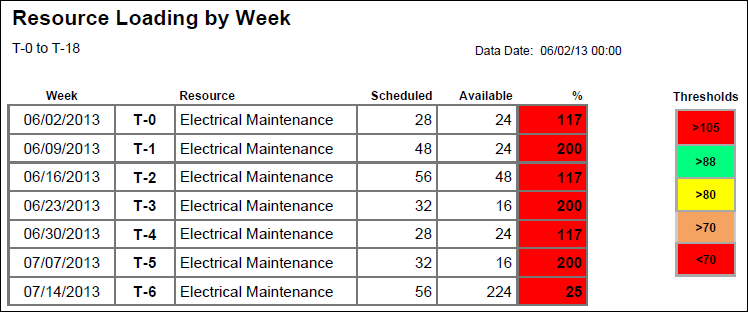
Shows the week name, T-Week, Resource name, Scheduled Hours, Available Hours, and Scheduled shown as a percentage of Available.
Location
- On the
 Navigation Menu, select
  Reports.
 - Expand the P6Reports folder.
- Expand the Industry Samples folder.
- Expand the Utilities folder.
- Expand the Online folder.
- Click Weekly Resource Loading.
Last Published Tuesday, March 31, 2026