Configuring Exascale Thin Clones
Use the Exascale Thin Clones page (ECL_EXA_THIN_FL) to perform all Exadata lifecycle operations using Exascale environments, in addition to creating and refreshing thin cloned Exascale environments.
Navigation:
Click the Exascale Thin Clones link available on the left panel of the Environment Details page. The Thin Clones page is displayed on the right panel.
Cloud Manager enables you to efficiently create, manage, and refresh thin cloned databases for Exascale environments. Exascale is a software architecture in Exadata that enables you to quickly provision space-efficient databases using thin clones and perform lifecycle operations such as refresh and delete. Exascale provides holistic storage management across all databases and clusters by utilizing Exascale Storage Vault, thereby eliminating the need for traditional cluster-by-cluster storage management.
Thin cloning utilizes redirect-on-write technology to rapidly and cost-effectively create non-production environments without requiring a read-only test master or full copies, resulting in significant cost and storage savings. This enhances agility and streamlines PeopleSoft environment management on Exascale infrastructure. A thin clone is a space-efficient copy of a database created using redirect-on-write technology, where the cloned environment shares unchanged data blocks with the source database and only consumes additional storage as changes are made.
This example illustrates the high level architecture of thin clone flow.
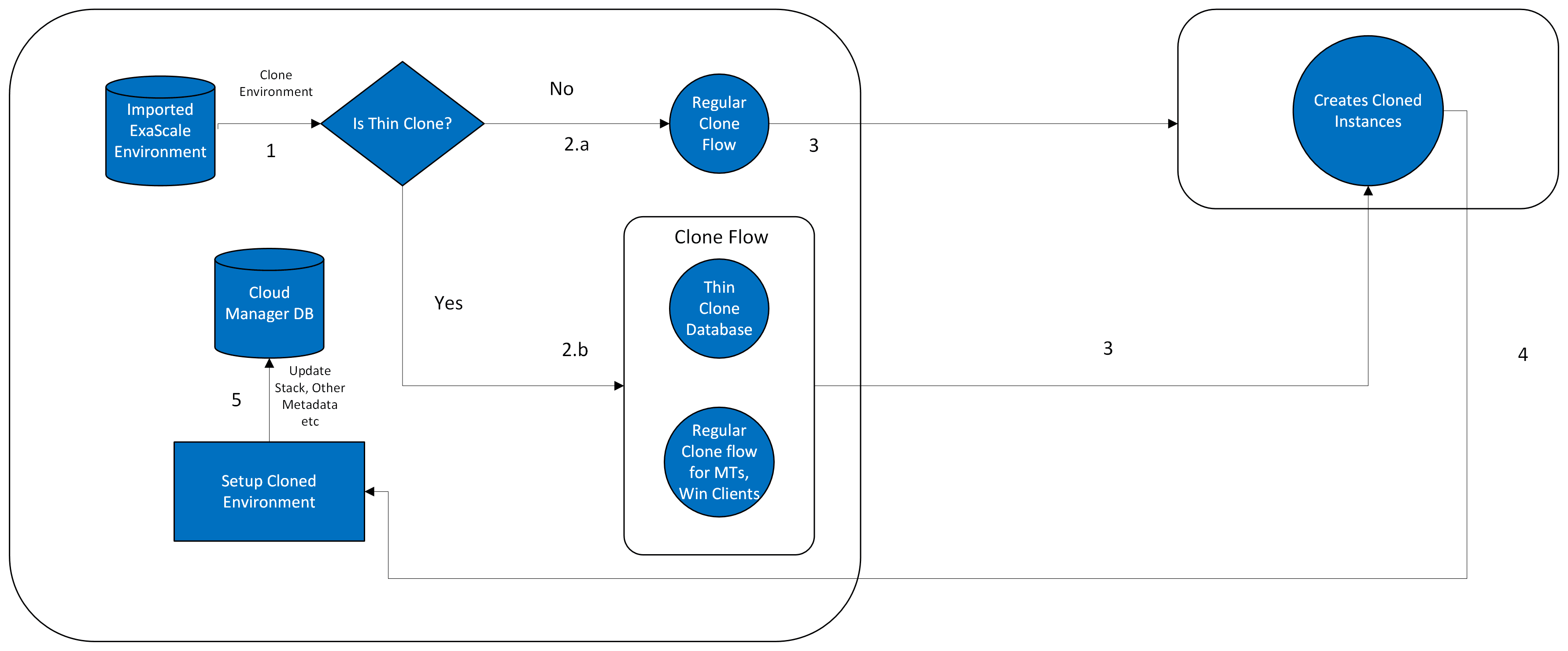
On the Cloning page, select Exascale Thin Clone option. The rest of the cloning process remains the same as that for normal cloning. See the Creating Thin Clones on Exascale Database section in Cloning an Environment With Database Running on Exadata and Other Nodes on Compute. You can view the status of thin cloned environments on the Exascale Thin Clones page.
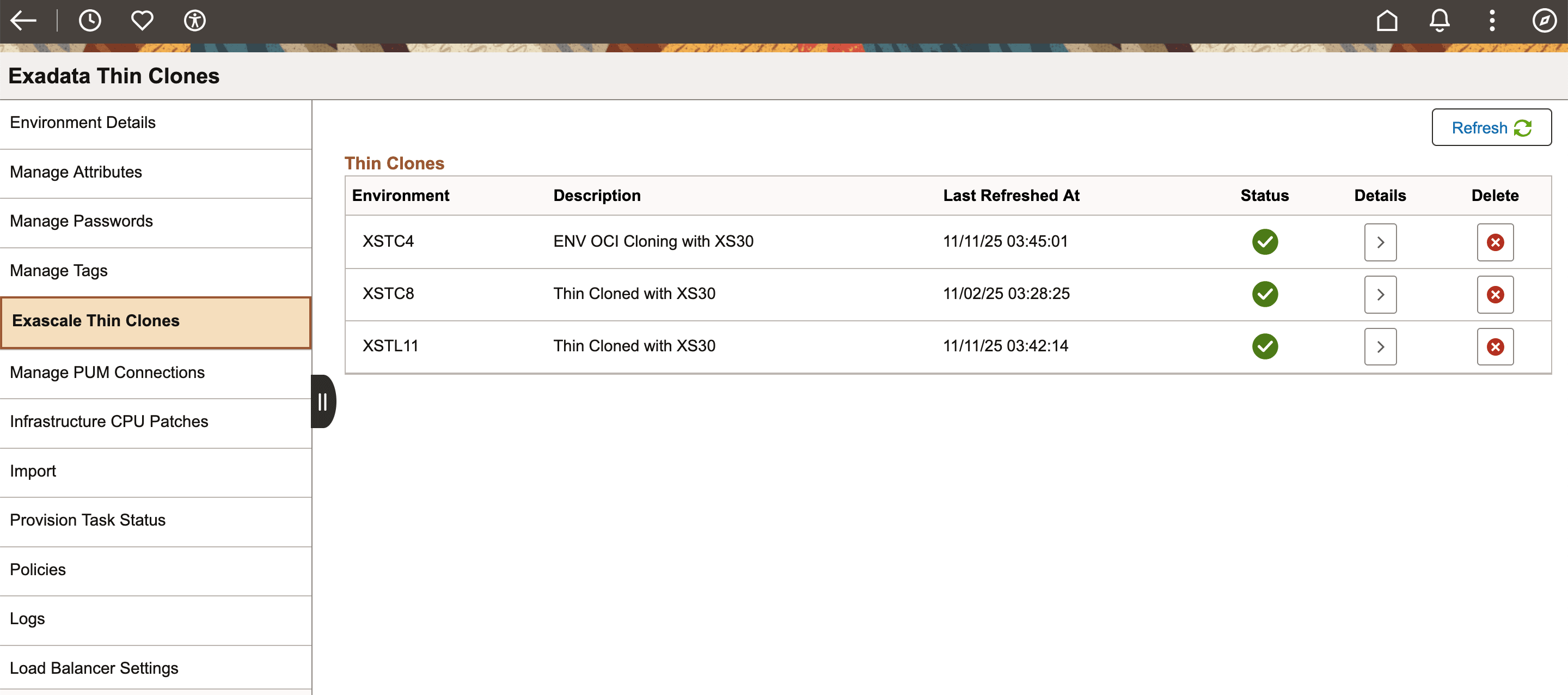
This example illustrates the fields and controls on Exascale Thin Clones page.
|
Field or Control |
Description |
|---|---|
|
Environment |
Name for the new environment. |
|
Last Refreshed At |
The timestamp of the last refresh. |
|
Status |
Status of the thin clone. The possible values are:
|
|
Details |
Click to view the thin clone environment details. |
|
Delete |
Click to delete the thin clone. |


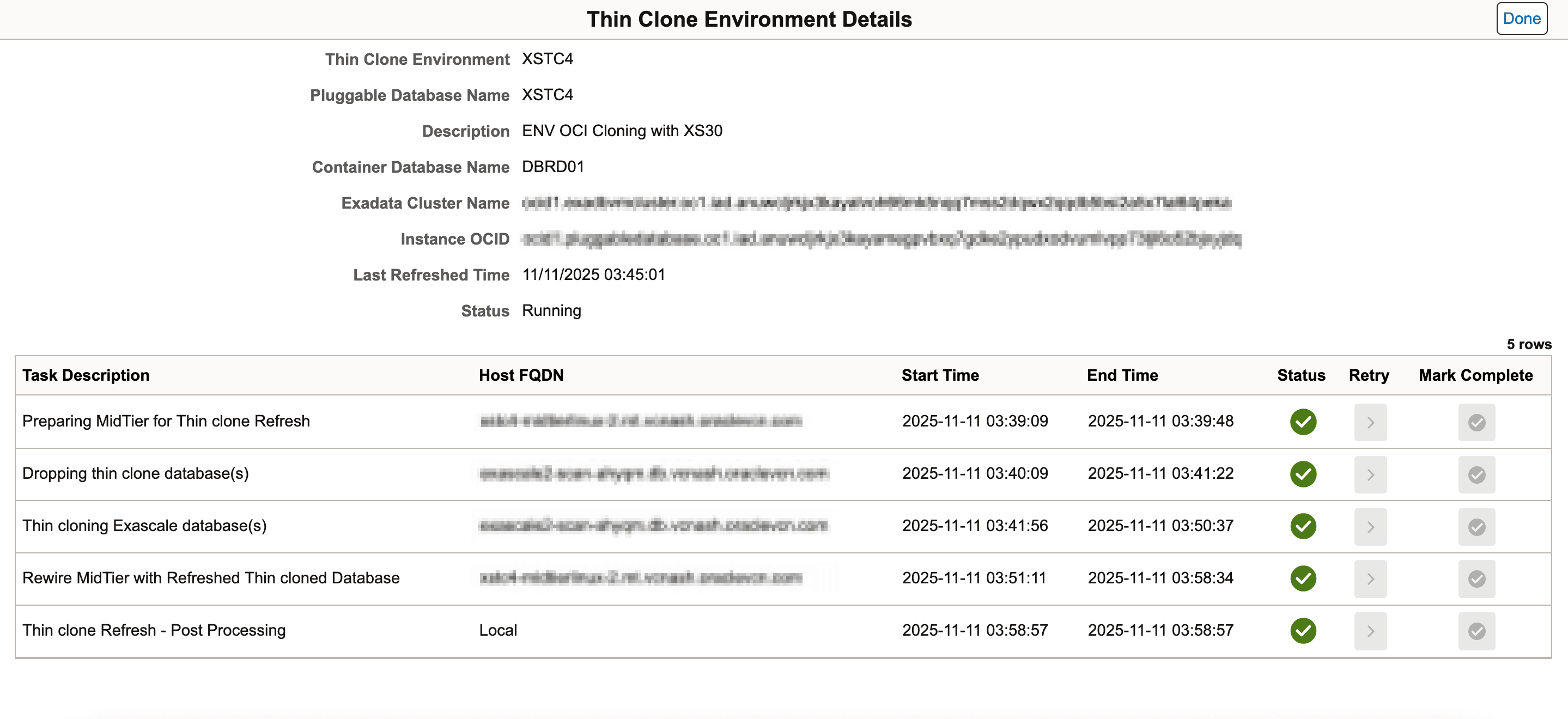
This example illustrates the fields and controls on the Thin Clone Environment Details page.
To refresh a thin clone:
Click Refresh on the Exascale Thin Clones page.
The Thin Clones Refresh page appears.
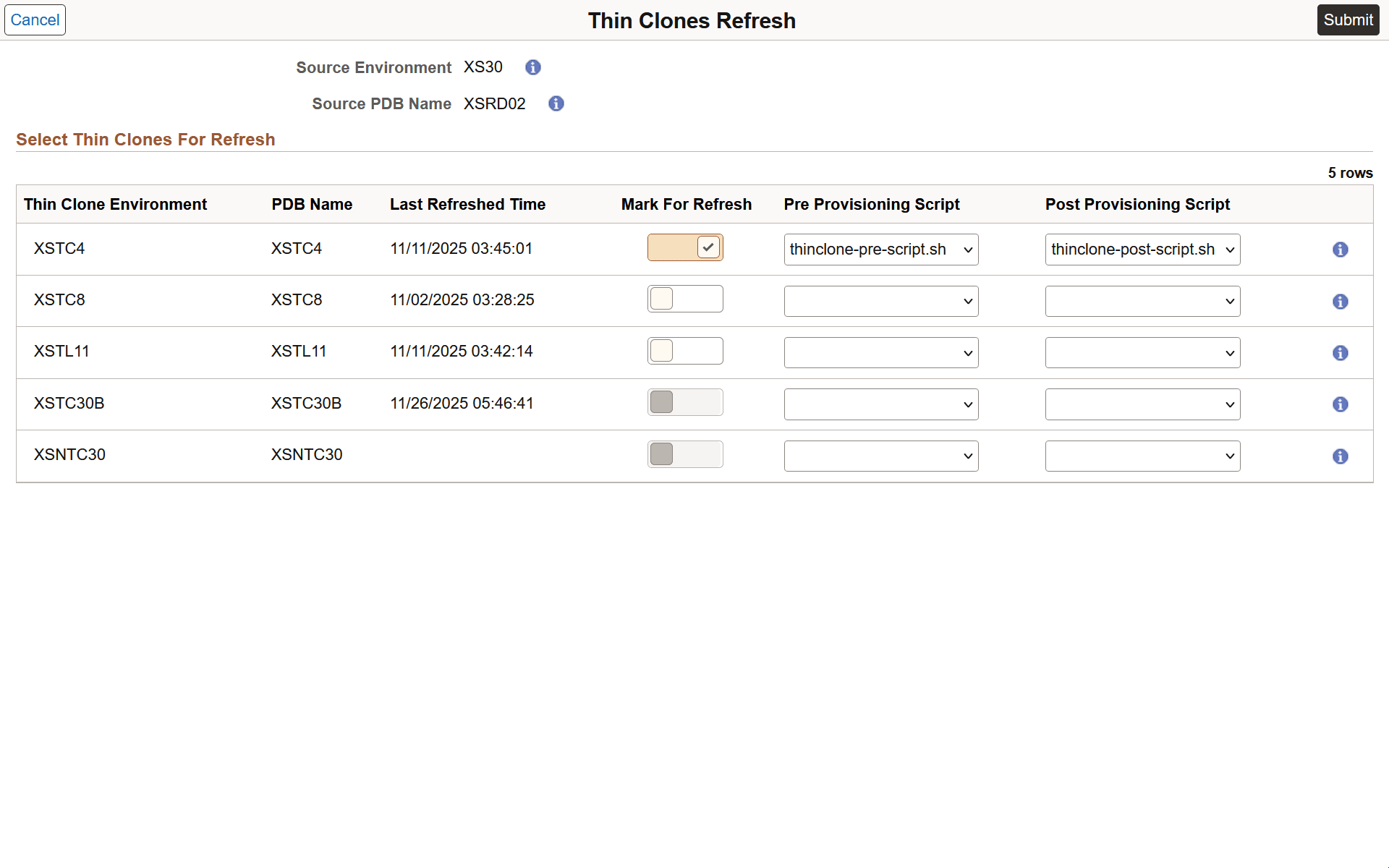
Select the toggle button under Mark For Refresh to mark any thin clone environment for refresh.
Select the Pre and Post Provisioning Scripts for thin clone environments selected for refresh.
Click Submit. You must confirm the action when prompted. The refresh process gets initiated after the confirmation.
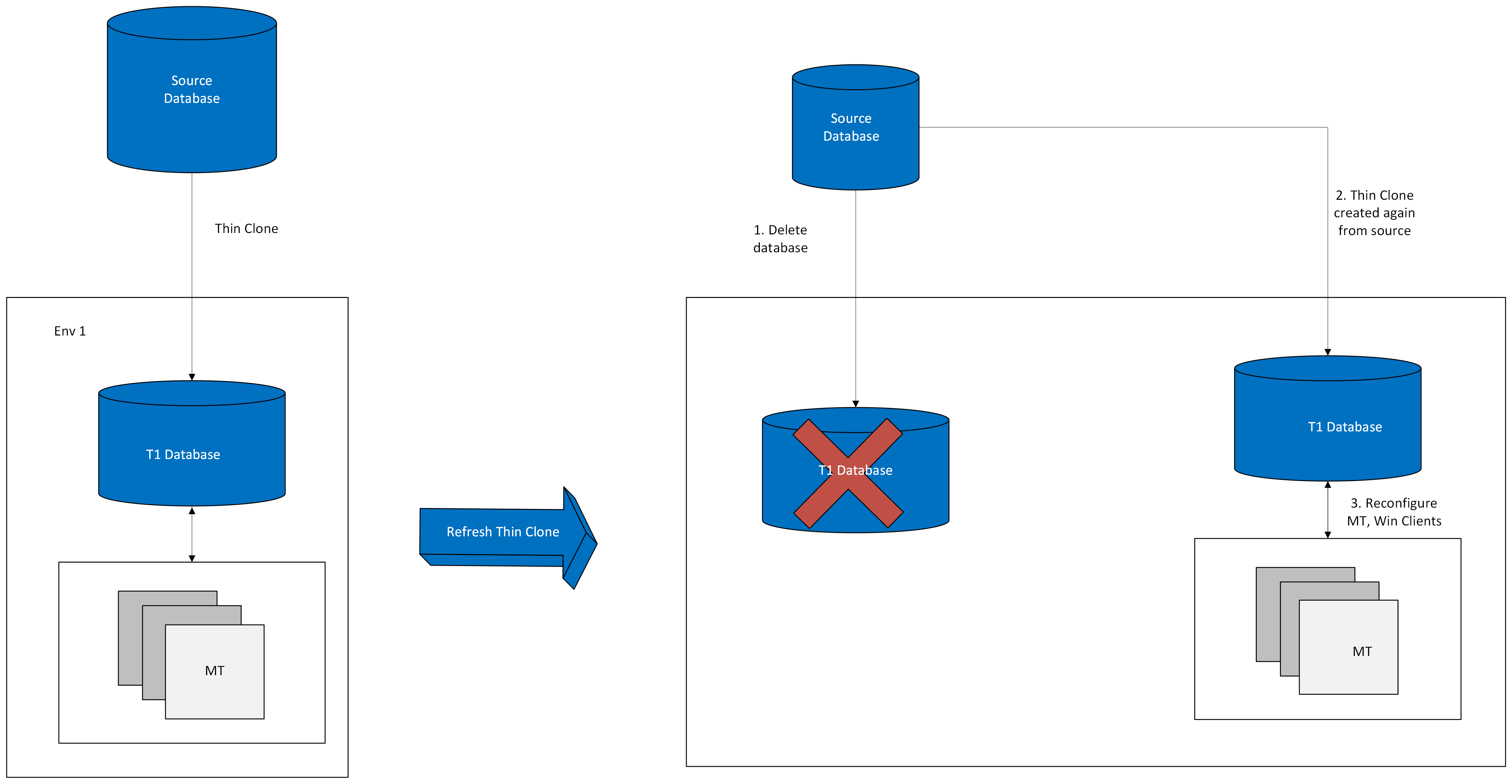
This example illustrates the high level architecture of refresh thin clone flow.