Using the My Work - Human Resources Section as an Administrator
This topic describes the delivered tiles for the administrator My Work - Human Resources section.
The following video provides an overview and demonstration of the PeopleSoft Landing Page dashboards:
|
Name |
Definition Name |
Usage |
|---|---|---|
|
HC_HUMANRESOURCES_SCTN_LP |
Access tiles to common transactions for business analysts and administrators across Human Resources, Compensation, Position Management, Profiles, Performance, Career and Succession Planning and Learning areas. |
|
|
HC_MANAGE_PEOPLE_JOBS_LINK (this is the cref for the tile) |
Access the Manage People and Jobs dashboard for a consolidated view of all the necessary tasks for managing the workforce. |
|
|
HC_MNG_PPL_JOB_DBRD_LP |
Access tiles to add and manage job and person information, access approvals and analytics, and complete compliance reporting. |
|
|
HC_GVT_MNG_PRSNL_ACTN_LINK (this is the cref for the tile) |
Access the ManagePersonnel Actions dashboard for a consolidated view of all the necessary tasks for managing the workforce as a federal administrator. |
|
|
HC_GVT_MNG_PRSNL_ACT_DBRD_LP |
Access tiles to add and manage job and person information, access approvals and analytics, and complete compliance reporting as a federal administrator. |
Use the My Work - Human Resources section (HC_HUMANRESOURCES_SCTN_LP) to access tiles to common transactions for business analysts and administrators across Human Resources, Compensation, Position Management, Profiles, Performance, Career and Succession Planning and Learning areas.
Navigation:
The Human Resources section is part of the My Work section of the PeopleSoft (My Home) Landing Page.
This example illustrates the Human Resources section.
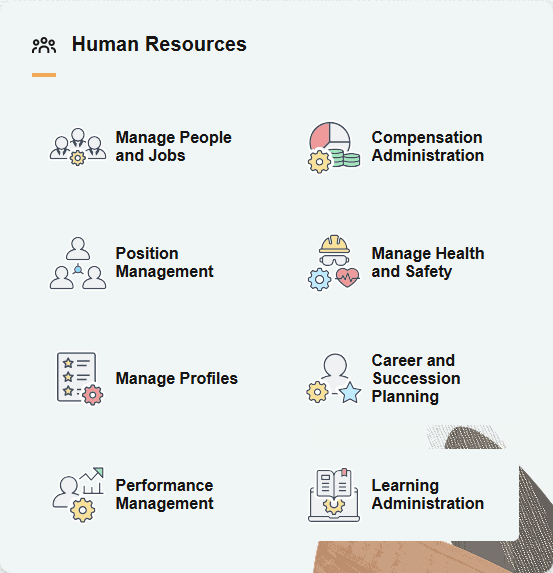
The Human Resources section includes the following tiles, which appear based on user roles and security permissions.
Learning Administration Tile (See PeopleSoft HCM: Enterprise Learning Management documentation)
When you select a tile, it takes you to the corresponding transaction page with the exception of the Manage People and Jobs Tile, which takes you to a dashboard of multiple tiles to perform various person and job-related tasks.
(USF) Manage Personnel Actions tile for U.S. Federal Administrators
When a U.S. federal administrator accesses the landing page, the Human Resources section of the My Work section displays the (USF) Manage Personnel Actions Tile as well as the other commercial tiles.
(USF) This example illustrates the Human Resources section for a federal user
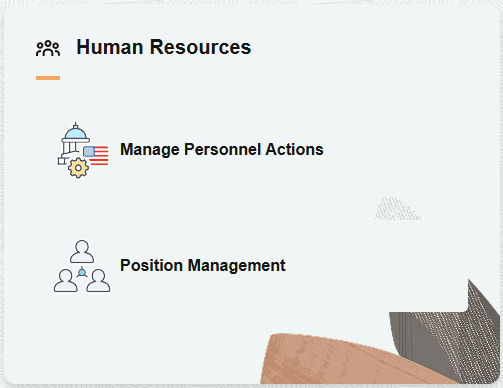
Select the tile to access the (USF) Manage Personnel Actions Dashboard.
Use the Manage People and Jobs tile (HC_MANAGE_PEOPLE_JOBS_LINK) to access the Manage People and Jobs dashboard for a consolidated view of all the necessary tasks for managing the workforce.
Navigation:
The Manage People and Jobs tile is part of the My Work - Human Resources section of the PeopleSoft (My Home) Landing Page.
This example illustrates the Manage People and Jobs tile.

Select this tile to access the Manage People and Jobs Dashboard.
Use the Manage People and Jobs dashboard (HC_MNG_PPL_JOB_DBRD_LP) to access tiles to add and manage job and person information, access approvals and analytics, and complete compliance reporting.
Navigation:
Select the Manage People and Jobs tile from the My Work - Human Resources section of the PeopleSoft (My Home) Landing Page.
This example illustrates the fields and controls on the Manage People and Jobs dashboard.
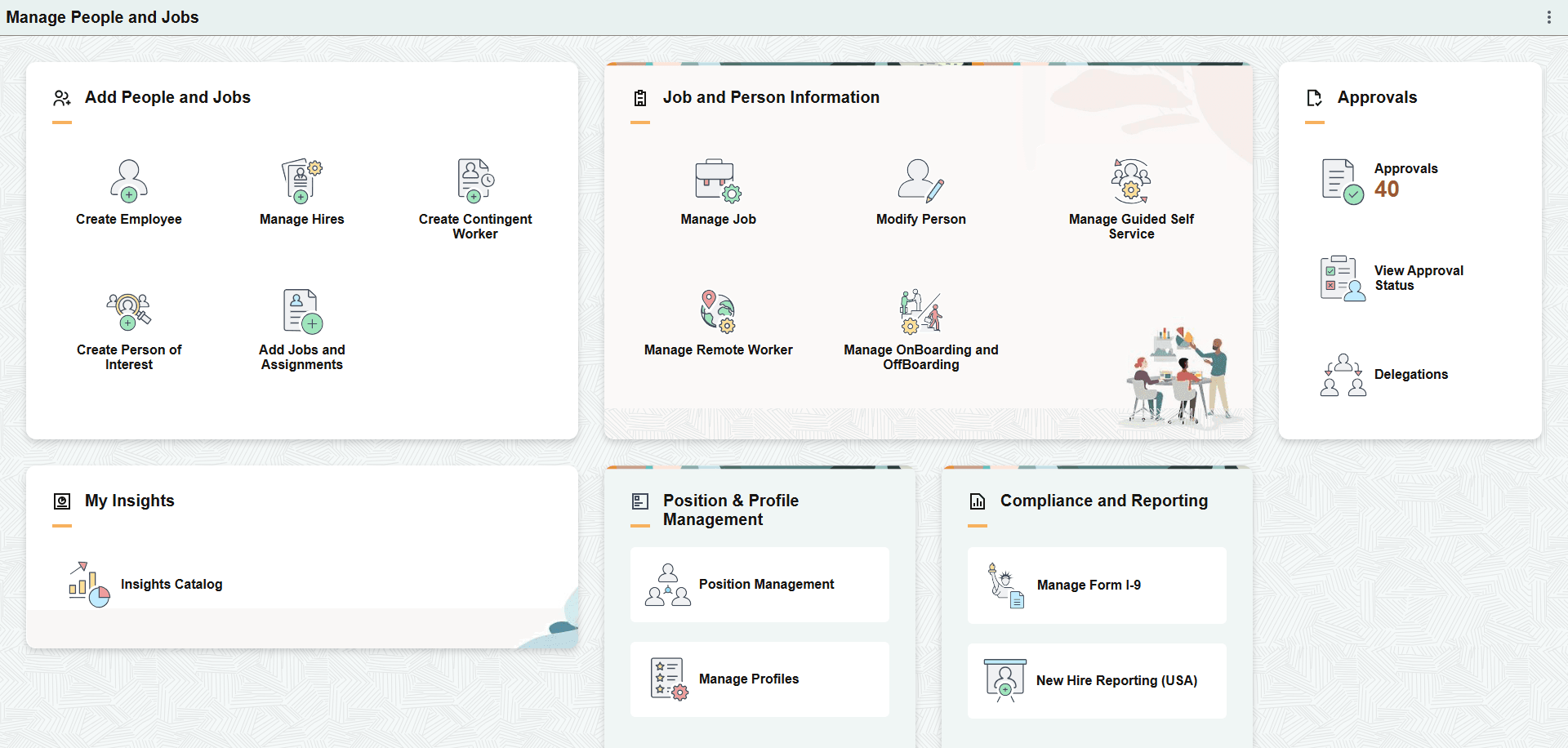
The Manage People and Jobs dashboard includes the following sections and tiles, which appear based on user roles and security permissions.
Add People and Jobs section
Manage Hires Tile (see Manage Hires Page)
Add Jobs and Assignments Tile (see (Fluid) Organizational Relationship Tile)
Job and Person Information section
Manage Guided Self Service Tile (see <Transaction Name> Page for Reviewing Submitted Transactions)
Manage OnBoarding and OffBoarding Tile (see Setting Up PreBoarding and OnBoarding Activity Guides)
Approvals section
My Insights section
Position & Profile Management section
Compliance and Reporting section
New Hire Reporting (USA) Tile (see New Hire Report Generation Page)
Use the Manage Personnel Actions tile to access the ManagePersonnel Actions dashboard for a consolidated view of all the necessary tasks for managing the workforce as a federal administrator.
Note: A user must be identified as a federal administrator with the HCLPUSFMNGPERACTN - Manage Personnel Actions Tile permission list to see and access this tile.
Navigation:
The Manage Personnel Actions tile is part of the My Work - Human Resources section of the PeopleSoft (My Home) Landing Page for a federal user.
This example illustrates the Manage Personnel Actions tile.
Select this tile to access the (USF) Manage Personnel Actions Dashboard.
Use the Manage Personnel Actions dashboard to access tiles to add and manage job and person information, access approvals and analytics, and complete compliance reporting as a federal administrator.
Note: A user must be identified as a federal administrator to see and access this dashboard.
Navigation:
Select the Manage Personnel Actions tile from the My Work - Human Resources section of the PeopleSoft (My Home) Landing Page as a federal administrator.
This example illustrates the fields and controls on the Manage Personnel Actions dashboard.
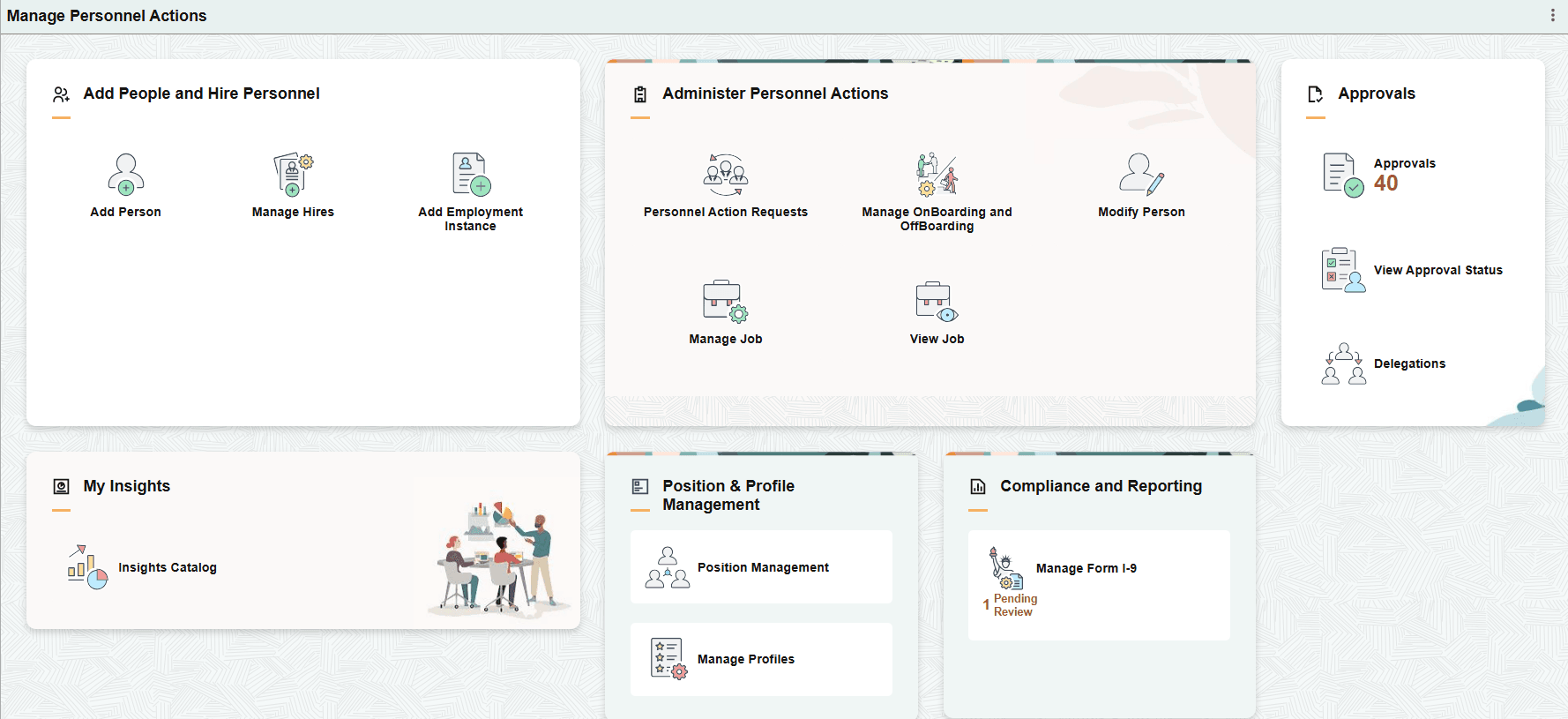
The Manage Personnel Actions dashboard includes the following sections and tiles, which appear based on user roles and security permissions.
These tiles take you to the Classic federal pages.
Add People and Hire Personnel section
The add person tile takes you to the Fluid page while the manage hires and employment instance tiles take you to the Classic pages that update the PAR record.
Manage Hires Tile (see Manage Hires Page)
Add Employment Instance Tile (see Add Employment Instance USF Page)
Administer Personnel Actions section
These tiles take you to the Fluid pages.
Manage OnBoarding and OffBoarding Tile (see Setting Up PreBoarding and OnBoarding Activity Guides)
View Job Tile - this is the display only view of the Manage Job pages (see Manage Job Tile)
Approvals section
These tiles take you to the Fluid pages.
My Insights section
This tile takes you to the Fluid page.
Position & Profile Management section
This tile takes you to the Fluid page.
Compliance and Reporting section
This tile takes you to the Fluid page.