创建用户请求时使用智能查找
在创建用户请求时使用智能查找可提高工作效率,您无需导航到其他屏幕来确定要包含在请求中的对象名称。
要使用智能查找,请键入对象名称,后跟空格,然后键入 @ 符号,(可选)后跟要查找的值中包含的一个或多个字符。这将触发对象的值列表。
将按“开头为”以及后面的“包含”搜索条件,返回结果。例如,假定制造客户的 "Product" 维有以下成员,在搜索为 "all" 的情况下,返回的成员如下所示:
"All Packaging Products"
"All Products"
"All Tool Products"
"Ball-pen Hammer"
"Halligan Bar"
"Metallized Pouches"
"Pallet Wrap"
"Wallboard Saw"
选择值时,该值将放置在光标的位置,并用引号括起来。
下表列出了可以在用户请求中输入的可搜索对象。
Table 14-1 用户请求中的可搜索对象
| 对象 | 关键字触发器 | 输入示例 | 选择示例 | 结果示例 |
|---|---|---|---|---|
| 组件 | component | @S | Source | component Source |
| 维 | dimension | @P | Product | dimension 'Product' |
| 成员第 1 步 | member | @P | Product | member 'Product. |
| 成员第 2 步 | member | 'Product.B | Bikes | member 'Product.Bikes' |
| 模式 | mode 或 execution mode | @S | Serial | mode Serial |
| 模型 | model | @10 | 10 Actuals Allocation Process | model '10 Actuals Allocation Process' |
| 规则 | rule | @act | Assembly Activity Assignment | rule 'Assembly Activity Assignment' |
| 规则集 | ruleset 或 rule set | @b |
Customer Product Region Profitability Calculation |
ruleset 'Customer Product Region Profitability Calculation' |
| 规则类型 | ruletype 或 rule type | @a | Allocation | ruletype Allocation |
智能查找示例
示例 1
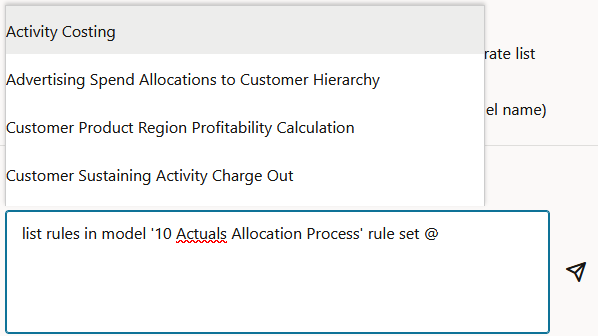
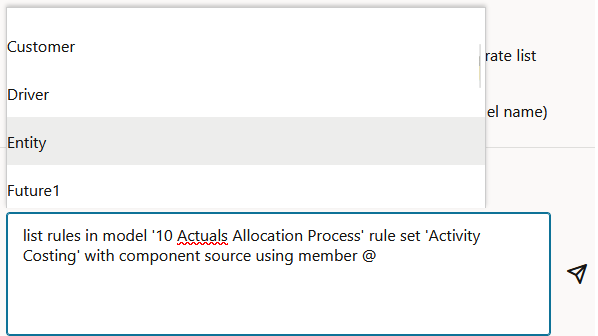
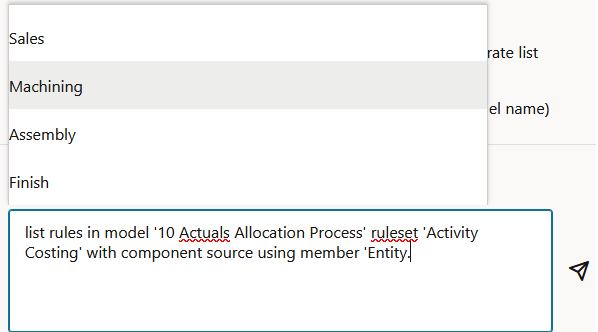
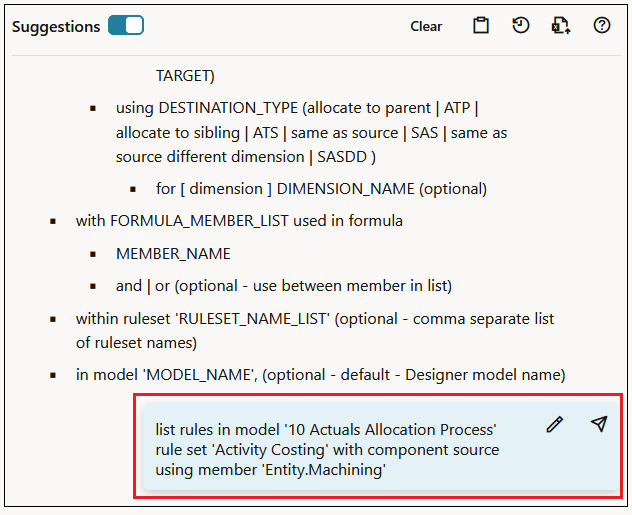
以下示例说明在创建下面的用户请求时如何使用智能查找:列出 "10 Actuals Allocation Process" 模型中的 "Activity Costing" 规则集中的规则,并且 "Source" 组件中使用 "Entity.Machining" 维/成员。
-
首先键入 list rules in model @,然后从可用模型弹出列表中选择 10 Actuals Allocation Process 模型。

-
将光标放在请求末尾,输入空格,键入 rule set @,然后从可用规则集弹出列表中选择 Activity Costing。
-
将光标放在请求末尾,输入空格,键入 with component source using member @,然后选择 Entity。
-
将光标放在 Entity. 后面,从可用成员列表中选择 Machining。
-
单击
 提交用户请求。
“PCM 代理”页面中显示的请求如下所示:
示例 2
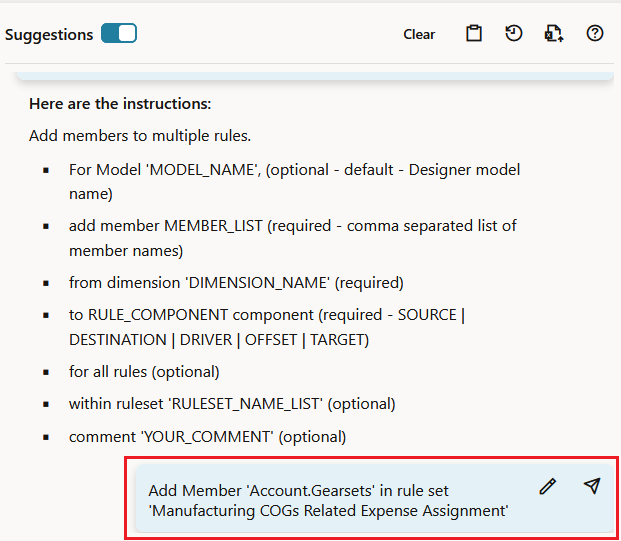
以下示例说明在创建下面的用户请求时如何使用智能查找:在 "'Manufacturing COGs Related Expense Assignment" 规则集中添加成员 ”Account.Gearsets"。
-
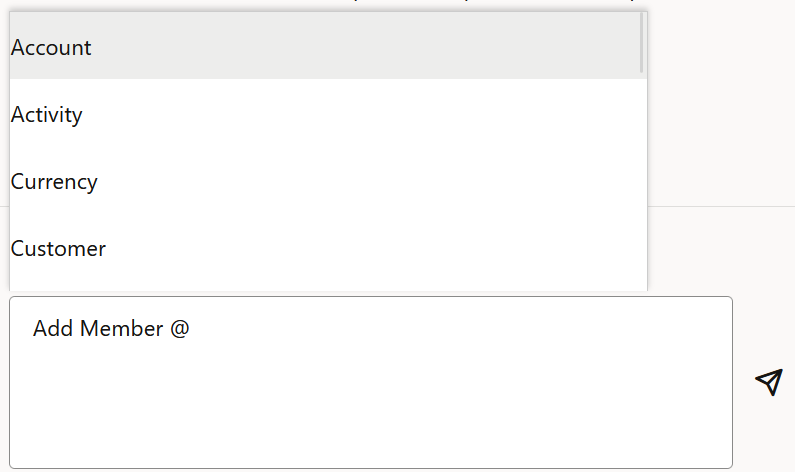
首先键入 Add Member @,然后从弹出列表中选择 Account。
-
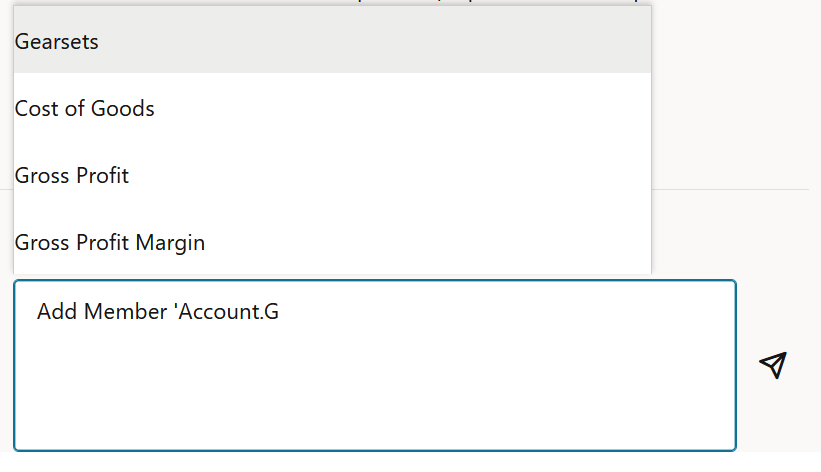
将光标放在 Account. 后面,键入 G。
这将显示名称中包含 G 的所有成员的列表。从弹出列表中选择 Gearsets。
-
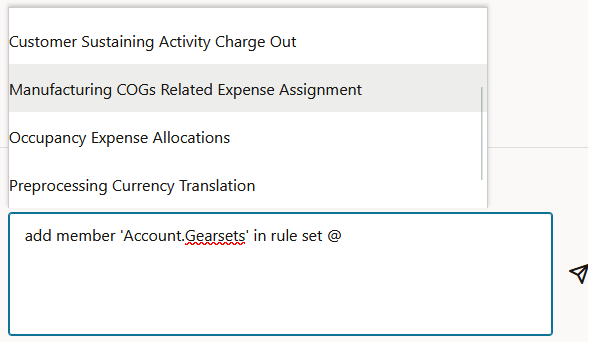
将光标放在请求末尾,输入空格,键入 in rule set @,然后从弹出列表中选择 Manufacturing COGs Related Expense Assignment。
-
单击
(发送)以提交用户请求。“PCM 代理”页面中显示的请求如下所示: