Modifying UDR DB Name
The default UDR DB name is udrdb. For using a different DB name for UDR, perform the following steps before proceeding to the helm installation of UDR.
- Under mysql section, modify the parameter, dbname to the desired value in ocudr-custom-values-1.3.0.yaml file.
- Login to the
NDBCLUSTER sql
node and copy the
udrSchema.sql
file to the same.
Note:
The udrSchema.sql is available in the UDR Customer Documentation. -
Change the DB name to desired value in udrSchema.sql file in the below highlighted places.
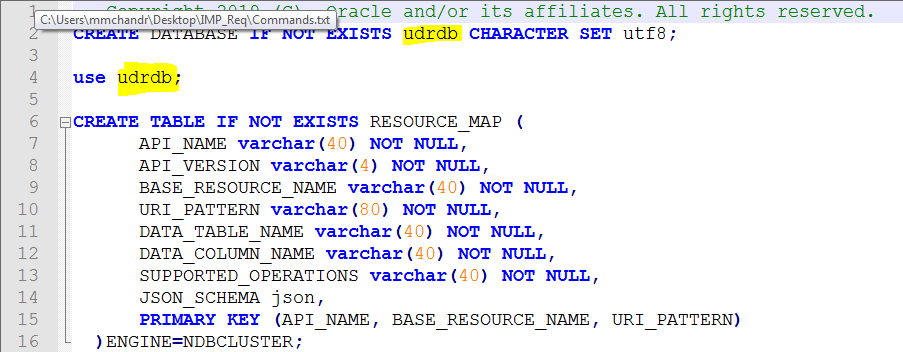
- Login to MySQL console, create an empty database with the desired database name on the sql node, and then exit then MySQL console.
- Run the following command
from the folder where the schema is present.
mysql -h 127.0.0.1 -username -password <UDR DB_NAME TO BE USED> < udrSchema.sqlFor example,
mysql -h 127.0.0.1 -username -password udrdb_demo < udrSchema.sql


