Using the Command Palette and Keyboard Shortcuts
This topic describes how to use Code Editor's Command Palette and shortcut keys.
Code Editor features a Command Palette that's accessible at any time by pressing the F1 key. The Command Palette displays a searchable list of available Code Editor commands, along with their keyboard shortcuts (if available):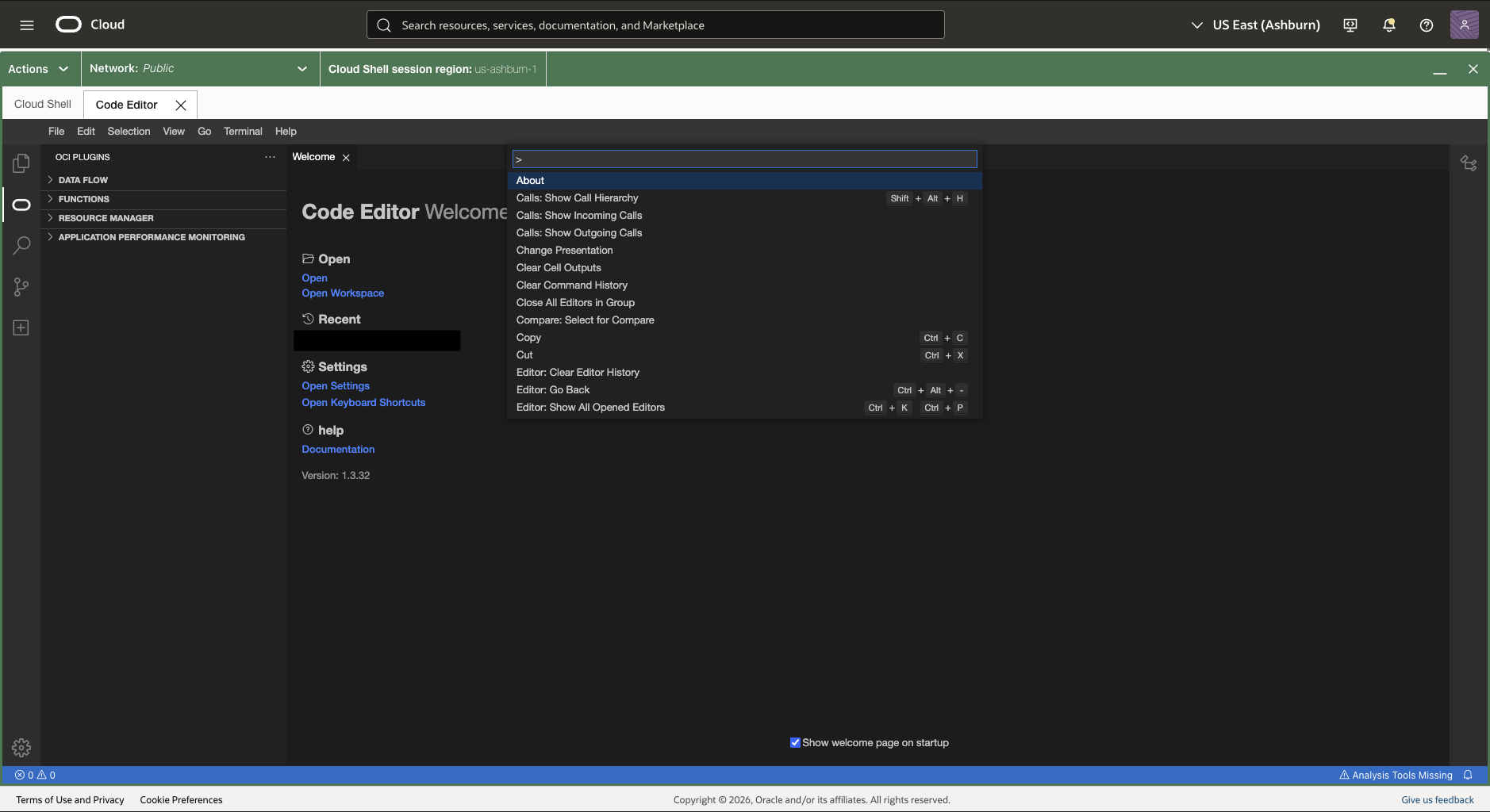
You can search for any command by typing in the Command Palette's search box. The Command Palette highlights search matches as you type.
To run a command from the Command Palette, you can:
- Select the command from the list
- Click Enter to run the highlighted command