VMware Solution Management Appliance
Learn how to use VMware Solution Management Appliance to perform SDDC maintenance operations without leaving the vSphere web console.
You don't need to switch back and forth between vSphere and the OCI Console when you're performing supported SDDC tasks. The Management Appliance automates the provisioning process for ESXi hosts and datastores in the SDDC.
You can perform operations (except for export of metrics) without the Management Appliance. However, the process requires you to change both the OCI Console and vSphere web console. The Management Appliance provides a more convenient way to make your changes.
You can use the Management Appliance to perform the following maintenance tasks from within vSphere:
- Add ESXi host
- Add datastore
- Configure ESXi host metrics that are exported to the Monitoring service.
The Management Appliance consists of a Compute instance in the tenancy, with a corresponding plugin installed in vSphere. The Compute instance uses the VM.Standard.E5.Flex shape configured with 1 OCPU and 12 GB of memory. You can estimate the cost using OCI Price List.
You can use the OCI Console or CLI to install the appliance.
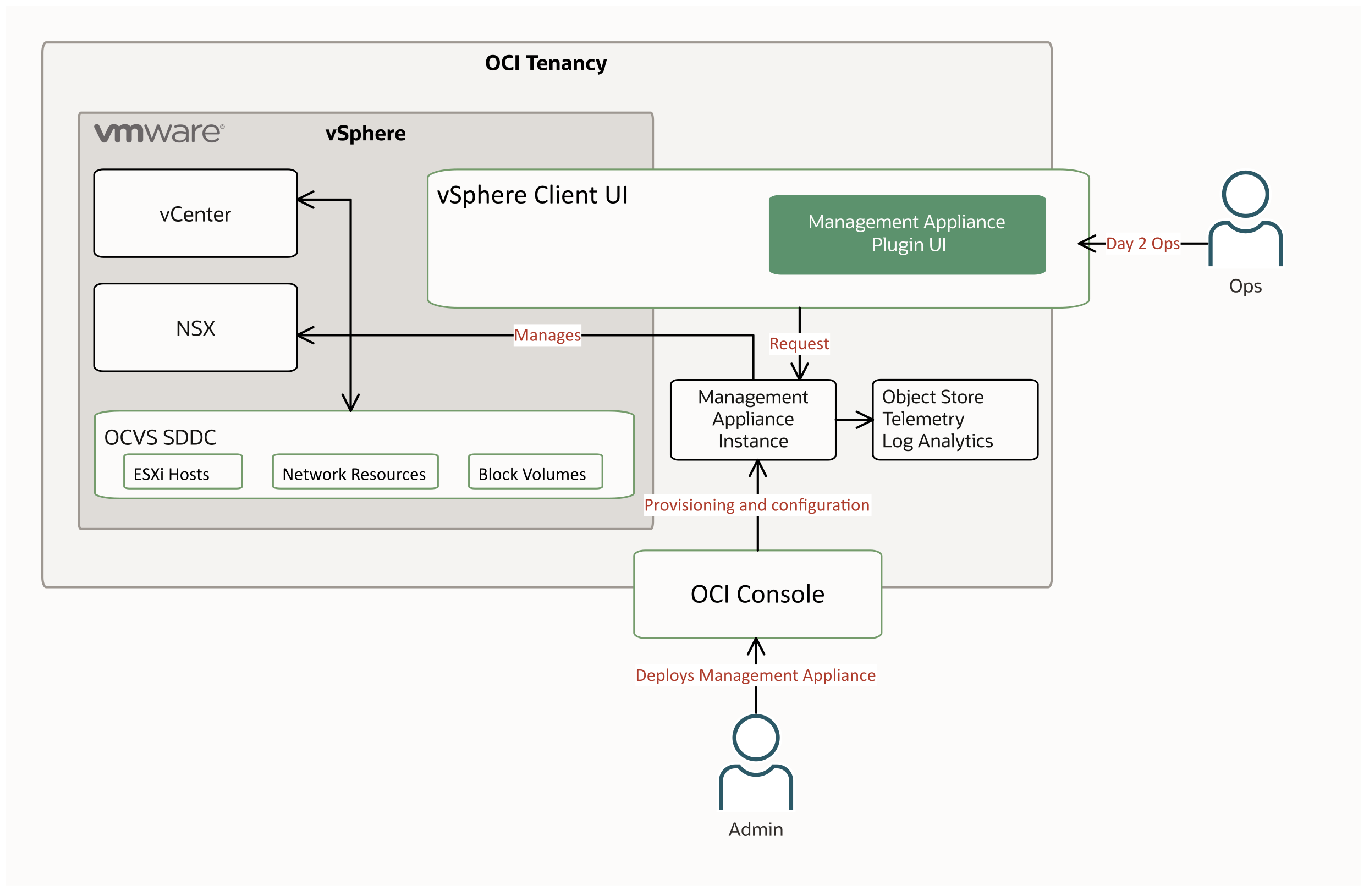
VMware Solution Management Appliance Tasks
You can perform the following VMware Solution Management Appliance tasks:
Install the Management Appliance.
Add a datastore in vSphere using the Management Appliance.
Add an ESXi Host in vSphere using the Management Appliance.
Configure exported metrics from vSphere for use with the Management Appliance.