Apache Hue Issues
Troubleshoot Apache Hue issues for Big Data Service clusters.
Configuring Node Name in HA Cluster in Case of Stand by Node Failure
By default, the first master node (mn0) is configured as the active namenode in Apache Hue. However, any of the master nodes can act as the active namenode. If the standby node gets configured as the active node, then a standby node exception error is encountered.
HDFS name node services, active and standby, are run on the two master nodes of an HA cluster.
Example:
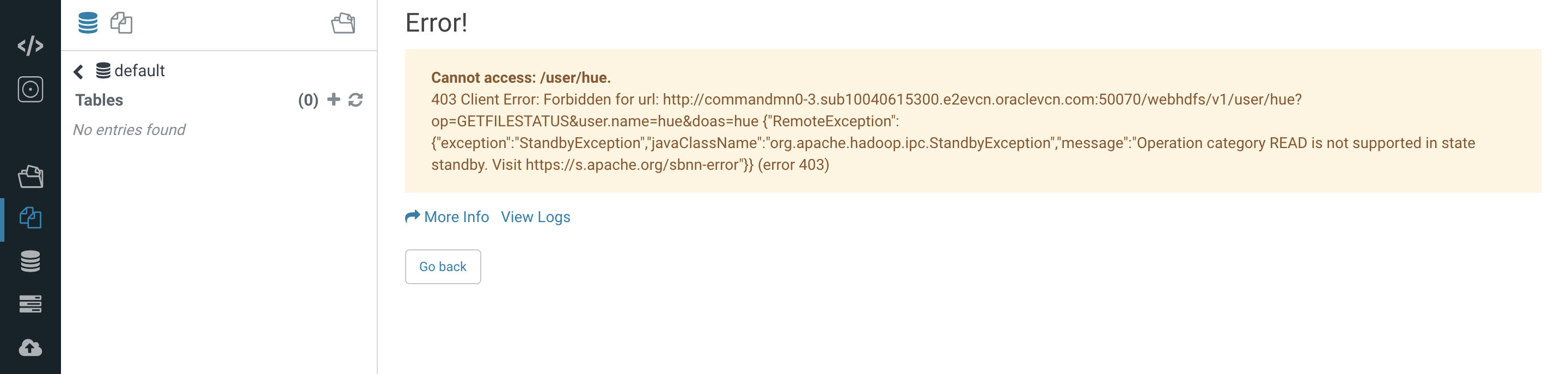
Change the Hue config in the Ambari UI and restart the Hue server (in Ambari).
- Access Apache Ambari.
- From the side toolbar, under Services select Hue.
- Select the Configs tab to modify the Apache Hue configurations.
- Select Advanced.
- From the Advanced hue-hadoop-site section, change the HDFS HttpsFS Host field value from mn0 to mn1 or vice versa.
- Select Actions, and then select Restart All.
Running Spark Shell Workflow Using Oozie Workflow in Hue For Non-HA Cluster
The Spark jobs on yarn launched through shell action in Oozie workflow are always ran as yarn. This issue only occurs for the non-HA clusters.
Run Spark shell workflow using Oozie workflow in Hue for Big Data Service non-ha clusters.
If user "xyz" runs a Spark command from shell action, the resulting Spark job on Resource manager runs as the "yarn" user. In this case, the "yarn" user must have all relevant permissions that user "xyz" requires to run the Spark job. If user "xyz" writes to a location on HDFS, then the "yarn" user must also have write permission to that directory in HDFS.