Oracle Autonomous AI Database on Dedicated Exadata Infrastructure
Use the information in this section to solve common issues of Oracle Autonomous AI Database on Dedicated Exadata Infrastructure.
Verify Network Security Rules
Note
Note: These steps are part of AWS Key Management Service (KMS) integration for Oracle Autonomous AI Database on Dedicated Exadata Infrastructure and explain how to verify Network Security Rules in OCI.
-
From the OCI console, select Oracle AI Database and then select Autonomous AI Database on Dedicated Infrastructure.
-
From the left menu, select Autonomous Exadadata VM Clusters, and then select an Autonomous Exadadata VM Clusters that you are using.
-
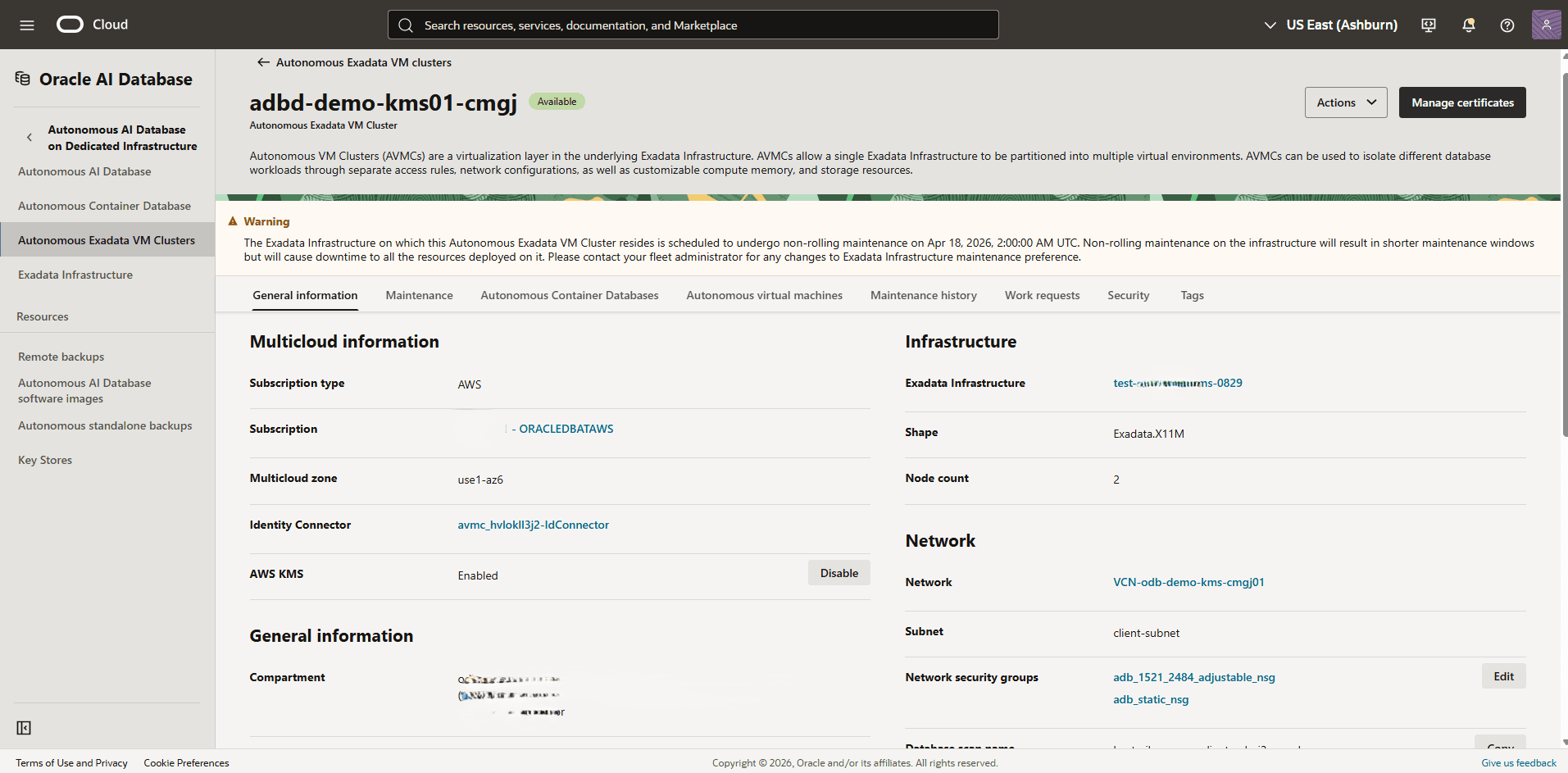
From the General information tab, navigate to Network section, and then locate the Network Security Groups and open each group to view the details.
Note
Note: The Network Security Groups use naming patterns such as adb_adjustable_nsg and adb_static_nsg.-
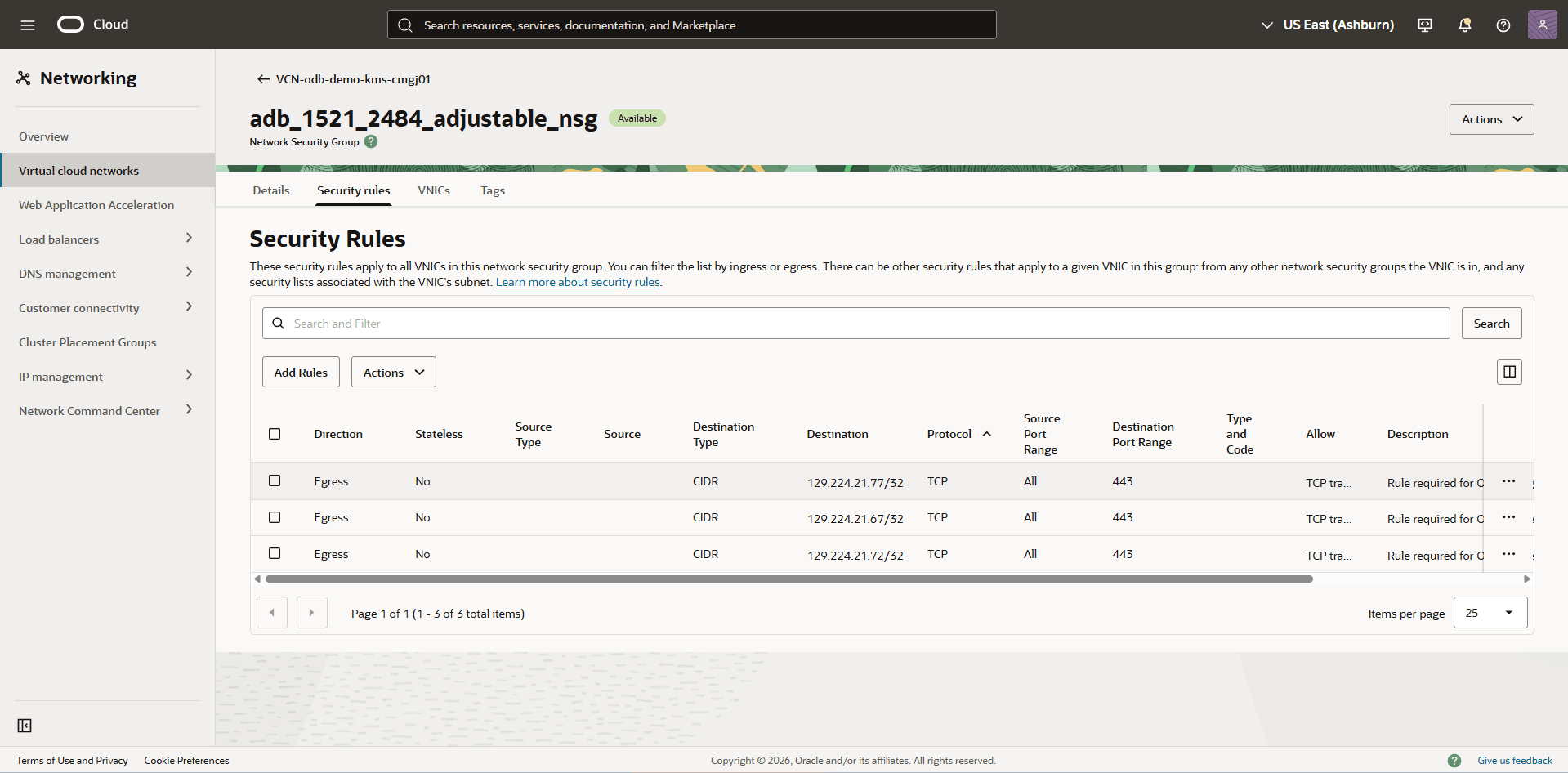
From the Network Security Group page, select the Security rules tab, and then verify the security rules for adb_adjustable_nsg.
Note
Note: In the Security Rules section, look for two egress rules targeting the AWS KMS and STS endpoints on port 443. The descriptions are similar to the following:
- Rule required for OCI service to communicate to AWS STS Service
- Rule required for OCI service to communicate to AWS KMS Service
-
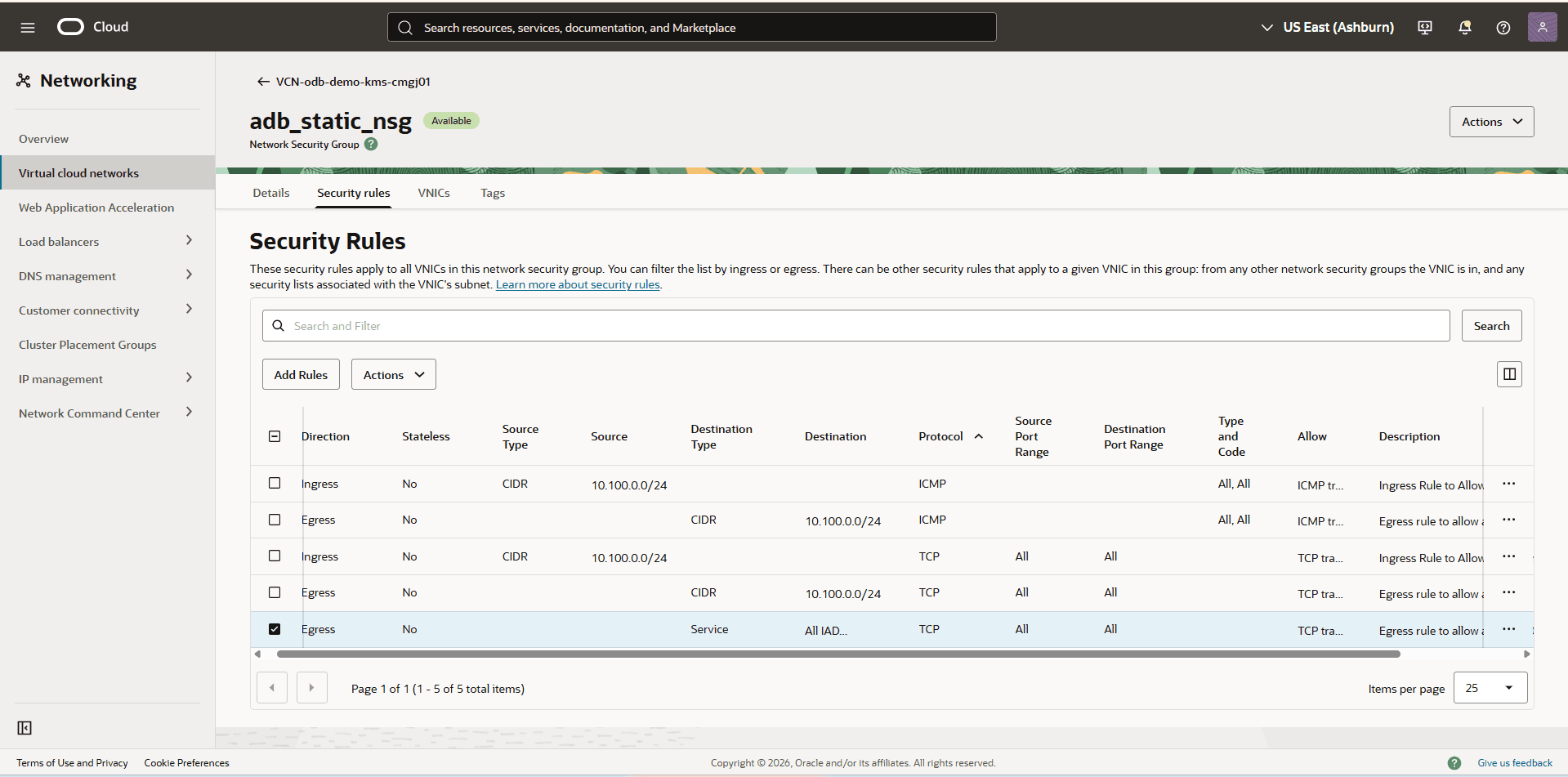
From the Network Security Group page, select the Security rules tab, and then verify the security rules for adb_static_nsg.
-
Ensure that Direction is set to Egress.
-
Ensure that the Destination Service is set to ALL IAD Services In Oracle Services Network.
-
Ensure that IP Protocol is set to TCP.
Note
Note: If any security rules do not exist, you must create them manually. For more information, see the Create Network Security Rules section. -
-
Create Network Security Rules
Note
Note: These steps are part of AWS Key Management Service (KMS) integration for Oracle Autonomous AI Database on Dedicated Exadata Infrastructure and explain how to create Network Security Rules in OCI.
-
From the AWS console, select Oracle Database@AWS,
-
From the left menu, select ODB networks, and then select the field of the ODB Network associated with your Autonomous VM Cluster.
-
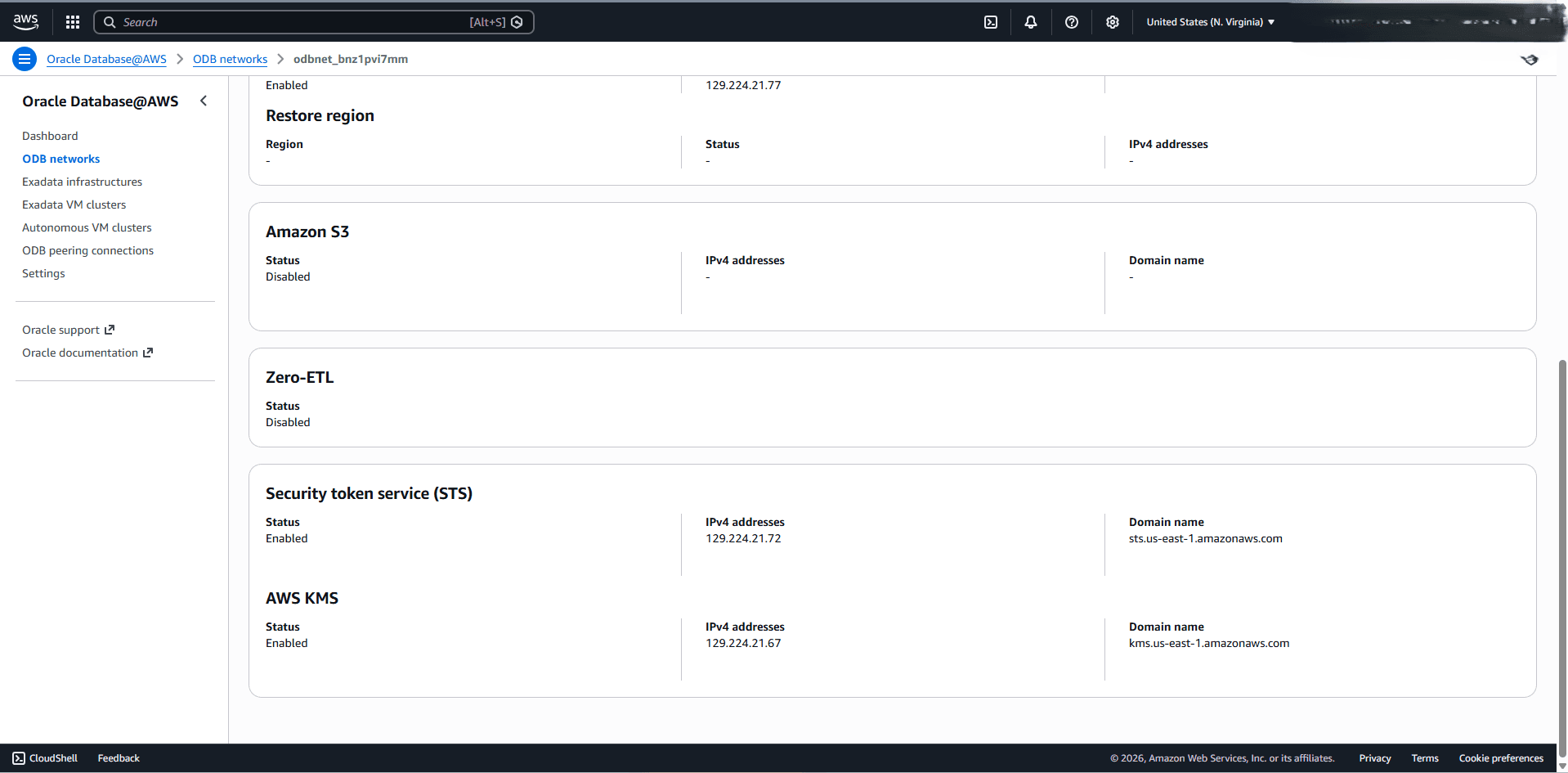
Navigate to the Security token service (STS) section, and verify that the status is set to Enabled. Then, note the IPv4 addresses.
-
From the AWS KMS section, verify that the status is set to Enabled. Then, note the IPv4 addresses.
-
From the OCI console, select Oracle AI Database and then select Autonomous AI Database on Dedicated Infrastructure.
-
From the left menu, select Autonomous Exadadata VM Clusters, and then select an Autonomous Exadadata VM Clusters that you are using.
-
From the General information tab, navigate to Network section, and then locate the Network Security Groups.
-
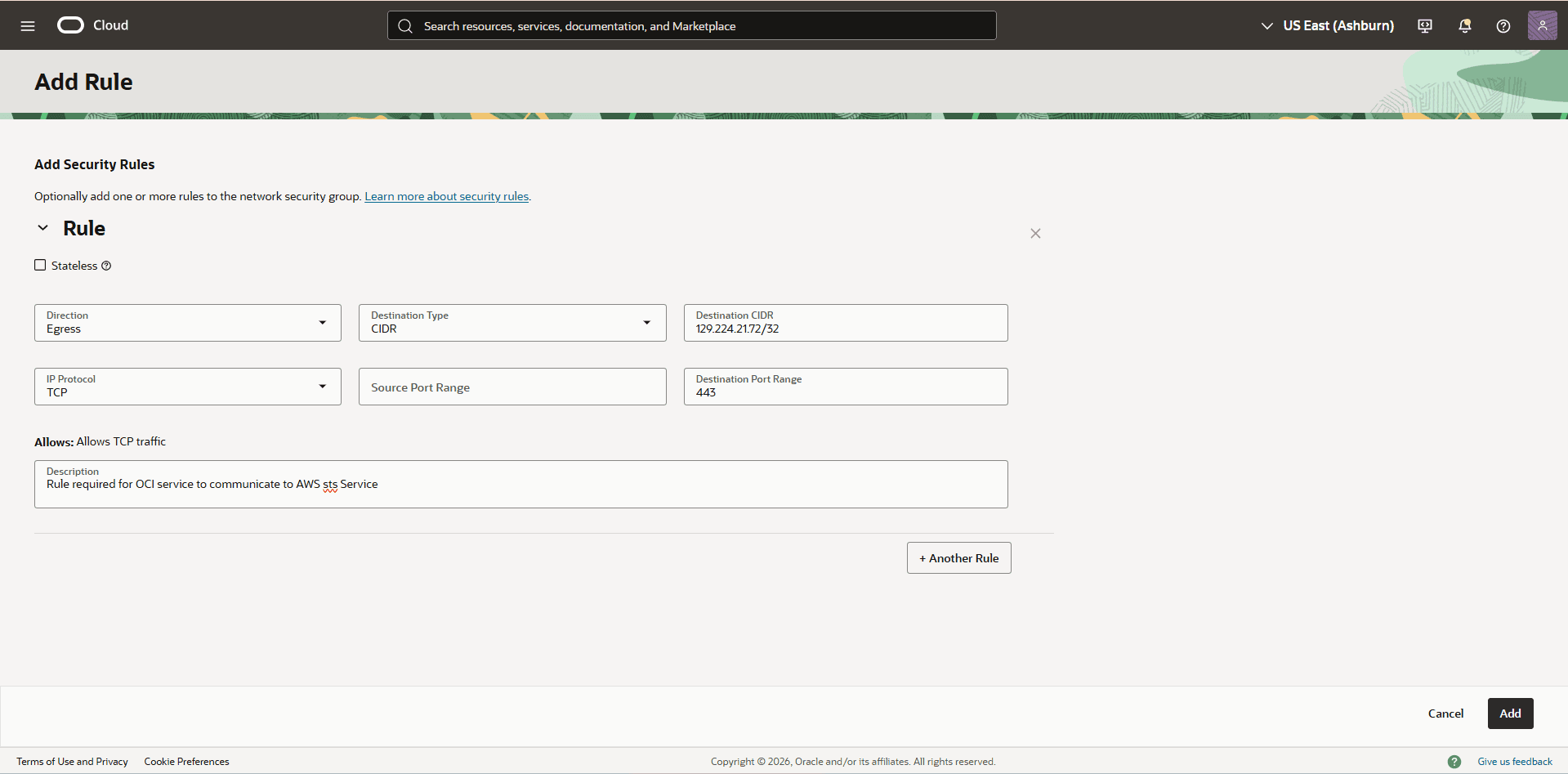
Select the Add rules button, and then complete the following substeps to create the first rule:
-
From the Direction dropdown list, select Egress.
-
From the dropdown list, select CIDR as the Destination Type.
-
For the Destination CIDR, enter the IPv4 address of the AWS STS endpoint that you copied in the step 3 with network mask of 32.
-
For the IP Protocol field, select TCP.
-
Enter 443 in the Destination Port Range field.
-
For the Description, enter Rule required for OCI service to communicate to AWS STS Service.
-
Select the Add button to save the changes.
-
-
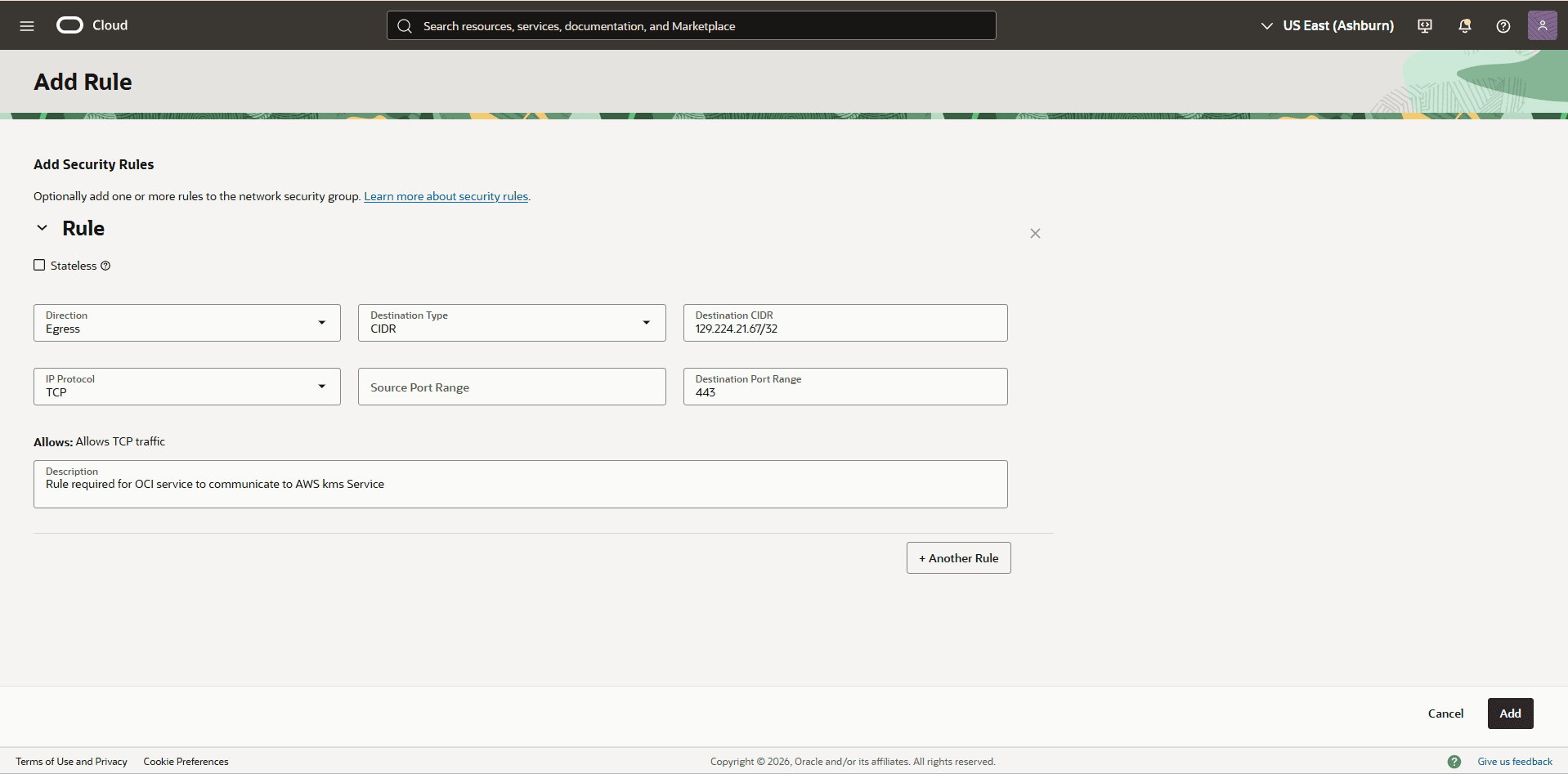
Select the Add rules button, and then complete the following substeps to create the additional rule for AWS KMS:
-
From the Direction dropdown list, select Egress.
-
From the dropdown list, select CIDR as the Destination Type.
-
For the Destination CIDR, enter the IPv4 address of the AWS KMS that you copied in the step 4 with network mask of 32.
-
For the IP Protocol field, select TCP.
-
Enter 443 in the Destination Port Range field.
-
For the Description, enter Rule required for OCI service to communicate to AWS KMS Service.
-
Select the Add button to save the changes.
-
-
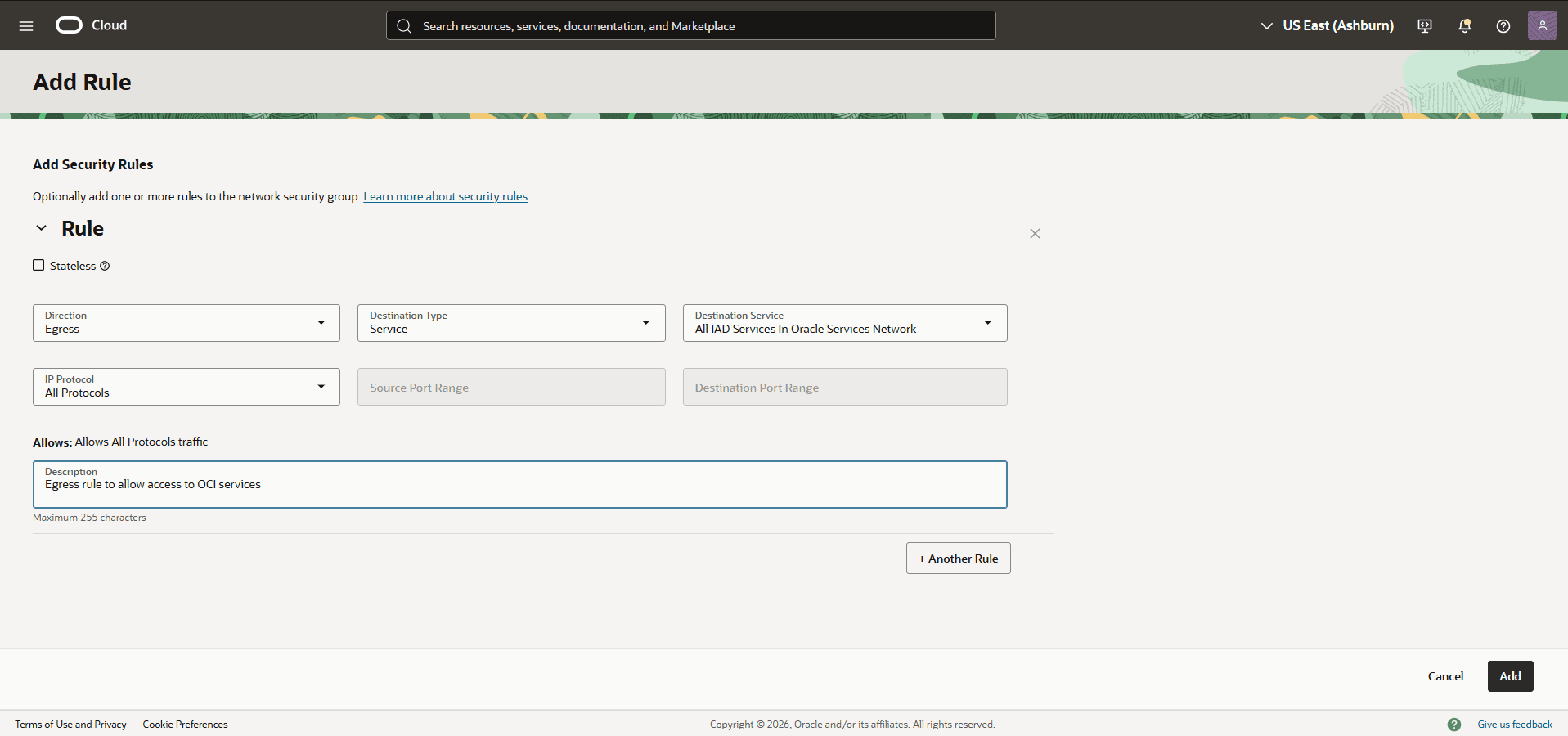
Select the Add rules button, and then complete the following substeps to create the security rule for adb_static_nsg
-
From the Direction dropdown list, select Egress.
-
From the dropdown list, select Service as the Destination Type.
-
For the Destination Service, enter the ALL IAD Services In Oracle Services Network.
-
For the IP Protocol field, select TCP.
-
For the Description, enter Egress rule to allow access to OCI services.
-
Select the Add button to save the changes.
-
VM Cluster Provision Failed Due to Invalid Network Anchor Status
When submitting a VM Cluster provision request, you can encounter the following error:
Error:
ValidationException
Invalid Network Anchor Status: NEEDS_ATTENTION. VM Cluster provisioning is only allowed when the Network Anchor is in one of the following states: [ACTIVE, CONNECTED, UPDATING]
Solution:
Complete the following steps to resolve the issue:
-
Update the ODB Network with the correct values.
-
Remove a peered CIDR from the Peered CIDR field in the ODB Network. Select the Continue button, then select Modify.
-
Add the peered CIDR back to the Peered CIDR field in the ODB Network. Select the Continue button, then select Modify.
-
-
Wait for the ODB Network status to change to Available. A successful update sets the ODB Network state to Active.
-
Create an Autonomous VM Cluster.
Cause:
The VM Cluster request failed because the ODB Network was in an invalid state after a failed update operation, such as attempting to add 100 peered CIDRs.