Quotas and Service Limits

Learn how to view and increase your Oracle AI Database@AWS service limits.

Your tenancy has limits on the maximum number of resources you're allowed to use. Your ability to deploy Oracle Database resources in AWS (and OCI) is affected by the service limits set in your OCI cloud account. When creating a new OCI tenancy, or connecting to an existing OCI tenancy, the linking process automatically sets limits for Oracle AI Database@AWS resources in the OCI cloud tenancy used for Oracle AI Database@AWS.

Before you begin provisioning Oracle AI Database@AWS resources in AWS, assess how many Oracle AI Database@AWS resources (such as ODB Network, Exadata Infrastructure, Autonomous Recovery Service) you plan to deploy in your AWS environment. Then review the current service limits in your OCI tenancy and determine if your existing limits are adequate to deploy the number of Oracle AI Database@AWS resources you need.

If you need to request a service limits increase, see Requesting a Limit Increase for Multicloud.

To view your Oracle AI Database@AWS service limits in Oracle Cloud Console (OCI), follow these steps:
  1. Search for Limits, quotas and usage in the Oracle Cloud Console, then select Limits, quotas and usage .
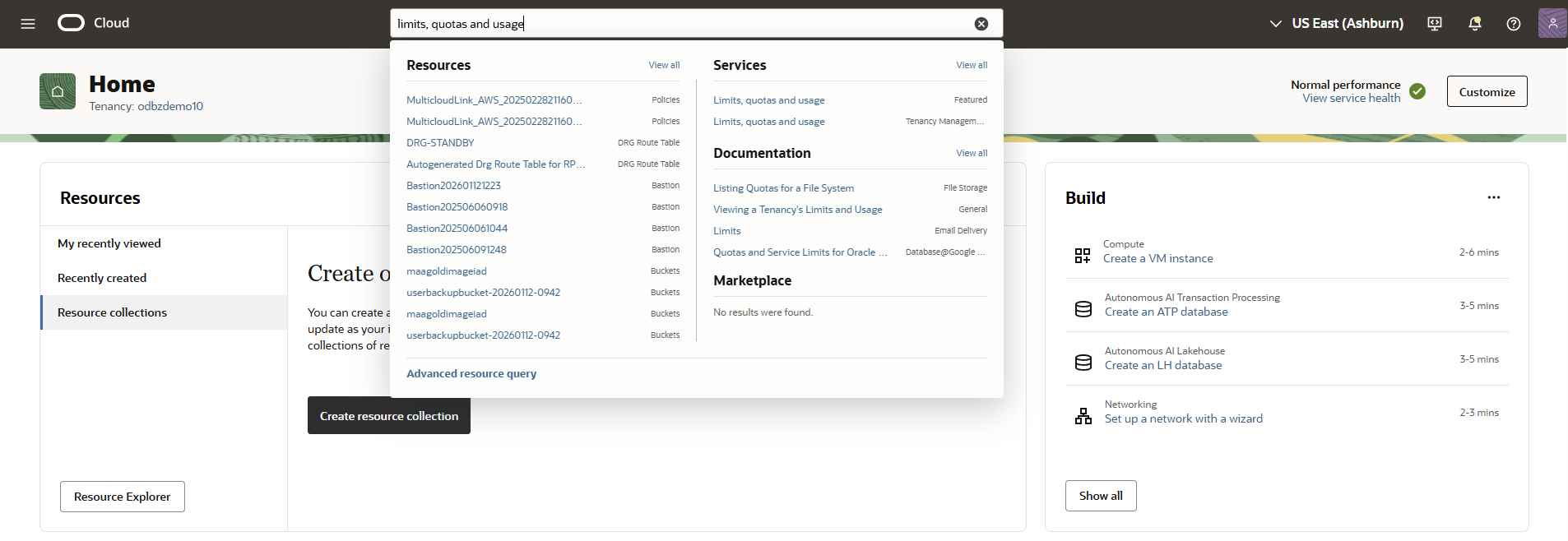
    Searching for Limits, quotas and usage in the Oracle Cloud Console
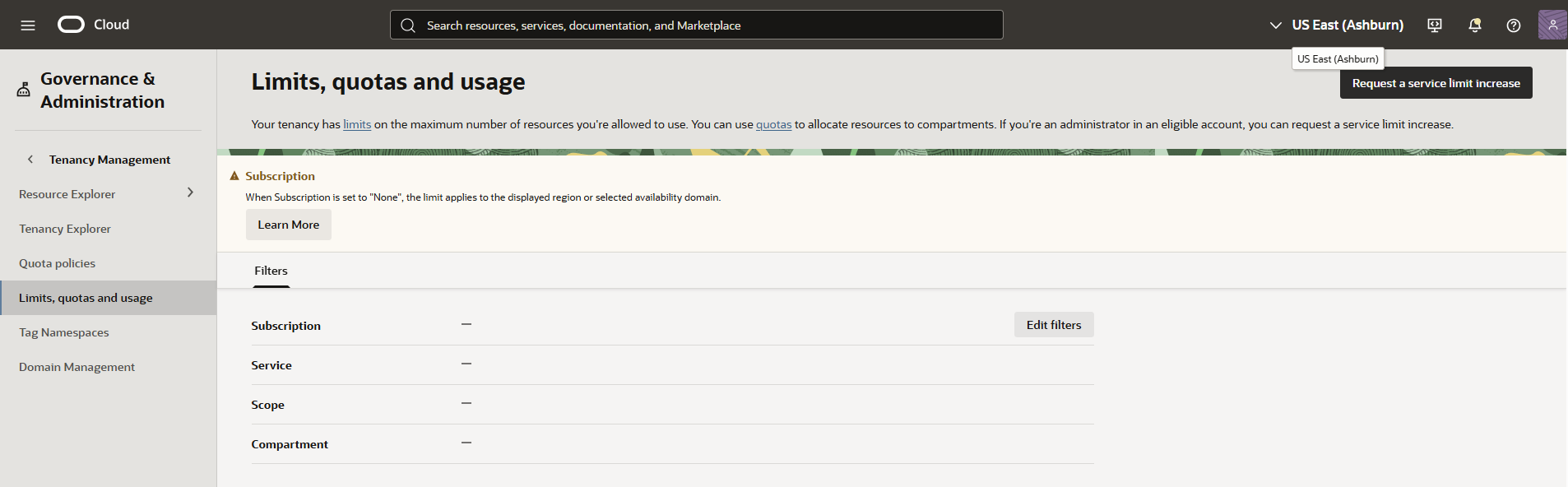
  2. Select Edit filters.
    Edit filters on the Limits, quotas and usage page in the Oracle Cloud Console
  3. Select the values using the following guidance.
    • Subscription: Select your Oracle AI Database@AWS subscription. This subscription ends in ORACLEDBATAWS .
    • Service: Select the service from the list described in the following table.

      Each service (category) can be one or more service names. The Service name column in the table isn't available for user selection.

      Service Service name Scope Compartment
      Autonomous Recovery Service Oracle Database Autonomous Recovery Service OCI Region Identifier <tenancy_name> (root)
      Database Oracle Exadata Database Service on Dedicated Infrastructure OCI AD Identifier <tenancy_name> (root)
      Oracle Autonomous AI Database on Dedicated Exadata Infrastructure OCI AD Identifier <tenancy_name> (root)
      Multicloud AWS Resource Anchor OCI AD Identifier <tenancy_name> (root)
      AWS Network Anchor OCI AD Identifier <tenancy_name> (root)
    • Scope: Depending on the selected service, select the OCI Region Identifier or OCI AD Identifier.

      To learn the mapping between AWS (regions and zones) and OCI (regions and availability domains), see Cross-Cloud Region and Zone Mapping and Regional Availability.

    • Compartment: Select the root compartment within your OCI tenancy hosting the MulticloudLink_AWS_ compartment for Oracle AI Database@AWS resource deployment.
  4. Select Update.

    The Limits, quotas and usage page shows the counts for Service Limit, Usage, and Available.

    Autonomous Recovery Service example:
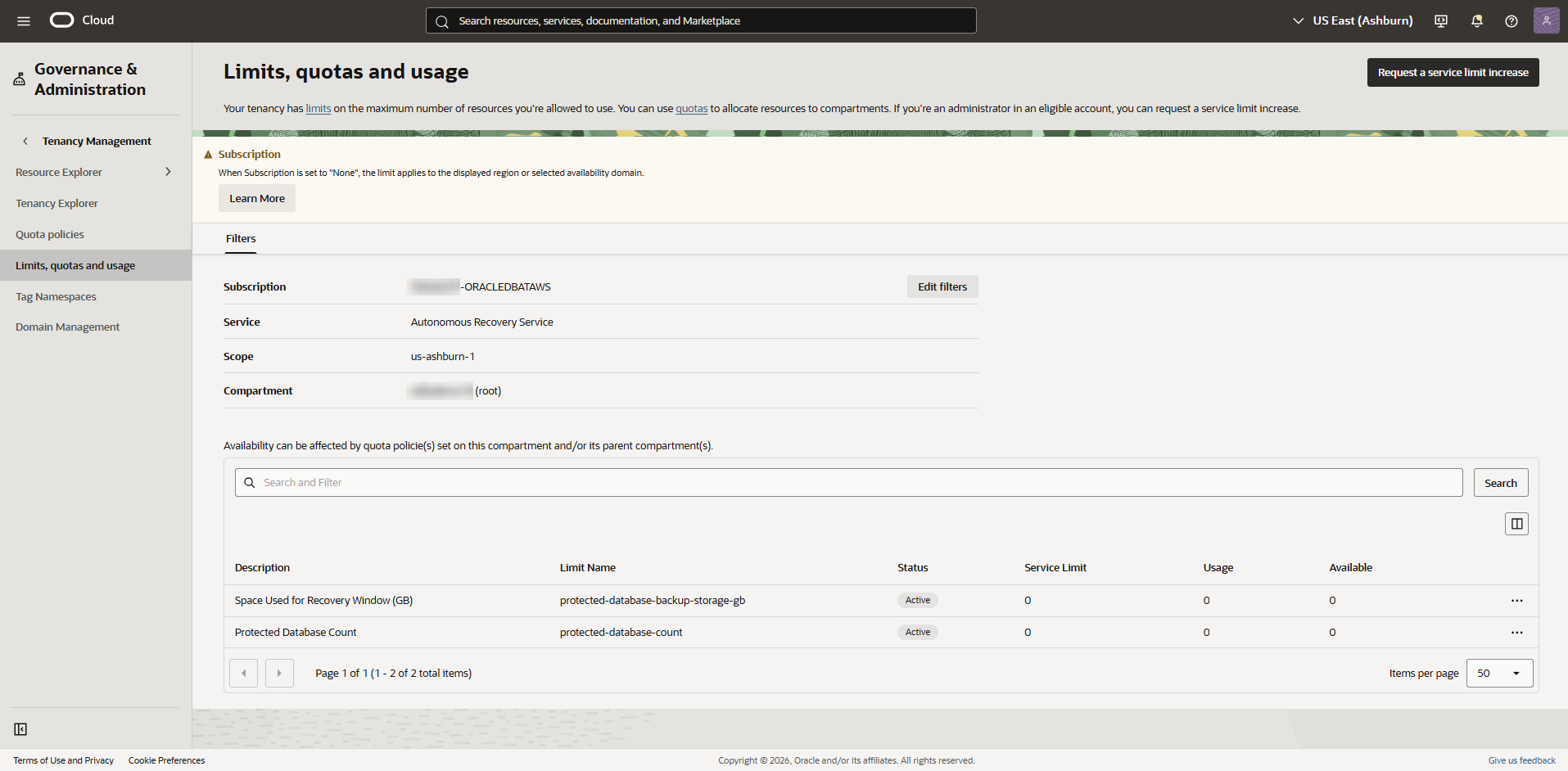
    Example of Limits, quotas and usage page for Autonomous Recovery Service (Oracle AI Database@AWS)

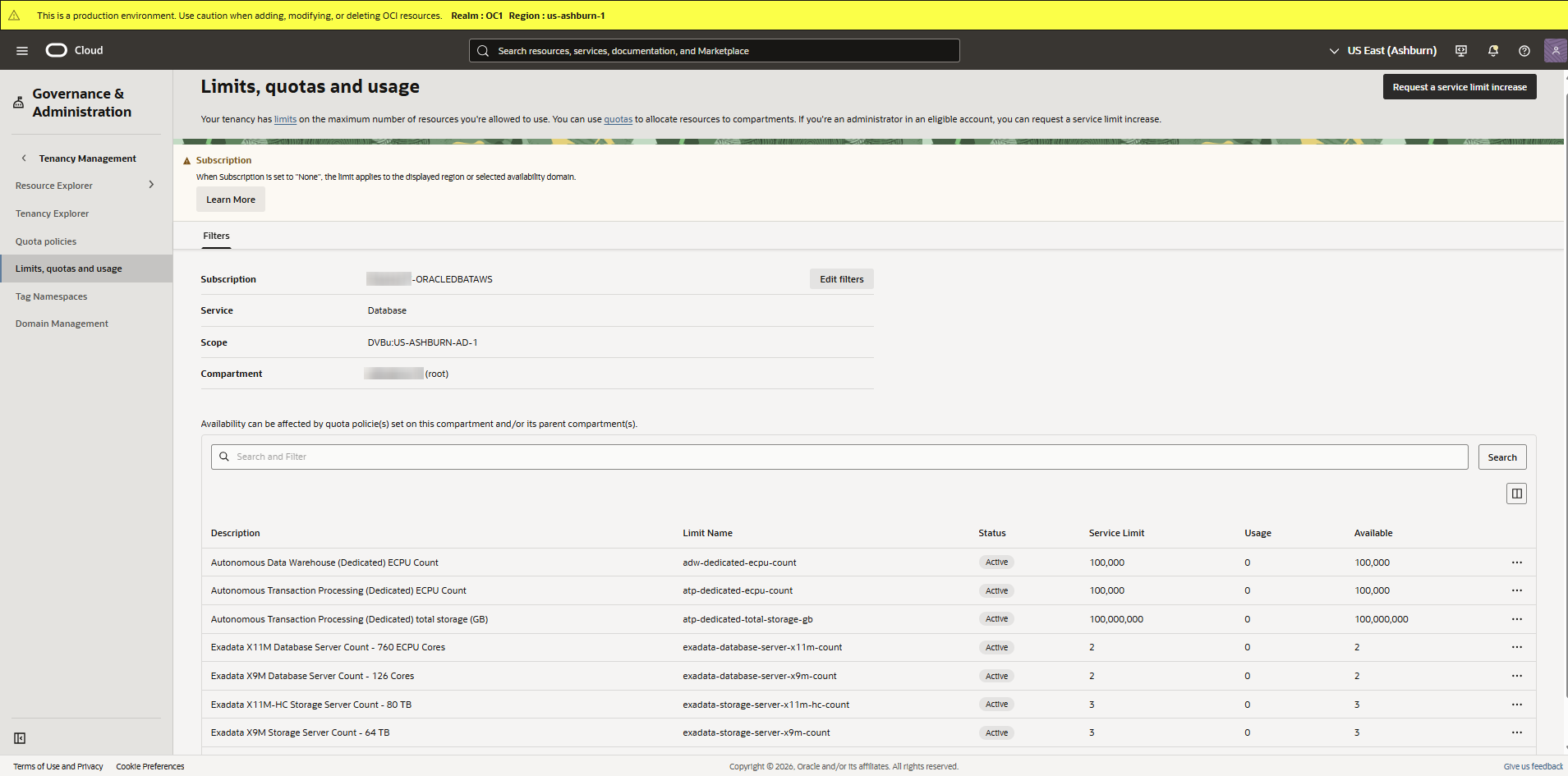
    Database example:

    Example of Limits, quotas and usage page for Database (Oracle AI Database@AWS)

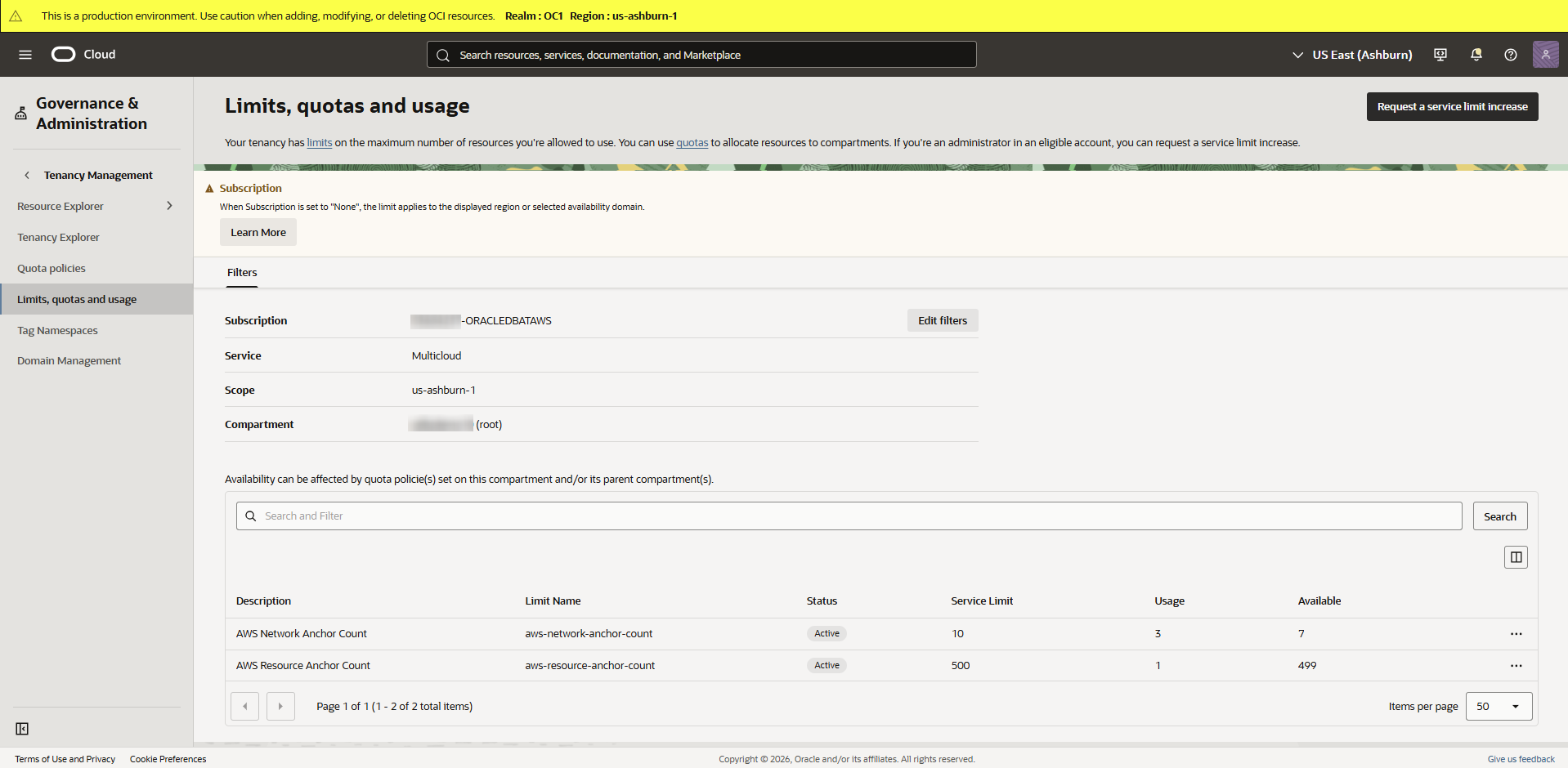
    Multicloud example:

    Example of Limits, quotas and usage page for Multicloud (Oracle AI Database@AWS)

To increase your Oracle AI Database@AWS service limits in Oracle Cloud Console (OCI), see Requesting a Limit Increase for Multicloud.