Autonomous AI Database (Serverless)
Oracle Autonomous AI Database Service provides you with the capability to set up and modify disaster recovery configurations. It is crucial to establish your recovery time objective (RTO) and recovery point objective (RPO) for different levels of failures, including both planned and unplanned events.
- Backup-based disaster recovery:
Oracle Autonomous AI Database Service on Azure supports backup-based disaster recovery (DR).
- Autonomous Data Guard:
Autonomous Data Guard for Oracle Autonomous AI Database Service provides high availability and disaster recovery by maintaining a standby database in a separate availability zone (AZ) or region. When enabled, it ensures that the primary and standby databases remain synchronized with a RPO of 1 minute and it allows automatic failover in the event of an outage or disaster.
If you have selected deployment mode as Secure access from everywhere or Secure access from allowed IPs, you may create up to 1 local peer. If you have selected deployment mode as Managed private virtual network IP only, you may create up to 1 local peer and one cross region peer for every remote paired region.
Cross-Region Disaster Recovery Region Pairs
North America (NA)
| Source Region | Peer Region |
|---|---|
|
|
|
|
|
|
|
|
|
|
|
|
|
|
|
|
|
|
|
|
Europe, Middle East, Africa (EMEA)
| Source Region | Peer Region |
|---|---|
|
|
|
|
|
|
|
|
|
|
|
|
|
|
|
|
|
|
|
|
|
|
|
|
|
|
|
|
Latin America (LATAM)
| Source Region | Peer Region |
|---|---|
|
|
|
|
Asia Pacific (APAC)
| Source Region | Peer Region |
|---|---|
|
|
|
|
|
|
|
|
|
|
|
|
|
|
Add Oracle Disaster Recovery
Complete the following steps to set up a disaster recovery.- From the Azure portal, select Oracle AI Database@Azure.
- From the left navigation menu, select Oracle Autonomous AI Database.
- Select your Autonomous AI Database that you want to modify.
- Expand the Settings section, and then select the Disaster recovery link.
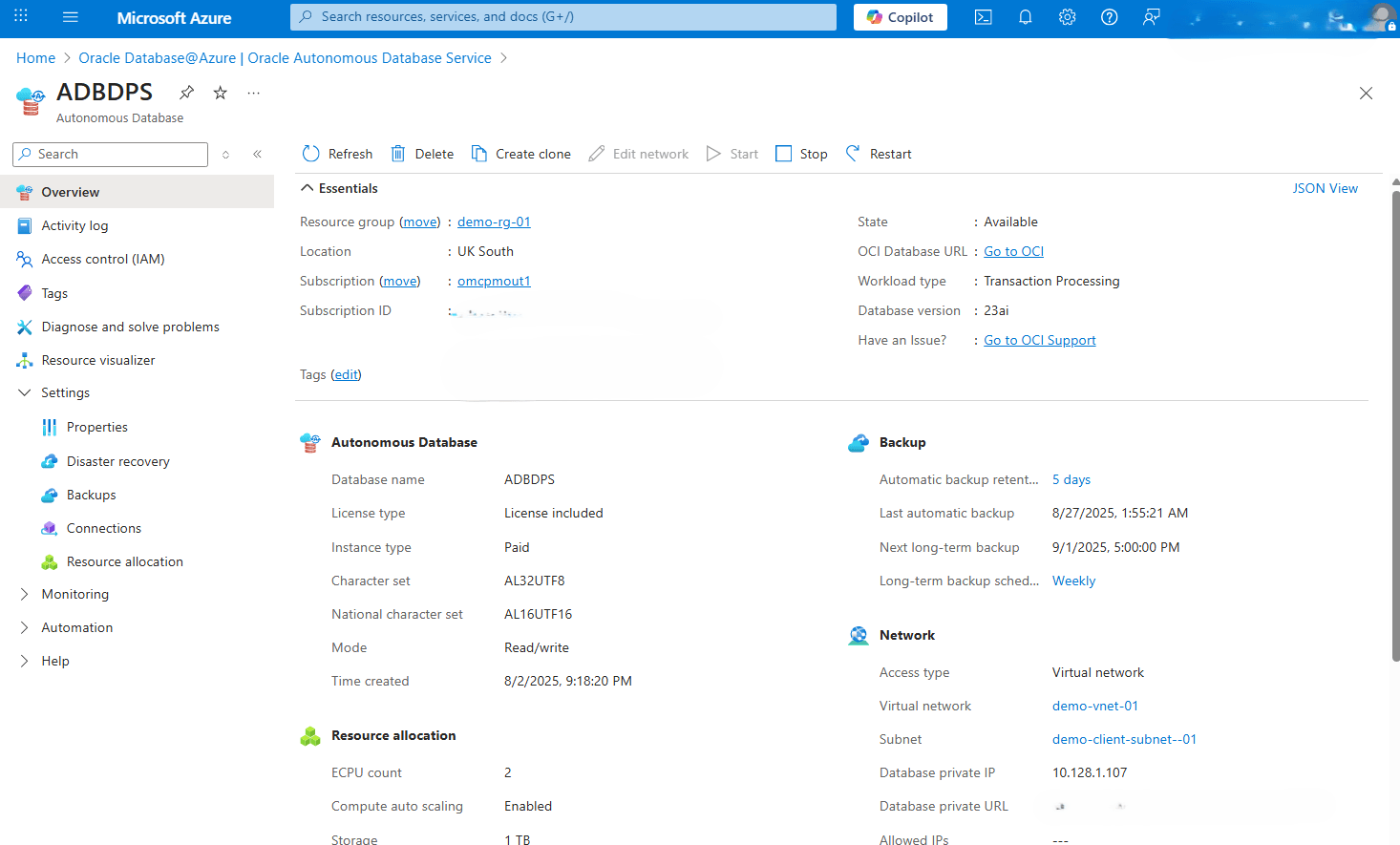
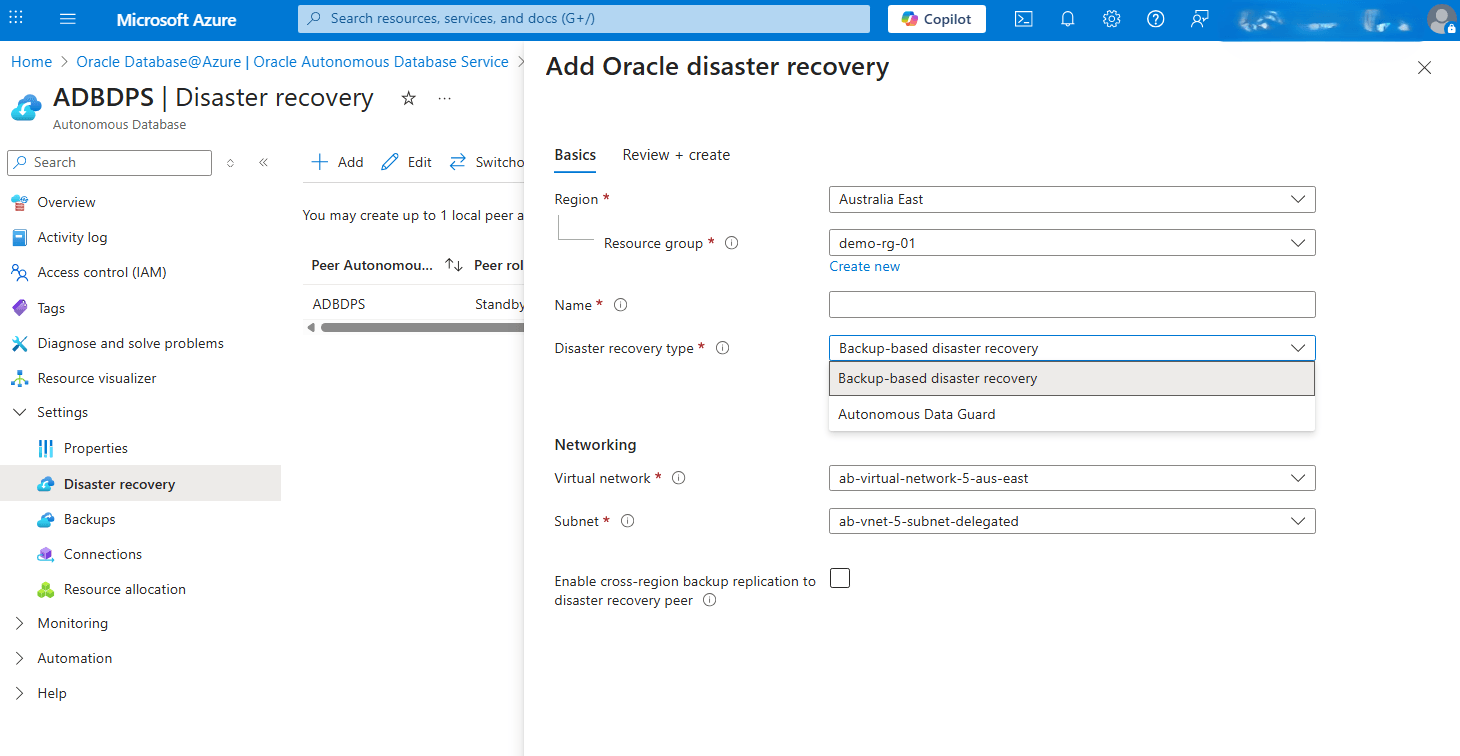
- Click the Add button, and then complete the following substeps.
- From the dropdown list, select your Region.
- From the dropdown list, select your Resource group.
- Enter an unique Name. The value must contain only letters and numbers, starting with a letter. 30 characters max. Spaces are not allowed.
- Select your Disaster recovery type from the dropdown list. Choose either the Backup-based disaster recovery or Autonomous Data Guard option.
- From the Networking section, select your Virtual network and Subnet.
- To Enable cross-region backup replication to disaster recovery peer, select the checkbox.
- Select the Next button to proceed.
- From Review + create tab, select the Create button.
- Once you review your information, select the Review + create button.
For more information, see Service Level Objectives (SLOs).
Edit Oracle Disaster Recovery
Complete the following steps to edit a disaster recovery.- From the Azure portal, select Oracle AI Database@Azure.
- From the left navigation menu, select Oracle Autonomous AI Database.
- Select your Autonomous AI Database that you want to modify.
- Expand the Settings section, and then select the Disaster recovery link.
- Click the Edit button, and then complete the following substeps.
- From the dropdown list, select Peer autonomous database.
- The Disaster recovery type field has two options. Choose either Autonomous Data Guard or Backup-based disaster recovery.
- Enable the Automatic Failover with data loss limit in seconds option if it is required.
- Select the Edit button.
Switchover
Switchover is a planned transition from the primary database to its standby. This operation is typically used for maintenance, testing, or proactively shifting the workloads. When using Oracle Autonomous Data Guard, switchover ensures minimal downtime and zero data loss by promoting the standby database to primary status while demoting the original primary to standby. To perform a switchover, your Autonomous AI Database must be part of a configured Disaster Recovery Protection Group.
Complete the following steps to perform a switchover.- From the Azure portal, select Oracle AI Database@Azure.
- From the left navigation menu, select Oracle Autonomous AI Database.
- Select your Autonomous AI Database that you are using.
- Expand the Settings section, and then select the Disaster recovery link.
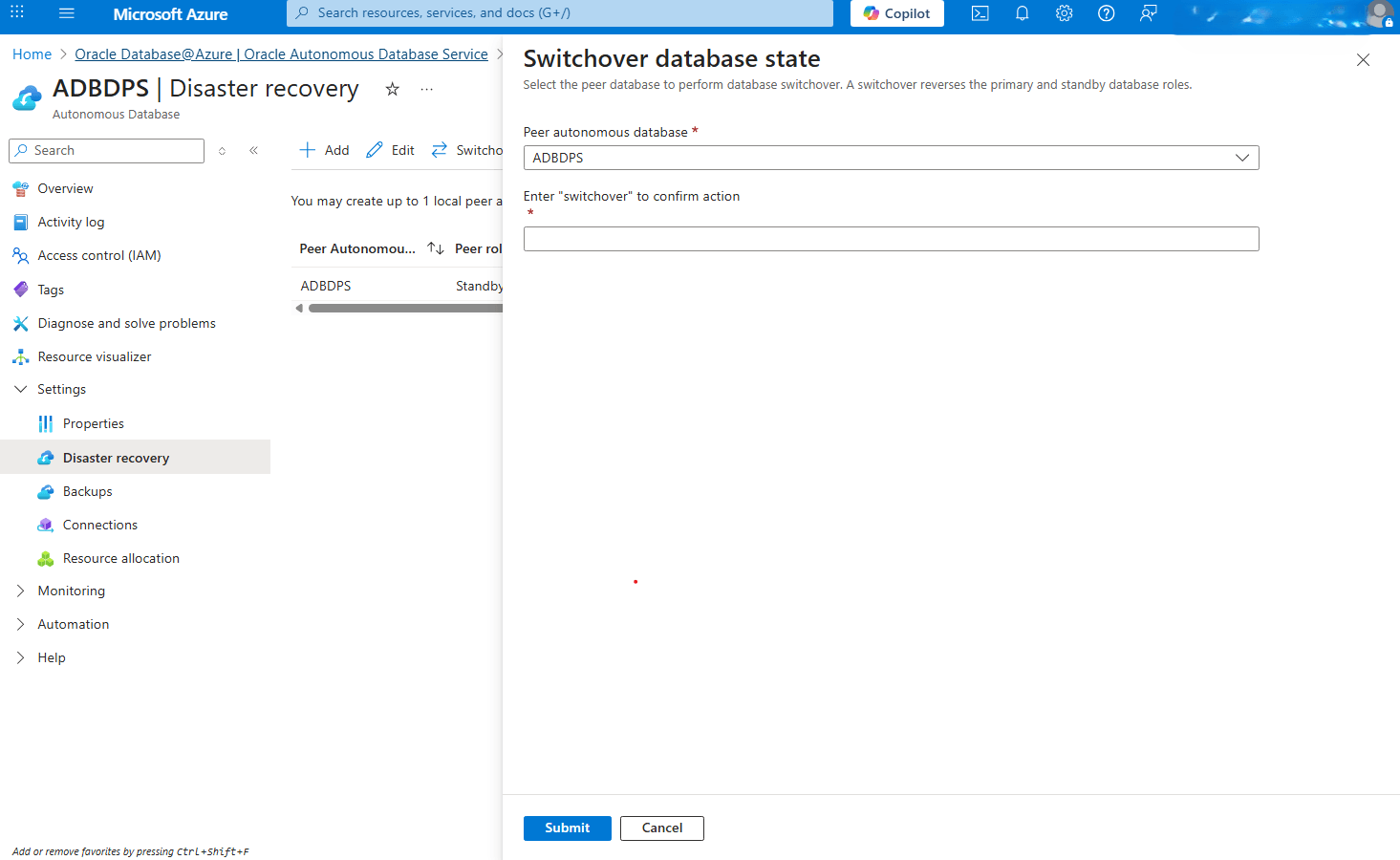
- Select the Switchover button and from the Swithover database state page, complete the following substeps:
- From the dropdown list, select your Peer autonomous database.
- Enter switchover into the field to confirm your action.
- Select the Submit button to apply the changes.
Cross-region disaster recovery is only available through the Azure Portal and Azure CLI.
Prerequisites
Use one of the following options:- Azure Cloud Shell (Bash)
- Azure CLI on MacOS
- Azure CLI on Windows
Sample Azure CLI Commands
# Azure CLI v2.81.0

# Disaster Recovery

## Create Disaster Recovery
#	(Not supported from Azure CLI)

# Change disaster-recovery configuration (Adg, BackupBased)
az oracle-database autonomous-database change-disaster-recovery-configuration \
	--resource-group demo-rg-nrj \
	--autonomousdatabasename demoadbnrj \
	--disaster-recovery-type Adg \
	--is-replicate-automatic-backups False

# Switchover
az oracle-database autonomous-database switchover \
  --ids "/subscriptions/64153xxx-2exx-43xx-bexx-0d8eba8dxxxx/resourceGroups/demo-rg-01/providers/Oracle.Database/autonomousDatabases/demoadb01"

# Failover
az oracle-database autonomous-database failover \
  	--autonomousdatabasename demoadbnrj \
  	--resource-group demo-rg-nrj
  	--peer-db-id demoadbnrj
For detailed configuration options, see az oracle-database autonomous-database create.
Cross-region disaster recovery is only available through the Azure Portal and Azure CLI.
There is currently no content for this page. Oracle AI Database@Azure team intends to add content here, and this placeholder text is provided until that text is added. The Oracle AI Database@Azure team is excited about future new features, enhancements, and fixes to this product and this accompanying documentation. We strongly recommend you watch this page for those updates.