Autonomous AI Database (Dedicated) - Automatic
Learn how to create a backup for your Autonomous AI Database using the Automatic Backup option
There is currently no content for this page. Oracle AI Database@Azure team intends to add content here, and this placeholder text is provided until that text is added. The Oracle AI Database@Azure team is excited about future new features, enhancements, and fixes to this product and this accompanying documentation. We strongly recommend you watch this page for those updates.
Automatic Backup from the OCI Console
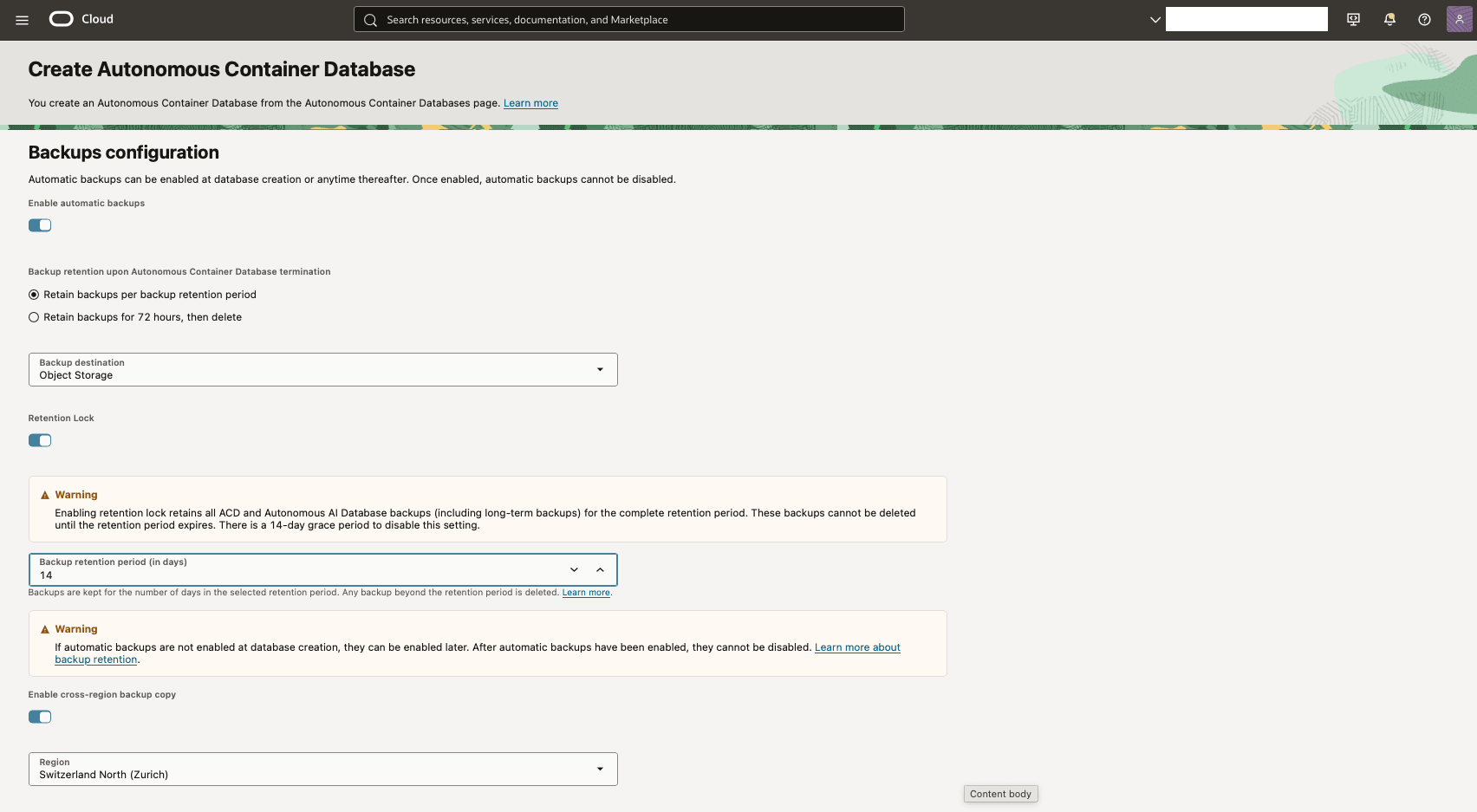
We recommend using Oracle-managed automatic backup for your databases. Oracle AI Database@Azure offers the following choice as the Backup destination for Oracle Autonomous AI Database on Dedicated Exadata Infrastructure in the OCI Console.- Object Storage
You can enable automatic backups during or after you create an Autonomous Container Database. Use the following configuration options when you enable automatic backups.
- Backup retention upon Autonomous Container Database termination provides the following two options:
- Retain backups per backup retention period.
- Retain backups for 72 hours, then delete.
- Retention Lock provides an option to enable it.
Note
When you enable retention lock, the service retains all Autonomous Container Database and Autonomous AI Database backups, including long-term backups, for the full retention period. You cannot delete these backups until the retention period expires. There is a 14-day grace period to disable this setting. - Backup retention period provides you to choose between 7 days and 95 days as your database Backup retention period. You can modify the retention period after the database is provisioned. If retention lock is enabled, you can only increase the retention period.
- Enable cross-region backup copy enables you to copy the backup to secondary region selected by you.
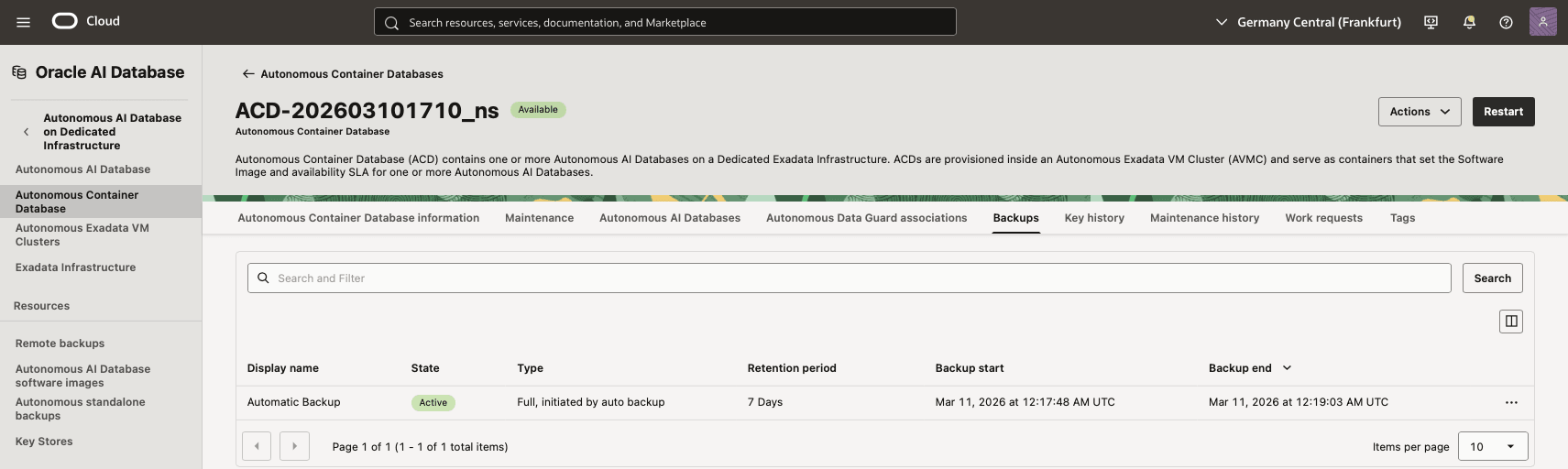
You can view automatic backups by navigating to the Backups tab on the Autonomous Container Databases page in the OCI Console. You can also verify other backup details, such as State, Type, Retention period, Backup start, and Backup end.
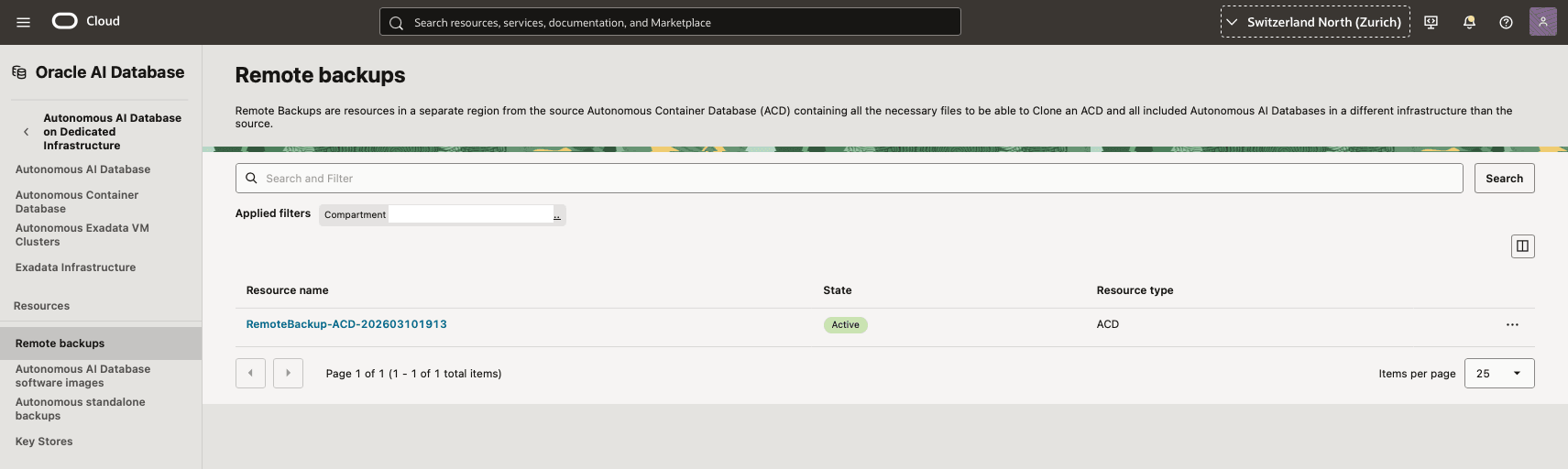
You can view remote backups by navigating to Remote Backups on the Autonomous AI Database on Dedicated Infrastructure page and switching to the secondary region in the OCI Console. You can also verify other backup details, such as State and Resource Type.
There is currently no content for this page. Oracle AI Database@Azure team intends to add content here, and this placeholder text is provided until that text is added. The Oracle AI Database@Azure team is excited about future new features, enhancements, and fixes to this product and this accompanying documentation. We strongly recommend you watch this page for those updates.
There is currently no content for this page. Oracle AI Database@Azure team intends to add content here, and this placeholder text is provided until that text is added. The Oracle AI Database@Azure team is excited about future new features, enhancements, and fixes to this product and this accompanying documentation. We strongly recommend you watch this page for those updates.
There is currently no content for this page. Oracle AI Database@Azure team intends to add content here, and this placeholder text is provided until that text is added. The Oracle AI Database@Azure team is excited about future new features, enhancements, and fixes to this product and this accompanying documentation. We strongly recommend you watch this page for those updates.