Exadata Infrastructure
Deleting Oracle Exadata VM Cluster(s) is prerequisite to delete an Oracle Exadata Infrastructure. Oracle recommends taking a backup of your databases before deleting an Exadata VM Cluster to prevent any potential data loss.
- These are the steps to delete an Exadata Infrastructure.
- From the Azure portal, select Oracle Database@Azure.
- From the left menu, select Oracle Exadata Database Service on Dedicated Infrastructure, and then select the Oracle Exadata Infrastructures tab.
- From the Oracle Exadata Infrastructures list, select your Exadata Infrastructure that you want to delete.
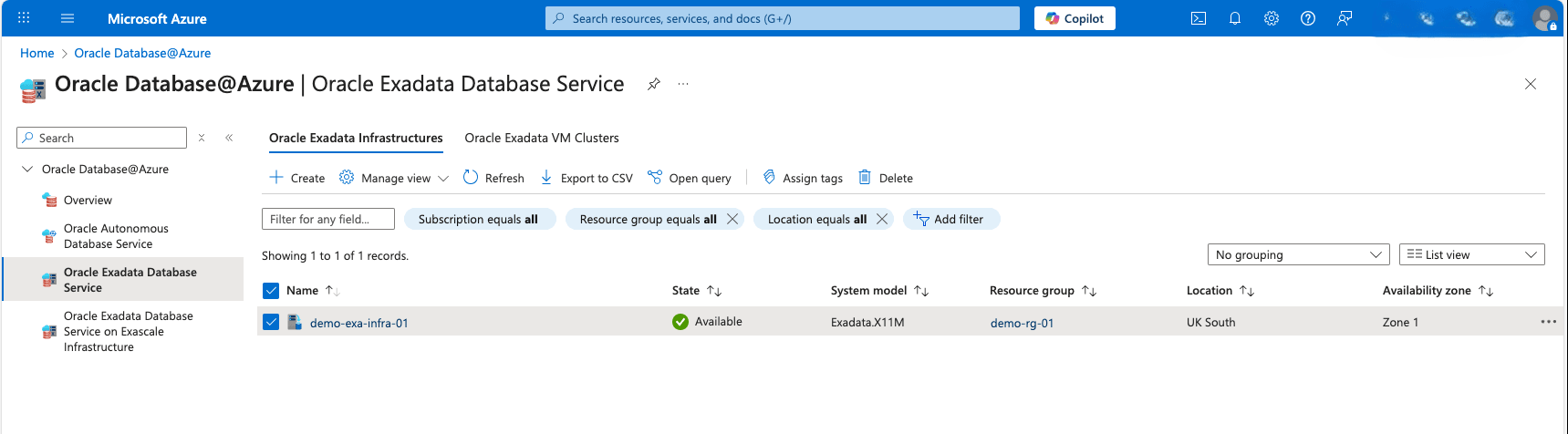
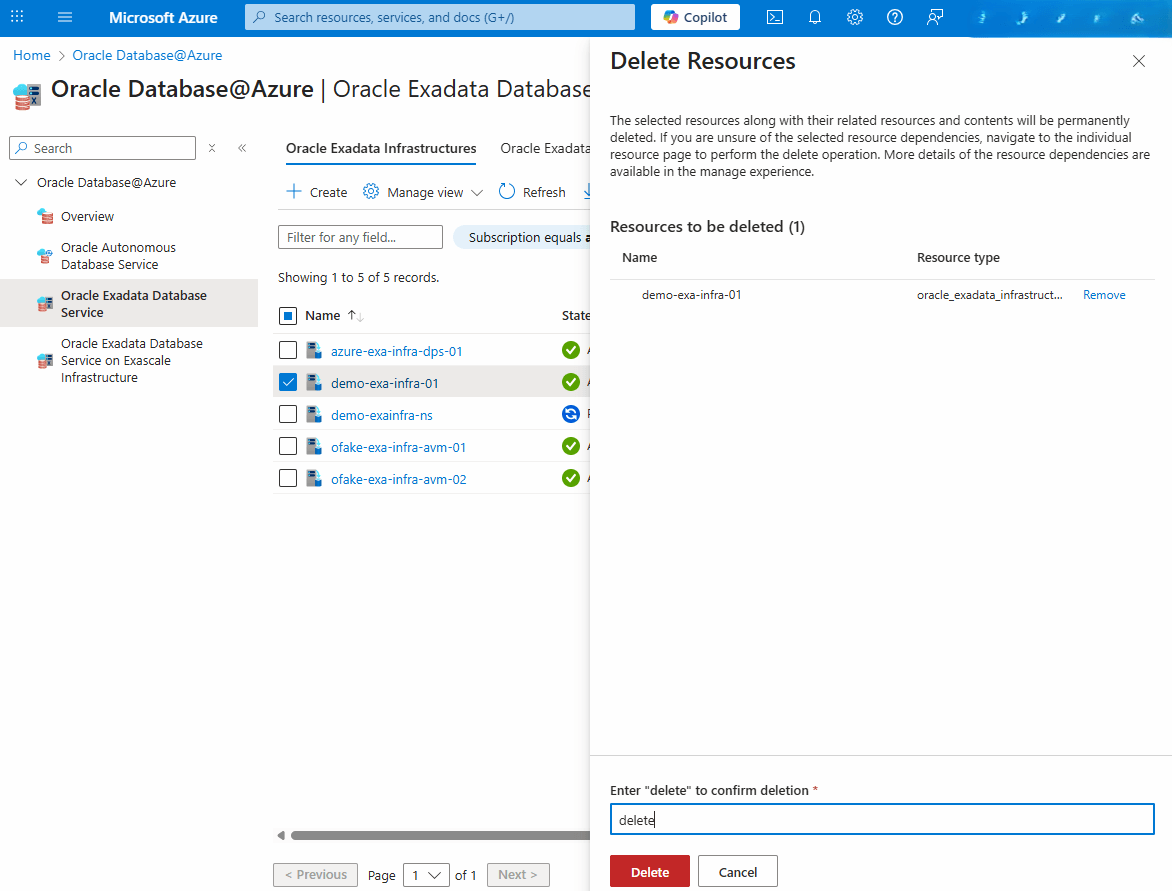
- Select the Delete button, and then enter delete into the field to confirm it.
Exadata Infrastructure deletion is only available through the Azure Portal and Azure CLI.
There is currently no content for this page. Oracle Database@Azure team intends to add content here, and this placeholder text is provided until that text is added. The Oracle Database@Azure team is excited about future new features, enhancements, and fixes to this product and this accompanying documentation. We strongly recommend you watch this page for those updates.
Exadata Infrastructure deletion is only available through the Azure Portal and Azure CLI.
There is currently no content for this page. Oracle Database@Azure team intends to add content here, and this placeholder text is provided until that text is added. The Oracle Database@Azure team is excited about future new features, enhancements, and fixes to this product and this accompanying documentation. We strongly recommend you watch this page for those updates.