Exascale VM Cluster
Deleting an Exadata Container Database (CDB) and Pluggable Database (PDB) are prerequisites to delete an Exadata VM Cluster. Oracle recommends taking a backup of your databases before deleting the Exascale VM Cluster to prevent any potential data loss.
- This topic explains how to delete an Exascale VM Cluster.
- From the Azure portal, select Oracle AI Database@Azure.
- For the left menu, select Oracle Exadata Database Service on Exascale Infrastructure, and then select the Vm Clusters tab.
- From the Vm Clusters list, select your VM Cluster that you want to delete.
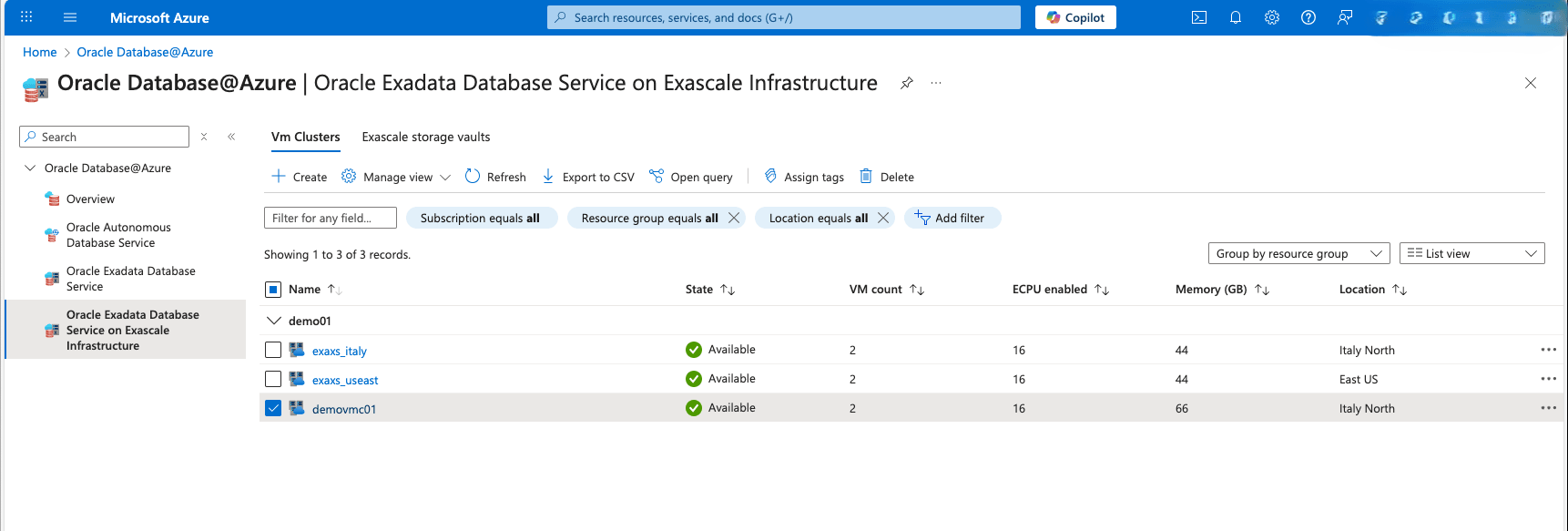
- Select the Delete button.
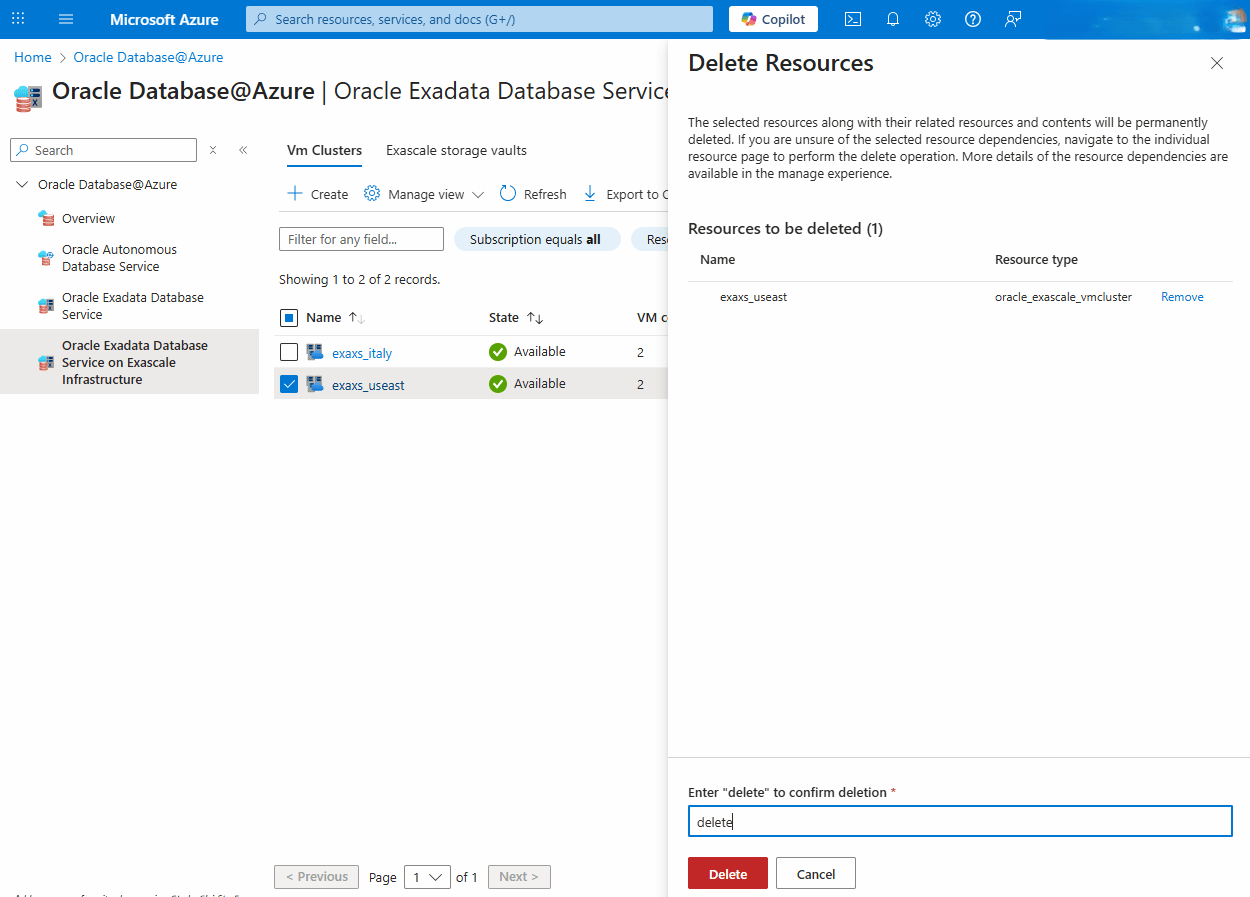
- Enter delete in the confirmation field, and then select the Delete button to confirm it.
Exascale VM Cluster deletion is only available through the Azure Portal and Azure CLI.
There is currently no content for this page. Oracle AI Database@Azure team intends to add content here, and this placeholder text is provided until that text is added. The Oracle AI Database@Azure team is excited about future new features, enhancements, and fixes to this product and this accompanying documentation. We strongly recommend you watch this page for those updates.
Exascale VM Cluster deletion is only available through the Azure Portal and Azure CLI.
There is currently no content for this page. Oracle AI Database@Azure team intends to add content here, and this placeholder text is provided until that text is added. The Oracle AI Database@Azure team is excited about future new features, enhancements, and fixes to this product and this accompanying documentation. We strongly recommend you watch this page for those updates.