Delegated Subnet
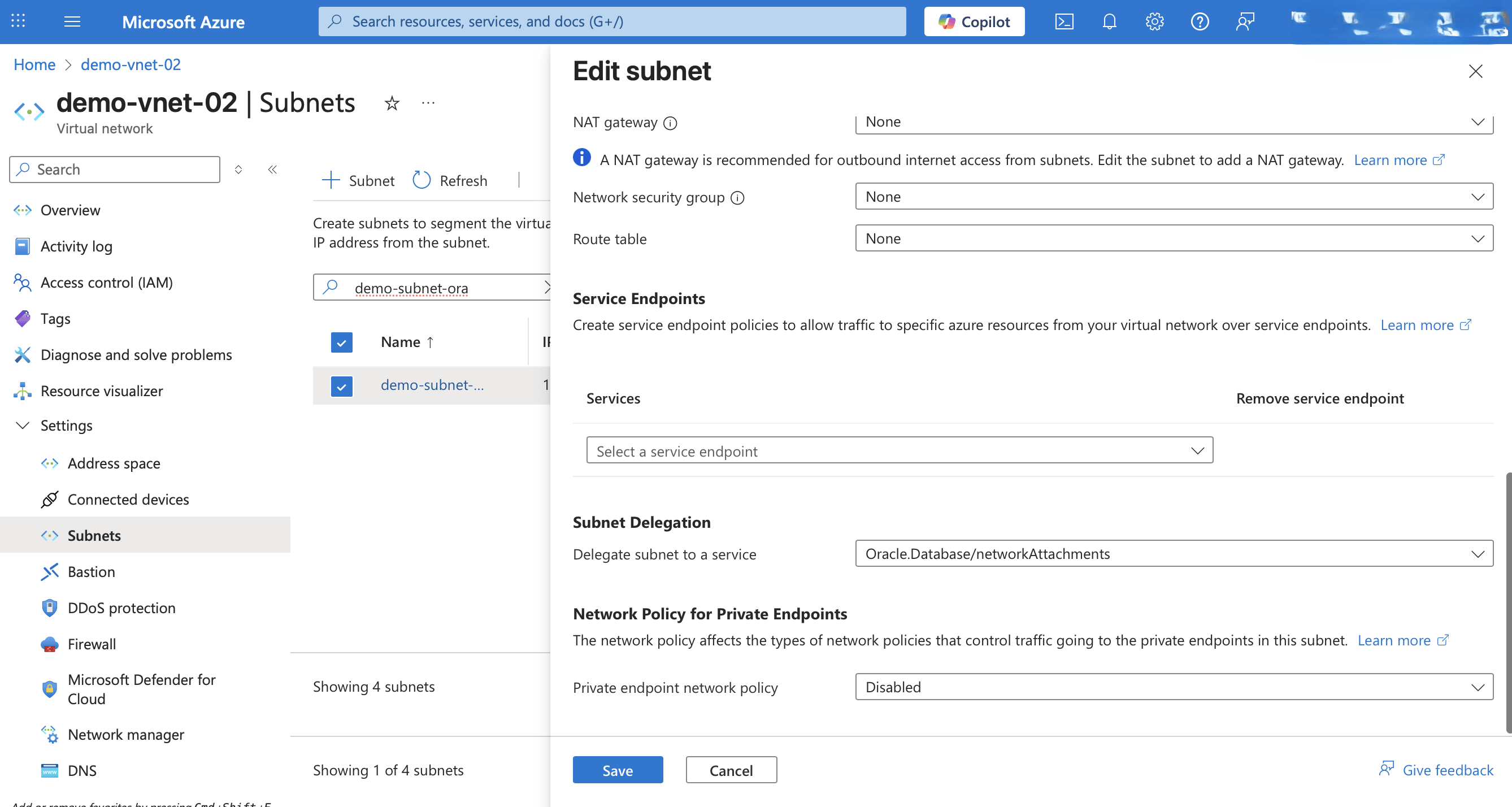
The delegated subnet is a key part of the Azure network setup for Oracle AI Database@Azure. For the delegated subnet, most network features should be configured prior to subnet creation. However, changes made after deployment such as route tables and network policies are not recommended and might require re-provisioning.
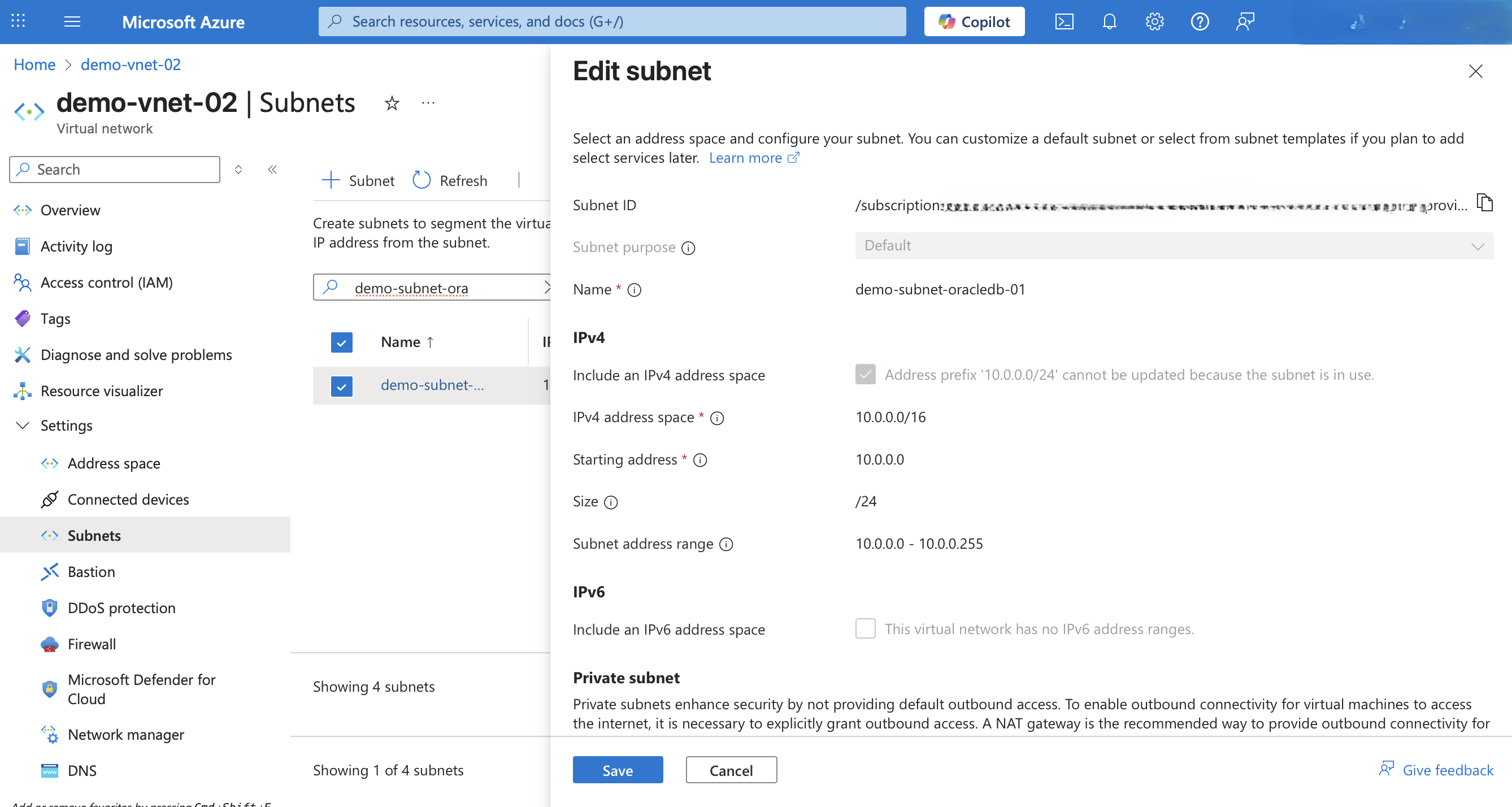
- These are the steps to modify a delegated subnet.
- From the Azure portal, select Virtual networks.
- From the list, select the Name link of your virtual network that you are using.
- Expand the Settings section, and then select the Subnets link.
- From the Subnets page, select the Name link of your subnet that you want to modify.
- From the Edit subnet page, make the required changes, and then click the Save button to apply the changes.
Delegated Subnet modification is only available through the Azure Portal and Azure CLI.
There is currently no content for this page. Oracle AI Database@Azure team intends to add content here, and this placeholder text is provided until that text is added. The Oracle AI Database@Azure team is excited about future new features, enhancements, and fixes to this product and this accompanying documentation. We strongly recommend you watch this page for those updates.
Delegated Subnet modification is only available through the Azure Portal and Azure CLI.
There is currently no content for this page. Oracle AI Database@Azure team intends to add content here, and this placeholder text is provided until that text is added. The Oracle AI Database@Azure team is excited about future new features, enhancements, and fixes to this product and this accompanying documentation. We strongly recommend you watch this page for those updates.